
- Classification d’âge4+
- CatégorieProductivité
- DéveloppeurWun Jing Chang
- LanguesAnglais
- Taille16,3 Mo
Monu-Planner n’est peut-être pas disponible sur App Store pour le moment
La fiche de la boutique était inaccessible lors de notre dernière vérification. Le lien mène toujours à la page App Store officielle.
Captures d’écran
À propos
Le développeur n’a pas fourni ce texte dans votre langue.
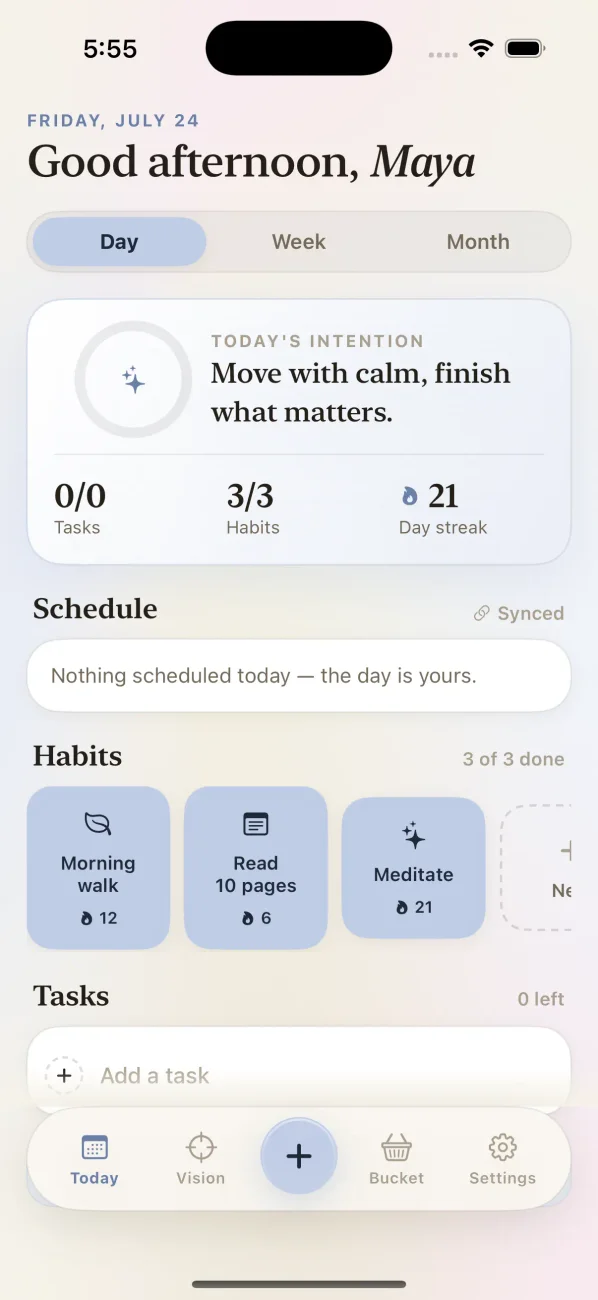
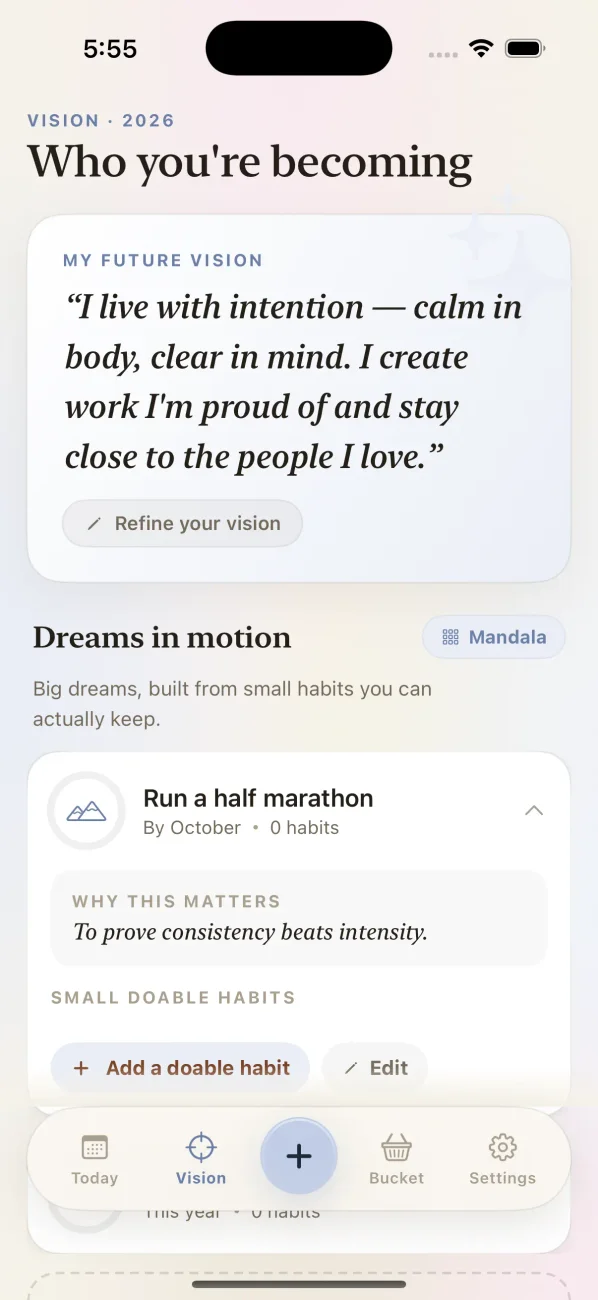
MONU is a calm iOS planner built around one idea: your daily habits should connect to the person you're becoming.
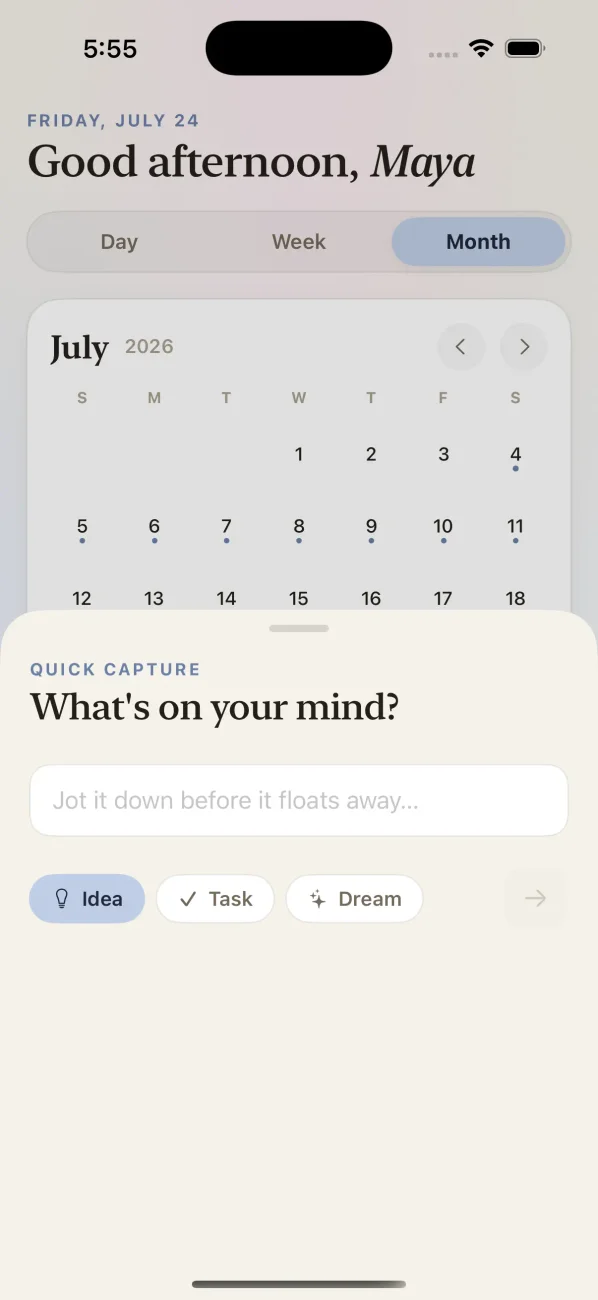
Most to-do apps are just inboxes for tasks — brilliant at capturing what you need to do, but they forget the point. MONU keeps your dreams at the top. Each dream breaks down into small, keepable habits. Those habits show up on your Today screen. And every time you keep one, the dream you're chasing moves a little closer.
FOUR TABS. NOTHING YOU WON'T USE.
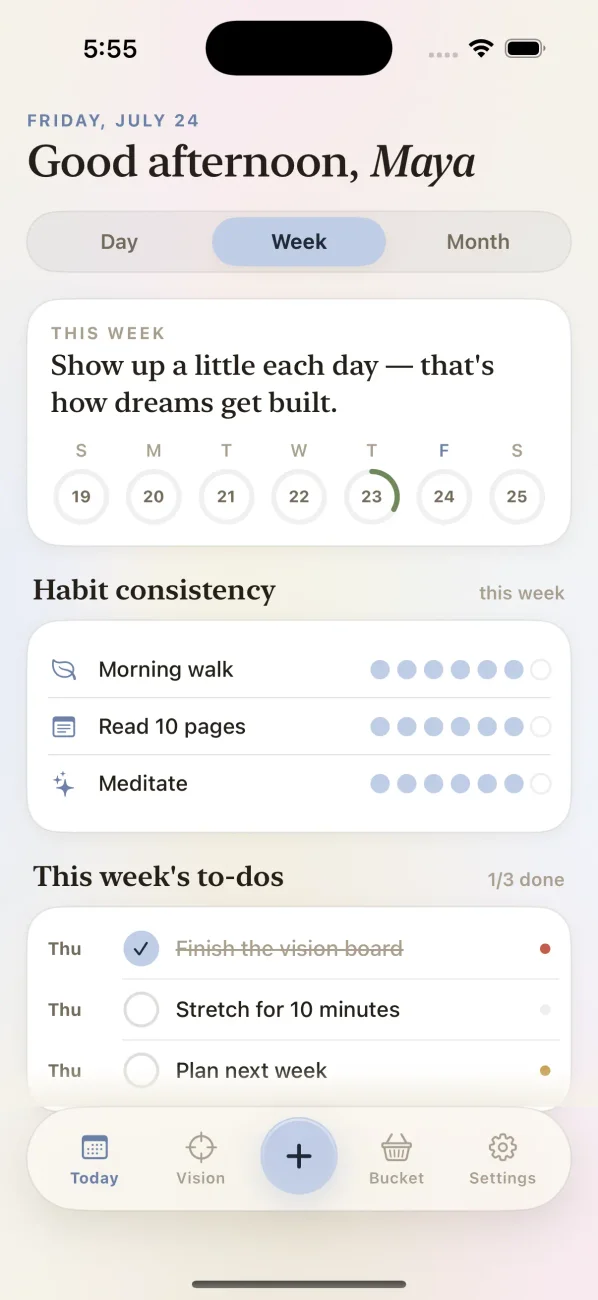
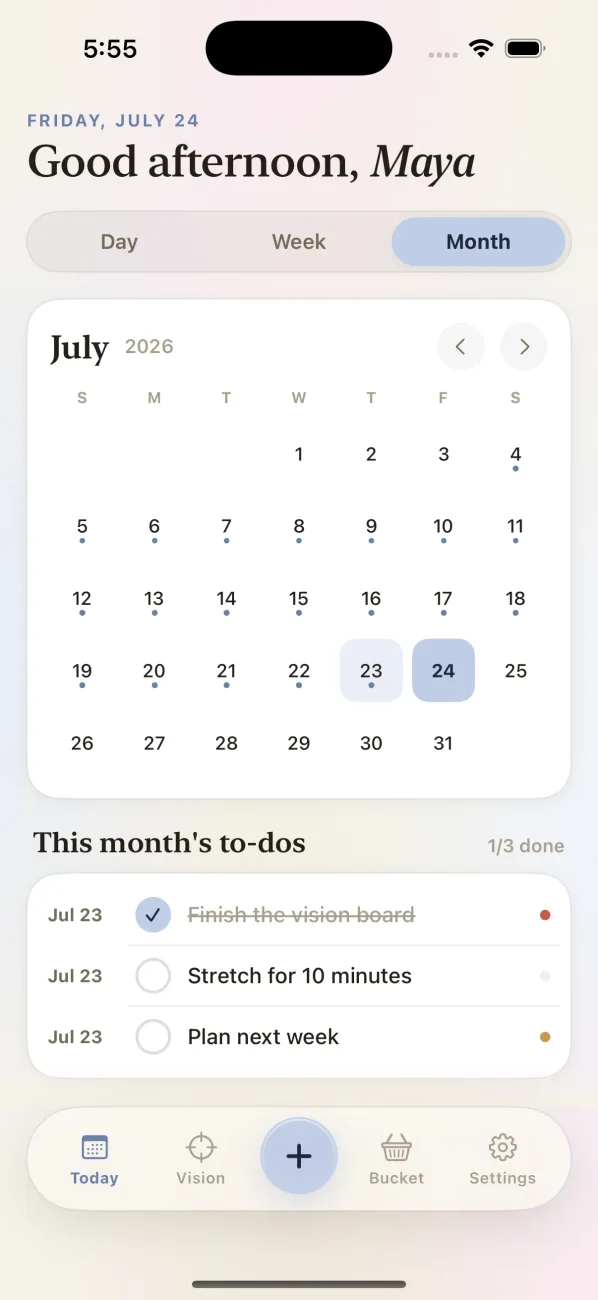
Today, at a glance
Your intention, habits, tasks, and calendar in one view. Switch between Day, Week, and Month — every date is tappable, so you can plan ahead.
Vision & Dreams
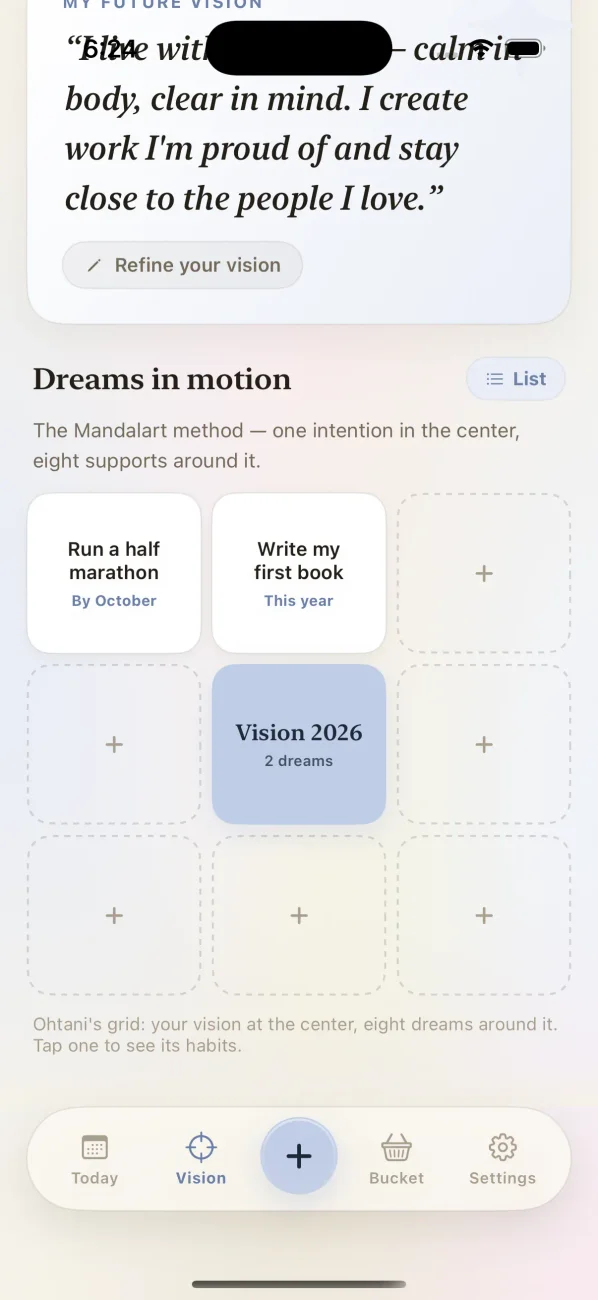
Write who you're becoming, then break each dream into small, keepable habits. View them as a list, or as an Ohtani-style Mandalart grid — a 3×3 goal map with your vision at the center and eight dreams around it.
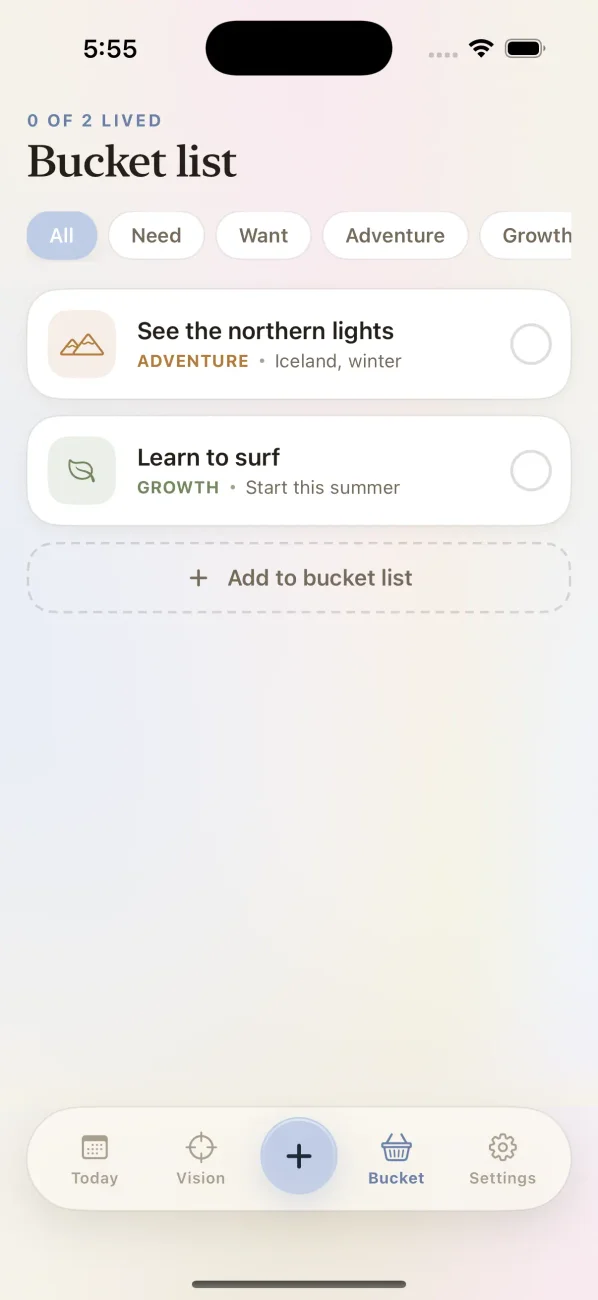
A Real Bucket List
Life isn't only work. Sort your somedays into Need, Want, Adventure, and Growth, and tick them off as you live them.
Focus Timer
A gentle Pomodoro built right in. Pick 15, 25, 45, or 60 minutes, minimize it, and keep working — it resumes right where you left off.
Calendar Sync
Bring your Apple and Google events into your day, week, and month view, merged and de-duplicated so nothing shows up twice.
Home Screen Widget
Your progress ring, streak, and top tasks right on your home screen — a quiet nudge toward the day you meant to have.
WHY MONU IS DIFFERENT
A dream doesn't move forward when you check a box — it moves forward as its habits become consistent. Keep a habit for 21 days and it's built. You watch yourself change, not just clear a list.
No feature soup. No dashboard fatigue. We cut everything that didn't earn its place, including features we'd already built. What's left is what matters.
As James Clear puts it in Atomic Habits: your results reflect your systems, not just your goals.
Free to download. No ads, no tracking. Works offline. Your data stays yours.
Requires iPhone with iOS 18 or later.
Nouveautés
Version 1.2 · 09/08/2026
MONU 2.0 is here — a ground-up redesign built around one idea: your daily habits should connect to who you're becoming.
What's new:
- Vision & Dreams — write who you're becoming, then break each dream into small, keepable habits. View them as a list, or as an Ohtani-style Mandalart grid.
- A Real Bucket List — sort your somedays into Need, Want, Adventure and Growth, and tick them off as you live them.
- Focus Timer — a built-in Pomodoro with 15, 25, 45 and 60-minute sessions that resumes right where you left off.
- Calendar Sync — your Apple and Google events merged into your day, week and month view, de-duplicated automatically.
- Home Screen Widget — your progress ring, streak and top tasks right on your home screen.
- A complete visual redesign, cut down to four tabs and nothing you won't use.
Thanks for planning with intention — we'd love to hear what you think.
Confidentialité de l’application
Ce que Wun Jing Chang déclare sur l’App Store au sujet du traitement des données par cette application.
-
Données non collectées
Le développeur ne collecte aucune donnée à partir de cette application.
Les pratiques en matière de confidentialité peuvent varier, notamment en fonction des fonctionnalités que vous utilisez ou de votre âge.
Informations
- Vendeur
- Wun Jing Chang
- Catégorie
- Productivité
- Version
- 1.2
- Mis à jour
- 09/08/2026
- Publié
- 12/09/2025
- Taille
- 16,3 Mo
- Nécessite
- iOS 18.0 ou version ultérieure
- Classification d’âge
- 4+
- Langues
- Anglais
- Copyright
- © 2025 MONU
Vous aimerez peut-être aussi
-
 Learning Tree BreakdownProductivité
-
 SpatiaMind: Mind Map & ARProductivité
-
 One Thing: One Task FocusProductivité
-
 Musing NotesProductivité
-
 Habit SwipeProductivité
-
 streakr - One TaskProductivité
-
 Mark To DoProductivité
-
 Tasks in a loopProductivité
-
 Life Goals PlannerProductivité
-
 Gridpaper: To-Do & DiaryProductivité