
MPEdie - MPE Controller
Expressive MIDI keyboard, AUv3
Conçue pour iPhone, iPad, iPod touch
Gratuit
- Classification d’âge4+
- CatégorieDivertissement
- DéveloppeurDiego Capoccitti
- Taille9,7 Mo
Renvoie vers la page App Store officielle
Download.org n’héberge aucun fichier de MPEdie - MPE Controller. Le bouton ouvre la page de l’application sur App Store, où Diego Capoccitti la publie. Fiche vérifiée pour la dernière fois le 17/11/2026.
Captures d’écran
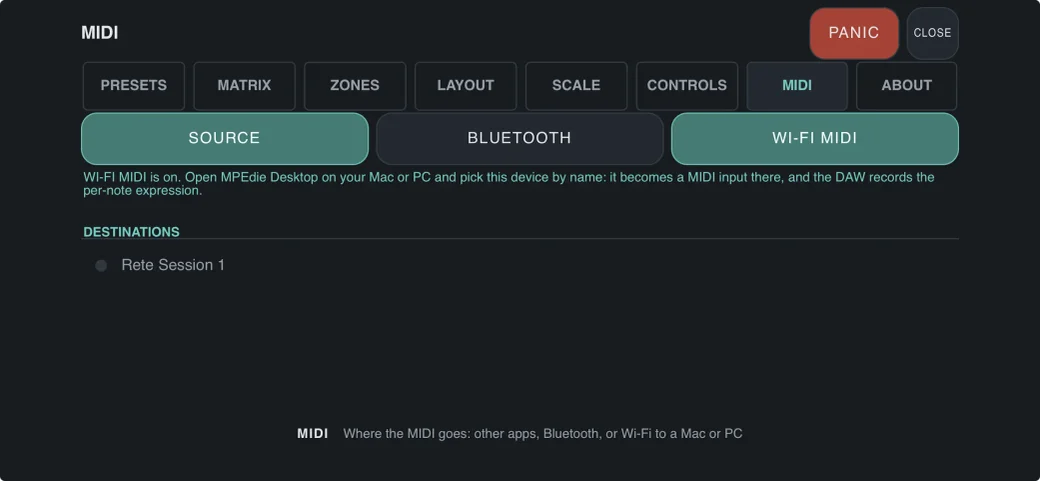
À propos
Le développeur n’a pas fourni ce texte dans votre langue.
MPEdie is an MPE keyboard controller for iPhone and iPad. It makes no sound: it plays whatever instrument you send it to, and it gives every note its own MIDI channel — so every note bends, breathes and changes timbre on its own. On an ordinary keyboard a bend moves the whole chord. Here it moves one note.
APP AND AUv3
Run it standalone and send MIDI to other apps on the device, to Bluetooth gear or over Wi-Fi. Or load it as an AUv3 MIDI plugin in your host and route it straight to an MPE instrument.
FOUR PLAYING SURFACES
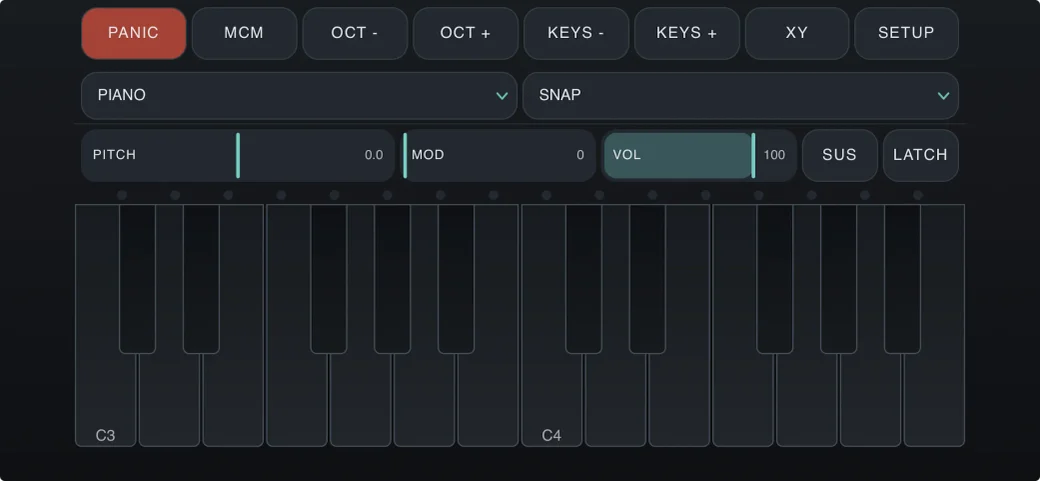
• PIANO — the keyboard your hands know. Sliding follows the pitch under the finger, not the width of the key.
• ISOMORPHIC — a grid where a chord shape is the same in every key. Rows, columns and row interval are yours to set.
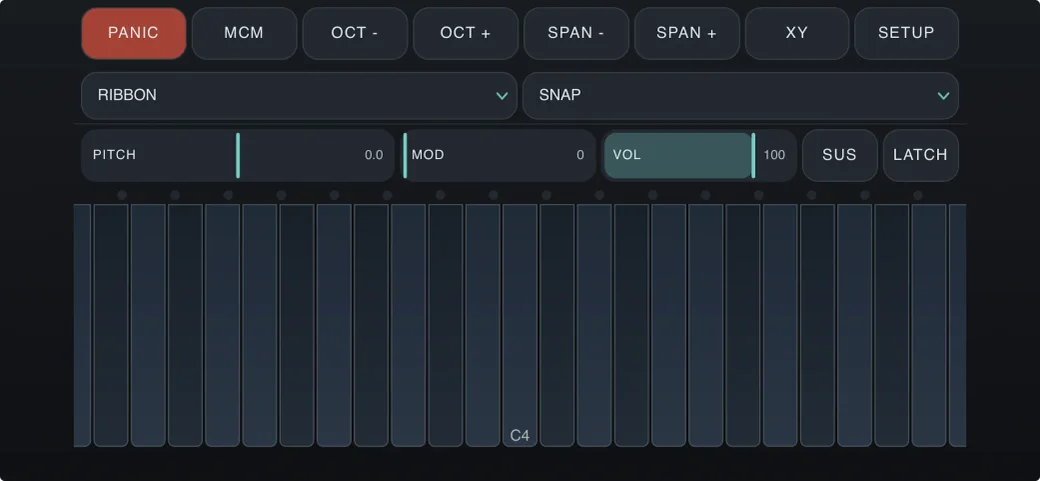
• RIBBON — one continuous strip, nothing to land on. You choose how many semitones fit across it.
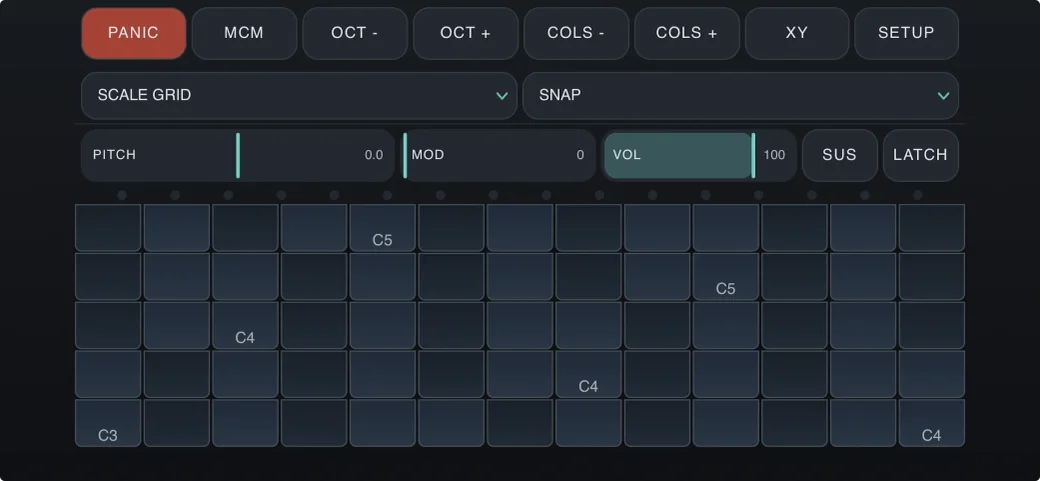
• SCALE GRID — the same grid, with only the notes of the chosen scale. Nothing out of key by accident.
Fourteen scales, any root, split the surface in two with its own layout and octave on the right.
EVERY FINGER MOVEMENT IS ROUTABLE
A matrix of seven destinations — bend, timbre, pressure, strike, lift and two free CCs — and eight sources: sideways glide, absolute or relative position in the key, contact area, force, time held, or a fixed value. Each link has a curve, a gain, an offset and an invert.
And an honest answer about pressure: iOS glass does not measure how hard you press. It measures contact area. MPEdie can send that, and it says so instead of pretending — it is one tap away in the matrix, and the factory default is a gesture you can predict.
BUILT TO AGREE WITH THE RECEIVER
Lower, upper or split zones. Member channel counts. Per-note and master bend ranges. RPN sent to every member channel when your instrument needs it. Channel pressure or poly aftertouch. Any timbre CC. Channel stealing by oldest or quietest, with a cooldown. One button resends the MPE zone setup to an instrument loaded after you.
UNDER THE HANDS
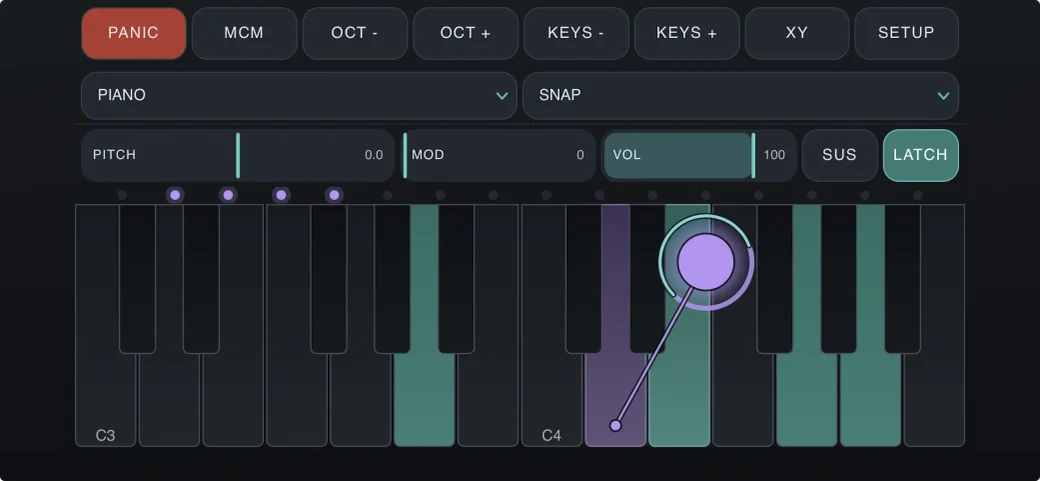
PANIC that also lifts the pedal. Octave and key count. Four glide modes — continuous, snap, locked, per-note lock. Pitch, modulation and volume strips, with a spring you can switch off. Two assignable XY pads. Sustain, momentary or latching. Latch, with held notes drawn apart so a stuck note never looks like a played one. Bank select and program change, sent when you ask and never behind your back.
TWENTY-SIX PRESETS
Seven folders: keyboards, grids, ribbons, splits, scales, and a Targets family that answers the same question — what does the receiver actually understand? — five different ways. Save your own; they are plain files you can move and share.
A FREE COMPANION FOR MAC AND WINDOWS
MPEdie Desktop receives the iPad over the network and republishes it as a virtual MIDI port, so your DAW sees MPEdie in its list of MIDI inputs, exactly like a hardware controller. That is the point: an input gets recorded. Arm a track and the DAW writes down the per-note expression — every note's own bend, pressure and timbre — and plays it back. Nothing is installed on the iPad, and no driver on Windows. Free download from the developer's site.
The full manual is inside the app.
MPE (MIDI Polyphonic Expression) is an open standard published by the MIDI Association and AMEI. MPEdie is MPE-compatible.
Diego Capoccitti · 34Audiovisuals · www.diegocapoccitti.it
Nouveautés
Version 1.1.3 · 07/09/2026
What's New
• Bugfix: Custom scales can use accidentals.
• Update: The keys of that octave are now named by degree — 1, b2, 2, b3, 3, 4, #4, 5, b6, 6, b7, 7 —
Confidentialité de l’application
Ce que Diego Capoccitti déclare sur l’App Store au sujet du traitement des données par cette application.
-
Données non collectées
Le développeur ne collecte aucune donnée à partir de cette application.
Les pratiques en matière de confidentialité peuvent varier, notamment en fonction des fonctionnalités que vous utilisez ou de votre âge.
Informations
- Vendeur
- Diego Capoccitti
- Catégorie
- Divertissement
- Version
- 1.1.3
- Mis à jour
- 07/09/2026
- Publié
- 25/08/2026
- Taille
- 9,7 Mo
- Nécessite
- iOS 15.0 ou version ultérieure
- Classification d’âge
- 4+
- Prix
- Gratuit
- Copyright
- © 2026 Diego Capoccitti
Vous aimerez peut-être aussi
-
 Matcha — Lofi Chord StudioDivertissement
-
 Yaba Sanshiro 2Divertissement
-
 BloopTagsDivertissement
-
 Kaset: TV TrackerDivertissement
-
 stashyStash Media Player
-
 Tomo TV, client JellyfinCiné, TV live, musique, livres
-
 Velora Player: Video & AudioDivertissement
-
 DOTEC-AUDIO AUMediaPlayerDivertissement
-
 Dots (Pixel Art)Divertissement