
MultitrackStudio for iPad
Audio / MIDI recording studio
Conçue pour iPad
34,99 € · Achats intégrés
- Classification d’âge4+
- CatégorieMusique
- DéveloppeurGiel Bremmers
- LanguesAnglais
- Taille24,7 Mo
Renvoie vers la page App Store officielle
Download.org n’héberge aucun fichier de MultitrackStudio for iPad. Le bouton ouvre la page de l’application sur App Store, où Giel Bremmers la publie. Fiche vérifiée pour la dernière fois le 22/11/2026.
Captures d’écran

À propos
Le développeur n’a pas fourni ce texte dans votre langue.
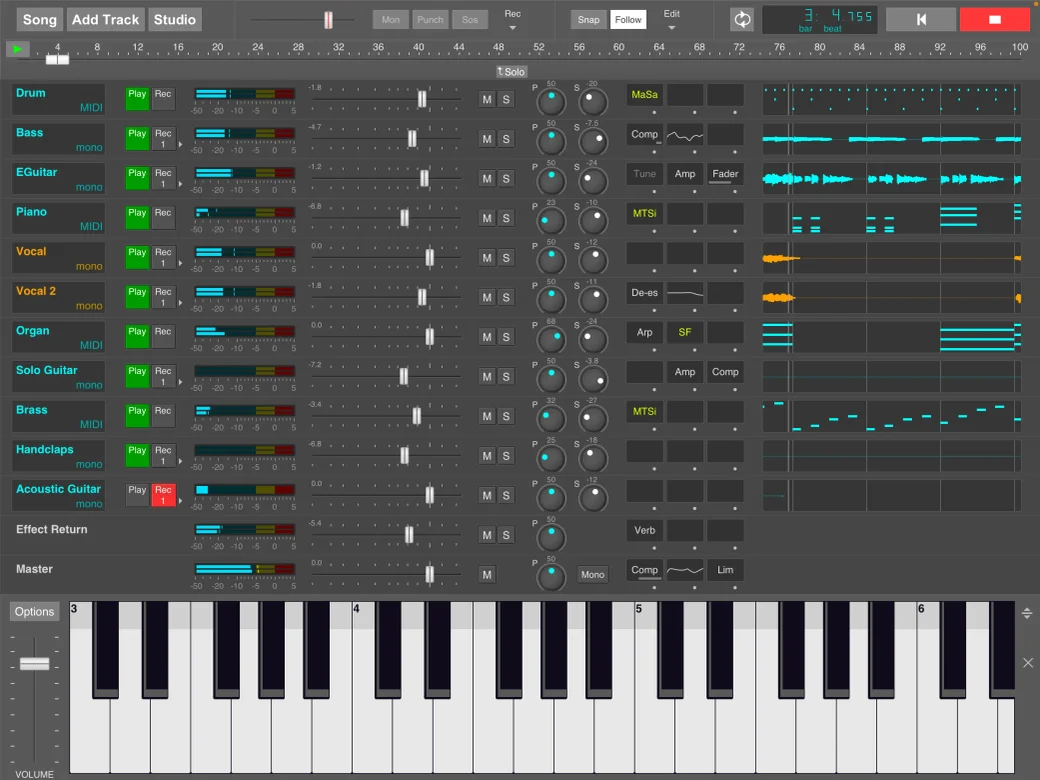
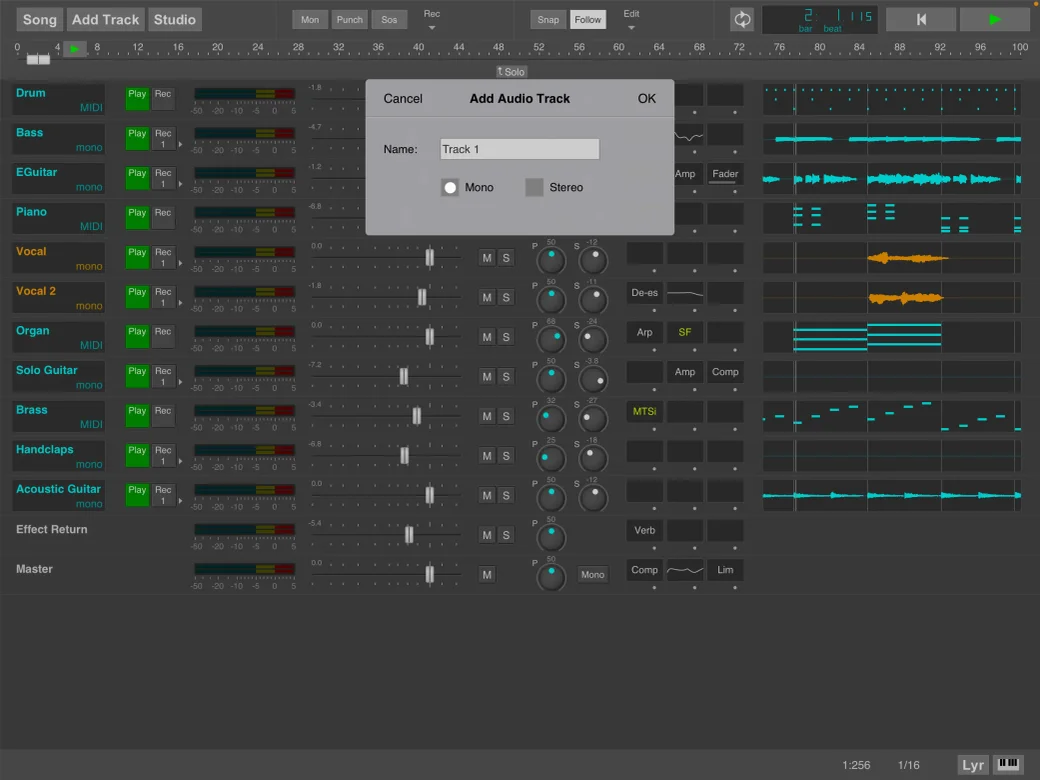
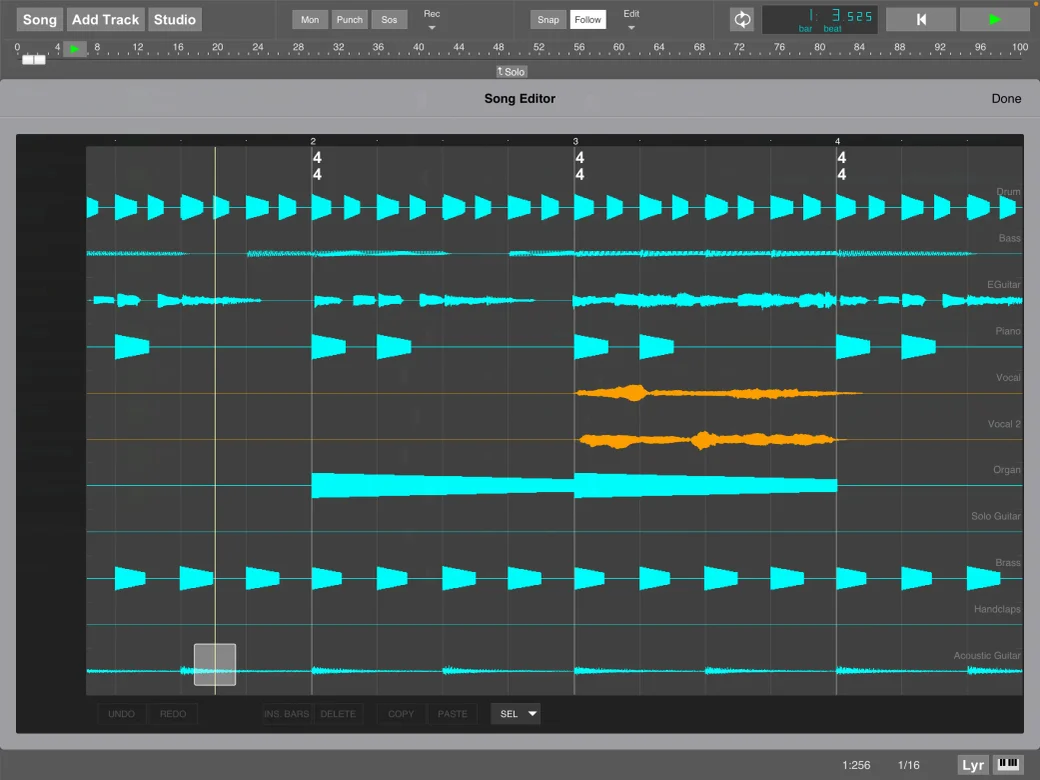
MultitrackStudio turns your iPad into a digital multitrack music recording studio. You can record, edit and mix audio and MIDI tracks. Both "one man band" recording, adding tracks one at a time, and live multitrack recording are supported.
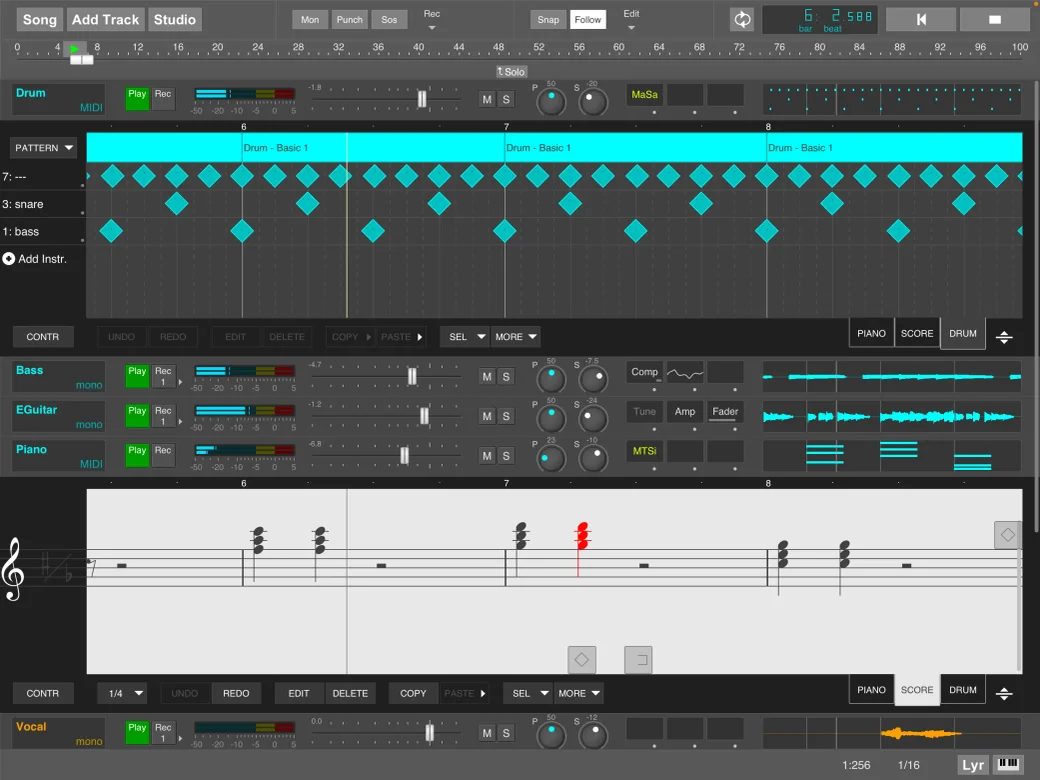
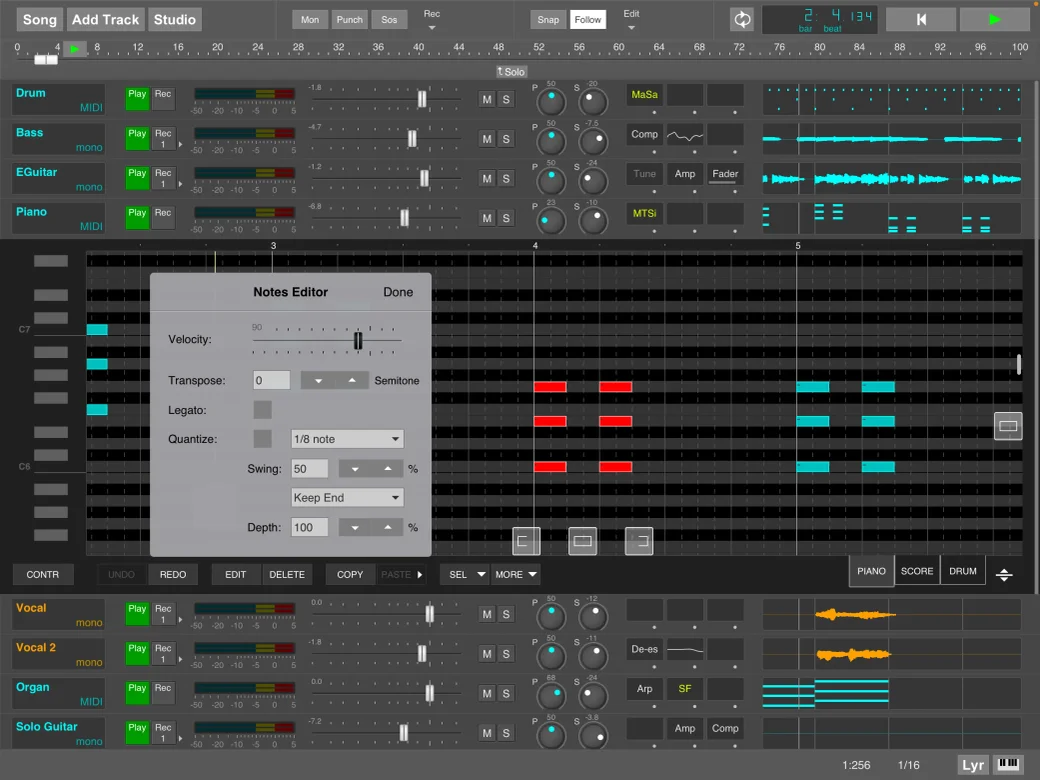
Both audio and MIDI tracks can be edited. MIDI editing features include pianoroll, drum, score and pattern editors. Tempo and time signature can change throughout the song.
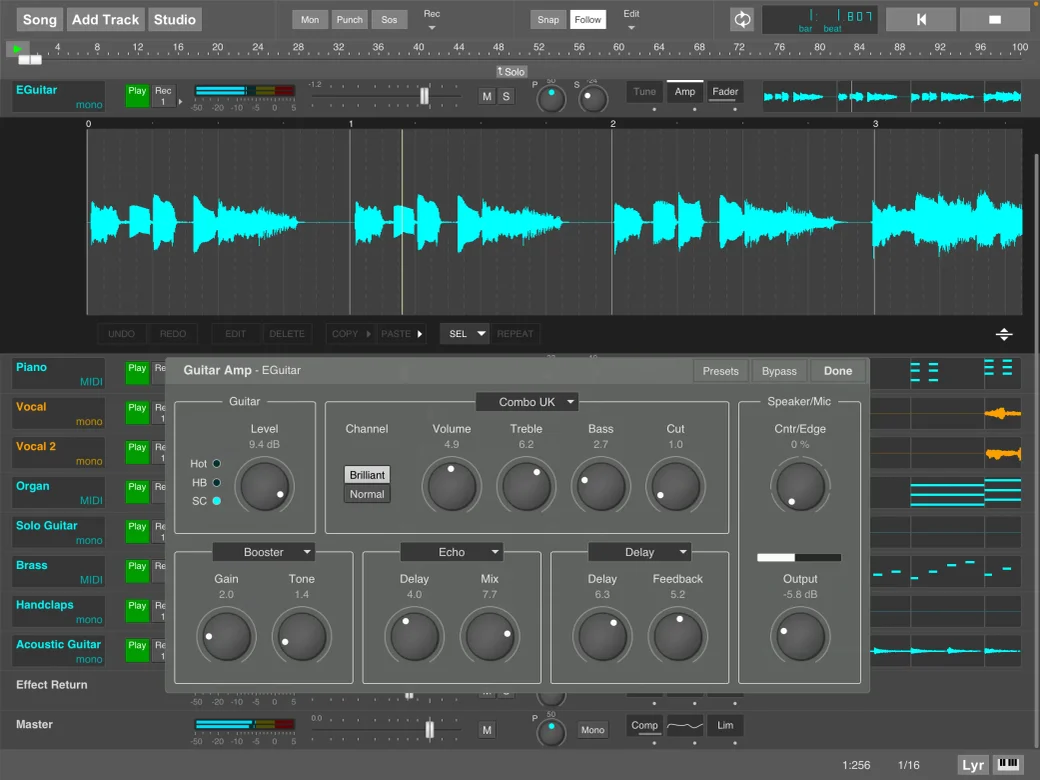
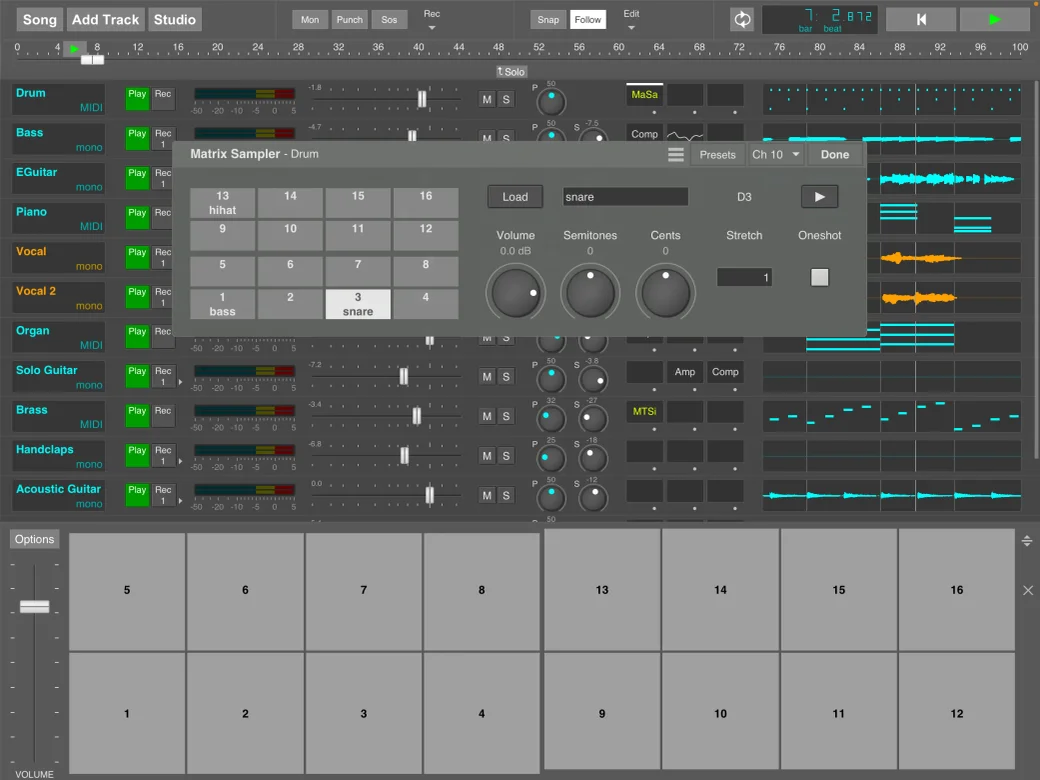
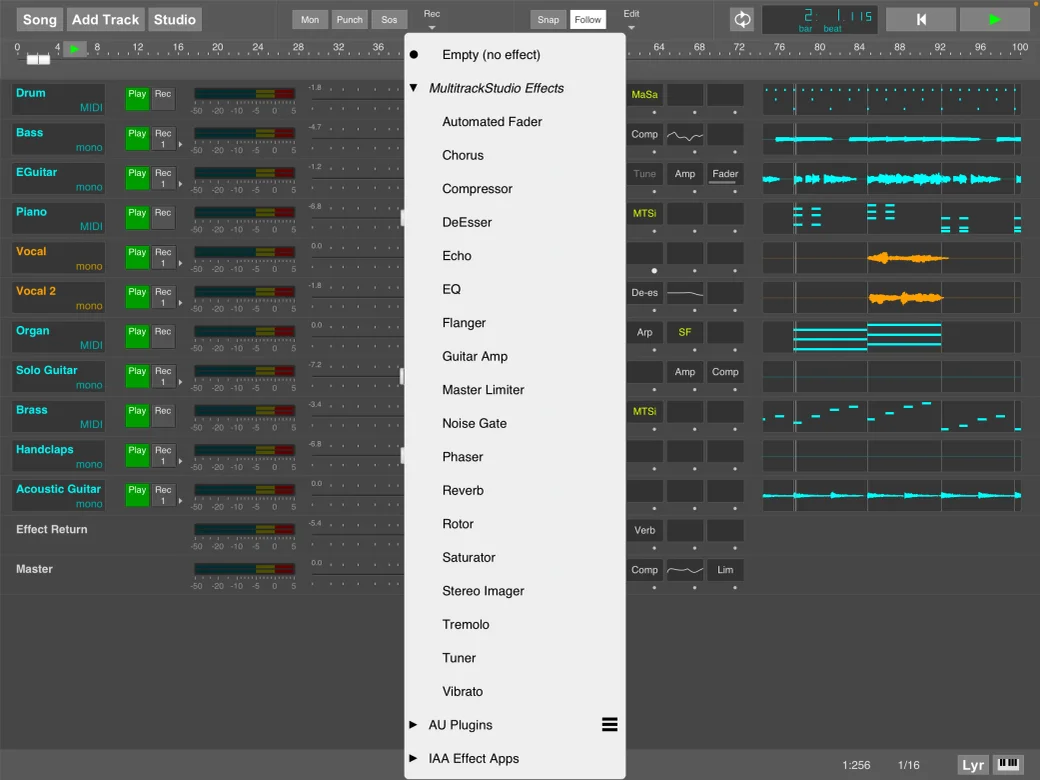
MultitrackStudio for iPad comes with many high quality audio effects including a guitar amp simulator. MIDI instruments include GM-compatible MultitrackStudio Instruments, SoundFont Player and Matrix Sampler. External (hardware) synths can be used as well.
AUv3 audio effects, instruments and MIDI effects are supported, so 3rd party apps can integrate into MultitrackStudio.
The straightforward user-interface has been designed with tape-based recording in mind. It's easy to use yet powerful.
Key features:
• Up to 16 audio/MIDI tracks, audio tracks can be mono or stereo.
• Editors: audio, pianoroll, drum, score, MIDI patterns, MIDI controllers, tempo/time signature and song.
• One effect return section.
• One master section.
• Three effect slots per mixer section (two for MIDI tracks).
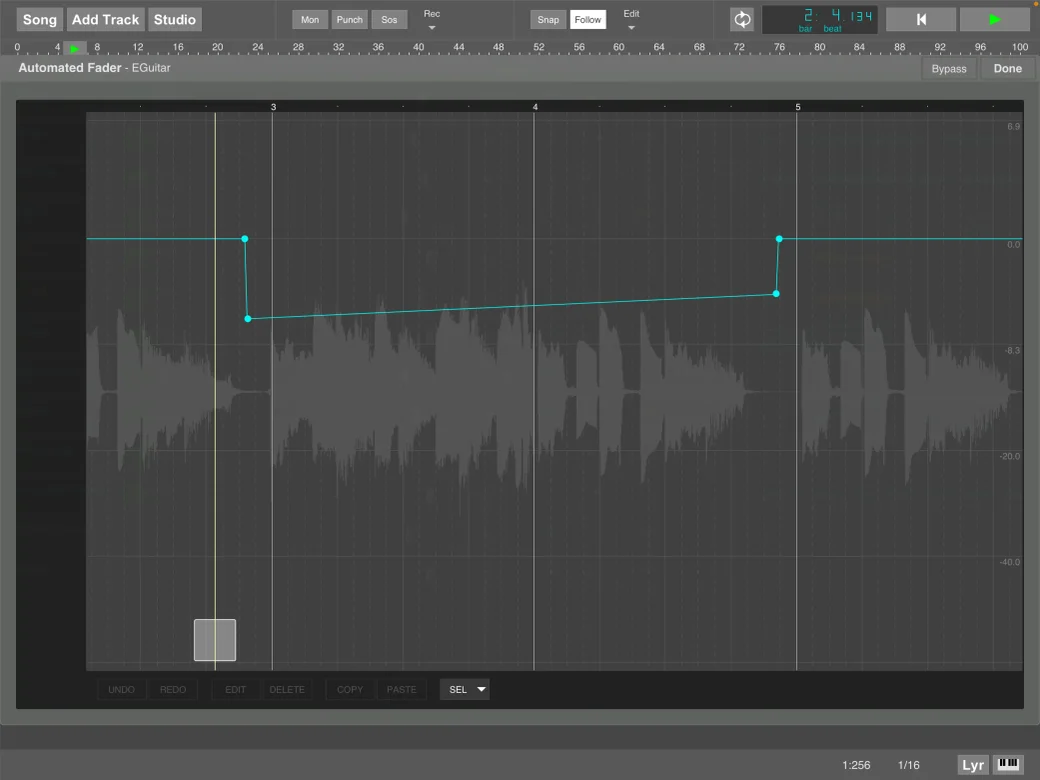
• Audio Effects: Automated Fader, Chorus, Compressor, DeEsser, Echo, EQ, Flanger, Guitar Amp, Master Limiter, Noise Gate, Phaser, Reverb, Rotor, Saturator, Stereo Imager, Tremolo, Tuner and Vibrato.
• MIDI instruments: MultitrackStudio Instruments (General MIDI compatible), SoundFont Player, Matrix Sampler, up to four Virtual MIDI Apps and up to two CoreMIDI output devices..
• MIDI Effects: Arpeggiator, Poly Modulator and Velocity Curve.
• Supports Audio Unit effects and instruments and MIDI effects (the latter require iOS 12).
• Supports Inter-App Audio effects and instruments.
• Supports Audiobus (acts as output in Audiobus app).
• Supports MPE, MIDI 2.0 and MIDI-CI (MIDI 2.0 requires iPadOS 14). The MultitrackStudio Instruments acoustic pianos support the MIDI 2.0 Piano profile.
• MIDI sources: onscreen keyboard (keyboard, fourths, guitar, bass, violin, matrix, chords and drum layouts) and up to two CoreMIDI input devices. Supports Bluetooth LE MIDI.
• Supports Bluetooth audio output.
• Audio sample rate: 44.1 or 48 kHz.
• Imports .wav, .aif, .flac, .m4a, .mp3, .mid, .midi2 and various other audio file types (Flac requires iPadOS 16).
• Exports .wav, .flac, .m4a, .mid and .midi2 files (Flac requires iPadOS 16).
• Import/export audio/MIDI via Document Picker, Copy/paste, iTunes File Sharing, AudioShare or email.
• Imports/exports .zip file containing all files needed to open song, compatible with MultitrackStudio for Windows/macOS.
• Lyrics/chords prompter and editor.
• Also works with mouse/trackpad/keyboard (requires iPadOS 13.4).
The Pro Extension (available as in-app purchase) adds these features:
• Up to 64 tracks.
• Up to 3 extra Effect Slots. (*)
• Up to 3 extra Effect Returns. (*)
• Up to 8 Groups. (*)
• Multichannel audio playback. (*)
• Mixer and effect automation.
• Audio pitch shifting in track editors.
• Time stretching in track editors.
• Tempo editor can process audio tracks.
• Stretch and Stretch Accelerando in tempo editor.
• Multi MIDI Editor (edit multiple tracks in a single editor)..
• Convolutor effect with Vintage Reverbs.
• Load custom speaker IR in Guitar Amp.
• Sidechain input on Compressor and AU effects that support it.
• Dynamics effect, supports sidechaining.
• Multiband Compressor effect.
• Auto Wah effect.
• Phase Inverter effect.
• Transposer effect.
• Vocal Tuner effect.
• Sample rate conversion in Export Mix dialog.
• Create new song using current as template.
• Remote Control for transport ("MIDI Learn")
(*) Limited by iPad screen size. There's just one additional space on iPad smaller iPads. 10.5" iPads have two spaces, 12.9" iPads have three spaces.
An Effect Slot, an Effect Return and the Output Selector (for groups and multichannel playback) take one space each.
Nouveautés
Version 5.4.2 · 17/11/2026
• Export MIDI Tracks window now has file type selector box to choose between .mid and .midi2.
• MIDI recording: Improved handling of overlapping notes (like note on --> note on --> note off --> note off, all on the same note).
• MIDI recording: Controllers, RPNs and per-note controllers at the very start of a track are now preserved if you start recording from the start.
You can, for example, use per-note Pan controllers to pan the individual instruments of the MultitrackStudio Instruments drums.
• Sustain / Soft / Sostenuto controller editors are now flipped vertically, so they work like a piano pedal.
• MultitrackStudio Instruments: MIDI controllers for organ and synth drawbars now also affect notes that are already playing. Same for synth Filter and Resonance.
• MultitrackStudio Instruments: drums now have Sticks sound (MIDI note 31).
• Fixed: The PASTE button of a drum editor wasn't always enabled when it should.
• Some other improvements and fixes.
Confidentialité de l’application
Ce que Giel Bremmers déclare sur l’App Store au sujet du traitement des données par cette application.
-
Données non collectées
Le développeur ne collecte aucune donnée à partir de cette application.
Les pratiques en matière de confidentialité peuvent varier, notamment en fonction des fonctionnalités que vous utilisez ou de votre âge.
Informations
- Vendeur
- Giel Bremmers
- Catégorie
- Musique
- Version
- 5.4.2
- Mis à jour
- 17/11/2026
- Publié
- 06/01/2014
- Taille
- 24,7 Mo
- Nécessite
- iOS 13.0 ou version ultérieure
- Classification d’âge
- 4+
- Prix
- 34,99 €
- Achats intégrés
- Oui
- Langues
- Anglais
- Copyright
- © 2001-2026 Bremmers Audio Design
Vous aimerez peut-être aussi
-
 Auria Pro - Music ProductionMusique
-
 Auria - Music ProductionMusique
-
 n-Track Studio Pro | DAWStudio d'enregistrement
-
 Xequence 2Musique
-
 Prism MIDI SequencerMusique
-
 MultiTrack DAWMultipiste, tout simplement
-
 Zodiak Taurus Mega OctavizerMusique
-
 Vocal Tune StudioMusique
-
 Groove Rider 2Musique
-
 BA-1 - Baby AudioMusique