
- Classification d’âge4+
- CatégorieVoyages
- DéveloppeurSFMTA
- LanguesAnglais+ 5 de plus
- Taille190,9 Mo
Renvoie vers la page App Store officielle
Download.org n’héberge aucun fichier de MuniMobile. Le bouton ouvre la page de l’application sur App Store, où SFMTA la publie. Fiche vérifiée pour la dernière fois le 16/11/2026.
Captures d’écran

À propos
Le développeur n’a pas fourni ce texte dans votre langue.
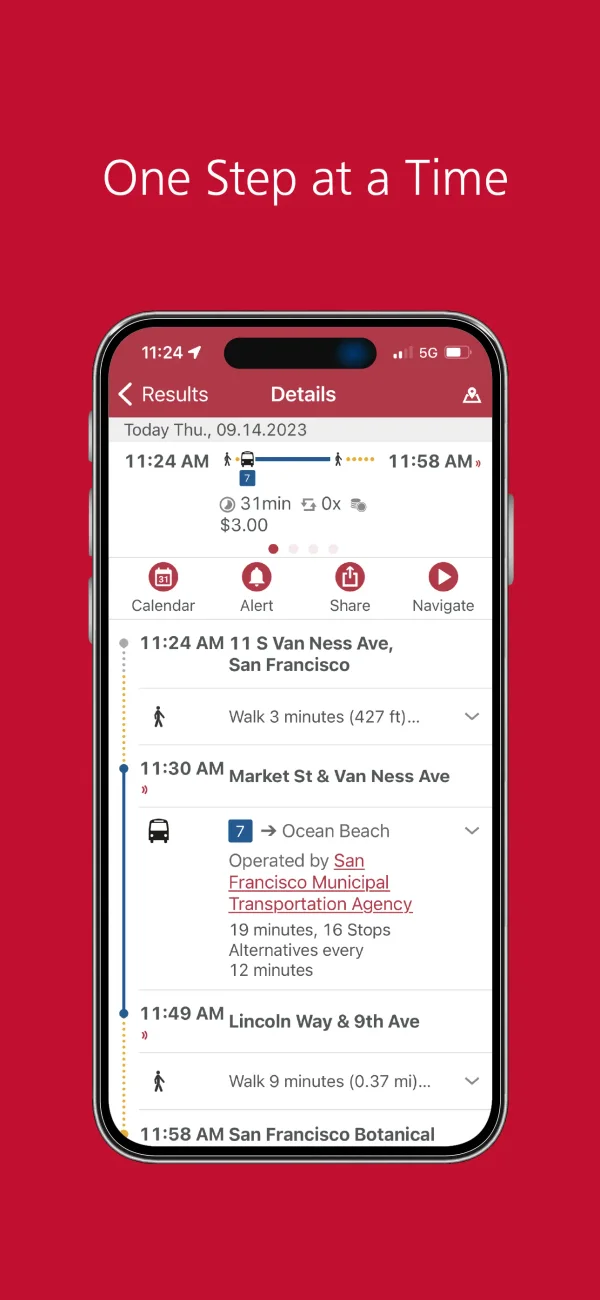
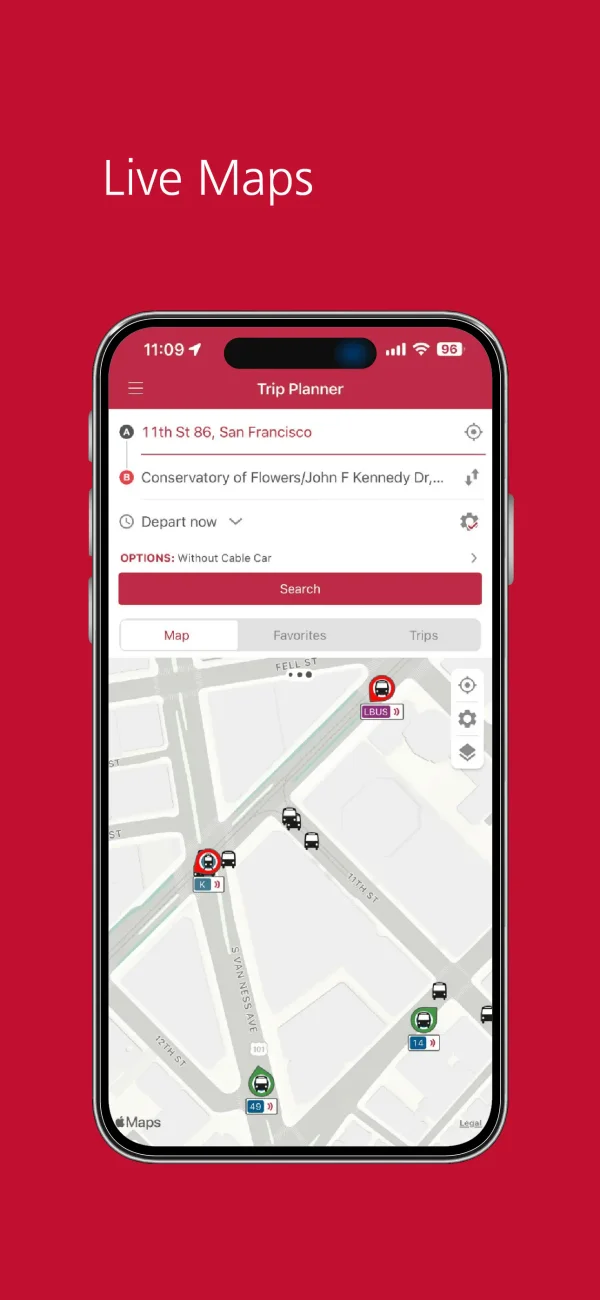
The official trip planning and mobile ticketing app from San Francisco Municipal Transportation Agency (SFMTA). MuniMobile helps you navigate the Muni transit network effortlessly and purchase and use fares and passes instantly on your phone—anywhere, anytime. Just download the free app, create an account and you're ready to go.
WHY YOU'LL LOVE THIS APP:
• No paper fares to keep track of.
• No need to carry cash, count exact change, or find a ticket machine.
• Buy and use fares using a debit/credit card, PayPal or Apple Pay
• Store multiple tickets on your phone for future use.
• Pay a single fare or multiple fares for a group of riders from a single device.
• Register your debit/credit card(s) in our secure system.
HOW IT WORKS:
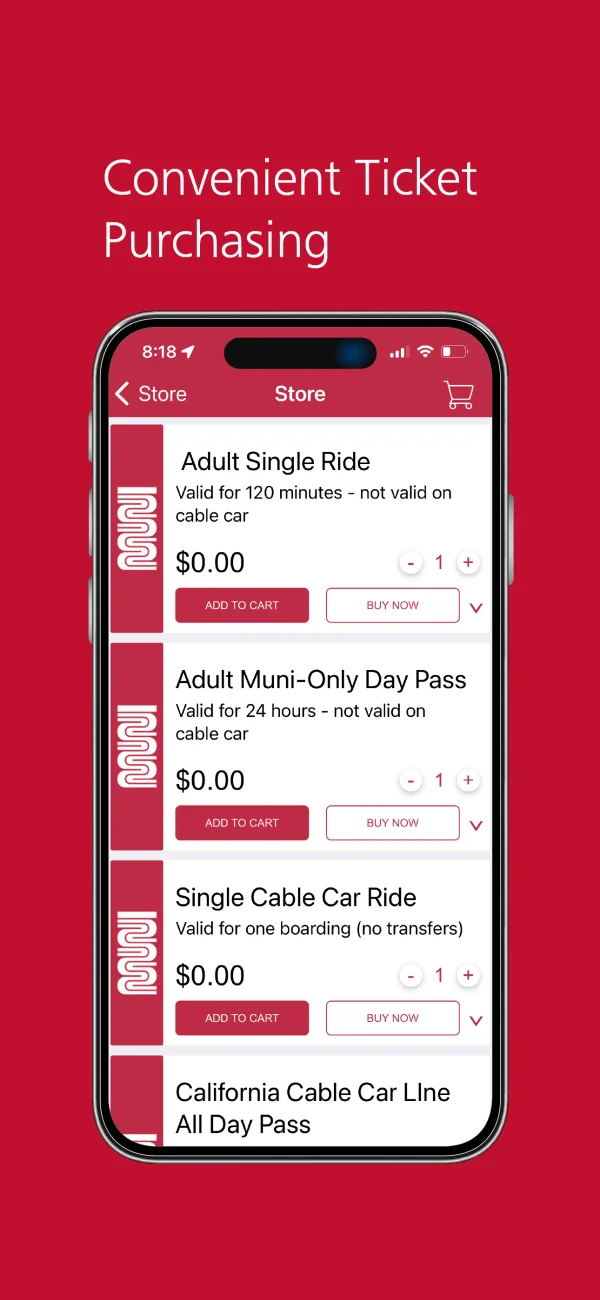
1. CHOOSE RIDER TYPE: Adult, Senior/Disabled/Medicare, Youth, or SF Access
2. CHOOSE FARE: Single Trip Fare for Muni Bus & Rail, Single Ride Fare for Cable Car, or Passports
3. CHOOSE QUANTITY: You can buy multiple tickets to use later
4. CHECK OUT: Pay with debit/credit card, PayPal or Apple Pay
COMMON QUESTIONS:
Q: Do I need to be connected to the Internet?
A cellular network or a wireless Internet connection is required to purchase tickets, but you can use/activate your tickets offline.
Q: What if my battery dies?
Just like with paper tickets, you're responsible for making sure you have a valid fare at all times, so be sure to plan ahead!
IMPORTANT REMINDERS:
• Activate your ticket before boarding.
• In the subway, activate (“use”) your purchased mobile ticket before passing through metro station fare gates. Show your active ticket to the station agent, and pass through the fare gate closest to the station agent booth. If the station agent is not present, you may still pass through the gate as long as your ticket has been activated. Do not attempt to “tag” the gate.
• On the surface, use your purchased mobile ticket before boarding the vehicle. You may board through any door. If you feel more comfortable boarding through the front door to show your ticket to the transit operator, please feel free to do so.
• For Cable Car, use your purchased mobile ticket once you are on board the vehicle. Show your mobile ticket to the Cable Car conductor.
• Watch your battery level! Just like with paper tickets, you're responsible for making sure you have a valid fare at all times.
• Create an account before purchasing tickets, as this is the only way you can transfer your unused tickets if you get a new phone. (Note: Only unused tickets can be transferred. Use up any activated tickets before switching phones.)
• Don't uninstall the MuniMobile app or erase your phone without transferring your unused tickets first. Your tickets are stored on your phone (which makes it possible to use them without a cellular network or a wireless Internet connection).
Nouveautés
Version 1.6.8 · 23/03/2026
Bug fixes and general enhancements
Confidentialité de l’application
Ce que SFMTA déclare sur l’App Store au sujet du traitement des données par cette application.
-
Données établissant un lien avec vous
Peuvent être collectées et liées à votre identité.
- Informations financières
- Coordonnées
-
Données n’établissant aucun lien avec vous
Peuvent être collectées, mais ne sont pas liées à votre identité.
- Emplacement
- Données d’utilisation
Les pratiques en matière de confidentialité peuvent varier, notamment en fonction des fonctionnalités que vous utilisez ou de votre âge.
Informations
- Vendeur
- San Francisco Municipal Transportation Agency
- Catégorie
- Voyages
- Version
- 1.6.8
- Mis à jour
- 23/03/2026
- Publié
- 04/12/2023
- Taille
- 190,9 Mo
- Nécessite
- iOS 16.7 ou version ultérieure
- Classification d’âge
- 4+
- Prix
- Gratuit
- Langues
- Anglais, Filipino, Chinois simplifié, Espagnol, Tagalog, Chinois traditionnel
- Copyright
- © 2024