My Folder: Paperwork Scanner
Understand mail, pay on time
Conçue pour iPhone, iPad
Gratuit · Achats intégrés
- Classification d’âge4+
- CatégorieProductivité
- DéveloppeurHelmut Doser
- LanguesAnglais+ 1 de plus
- Taille4,5 Mo
Renvoie vers la page App Store officielle
Download.org n’héberge aucun fichier de My Folder: Paperwork Scanner. Le bouton ouvre la page de l’application sur App Store, où Helmut Doser la publie. Fiche vérifiée pour la dernière fois le 29/11/2026.
Captures d’écran

À propos
Le développeur n’a pas fourni ce texte dans votre langue.
A letter full of jargon and you're not sure what it wants? My Folder explains it in plain words. And files it in the right place: My Folder is your binder, just digital. Scan a letter, confirm the suggestion, done. Clear buttons, no ads, no subscription.
WHAT DOES THIS LETTER WANT FROM ME?
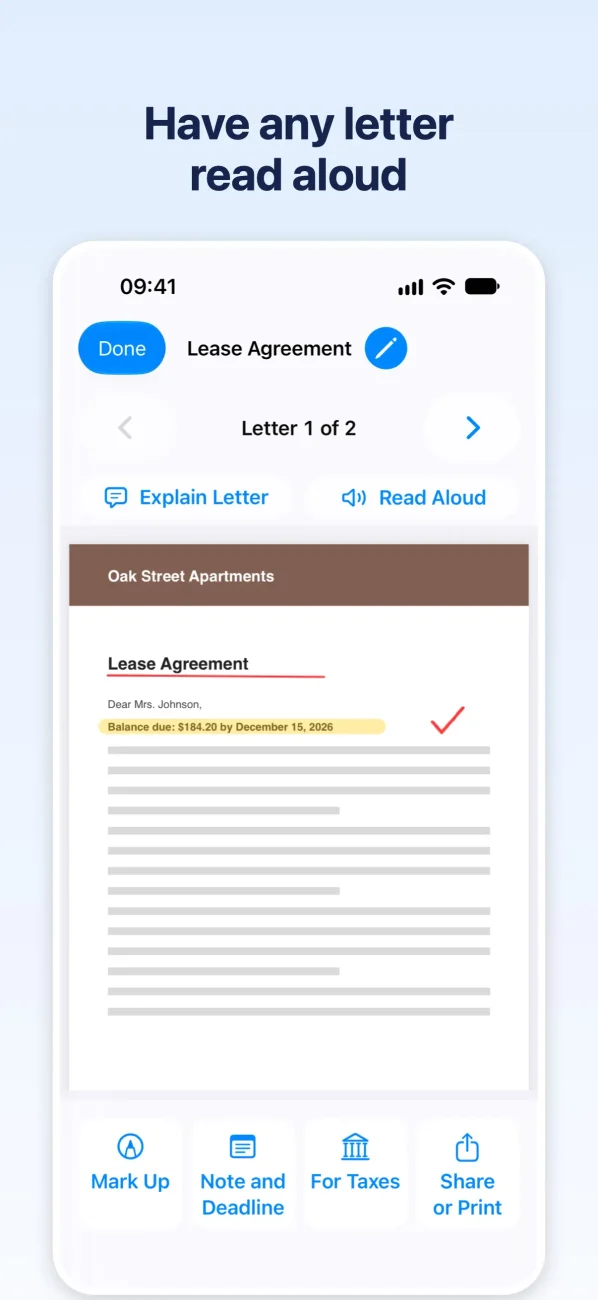
Tap "Explain Letter": My Folder tells you who wrote, what it's about, what you should do – and by when. Add the deadline with one tap. Apple Intelligence does this right on your iPhone or iPad: your letter never leaves the device. With "Read Aloud" you can listen to any letter, on any device.
BILLS UNDER CONTROL
When you file a bill, My Folder spots when it is due and reminds you two days before. Open it and the amount and due date are right at the top. Pay, tick it off, done.
SCAN A LETTER – DONE
Hold your iPhone over the letter. My Folder detects the page, straightens it and turns it into a searchable PDF. Scan a whole pile in one go: My Folder finds where each letter begins and leaves out blank back pages.
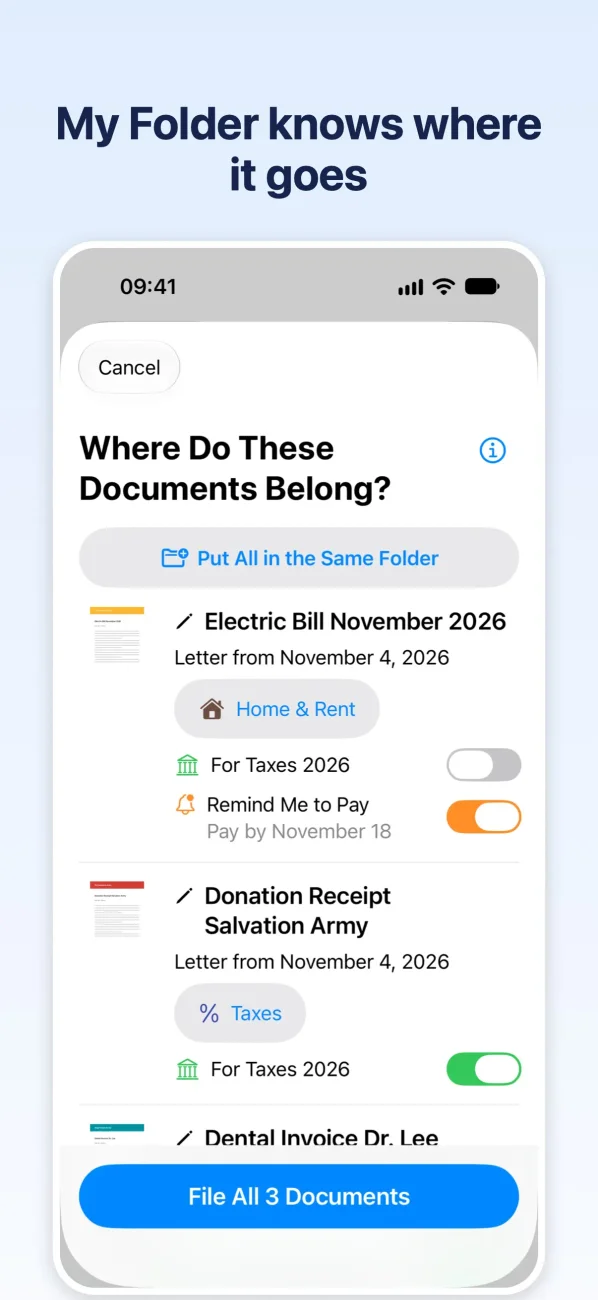
MY FOLDER KNOWS WHERE IT GOES
Health insurance, bank, insurance, taxes, home, car: the sorting help suggests the right folder and a clear name. If a letter is already filed, My Folder lets you know.
DEADLINES AND TO-DOS AT A GLANCE
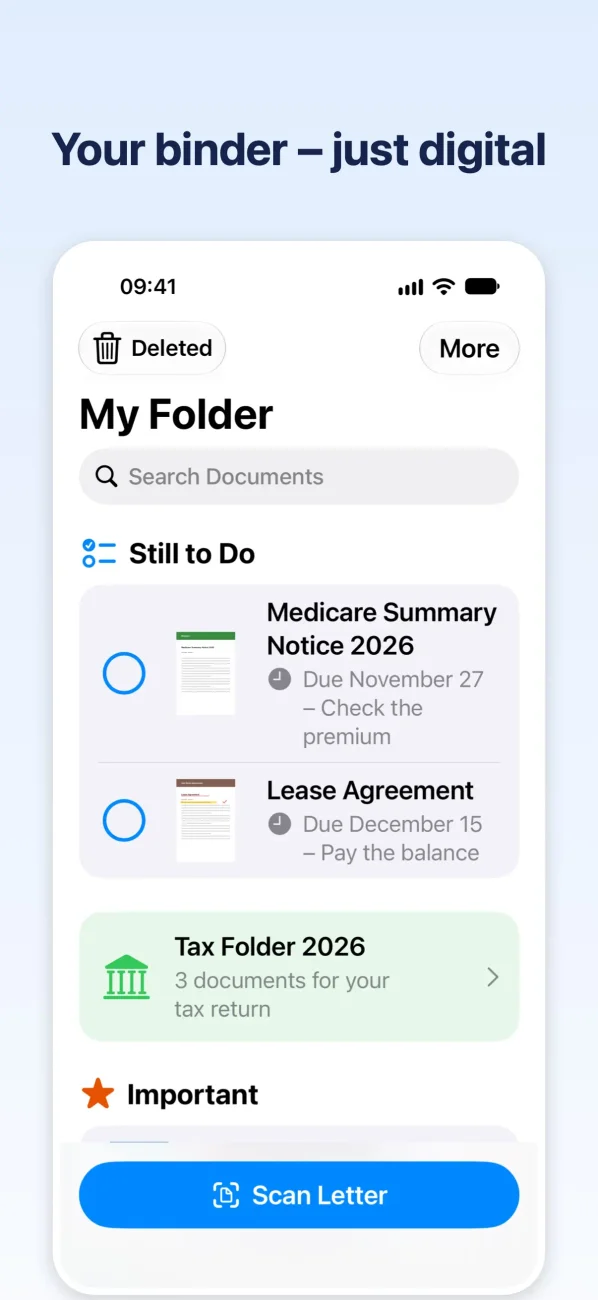
Note what needs doing for each letter and tick it off when it's done. My Folder reminds you in time, and the start screen shows what's still open.
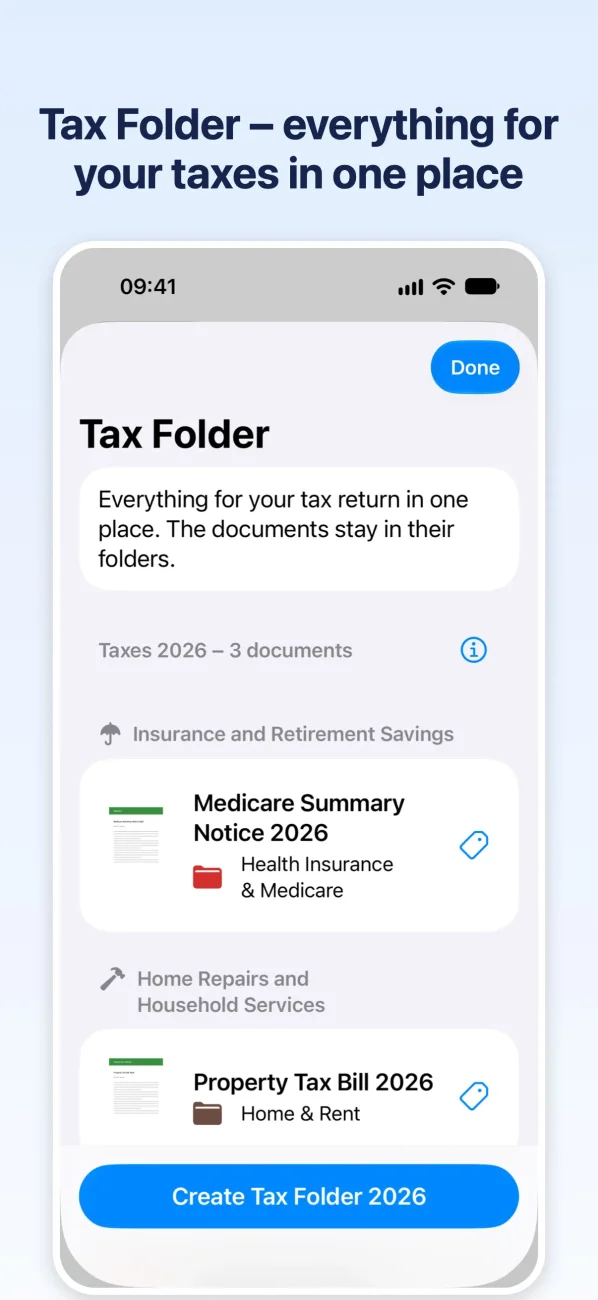
TAX FOLDER
No more hunting for receipts: mark a donation receipt, a contractor invoice or a medical bill "For Taxes" with one tap – for typical receipts My Folder suggests it itself. Everything is sorted by category and becomes one PDF with a table of contents, to print or send to your tax advisor.
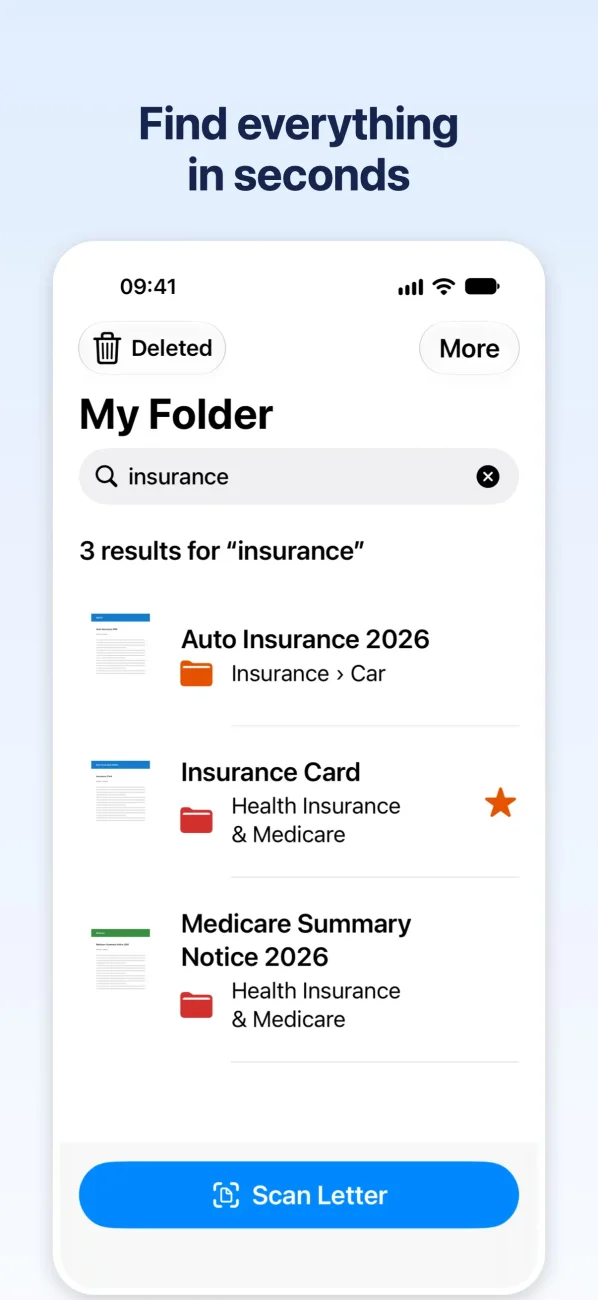
FIND EVERYTHING IN SECONDS
Search finds every document – even by words in the letter and in your notes. The newest is always on top, and in a letter you leaf to the next one like in a real binder.
ORDER LIKE ON A SHELF
• Colored folders like real binders, with subfolders
• Important documents marked with a star, right at the top
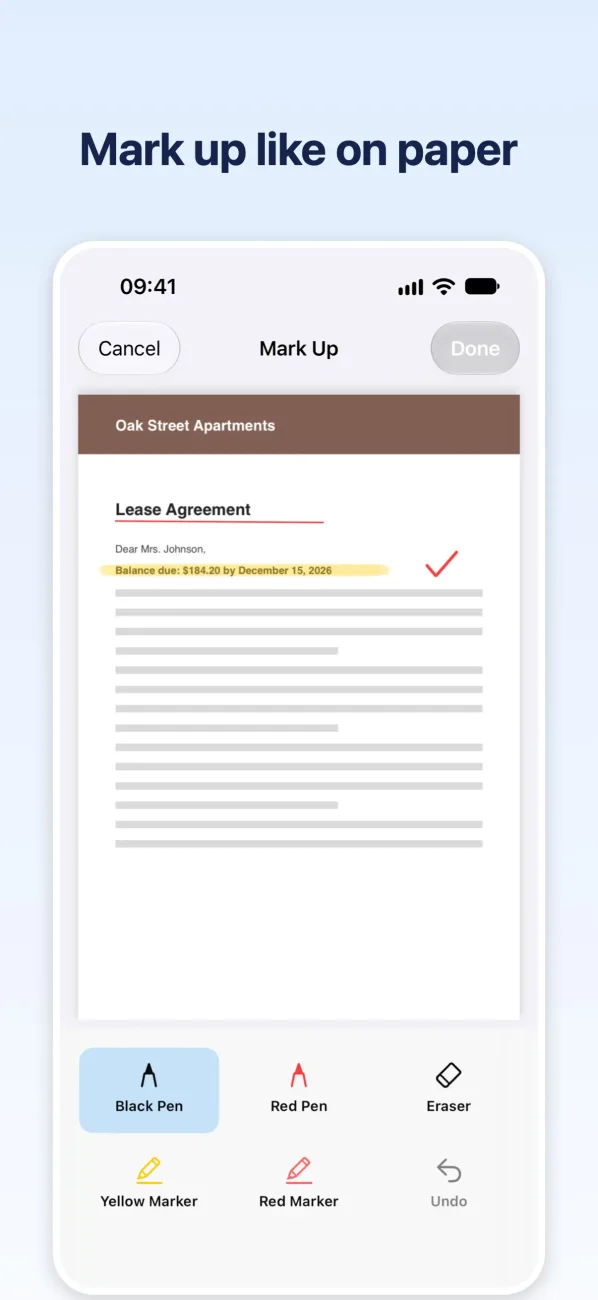
• Mark up like on paper, with your finger or Apple Pencil
• Where's the original? My Folder remembers the binder on your shelf and tells you where the paper goes when filing
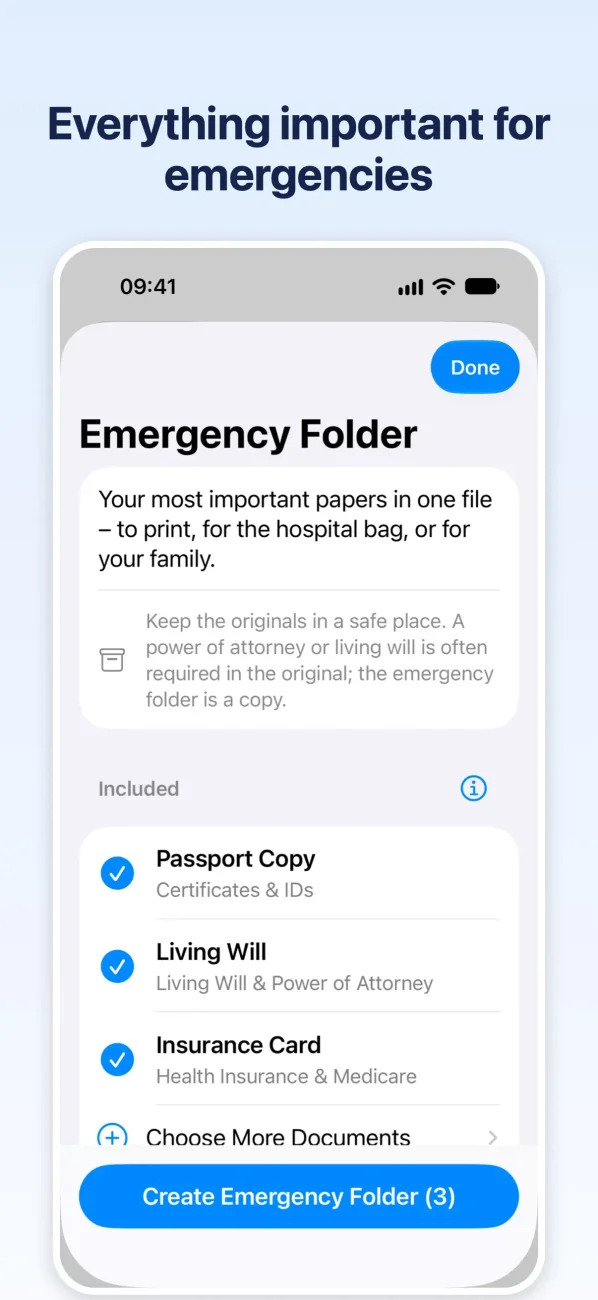
FOR EMERGENCIES
The emergency folder puts your living will, power of attorney, IDs and everything important into one PDF – to print or pass on.
YOUR DOCUMENTS BELONG TO YOU
Ordinary PDF files in your iCloud Drive or on your device, always in the Files app too and even without internet. One tap creates a backup, for example for a USB stick.
SAFE AND PRIVATE
• No ads, no tracking, no data collection
• Text recognition, sorting help and explanations run on your device
• Optional Face ID protection
• Deleted by mistake? Restore within 30 days
ALSO HANDY
• Bring existing documents along: from the Files app, Photos or via "Share"
• "Scan Letter" as a widget, in Control Center, on the Action button and with Siri
• Gentle reminder about new mail
• Text smaller or larger, just as you like
• For iPhone and iPad – works great with large text and VoiceOver
FAIR: TRY FOR 14 DAYS, BUY ONCE
Try My Folder free for 14 days, with everything included. After that, unlock the full version with a one-time purchase. No subscription, and with Family Sharing for your family too. Your documents always stay available, even without buying.
My Folder runs on iOS 18 and later. "Explain Letter" is available from iOS 26 on devices with Apple Intelligence. The explanation helps you understand and is not advice.
My Folder – so you understand your mail and always find your papers.
Nouveautés
Version 1.2.2 · 28/11/2026
New in version 1.2.2:
• My Folder now runs on iOS 18 and later – also on iPhone XS and XR
• "Explain Letter" is still available from iOS 26 on devices with Apple Intelligence
• Documents from the Files app: if a file is only in iCloud, My Folder now downloads it itself. If something goes wrong, My Folder tells you exactly why
• Scan long documents: after 24 pages My Folder asks "Scan More Pages?" – the new pages are added to the same document
• Tax year: a "Tax Assessment 2025" is now suggested for 2025, even when it arrives in 2026
• Small improvements and fixes
Confidentialité de l’application
Ce que Helmut Doser déclare sur l’App Store au sujet du traitement des données par cette application.
-
Données non collectées
Le développeur ne collecte aucune donnée à partir de cette application.
Les pratiques en matière de confidentialité peuvent varier, notamment en fonction des fonctionnalités que vous utilisez ou de votre âge.
Informations
- Vendeur
- Helmut Doser
- Catégorie
- Productivité
- Version
- 1.2.2
- Mis à jour
- 28/11/2026
- Publié
- 06/11/2026
- Taille
- 4,5 Mo
- Nécessite
- iOS 18.0 ou version ultérieure
- Classification d’âge
- 4+
- Prix
- Gratuit
- Achats intégrés
- Oui
- Langues
- Anglais, Allemand
- Copyright
- © 2026 Helmut Doser
Vous aimerez peut-être aussi
-
 PostSafe: Letter ScannerProductivité
-
 Papyr - Docs & ordreTout l’essentiel inclus
-
 TaskShotProductivité
-
 Paperwork: Letters & PapersProductivité
-
 Organice: Paperwork OrganizerProductivité
-
 WorkTrack - ZeiterfassungProductivité
-
 Rise: Organize your lifeProductivité
-
 TellDoneDicte tes tâches et ton agenda
-
 Suivi des Heures: Planck TimeFeuille de Temps & Salaire
-
 Elaria: Digitaler SchreibtischProductivité