
- Classification d’âge9+
- CatégorieMusique
- DéveloppeurMing Kong
- LanguesChinois simplifié
- Taille33,5 Mo
Myriad Player n’est peut-être pas disponible sur App Store pour le moment
La fiche de la boutique était inaccessible lors de notre dernière vérification. Le lien mène toujours à la page App Store officielle.
Captures d’écran


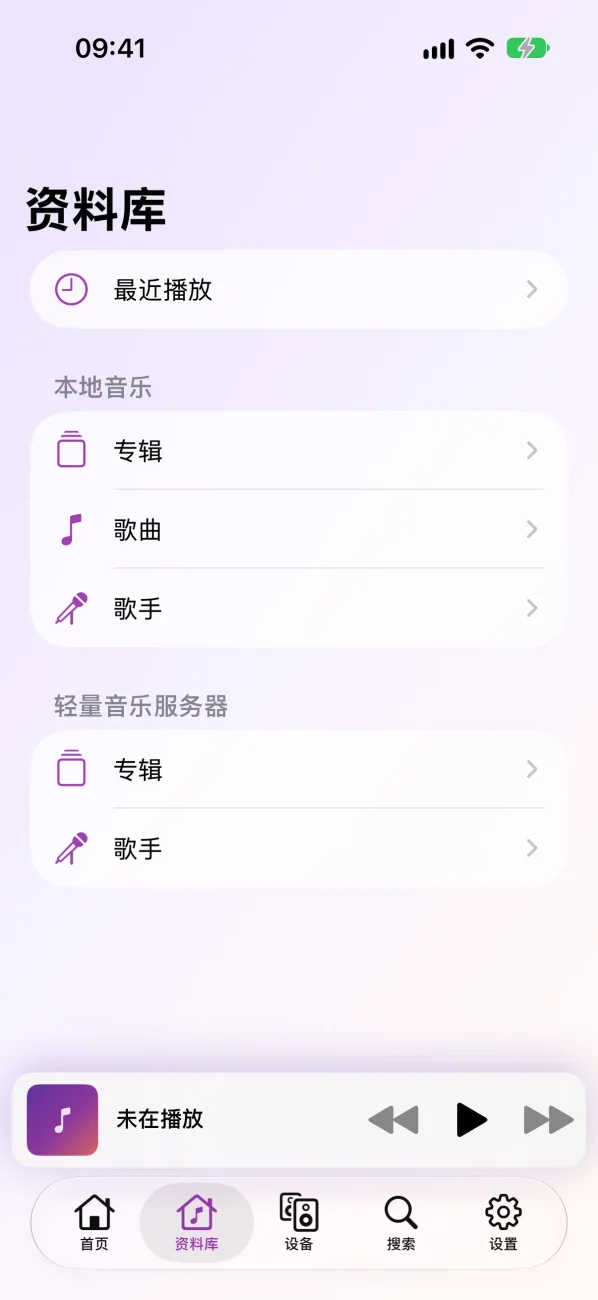

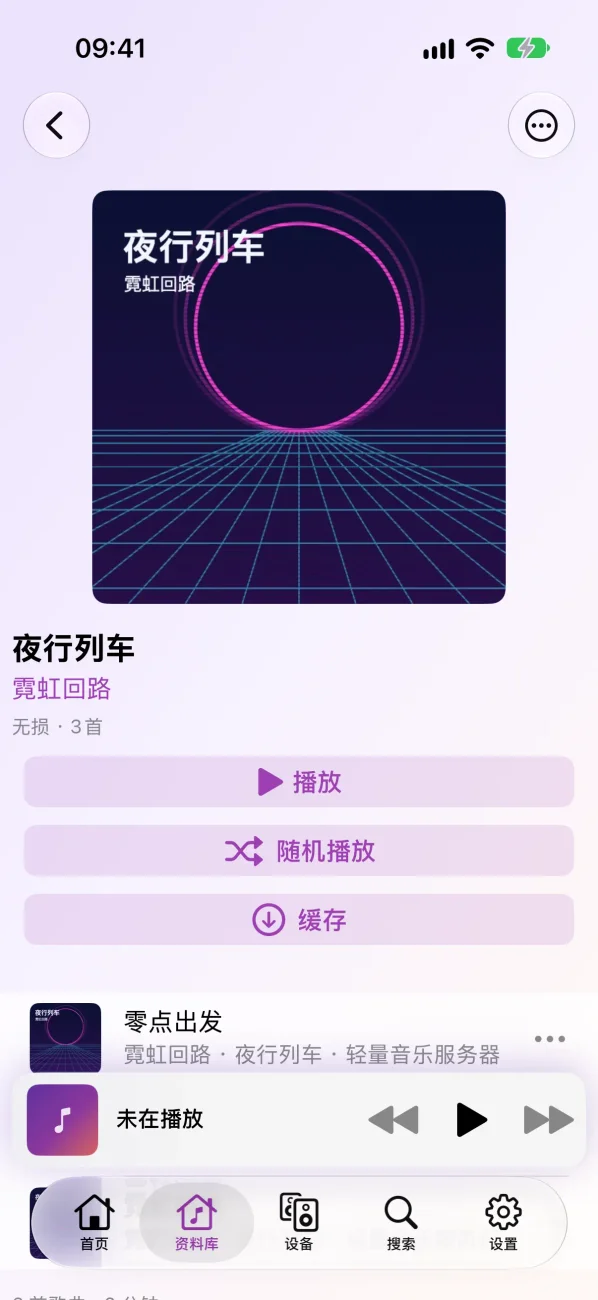
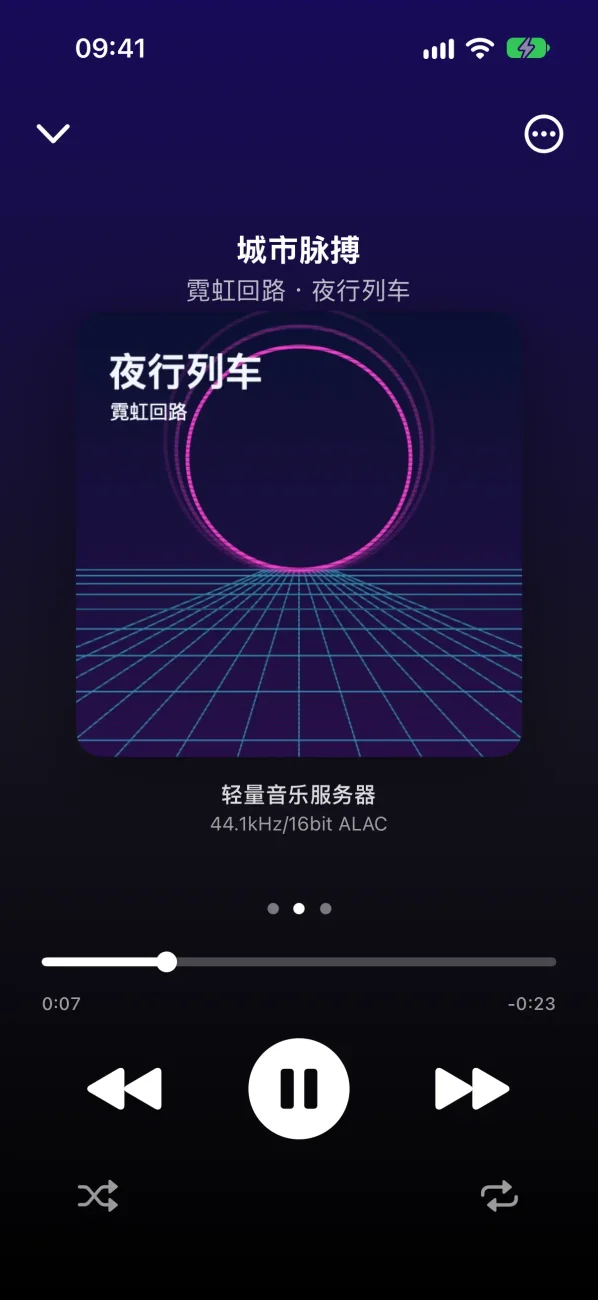

À propos
Le développeur n’a pas fourni ce texte dans votre langue.
One app for all your music. Your local lossless collection, your home NAS library and Apple Music, all in Myriad Player. Clean, simple and ready to play.
Every Format
• FLAC, ALAC, APE, WAV, AIFF, DSF, DFF and SACD ISO, with no conversion needed
• Import with the Files app, or use Wireless Transfer to copy music from a computer on the same Wi-Fi network
Native DSD Output
• Connect a DoP-capable external DAC and DSD is delivered untouched
• When VoiceOver is on, playback switches to conversion automatically to prevent pops; turn VoiceOver off and native output resumes, without interruption or any change in settings
Gapless Album Playback
• Single-file albums are split automatically using CUE sheets, with no gaps between tracks
• Live recordings and classical works play as one continuous performance, just like the original disc
• Matching LRC lyrics are shown automatically
Your Home Library, Anywhere
• Connect to a music server running on your computer or NAS and reach your entire library over an encrypted connection
• Save multiple servers and switch between them with one tap
• The server protocol is fully open, with companion code and a lightweight server available as open source
• A built-in demo server lets you try it with no setup
Apple Music
Once authorized, switch to Apple Music from the top right of Library and Search to browse your songs, albums and playlists.
Simple to Use
• A clean interface, with everyday features one tap away
• Full support for VoiceOver and Dynamic Type
• Lock Screen and headphone controls
Privacy
No sign-up, no ads, and no tracking or analytics of any kind.
Open source: github.com/baibaixiaoming/myriad-music-kit
Nouveautés
Version 1.1 · 18/10/2026
• New tab bar: Home, Library, Devices, Search, Settings
• Album artwork grid and large album artwork
• Sort your library, or show only DSD or PCM
• Song and album actions: Love, Add to Playlist, Go to Album or Artist; create and reorder playlists
• Wireless Transfer: copy songs from your computer over Wi-Fi
• More reliable gapless playback; new Memory Playback and Download Next Song in Advance
• Reorganized playback settings with more DSD and DoP options
• Apple Music: add songs to your library, go to albums and artists
• Polished with VoiceOver throughout: focus no longer jumps around
Confidentialité de l’application
Ce que Ming Kong déclare sur l’App Store au sujet du traitement des données par cette application.
-
Données non collectées
Le développeur ne collecte aucune donnée à partir de cette application.
Les pratiques en matière de confidentialité peuvent varier, notamment en fonction des fonctionnalités que vous utilisez ou de votre âge.
Informations
- Vendeur
- Ming Kong
- Catégorie
- Musique
- Version
- 1.1
- Mis à jour
- 18/10/2026
- Publié
- 12/10/2026
- Taille
- 33,5 Mo
- Nécessite
- iOS 17.0 ou version ultérieure
- Classification d’âge
- 9+
- Langues
- Chinois simplifié
- Copyright
- © 2026 baibaixiaoming
Vous aimerez peut-être aussi
-
 PurePlayer Hi-ResGapless BitPerfect NAS PEQ
-
 Bit Perfect™Lecteur audio haute-fidélité
-
 WidgeTunes - Music WidgetsMusique
-
 Console Remote ControlMusique
-
 Spotify Stats: Music & ArtistsMusique
-
 Oldies Music: 50s-70s RadioMusique
-
 Primuse : musique open sourceMusique locale, paroles et NAS
-
 LoveMusic Player - Local PlayMusique
-
 Music Generator & Song FinderMusique
-
 H6essential ControlMusique