
NextWord Browser
Webpage Translate & Phrasebook
Conçue pour iPhone, iPod touch
- Classification d’âge17+
- CatégorieUtilitaires
- DéveloppeurLearning languages when browsing, speed-up your reading, turn every webpage to bilingual.
- LanguesAnglais+ 9 de plus
- Taille77,4 Mo
NextWord Browser n’est peut-être pas disponible sur App Store pour le moment
La fiche de la boutique était inaccessible lors de notre dernière vérification. Le lien mène toujours à la page App Store officielle.
Captures d’écran
À propos
Le développeur n’a pas fourni ce texte dans votre langue.
NextWord Browser isn't only a secure & fast browser, but also help language learners better browse the website with the learned language so that they can experience the convenience of browsing website. that provides built-in language learning and translation tools. Continue reading the things you love, while NextWord's Flash Cards, Phrasebook, and easy-access look-ups make memorizing new terms and learning English easier than ever.
NextWord Browser Features
Word and phrase translation from NextWord Browser gives you a familiar interface fortified with a range of invaluable English learning features. With our secure browsing app, you can:
1. Search Definitions Directly In the Browser From Any Tab Or Page
2. Translate Words And Phrases Found On Any Website
3. Listen To Audible Pronunciations In U.S. and U.K. English For Any Term
4. Create Flash Cards For Later Reference To Memorizing Words And Translations
5. Use Shared Phrasebook To Keep Track Of Unfamiliar Words And Phrases
NextWord provides a framework for learning that combines multiple tools into a single simple to use app. The Phrasebook, Flash Cards, and Word and Phrase Translation are core to our browser's features. Here's a closer look at what you can expect from our advanced, streamlined learning interface.
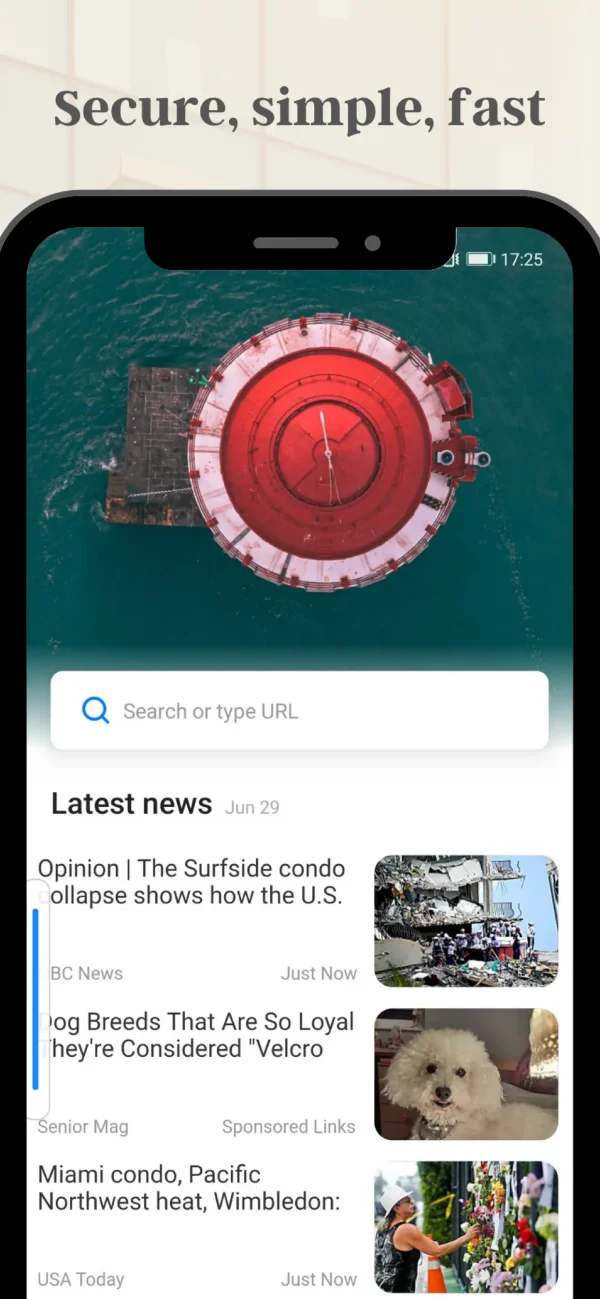
Secure & fast browsing
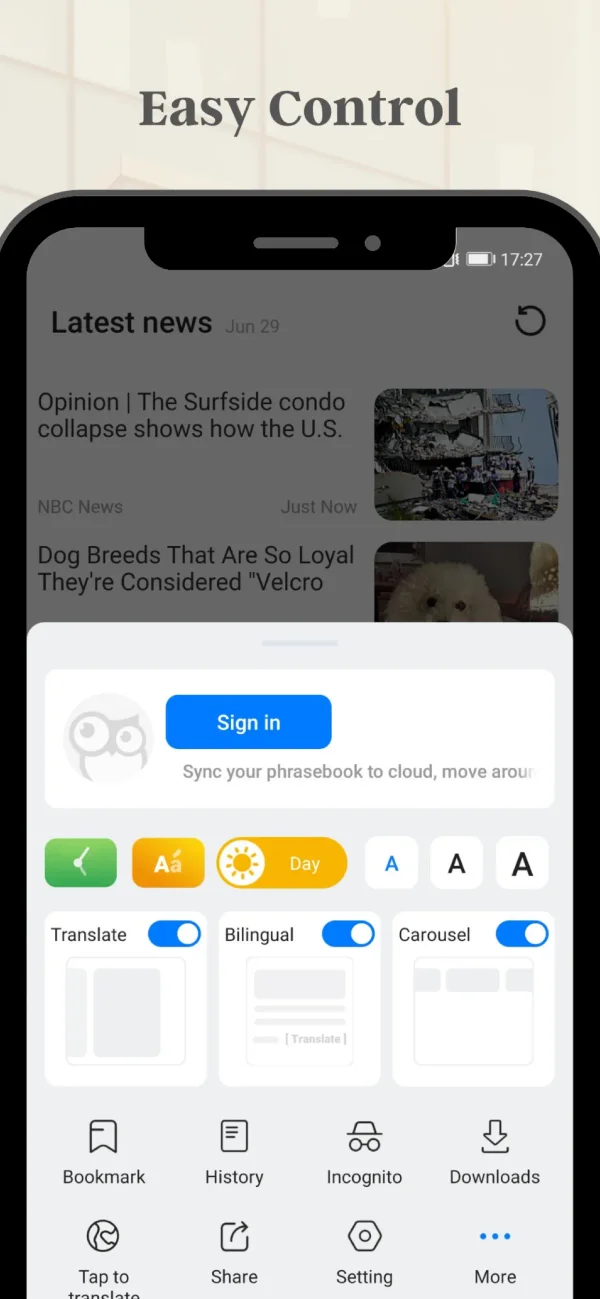
NextWord browser is a lightweight mobile browser which can give you a fast and secure surfing experience. Incognito mode let you browse the web-page in privacy mode without leaving any history, completely protecting your privacy.
Phrasebook
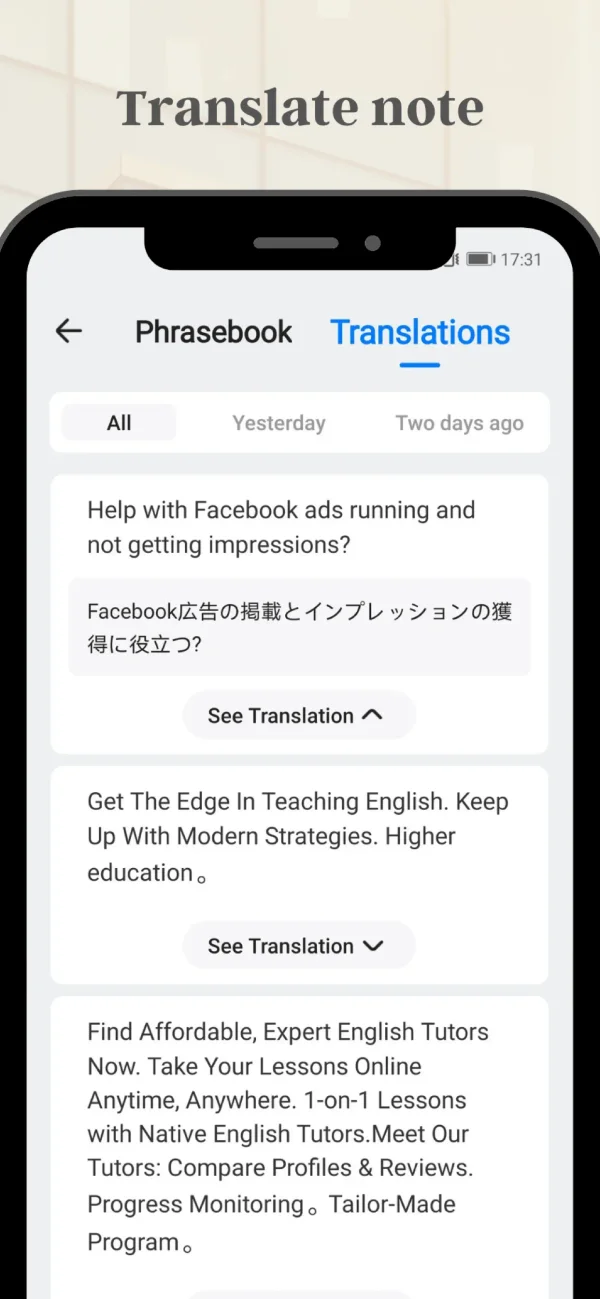
As you browse the internet, chat with friends, or play games online, unfamiliar words searched are automatically added to your Phrasebook for tracking. A Flash Card presents a detailed definition with pronunciation available at a touch. Building collections of words to learn helps you grasp English quickly.
Flash Cards
NextWord Browser's Flash Cards tracks words you want to memorize. A Flash Card is created for each definition or translation searched, providing the pronunciation to play and repeat back. Mark the word as either 'Struggled' or 'Mastered' depending on your progress. Any terms you frequently struggle with can be displayed on any page you're reading, thanks to a quick-access Word Carousel formed from your cards.
Word And Phrase Translation
Use NextWord Browser to look up unfamiliar words or phrases from any website for translation. A Flash Card overlay drops down, displaying detailed definitions, one-touch pronunciation, and the term is added to your Phrasebook to learn later.
Try NextWord's Full Learning And Translation Suite
There's no better way to unlock the full value of NextWord Browser than to use it in combination with our other tools. NextWord Universal Translate gives you a point-and-shoot app for translating text from any surface. The advanced image recognition technology even lets you translate from photos. Combine this with the power of Word Translation for Chrome, and you've got a comprehensive learning suite that syncs data among all your devices.
Unlock Your Potential While Reading The Things You Love
There's a detailed dictionary, quick-access to Wikipedia, and a host of other exciting features like text-only mode to cut away distractions and a reading list to make sure you never lose a thing. Download NextWord Browser today to browse the web better while growing your vocabulary and expanding language know-how at every step of the way.
Nouveautés
Version 3.0.9 · 21/12/2023
Optimize webpage keyword extraction function
Confidentialité de l’application
Ce que Learning languages when browsing, speed-up your reading, turn every webpage to bilingual. déclare sur l’App Store au sujet du traitement des données par cette application.
-
Données n’établissant aucun lien avec vous
Peuvent être collectées, mais ne sont pas liées à votre identité.
- Données d’utilisation
- Diagnostic
Les pratiques en matière de confidentialité peuvent varier, notamment en fonction des fonctionnalités que vous utilisez ou de votre âge.
Informations
- Vendeur
- MOBIPRO EDUCATION LLC
- Catégorie
- Utilitaires
- Version
- 3.0.9
- Mis à jour
- 21/12/2023
- Publié
- 20/07/2021
- Taille
- 77,4 Mo
- Nécessite
- iOS 12.0 ou version ultérieure
- Classification d’âge
- 17+
- Langues
- Anglais, Français, Allemand, Japonais, Coréen, Portugais, Russe, Chinois simplifié, Espagnol, Chinois traditionnel
- Copyright
- © 2021 Mobipro Education LLC.
Vous aimerez peut-être aussi
-
 QR Scanner - Multi ReaderUtilitaires
-
 Hola Browser-Private&Fast webUtilitaires
-
 Babel BrowserUtilitaires
-
 Photo en PDF: JPG, Scan & OCRImage en PDF, fusionner, creer
-
 Startpage - Private BrowserUtilitaires
-
 Phoenix Browser + Proxy VPNUtilitaires
-
 Via BrowserUtilitaires
-
 Kiwi - Browser, Document, VPNPrivate Browser & Secure Web
-
 Orion Browser by KagiUtilitaires
-
 Yandex with Alice AIUtilitaires