
- Classification d’âge4+
- CatégorieProductivité
- DéveloppeurMohamed Shafi
- LanguesAnglais
- Taille3,2 Mo
Renvoie vers la page App Store officielle
Download.org n’héberge aucun fichier de Nexus Ping. Le bouton ouvre la page de l’application sur App Store, où Mohamed Shafi la publie. Fiche vérifiée pour la dernière fois le 15/11/2026.
Captures d’écran



À propos
Le développeur n’a pas fourni ce texte dans votre langue.
Diagnose Your Network Like a Pro
NEXUS PING is a powerful all-in-one network diagnostics toolkit designed for IT professionals, developers, gamers, sysadmins, and advanced users who demand real-time network visibility and precision monitoring.
From latency tracking to DNS analysis, SSL inspection, WHOIS lookups, and internet speed testing — NEXUS PING gives you professional-grade tools inside a sleek modern interface optimized for iPhone.
Whether you're troubleshooting slow internet, monitoring packet loss, verifying DNS records, or testing server response times, NEXUS PING delivers fast, accurate, and real-time results.
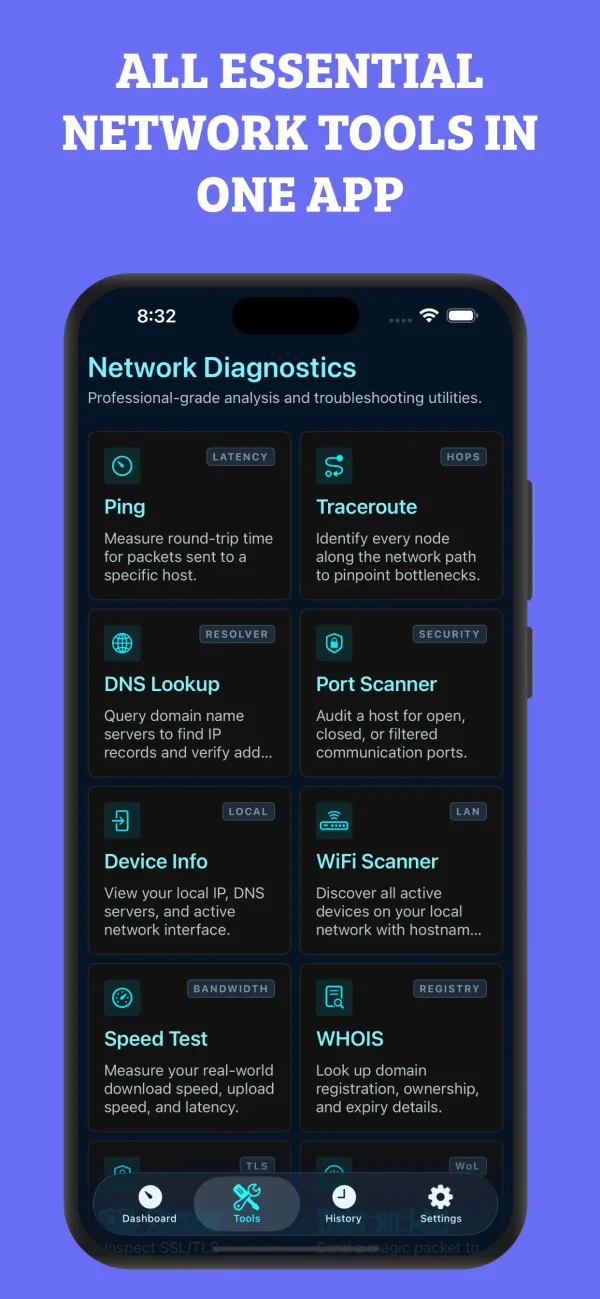
Powerful Network Tools Included
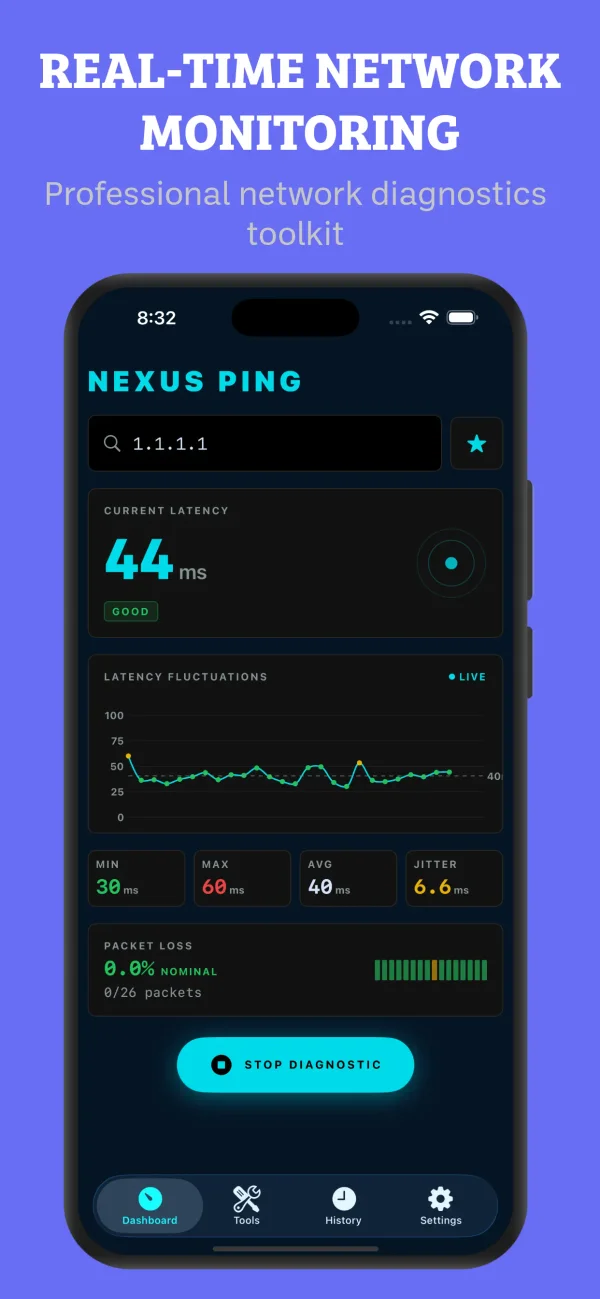
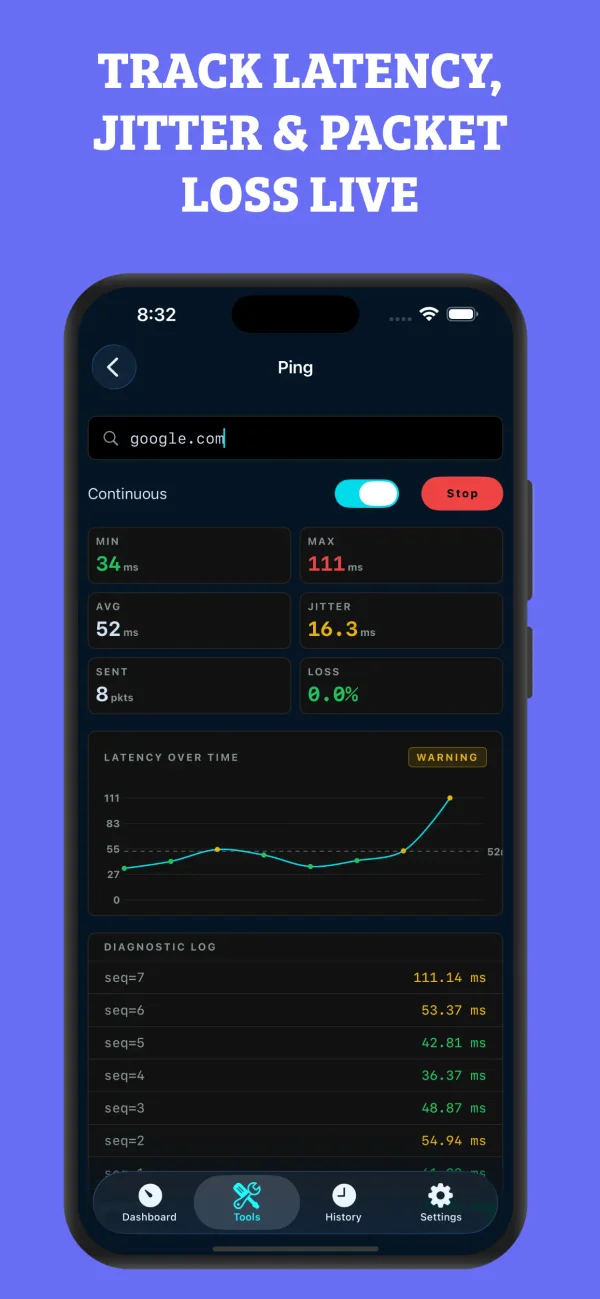
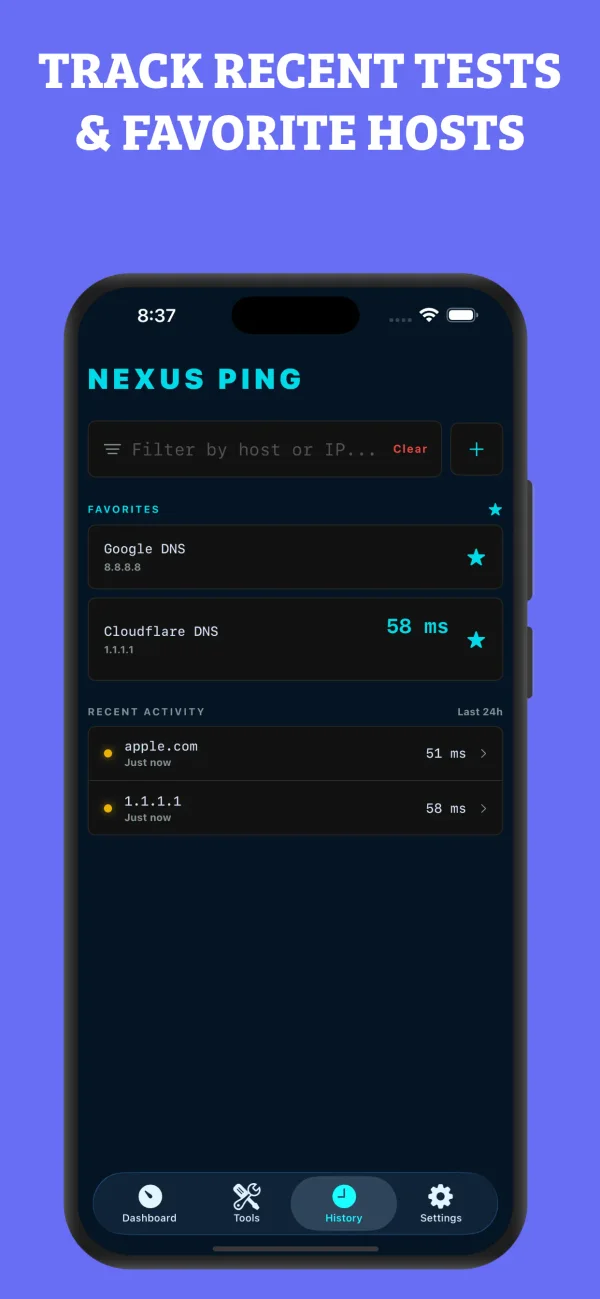
Real-Time Ping Monitor
Track latency, packet loss, jitter, and response consistency with live graphs and detailed diagnostics.
Internet Speed Test
Measure download speed, upload speed, and network responsiveness with clean visual analytics.
DNS Lookup
Resolve domains instantly and inspect IPv4/IPv6 records with detailed response information.
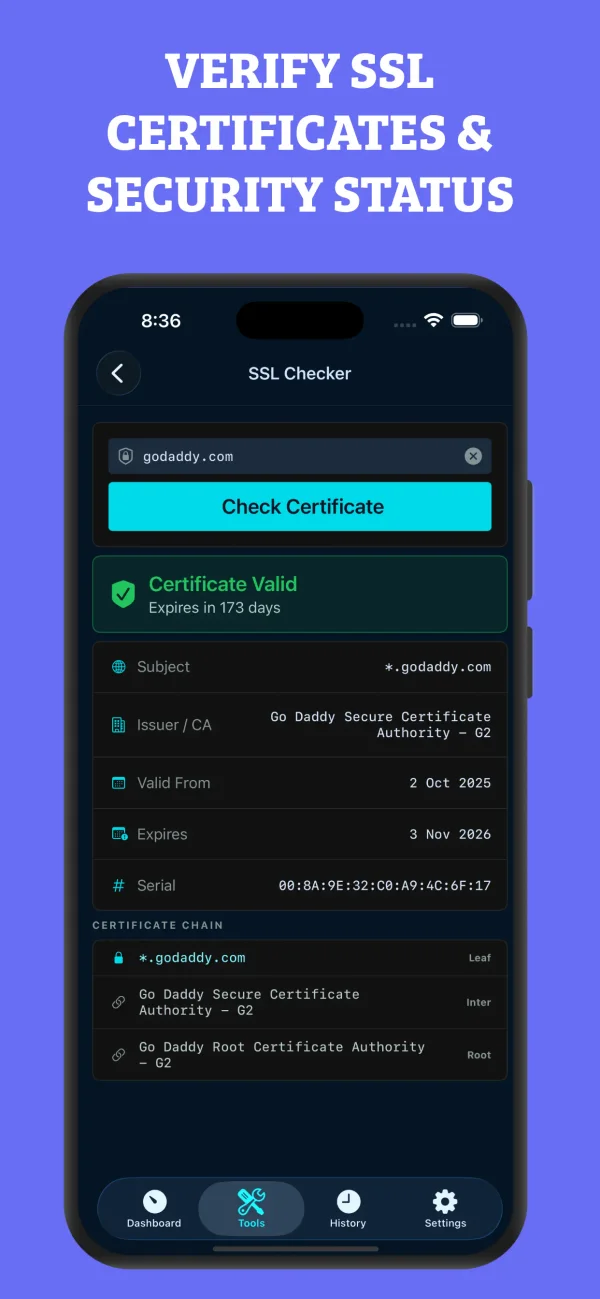
SSL Certificate Checker
Validate SSL/TLS certificates, expiration dates, certificate chains, and security details.
WHOIS Lookup
Retrieve domain ownership, registrar, expiry, and nameserver information in seconds.
Traceroute
Visualize network paths and identify bottlenecks across hops.
Port Scanner
Check open, closed, and filtered ports for security auditing and diagnostics.
WiFi Scanner
Discover active devices connected to your local network.
Device Information
View local IP, gateway, DNS, and active network interface details.
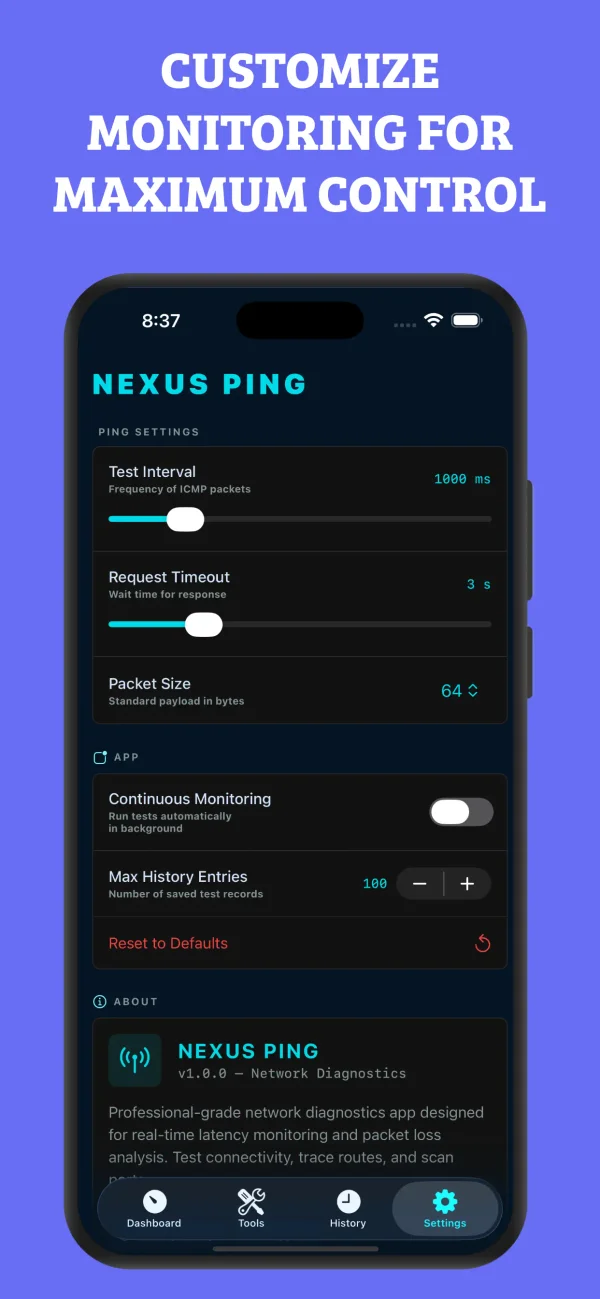
Continuous Monitoring
Run persistent diagnostics and monitor connectivity in real time.
Why Users Love NEXUS PING
• Professional-grade diagnostics tools
• Real-time latency graphs & analytics
• Modern cyber-inspired UI design
• Fast and lightweight performance
• Accurate packet loss & jitter tracking
• Advanced DNS and SSL inspection
• Clean dashboard with powerful insights
• Built for IT professionals & power users
• Optimized for modern iPhones
• Privacy-focused experience
Perfect For
• Network Engineers
• System Administrators
• Cybersecurity Professionals
• Developers
• Gamers
• IT Support Teams
• Advanced Home Users
Nouveautés
Version 1.0.2 · 06/09/2026
Nexus Ping now runs on iOS 18 and later, so it reaches every iPhone from the XR onward. Version 1.0 required iOS 26.4 and was invisible to most devices.
TOOLS
• Traceroute now maps the real path: every router between you and the destination, with its own latency. Previously only the destination was shown.
• Ping uses true ICMP echo, so routers, phones and printers that don't serve web pages now answer instead of showing as packet loss.
• DNS Lookup returns MX, CNAME, TXT and NS records with TTLs, alongside A and AAAA, and shows which resolver answered.
• SSL Checker reports the negotiated TLS version and cipher suite.
• Device Info shows your default gateway.
NEW
• The dashboard starts monitoring as soon as you open it — live latency with no taps.
DESIGN
• Rebuilt the interface for legibility: cards, charts and stats now read clearly at a glance.
• Every screen scales with your text size, including full accessibility sizes.
• Stats show "—" instead of a misleading 0 ms when nothing replies.
FIXES
• Stopping a port scan or network scan now actually stops it.
• Closed-port detection works correctly in non-English locales.
• Fixed a start-up race in connection-type detection.
• Fixed layout issues where long values wrapped or were clipped.
Confidentialité de l’application
Ce que Mohamed Shafi déclare sur l’App Store au sujet du traitement des données par cette application.
-
Données non collectées
Le développeur ne collecte aucune donnée à partir de cette application.
Les pratiques en matière de confidentialité peuvent varier, notamment en fonction des fonctionnalités que vous utilisez ou de votre âge.
Informations
- Vendeur
- Mohamed Shafi
- Catégorie
- Productivité
- Version
- 1.0.2
- Mis à jour
- 06/09/2026
- Publié
- 14/05/2026
- Taille
- 3,2 Mo
- Nécessite
- iOS 18.0 ou version ultérieure
- Classification d’âge
- 4+
- Prix
- Gratuit
- Langues
- Anglais
- Copyright
- © Mohamed shafi
Vous aimerez peut-être aussi
-
 Novoteka: Files & BrowserProductivité
-
 Tiler AppProductivité
-
 Suivi des habitudes - MonoRappels et Suivi de Progrès
-
 CallBridge: AI Phone AssistantProductivité
-
 RakulipProductivité
-
 speed tester & net ping testProductivité
-
 Ikigai DIYObjectifs, idées et IA
-
 AI Humanizer - AI to HumanProductivité
-
 PowerBoost: Éco Batterie ProOptimisez batterie et énergie
-
 Legal Aid Ally・AI AssistanceProductivité