
- Classification d’âge4+
- CatégorieUtilitaires
- DéveloppeurHyunsuk Roh
- LanguesAnglais
- Taille16,8 Mo
Renvoie vers la page App Store officielle
Download.org n’héberge aucun fichier de nGeneTime. Le bouton ouvre la page de l’application sur App Store, où Hyunsuk Roh la publie. Fiche vérifiée pour la dernière fois le 17/11/2026.
Captures d’écran

À propos
Le développeur n’a pas fourni ce texte dans votre langue.
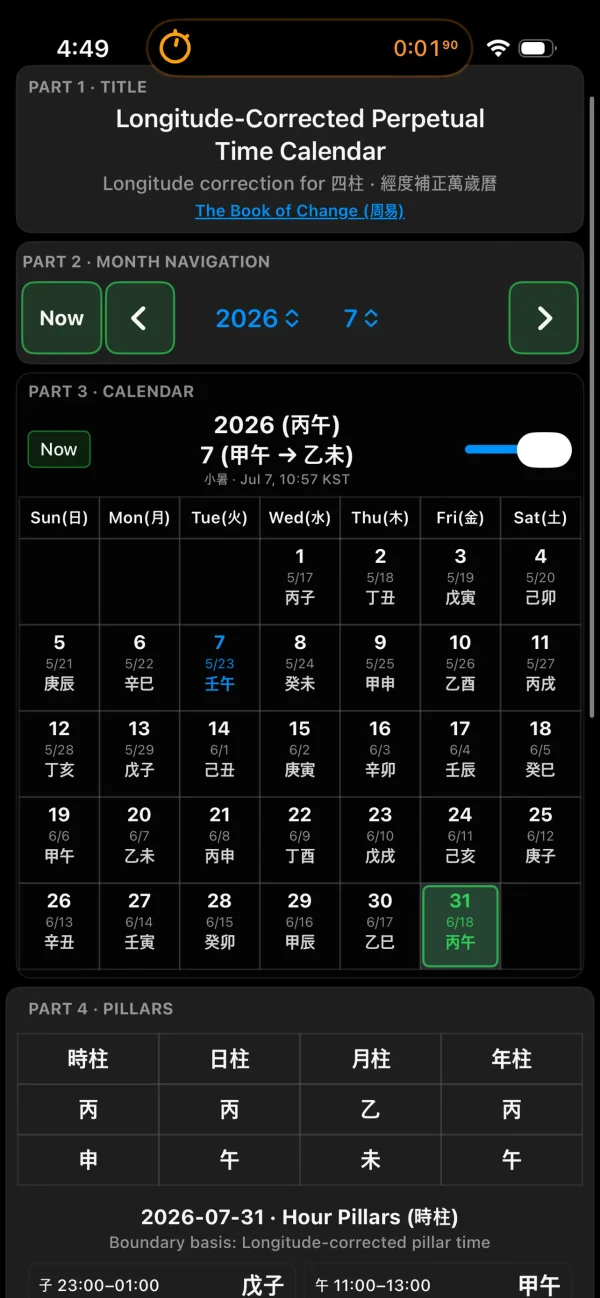
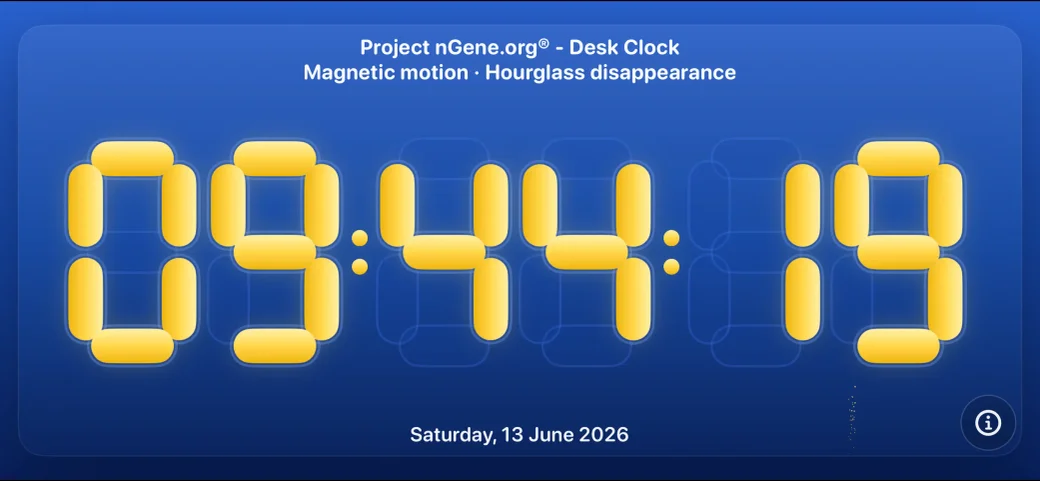
nGeneTime combines a kinetic desk clock, weather, a monthly calendar watermark, a solar-term calendar with Four Pillars, and line casting for The Book of Change.
IPHONE DESK CLOCK
Rotate to landscape for magnetic motion and hourglass-style disappearance effects.
- Choose 12-hour or 24-hour time, optional seconds, and compact or full dates.
- View local weather in Celsius or Fahrenheit.
- Drag and pinch the title, date, weather, and optional pillar display to move and resize them.
- Use Date Size, Weather Size, and Pillar Size sliders in Clock Settings.
- Show or hide the header and double-tap the visible title to edit it.
Defaults are 12-hour time, hidden seconds, compact dates, Celsius, and a hidden header.
MONTH, DAY, AND HOUR PILLARS
Optionally display the current month, day, and hour pillars in Chinese characters on one compact line, separated by colons with no labels or spaces.
- Off by default; enable in Clock Settings.
- Drag to move, pinch to resize, or use Pillar Size.
- Position and size are saved, with an independent reset.
- Uses the portrait calendar's saved time zone and calculation mode.
MONTHLY CALENDAR WATERMARK
Optionally display the full current Gregorian month behind the clock.
- Drag to move, pinch to resize, or use Calendar Size.
- Adjust opacity and choose today's highlight color.
- Start weeks on Sunday or Monday.
- Lock against accidental movement and resizing.
- Reset position and size independently.
The watermark follows the device's local date and time zone. Today's colored marker remains visible as the calendar fades. Preferences and layout are saved automatically.
PORTRAIT CALENDAR
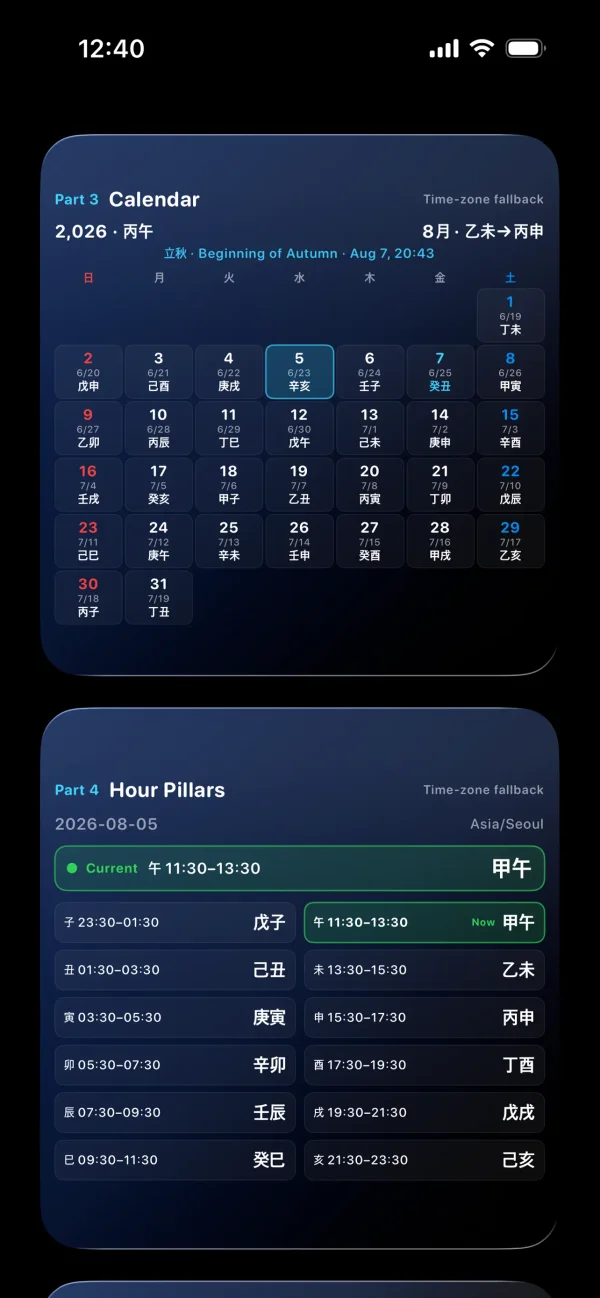
Rotate to portrait for lunar dates, day pillars, current Four Pillars, solar-term transitions, and date-selectable hour-pillar tables.
Live Four Pillars shows the current time. Selecting a date changes the selected-date hour-pillar table.
LONGITUDE-TO-TIME GLOBE
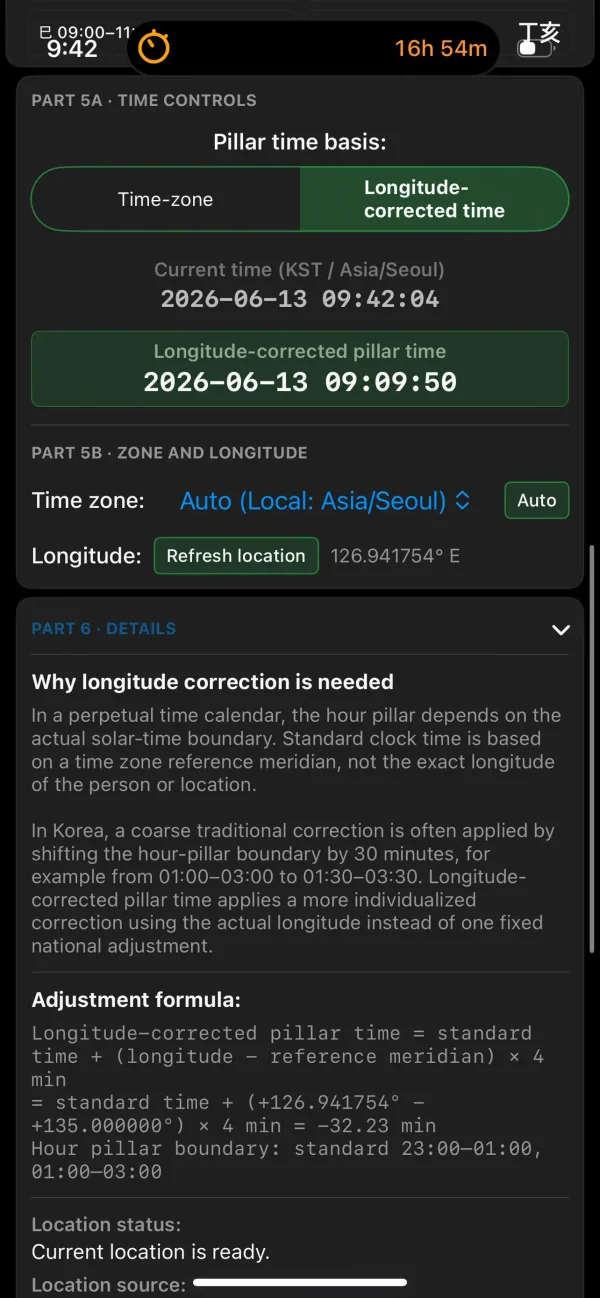
Rotate, tilt, and zoom. View latitude and longitude, compare the selected time-zone reference meridian with the longitude used for correction, and follow five one-hour longitude guides with corresponding clocks. Simplified civil time-zone boundaries are optional.
CALCULATION BASIS
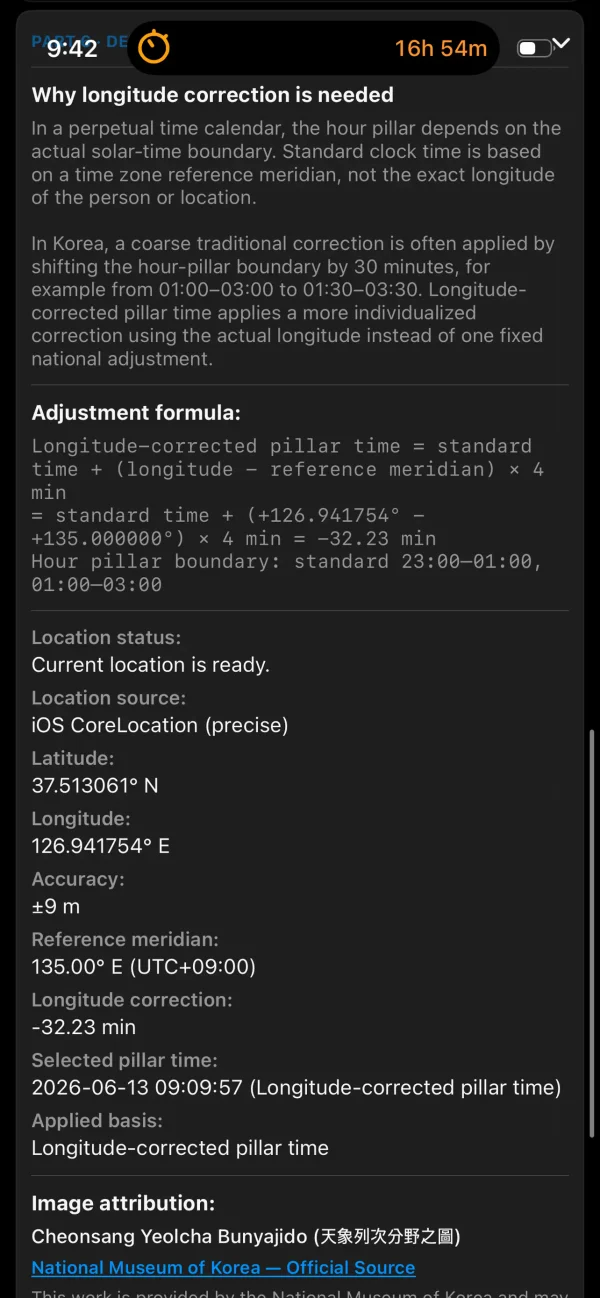
Choose Time-zone or Longitude-corrected time.
Time-zone uses the selected civil time zone for all four pillars. With usable location, Longitude-corrected time applies a longitude adjustment from the selected time-zone reference meridian to all four. Without usable location, the selected time-zone basis is used.
Latitude positions the globe marker; longitude determines the correction.
The year pillar changes at the Beginning of Spring, not January 1. The month pillar changes at its solar-term boundary, not the start of the Gregorian month. Boundary times use the selected time zone.
HOME SCREEN WIDGETS
- Calendar: Month, lunar dates, day pillars, and solar-term boundary
- Four Pillars: Current hour, day, month, and year pillars
- Hour Pillars: Twelve intervals with the current interval highlighted
THE BOOK OF CHANGE
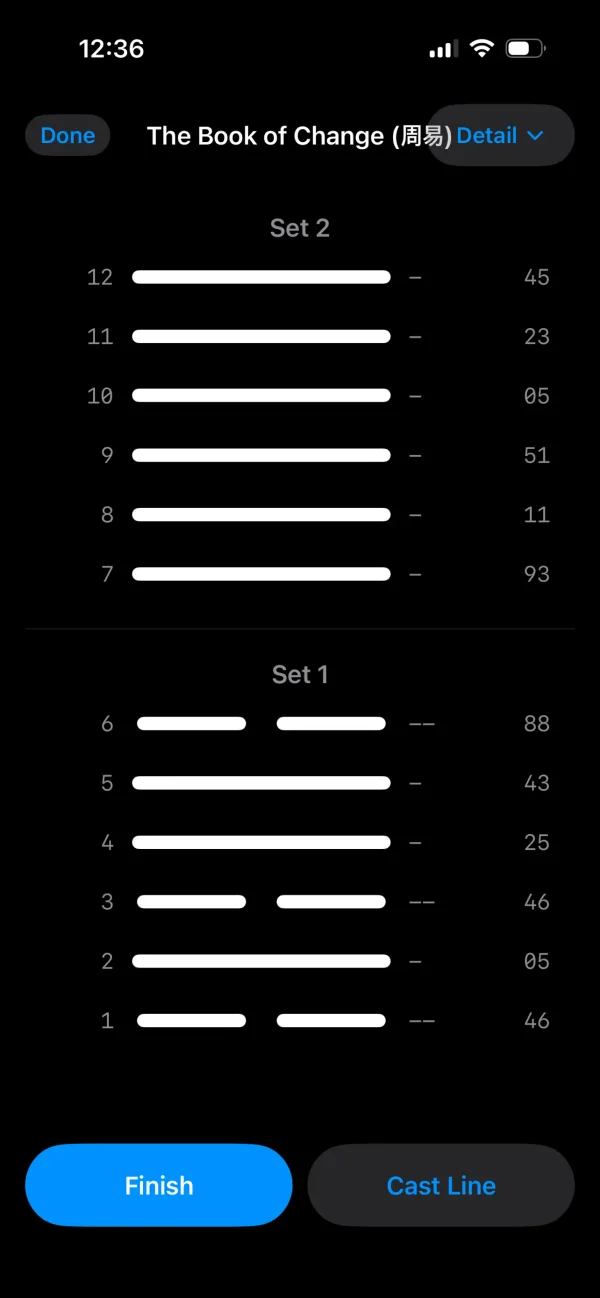
Cast lines from a running timer's hundredth-second value: odd creates a whole line, even a broken line. Six lines form a set; multiple sets can be reviewed.
Line casting and visual review are provided, without a complete digital edition, translation, commentary, or interpretation.
APPLE WATCH
- Current time and Four Pillars
- Solar-term-based year and month pillars
- Optional longitude-corrected pillar time
- Monthly calendar and selected-date hour pillars
- Timer presets, custom durations of 1-180 minutes, progress, and vibration patterns
- Circular and corner day/hour-pillar complications with active timer countdowns
PRIVACY
Location is optional. Weather sends coordinates to Apple Weather or Open-Meteo. The calendar may use IP-based approximate location when Core Location is unavailable.
Calendar and pillar calculations run on-device. No account is required. Information is not used for advertising or cross-app tracking.
Nouveautés
Version 1.11 · 04/11/2026
Version 1.11 adds an optional pillar display to the landscape desk clock.
- View the current month, day, and hour pillars in Chinese characters on one compact line, separated by colons.
- Drag to move the display, pinch to resize it, or adjust Pillar Size in Clock Settings.
- Save position and size automatically, with a dedicated reset control.
- Follow the portrait calendar's saved time zone and calculation mode.
The display is off by default. Enable Show Month, Day, and Hour Pillars in Clock Settings.
Confidentialité de l’application
Ce que Hyunsuk Roh déclare sur l’App Store au sujet du traitement des données par cette application.
-
Données non collectées
Le développeur ne collecte aucune donnée à partir de cette application.
Les pratiques en matière de confidentialité peuvent varier, notamment en fonction des fonctionnalités que vous utilisez ou de votre âge.
Informations
- Vendeur
- Hyunsuk Roh
- Catégorie
- Utilitaires
- Version
- 1.11
- Mis à jour
- 04/11/2026
- Publié
- 27/04/2026
- Taille
- 16,8 Mo
- Nécessite
- iOS 26.0 ou version ultérieure
- Classification d’âge
- 4+
- Prix
- Gratuit
- Langues
- Anglais
- Copyright
- © Hyunsuk Frank Roh, MD. All rights reserved.
Vous aimerez peut-être aussi
-
 FindMyCurrentLocationUtilitaires
-
 LSTclock: sidereal time clockUtilitaires
-
 Sputnik!Utilitaires
-
 JarnexUtilitaires
-
 CRMX Toolbox2Utilitaires
-
 HealthPet BuddyUtilitaires
-
 Polar Scope Align ProUtilitaires
-
 (S30/E30/M30) iComfort T-StatUtilitaires
-
 ScrollVox : TéléprompteurTexte flottant et suivi vocal
-
 ZeroTier OneUtilitaires