
NightMeow - Cat Study Timer
Focus and collect cozy cats
Conçue pour iPhone, iPad
- Classification d’âge4+
- CatégorieProductivité
- Développeursubin kang
- LanguesAnglais+ 3 de plus
- Taille9,6 Mo
NightMeow - Cat Study Timer n’est peut-être pas disponible sur App Store pour le moment
La fiche de la boutique était inaccessible lors de notre dernière vérification. Le lien mène toujours à la page App Store officielle.
Captures d’écran

À propos
Le développeur n’a pas fourni ce texte dans votre langue.
Quiet nights. Focus time shared with cats.
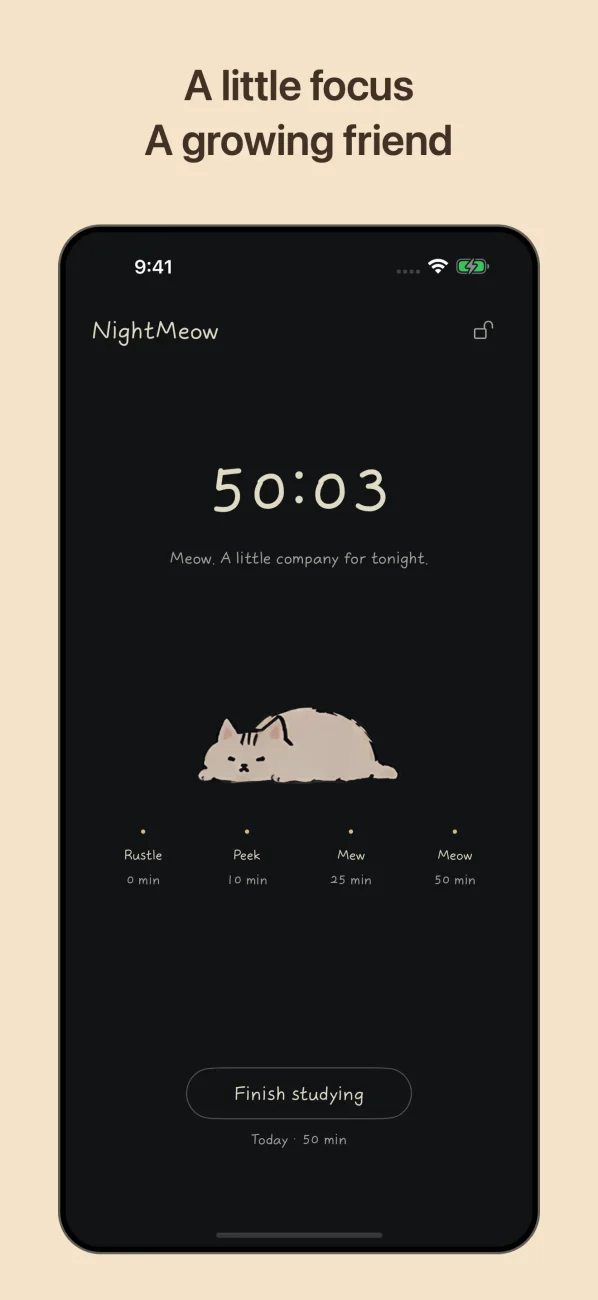
NightMeow is a study timer with little feline companions. Tap the box to start. As you focus, a small friend inside begins to appear.
[A little friend that grows with your focus]
The box peeks open at 10 minutes. Meet a kitten at 25 minutes and a grown cat at 50. Keep studying, and a new box appears every 90 minutes. Focus without a pause button, then finish your session to save your record.
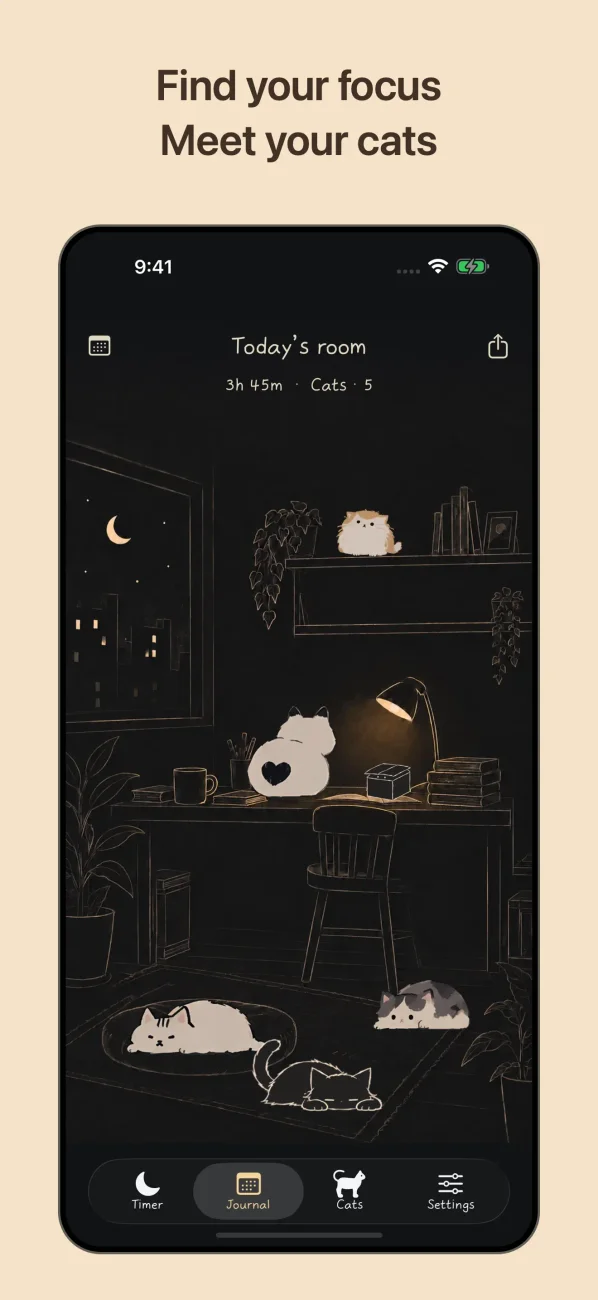
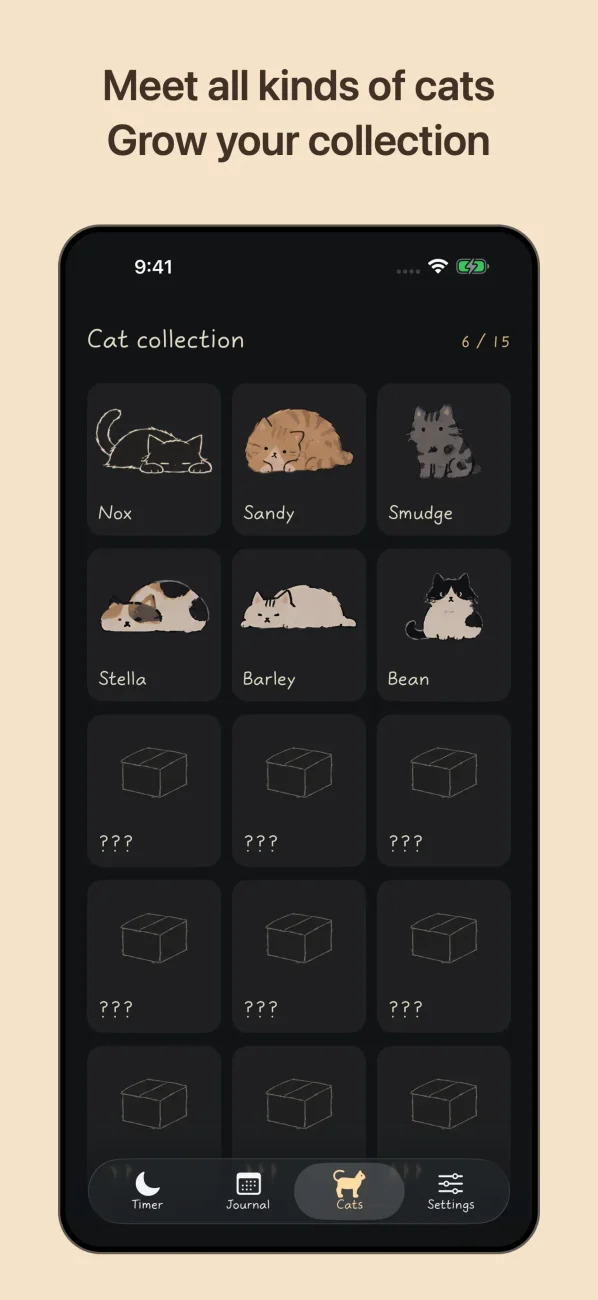
[Your daily room and cat collection]
When you finish, see the friends who joined you and revisit your records in each day's room. Each page shows up to 13 visitors, with more on the next page. Sessions shorter than one minute record time only. Discover different cats and invite them to your next study session.
[Share your room]
Swipe between days or jump to a date with the calendar. Share a 4:5 image of your room directly from the share button, without saving it to Photos first.
[Made for iPhone and iPad]
Study in portrait or landscape with layouts that adapt to your screen.
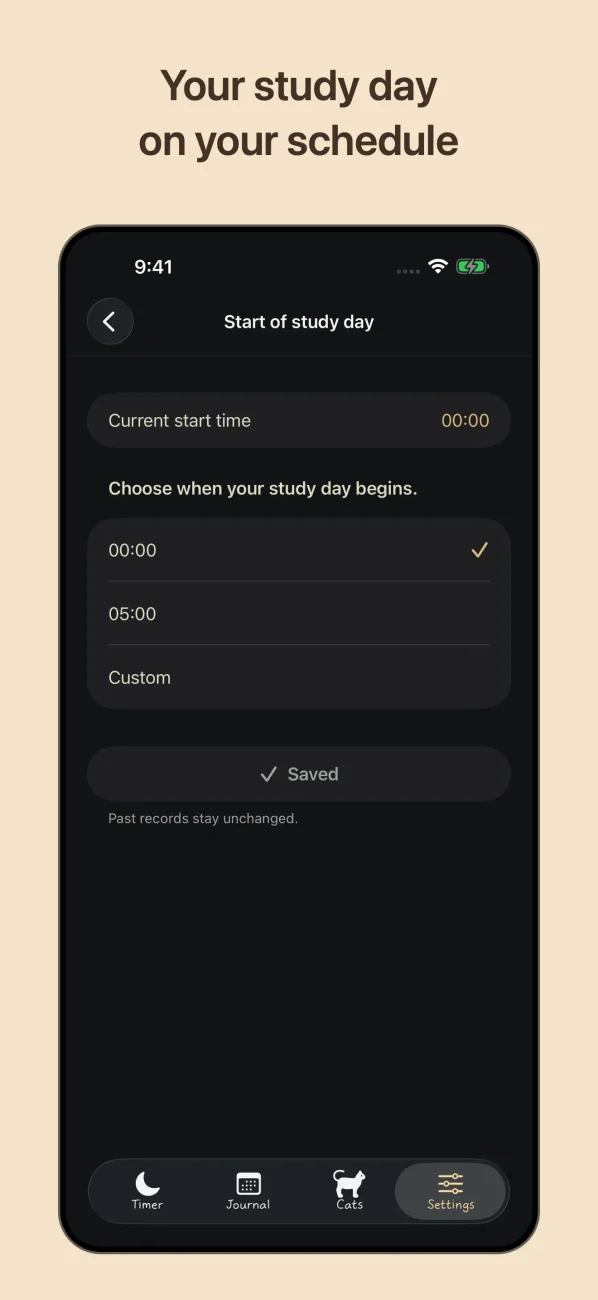
[A day that fits your routine]
Choose midnight, 5 AM, or any whole hour from midnight to 8 AM as the start of your study day. Changes apply to sessions started after the effective time shown in the app. Past records stay unchanged.
[Focus on your Lock Screen]
Enable Live Activities to see your study time on the Lock Screen and Dynamic Island on supported devices. The timer keeps running when the screen is off.
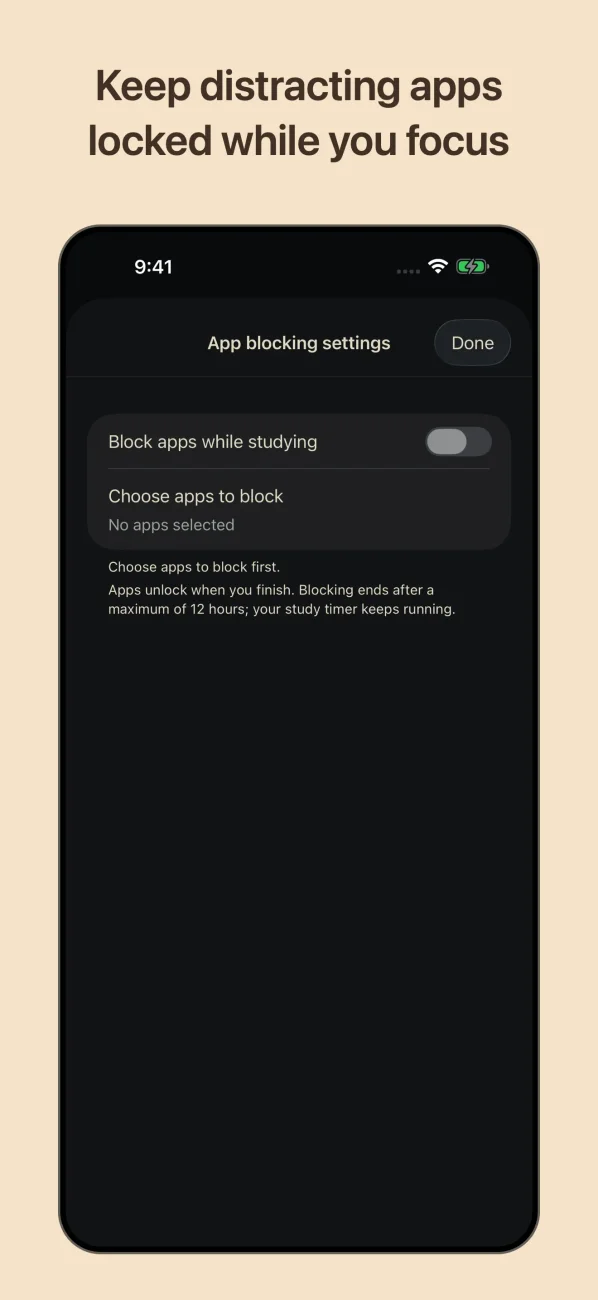
[Block distractions while you study]
Optionally allow Screen Time access and choose apps, websites, or categories to restrict. They are blocked when you start studying and unblocked when you finish. Blocking automatically ends after a maximum of 12 hours, and you can revoke access in device settings. You can also use the timer without blocking anything.
[Simple and quiet]
• No ads, subscriptions, or in-app purchases
• No account required
• Study records stored on your device
• Record backup and restore
• Korean, English, Japanese, and Simplified Chinese
Support and feedback: ddubangstudio@gmail.com
Nouveautés
Version 1.3.0 · 27/10/2026
• Meet Lovebug, Patches and Fluffy.
• Enjoy improved iPad and landscape layouts.
• Share your daily room as a 4:5 image.
• Browse dates more easily with swipes and a redesigned calendar.
• Refined cat placement, bug fixes and usability improvements.
Confidentialité de l’application
Ce que subin kang déclare sur l’App Store au sujet du traitement des données par cette application.
-
Données non collectées
Le développeur ne collecte aucune donnée à partir de cette application.
Les pratiques en matière de confidentialité peuvent varier, notamment en fonction des fonctionnalités que vous utilisez ou de votre âge.
Informations
- Vendeur
- subin kang
- Catégorie
- Productivité
- Version
- 1.3.0
- Mis à jour
- 27/10/2026
- Publié
- 17/09/2026
- Taille
- 9,6 Mo
- Nécessite
- iOS 17.0 ou version ultérieure
- Classification d’âge
- 4+
- Langues
- Anglais, Japonais, Coréen, Chinois simplifié
- Copyright
- © 2026 DDUBANG STUDIO
Vous aimerez peut-être aussi
-
 Cat's Study: Focus TimerPomodoro, chronomètre & to-do
-
 ttokidoki - Focus with FriendsProductivité
-
 Boki: Focus Timer, App BlockerProductivité
-
 SwingCat - Minuteur de focusÉtudiez avec vos chats
-
 Tikkle: Tiny Focus, Big GrowthProductivité
-
 AeroFocus: Study Flight TimerProductivité
-
 studien(스터디언) - 뽀모도로, 집중, 공부Productivité
-
 Jeolmi: Cute Study TimerProductivité
-
 Cattus - Fishing Focus CatProductivité
-
 BrewFocus - Focus in a CafeProductivité