- Classification d’âge4+
- CatégorieProductivité
- DéveloppeurSana Khan
- LanguesAnglais
- Taille1,7 Mo
Notara n’est peut-être pas disponible sur App Store pour le moment
La fiche de la boutique était inaccessible lors de notre dernière vérification. Le lien mène toujours à la page App Store officielle.
Captures d’écran


À propos
Le développeur n’a pas fourni ce texte dans votre langue.
Notara — Capture. Organise. Think.
Notara is a minimal productivity app built for people who think in lists, write to process, and work in focused blocks. No clutter. No subscriptions to unlock the basics. Just a clean, fast workspace that keeps up with how you actually think.
WEEKLY STACK
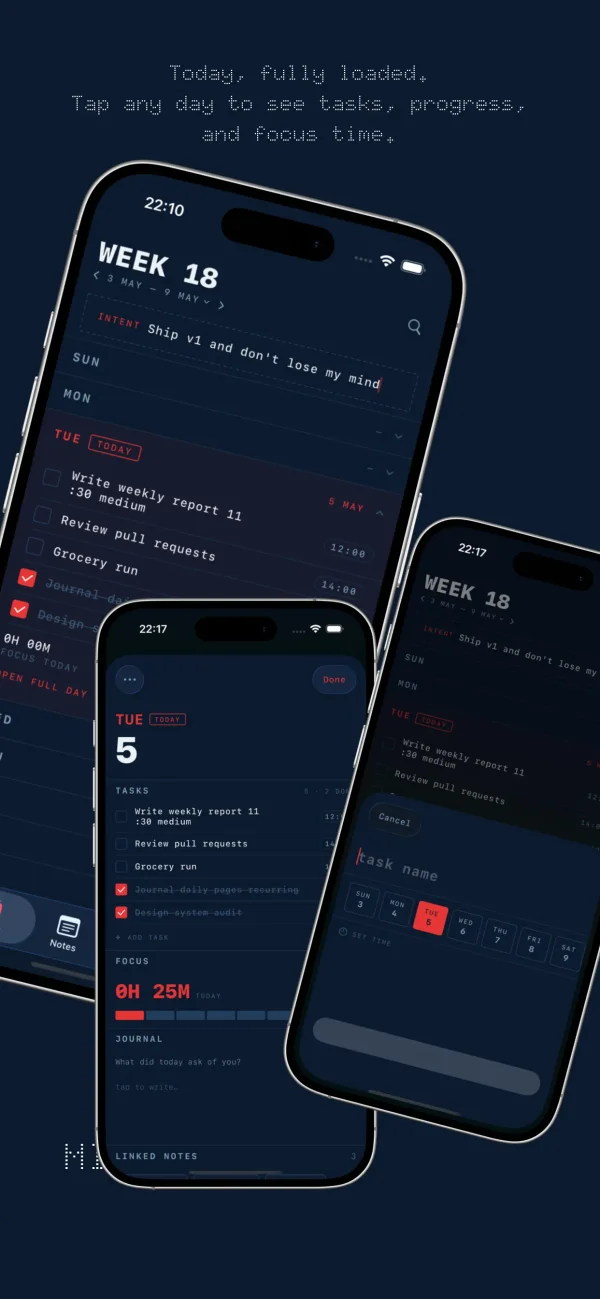
See your entire week in a single scrollable view. Every day is a row tap to expand and see your tasks, completion stats, and focus time at a glance. Set a weekly intention to keep yourself anchored, and navigate forward or back without losing your place.
DAILY PLANNER
Open any day for a full view: tasks with times and priorities, your journal entry, and focus session stats. Everything you need to plan, reflect, and act — without switching between apps.
NOTES
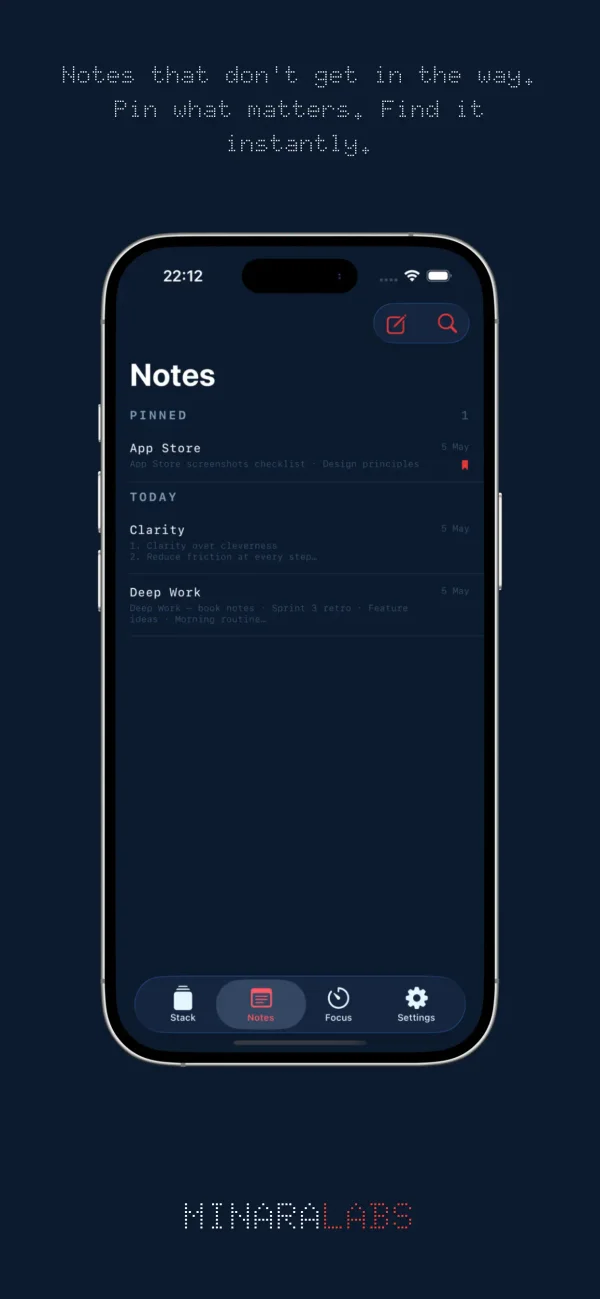
A fast, distraction-free note editor. Write in plain text, organise with tags, pin your most important notes, and find anything instantly with full-text search. No folders, no formatting bloat just your thoughts, ready when you need them.
JOURNAL
A private daily journal built into your planner. Write freely, log your mood, and look back at how your days actually felt — not just what was on your list.
FOCUS TIMER
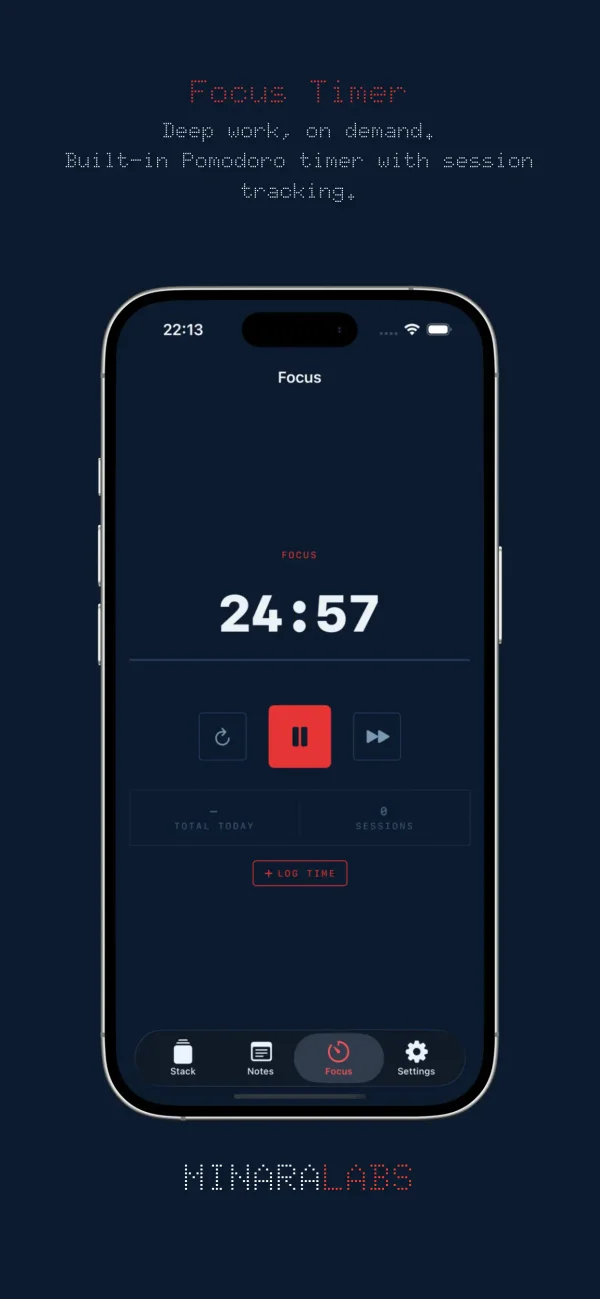
A clean Pomodoro timer that tracks every session. See your total focus time and session count for each day, right inside the daily view. Build the habit of deep work without a separate app.
QUICK ADD
Capture a task in seconds from anywhere in the app. Set the date, time, priority, and tags without breaking your flow.
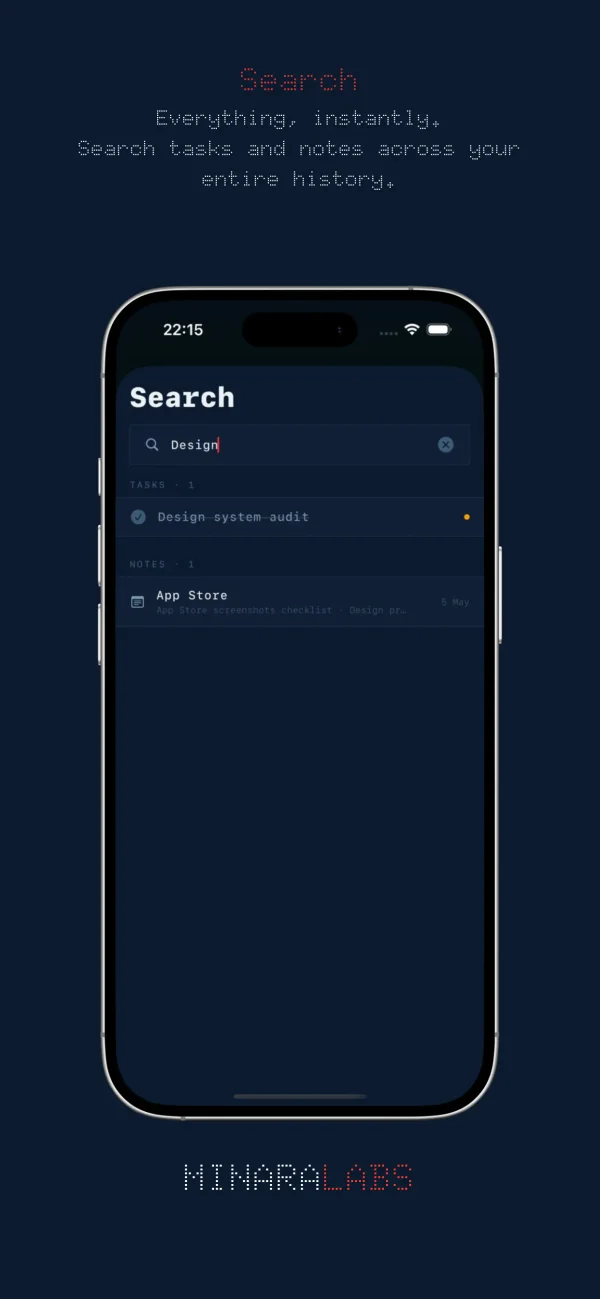
SEARCH
One search bar across everything tasks, notes, and more. Find what you need without remembering where you put it.
WIDGETS
Live home screen widgets show today's tasks and focus stats so your day is always one glance away.
DESIGNED WITH INTENTION
Notara uses a monospace type system and a deep navy colour palette drawn from its own logo. It feels different from other productivity apps because it was built to feel like a tool precise, reliable, and out of your way.
• Dark and light mode
• Custom week start day
• Recurring tasks
• Priority levels with visual indicators
• Tag-based organisation across tasks and notes
• Offline first — your data stays on your device
Notara is for the person who has tried every productivity app and just wants something that works.
Nouveautés
Version 2.0 · 05/05/2026
Welcome to Notara.
This is the first public release everything is new. Weekly task planning, daily journaling, a built-in Pomodoro focus timer, notes with tags, full-text search, and home screen widgets.
Built by MinaraLabs. Feedback welcome at minaralabs.com.
What's new in 2.0
Redesigned colour palette based on the Notara logo: deep navy backgrounds, red accent
New home screen widgets showing today's tasks and focus stats
Weekly Stack view with expandable day cards and focus time tracking
Daily planner now shows journal, tasks, and session stats in one view
Improved notes screen with pinned notes and tag filtering
Built-in Pomodoro timer with per-day session history
Quick Add from anywhere in the app
Full-text search across tasks and notes
Dark and light mode with custom week start day
Performance improvements and bug fixes throughout
Confidentialité de l’application
Ce que Sana Khan déclare sur l’App Store au sujet du traitement des données par cette application.
-
Données non collectées
Le développeur ne collecte aucune donnée à partir de cette application.
Les pratiques en matière de confidentialité peuvent varier, notamment en fonction des fonctionnalités que vous utilisez ou de votre âge.
Informations
- Vendeur
- Sana Khan
- Catégorie
- Productivité
- Version
- 2.0
- Mis à jour
- 05/05/2026
- Publié
- 03/04/2026
- Taille
- 1,7 Mo
- Nécessite
- iOS 17.6 ou version ultérieure
- Classification d’âge
- 4+
- Langues
- Anglais
- Copyright
- © Sana Khan
Vous aimerez peut-être aussi
-
 Listberry - simple list makerProductivité
-
 Timesheet tasks: Time DepositProductivité
-
 AFFiNE: Notes, Tableau & IADocs, tâches, Markdown
-
 Mononote: One NoteProductivité
-
 Day Counter & Tracker - SinceProductivité
-
 QR Creator: Scan & Make QRCodeProductivité
-
 TimeBloc - Daily PlannerProductivité
-
 Grit: Habitudes Routines TDAHSuivi des objectifs et rappels
-
 Enregistreur Vocal Et ÉditeurMémos Vocaux & Éditeur De Sons