Noteleaf: Handwritten Notes
Grid, A3, pages you can swap
Conçue pour iPhone, iPad
Gratuit · Achats intégrés
- Classification d’âge4+
- CatégorieProductivité
- Développeurmasafumi matsumoto
- LanguesAnglais+ 1 de plus
- Taille16,5 Mo
Renvoie vers la page App Store officielle
Download.org n’héberge aucun fichier de Noteleaf: Handwritten Notes. Le bouton ouvre la page de l’application sur App Store, où masafumi matsumoto la publie. Fiche vérifiée pour la dernière fois le 12/11/2026.
Captures d’écran


À propos
Le développeur n’a pas fourni ce texte dans votre langue.
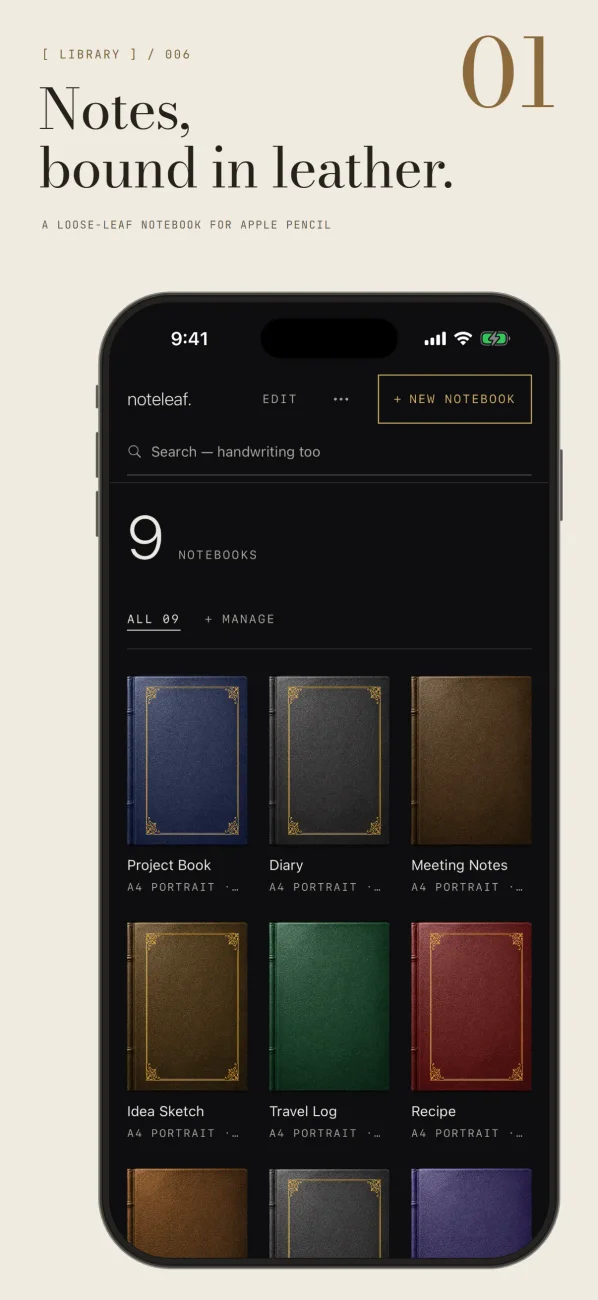
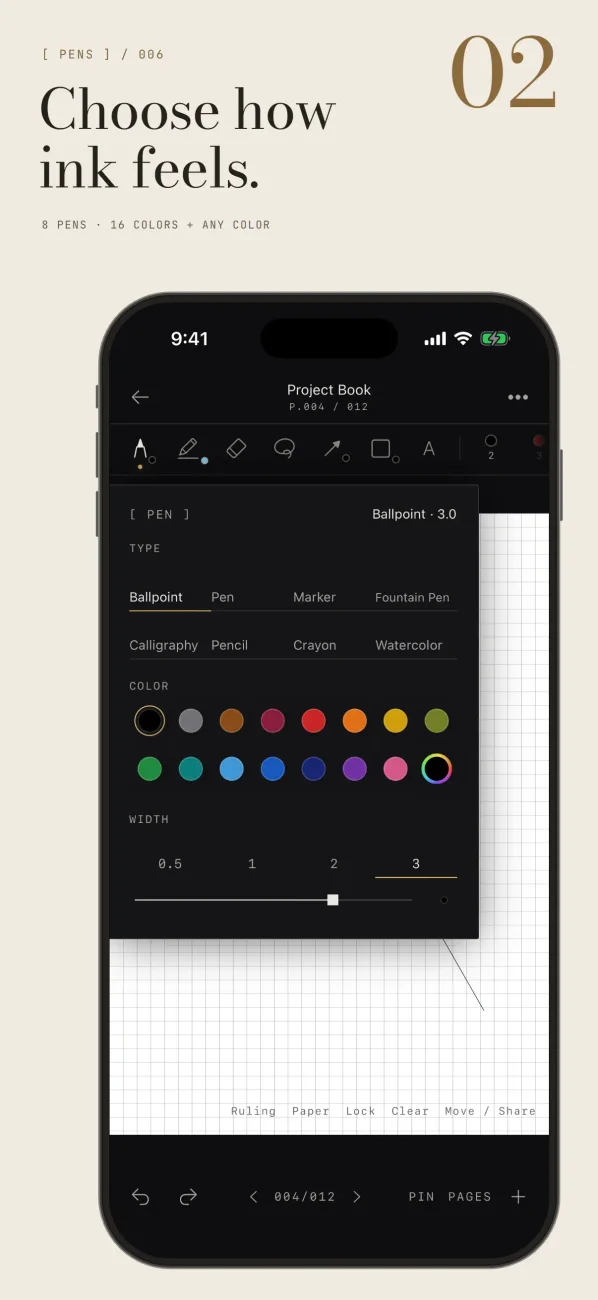
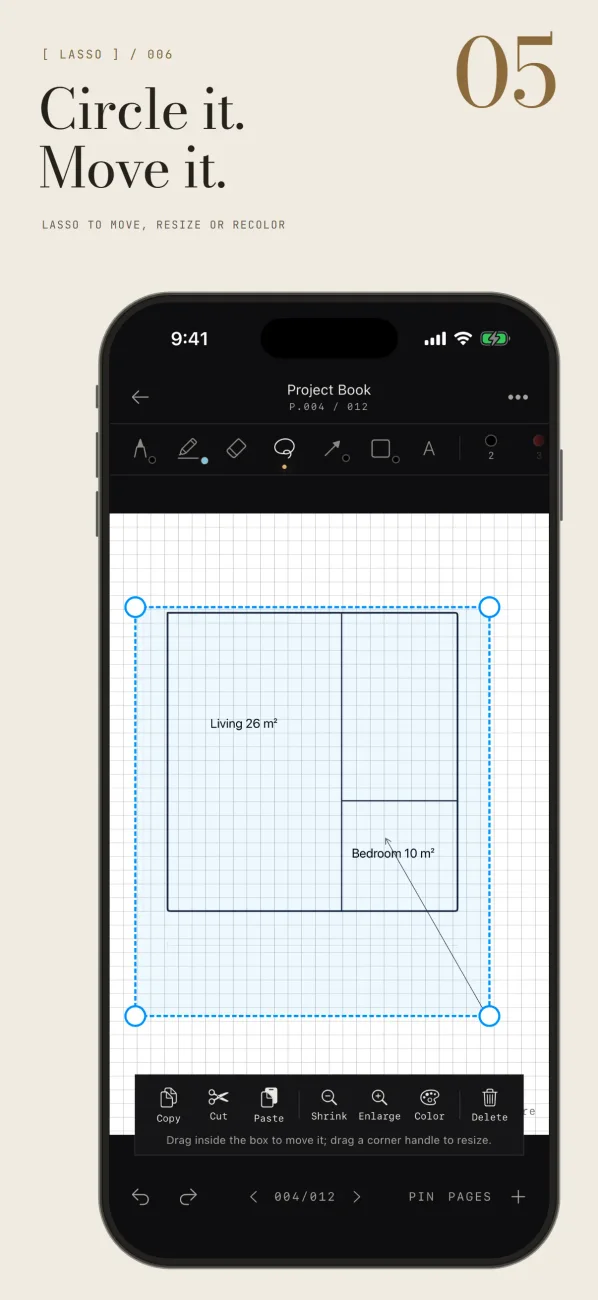
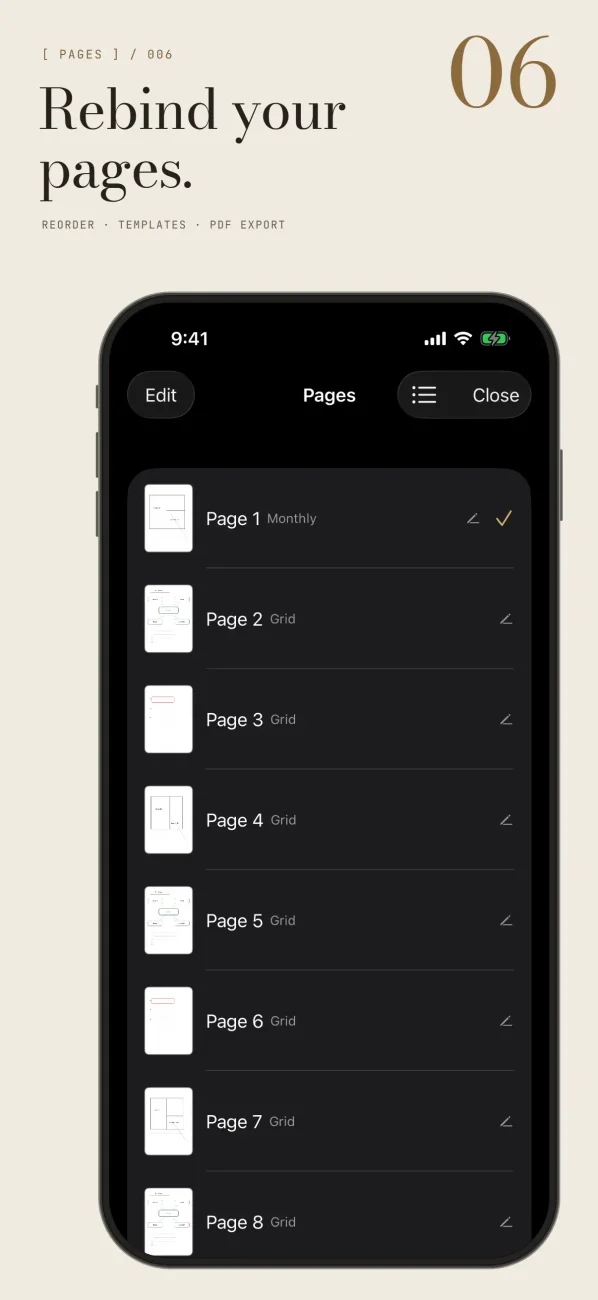
Noteleaf is a handwriting notebook that feels like real looseleaf paper. Write freely with Apple Pencil, rearrange pages, choose from templates, and make it your own.
■ Key Features
Looseleaf Feel
Pages can be reordered freely, just like real looseleaf paper. Move, insert, or remove pages to organize your notes the way you want.
Handwriting with Apple Pencil
Write naturally with Apple Pencil. Supports Scribble. Turn on Apple Pencil-Only Mode in Settings to prevent accidental palm touches.
Ruler Tool
Draw perfectly straight lines at any angle using the on-screen ruler — no physical ruler needed.
10 Page Templates
Choose from blank, lined, wide-ruled, grid, dot grid, Cornell, and more. Mix templates freely within a single notebook.
16 Leather Cover Colors
Personalize each notebook with a color that suits you — 16 rich leather-style covers to choose from.
PDF Export
Export any notebook as a PDF to share or archive your notes.
Notebook Sharing
Share notebooks with others in the app's native format. Device Sharing and notebook sharing work when either device has Premium — the other device doesn't need to purchase.
■ One-Time Purchase
Noteleaf is free to download. One in-app purchase unlocks:
・ Unlimited notebooks (free tier: 1 notebook)
・ PDF export
・ Notebook sharing
All handwriting features are available for free. No subscription. No account required.
Nouveautés
Version 1.9 · 08/11/2026
• A refreshed look: black with a single gold accent (paper tones in Light appearance)
• Imported PDFs stay sharp at any zoom, and exported PDFs keep selectable, searchable text
• Search now finds text inside imported PDFs
• Export a page as an image (PNG)
• PDF export no longer freezes the screen and can be canceled
• A "Getting Started" notebook for new users (does not count toward the free notebook)
• "Continue" takes you straight back to the last notebook you opened
• Fixes: Trash's 30-day countdown, page order, and cleanup after an interrupted PDF import
Confidentialité de l’application
Ce que masafumi matsumoto déclare sur l’App Store au sujet du traitement des données par cette application.
-
Données non collectées
Le développeur ne collecte aucune donnée à partir de cette application.
Les pratiques en matière de confidentialité peuvent varier, notamment en fonction des fonctionnalités que vous utilisez ou de votre âge.
Informations
- Vendeur
- masafumi matsumoto
- Catégorie
- Productivité
- Version
- 1.9
- Mis à jour
- 08/11/2026
- Publié
- 09/06/2026
- Taille
- 16,5 Mo
- Nécessite
- iOS 17.0 ou version ultérieure
- Classification d’âge
- 4+
- Prix
- Gratuit
- Achats intégrés
- Oui
- Langues
- Anglais, Japonais
- Copyright
- © 合同会社スライム
Vous aimerez peut-être aussi
-
 PaperPad - Handwritten NotesProductivité
-
 BindNotesNotes manuscrites liées
-
 JustNotes - Notetaking/MarkupProductivité
-
 Better Notes: HandwritingProductivité
-
 NoteSam : Notes ManuscritesCarnet manuscrit privé
-
 DefterPad : notes manuscritesCarnet, annoter PDF et audio
-
 Papyrus - notes, PDFProductivité
-
 BLISS Note: notes, PDF, agendaManuscrite, tâches, journal
-
 Infinite Canvas Notes: CanvioProductivité
-
 Lucid NoteProductivité