
NoteSub
Beautiful Notes & Planning
Conçue pour iPhone, iPad
Gratuit · Achats intégrés
- Classification d’âge4+
- CatégorieRéseaux sociaux
- DéveloppeurZAHIR MIRZA
- LanguesAnglais
- Taille2,7 Mo
Renvoie vers la page App Store officielle
Download.org n’héberge aucun fichier de NoteSub. Le bouton ouvre la page de l’application sur App Store, où ZAHIR MIRZA la publie. Fiche vérifiée pour la dernière fois le 13/11/2026.
Captures d’écran




À propos
Le développeur n’a pas fourni ce texte dans votre langue.
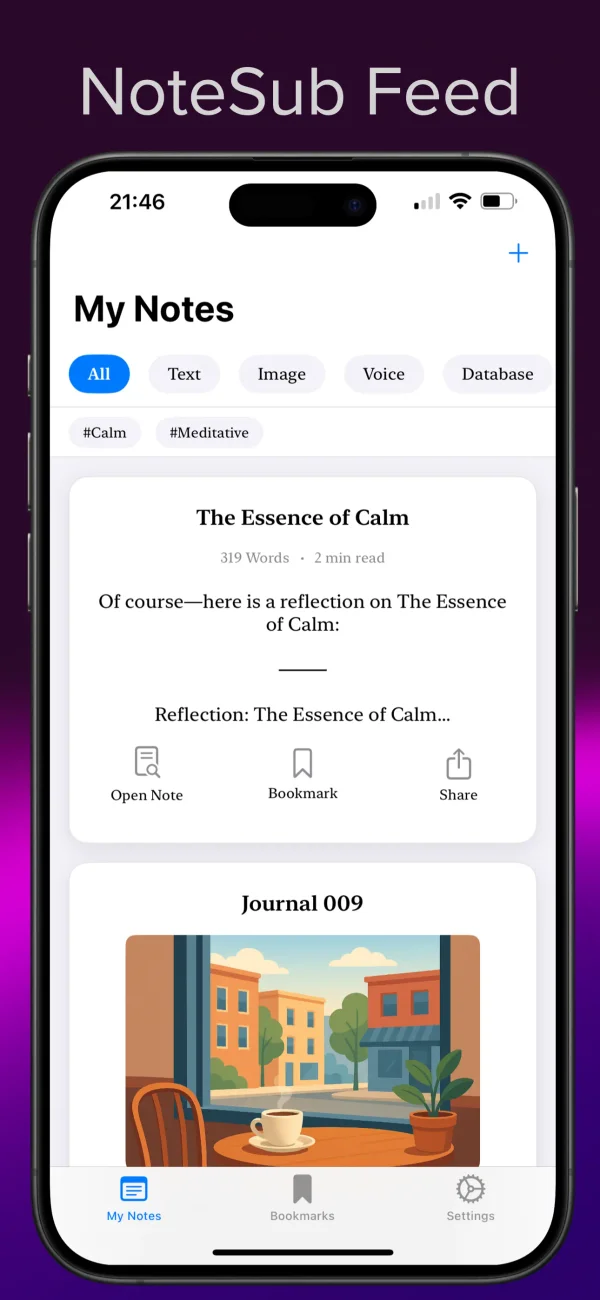
NoteSub brings radical simplicity to note-taking with five essential note types that match how you naturally think. Best of all, it is designed to make your notes as enjoyable as scrolling through your social feeds.
Why You'll Love NoteSub
Local Notes First - Your True Second Brain
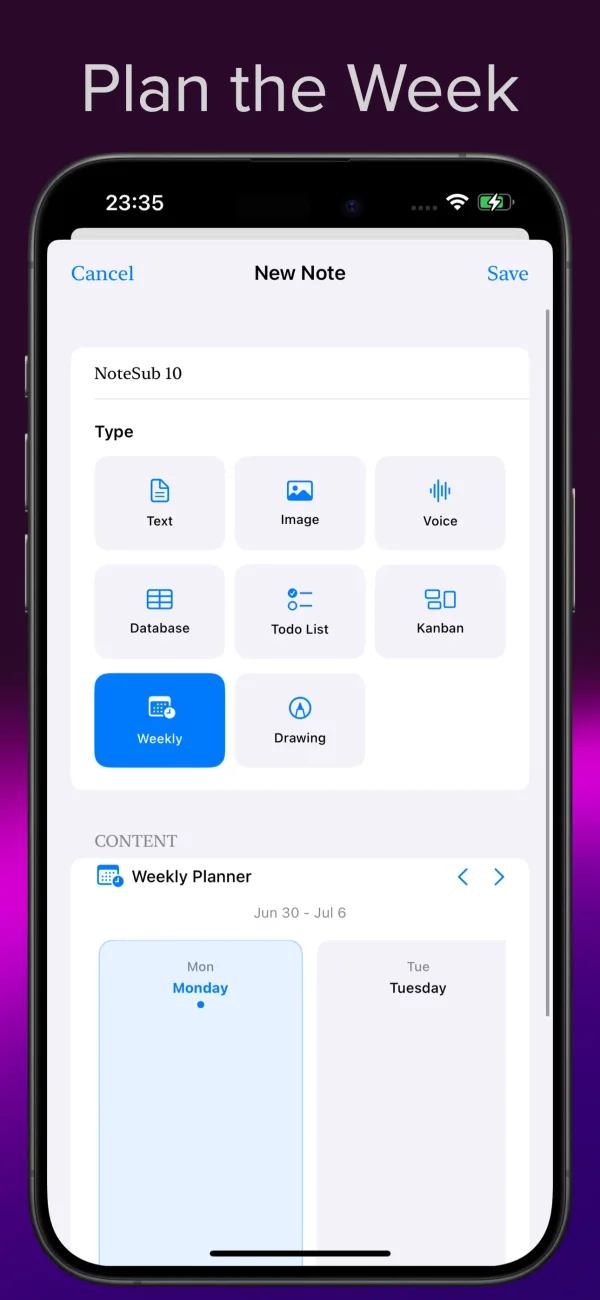
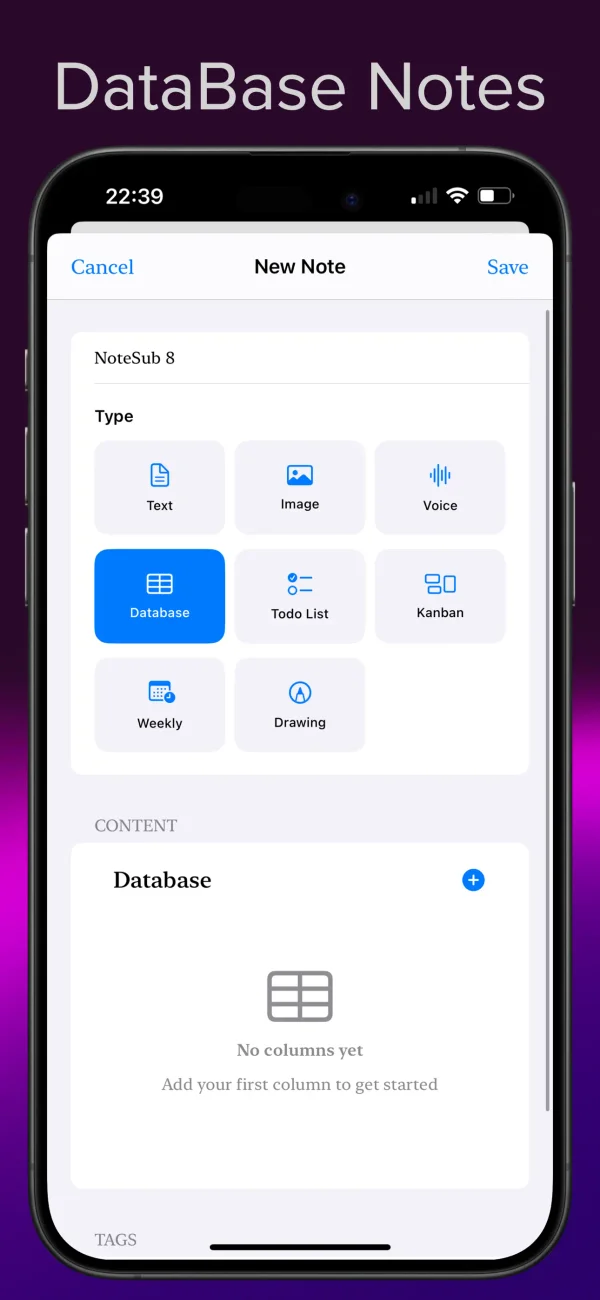
Eight note types so you can be in control:
- Text for thoughts and ideas
- Image notes for visual memories
- Voice recordings for quick capture
- Database Notes for structured information
- Todo Lists for actionable items
- Kanban boards for visual project management
- Weekly planners for time organization
- Drawings
Distraction-Free Design Clean interface with beautiful typography
Your Data Stays Yours
- Local storage by default—notes stay on your device
- No NoteSub account required, no data collection.
- iCloud sync available as in-app purchase to access notes across your Apple devices (via iCloud Sync, devices need to be signed in to the same account)
- Full offline functionality
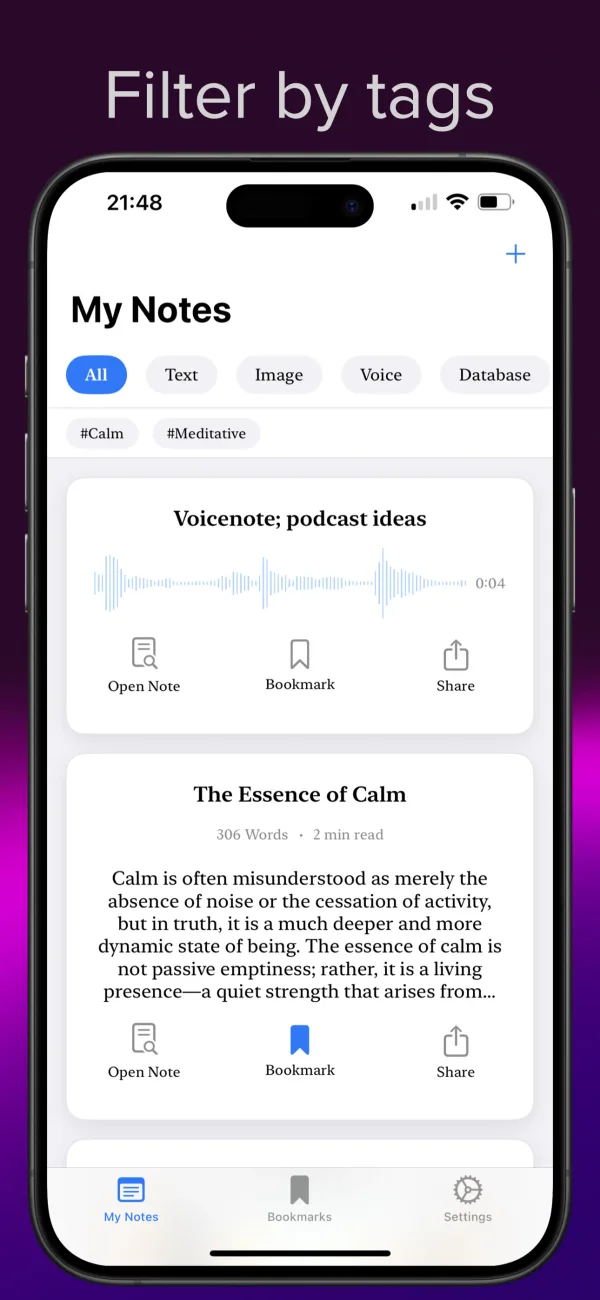
- Search across notes with Tags
Made for Mobile
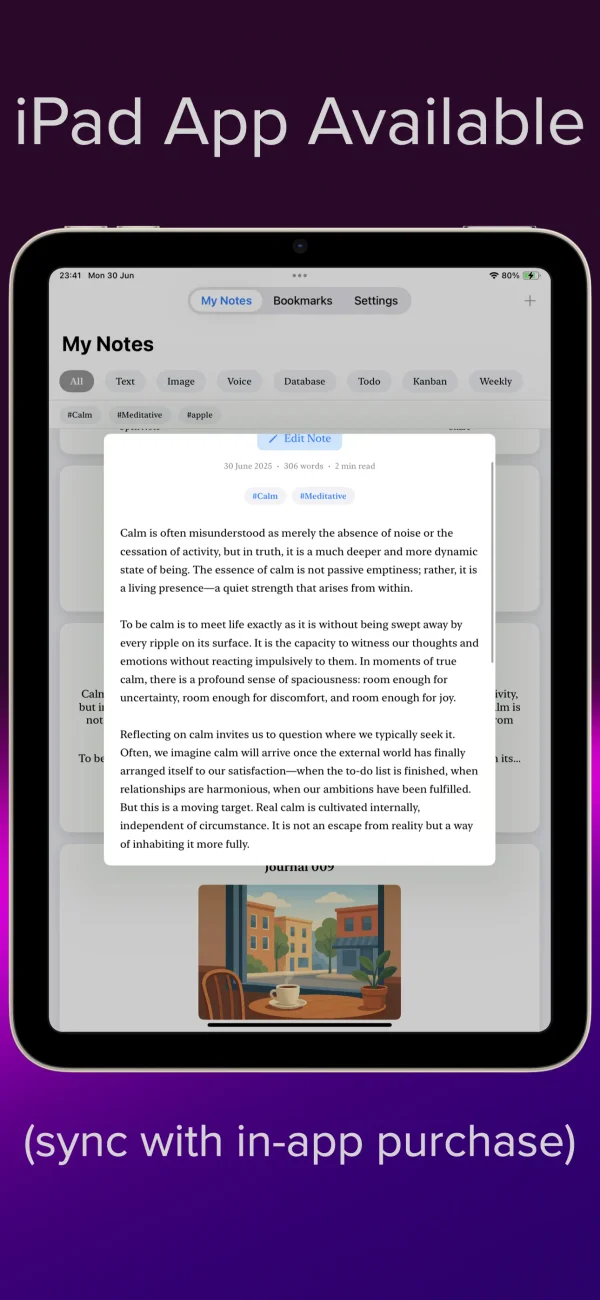
Built iOS-first with native performance, Apple Pencil integration on the iPad, and intuitive touch interactions optimized for iPhone and iPad.
Perfect For
Students: Capture notes quickly without setup overhead. Keep personal journals private. Plan your week.
Professionals: Manage projects with simple Kanban boards. Organise take homes from meetings.
Creatives: Sketch ideas and dump visuals. Gorgeous Notes Feed.
Anyone who values privacy: Keep your thoughts local and secure, with optional iCloud sync. We do not collect your data.
What Makes NoteSub Different
- While other apps try to do everything, NoteSub excels at the fundamentals: capturing thoughts quickly, organizing them simply, and finding them easily.
- No complex structures to configure. No paid for templates to choose from. No overwhelming feature lists. Just beautiful, private note-taking that respects your time and attention.
Download NoteSub and rediscover the joy of simple, powerful note-taking.
Features:
- Eight versatile note types (Text, Image, Voice, Database, Todo List, Kanban, Weekly, Drawing)
- Voice recording capabilities
- Structured database notes
- Offline search
- Local storage (with iCloud sync available as in-app purchase)
- Beautiful, distraction-free design
- Native iOS performance
NoteSub User Guide
Welcome to NoteSub – the elegant note-taking app designed for privacy, simplicity, and beautiful functionality.
Getting Started
First Launch
When you open NoteSub for the first time, you'll see a clean, minimal interface. No account creation required – just start capturing your thoughts immediately.
Creating Your First Note
- Tap the + button to create a new note
- Choose from eight note types (see detailed explanations below)
- Start your note
- New Option to start the app in focus mode (via settings menu)
Interface Overview
- Main Feed: All your notes in chronological order
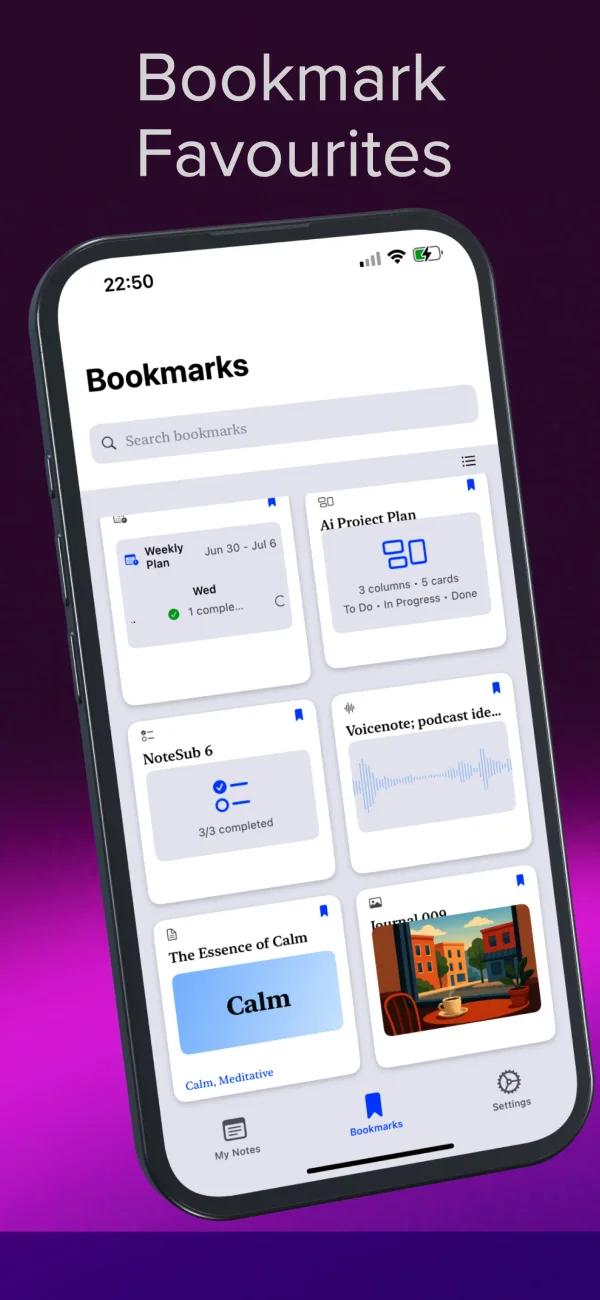
- Bookmarks: Group your favourite notes
- Create Note: Eight specialized types for different thinking styles
- Settings: Access sync options and app preferences
iCloud Sync Setup
NoteSub stores all your notes locally by default for privacy and performance. iCloud sync is available as an optional in-app purchase.
Enabling iCloud Sync
- Open NoteSub Settings
- Complete the in-app purchase
- Your notes will sync across devices that you have signed into your Apple ID and chosen to sync.
How iCloud Sync Works
- Your Apple Account: Uses your existing iCloud account, not our servers
- Offline First: You can always access local notes and edit them without internet
Your Data, Your Control
- Device Storage: Notes are stored in your device's secure storage
- iCloud Optional: Sync only if you choose to purchase and enable it
- Export Anytime: Share or export notes as PDF
Welcome to a more thoughtful way of capturing and organizing your ideas.
Terms of Use (EULA)
https://www.apple.com/legal/internet-services/itunes/dev/stdeula/
Nouveautés
Version 1.17 · 30/10/2026
iPhone Duo Support
Updated Note Creation View
Confidentialité de l’application
Ce que ZAHIR MIRZA déclare sur l’App Store au sujet du traitement des données par cette application.
-
Données non collectées
Le développeur ne collecte aucune donnée à partir de cette application.
Les pratiques en matière de confidentialité peuvent varier, notamment en fonction des fonctionnalités que vous utilisez ou de votre âge.
Informations
- Vendeur
- ZAHIR MIRZA
- Catégorie
- Réseaux sociaux
- Version
- 1.17
- Mis à jour
- 30/10/2026
- Publié
- 03/07/2025
- Taille
- 2,7 Mo
- Nécessite
- iOS 18.2 ou version ultérieure
- Classification d’âge
- 4+
- Prix
- Gratuit
- Achats intégrés
- Oui
- Langues
- Anglais
- Copyright
- © zahirbmirza
Vous aimerez peut-être aussi
-
 Shared - Private MemoriesSouvenirs privés entre amis
-
 BeFreeRéseaux sociaux
-
 NoottiRéseaux sociaux
-
 Toot! for MastodonRéseaux sociaux
-
 heise conferencesRéseaux sociaux
-
 Unspoken - Daily Question AppRéseaux sociaux
-
 RamblioRéseaux sociaux
-
 Showcase Co.Réseaux sociaux
-
 We Don't Have TimeRéseaux sociaux
-
 Subwave: Share Your StoryPodcast, vidéo & newsletter