OBD Diagnostics
Analyze your car with AI
Conçue pour iPhone, iPad
Gratuit · Achats intégrés
- Classification d’âge4+
- CatégorieUtilitaires
- DéveloppeurEJSmith
- LanguesAnglais
- Taille22,8 Mo
Renvoie vers la page App Store officielle
Download.org n’héberge aucun fichier de OBD Diagnostics. Le bouton ouvre la page de l’application sur App Store, où EJSmith la publie. Fiche vérifiée pour la dernière fois le 12/11/2026.
Captures d’écran


À propos
Le développeur n’a pas fourni ce texte dans votre langue.
OBD Diagnostics turns your iPhone into a powerful real-time vehicle data scanner, dashboard, session recorder, and AI analysis tool.
Connect to supported Bluetooth OBD-II adapters, including Veepeak and compatible ELM327-style adapters, to read live vehicle data directly from your car. View key engine metrics, track driving sessions, graph sensor data, and send your recorded measurements to AI for personalized analysis based on your vehicle’s make, model, year, and engine.
Whether you are troubleshooting a check engine light, monitoring engine performance, reviewing fuel trims, checking battery voltage, or learning how your vehicle behaves over time, OBD Diagnostics helps make your car’s data easier to understand.
**Real-Time OBD-II Dashboard**
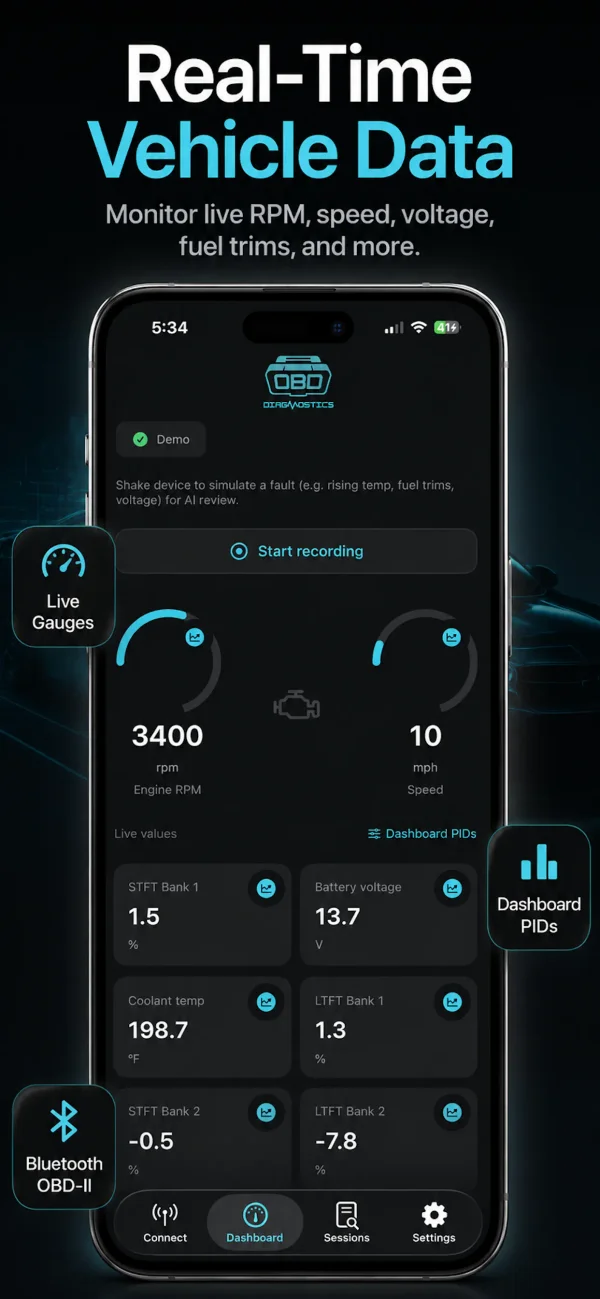
Monitor live data from your vehicle with a clean, easy-to-read dashboard. View supported OBD-II PIDs such as:
Engine RPM
Vehicle speed
Coolant temperature
Battery voltage
Engine load
Short-term fuel trim
Long-term fuel trim
Oxygen sensor readings
Fuel level
Additional supported sensor values
Large gauges, live value cards, and quick-access charts help you focus on the vehicle data that matters most.
CarPlay support with live data.
Shortcut actions to automatically connect and start as well as disconnect and stop analysis.
**Interactive Graphs**
Visualize your vehicle’s live data with real-time graphs. Select up to 10 dashboard PIDs and track changing values over the last 60 seconds.
Great for reviewing RPM changes, coolant temperature rise, fuel trim movement, voltage behavior, speed changes, oxygen sensor activity, and engine load patterns.
**Session Recording and History**
Record OBD-II sessions and review them later. Each session can include duration, sample count, vehicle information, VIN when available, make, model, year, engine, battery voltage, and min/max/average stats for recorded metrics.
Use session history to compare drives, spot changing patterns, and better understand intermittent vehicle issues.
**AI Vehicle Analysis**
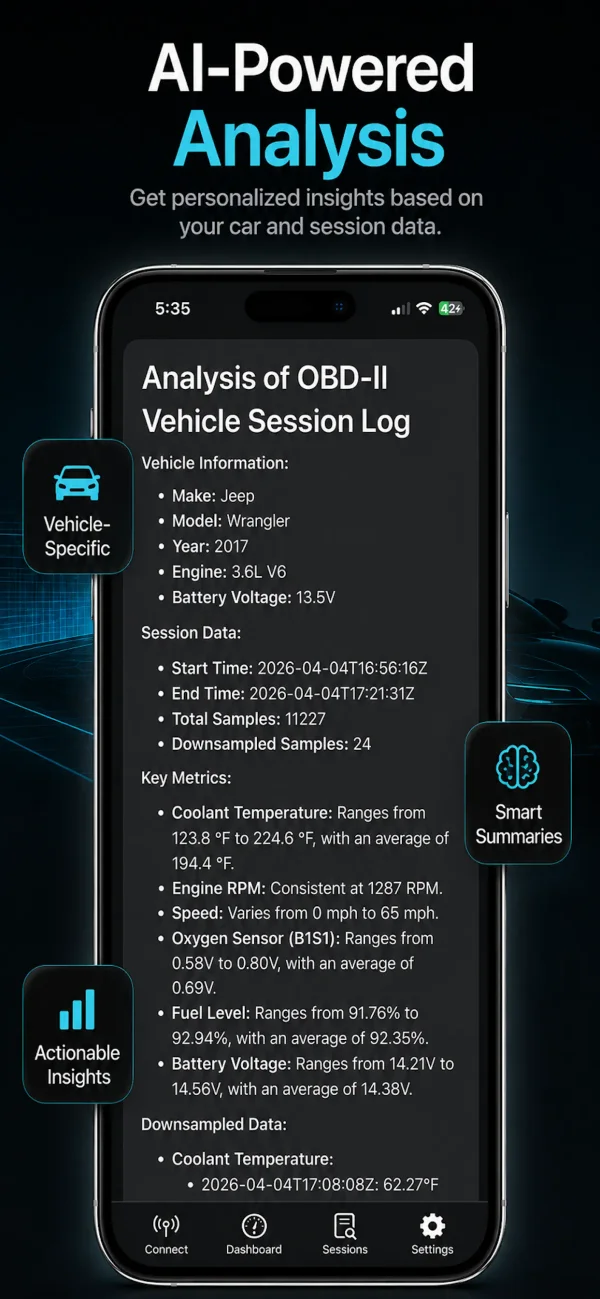
Send recorded session logs to AI for a plain-language review of your vehicle data. OBD Diagnostics can analyze readings using your vehicle’s make, model, year, and engine to help explain performance trends and possible areas to watch.
AI analysis can help summarize coolant temperature, RPM, speed, battery voltage, oxygen sensor readings, engine load, fuel trims, and other supported metrics.
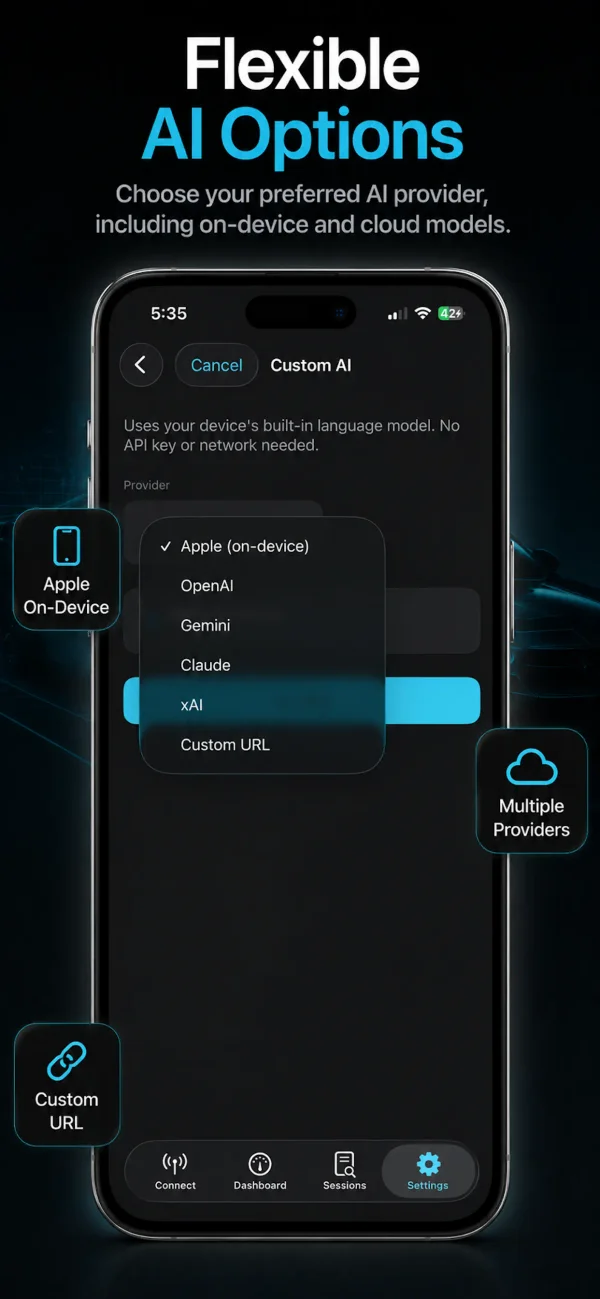
Choose from multiple AI provider options, including Apple on-device AI where available, OpenAI, Gemini, Claude, xAI, or a custom URL.
AI Analysis should NOT be considered a replacement to a professional automotive expert. Please use the data as a means to provide a rudimentory analysis of your vehicle.
**Demo Mode**
Explore the app without an adapter using Demo Mode. Simulate vehicle data, view dashboards, test graphs, record sessions, and preview AI analysis workflows before connecting to a real car.
**Built for Drivers and DIY Mechanics**
OBD Diagnostics is useful for car owners, DIY mechanics, used car shoppers, fleet users, and anyone who wants better visibility into vehicle health and performance.
**Key Features**
Real-time OBD-II Bluetooth data
Veepeak and ELM327-style adapter support
Live RPM and speed gauges
Custom dashboard PID selection
Interactive vehicle graphs
Session recording and history
Vehicle info and VIN capture when available
Min, max, and average metric summaries
AI-powered session analysis
On-device AI option where supported
Custom AI provider support
Demo Mode for offline testing
Clean dark-mode iPhone interface
OBD Diagnostics combines live OBD-II data, Bluetooth scanner support, real-time charts, session tracking, and AI-powered vehicle analysis into one simple app for understanding your car’s performance and health.
Nouveautés
Version 1.2 · 06/08/2026
- Improved Bluetooth OBD-II adapter discovery and connectivity
- Added more reliable direct adapter communication
- Improved DTC reading and vehicle VIN detection
- Enhanced VIN caching and privacy protection
- Improved AI diagnostics setup and remote AI disclosures
- Added stronger data protection and release security improvements
- Fixed stability and usability issues throughout the app
Confidentialité de l’application
Ce que EJSmith déclare sur l’App Store au sujet du traitement des données par cette application.
-
Données utilisées pour vous suivre
Peuvent être utilisées pour vous suivre sur des applications et des sites web appartenant à d’autres sociétés.
- Données d’utilisation
- Diagnostic
- Autres données
-
Données n’établissant aucun lien avec vous
Peuvent être collectées, mais ne sont pas liées à votre identité.
- Données d’utilisation
- Diagnostic
- Autres données
Les pratiques en matière de confidentialité peuvent varier, notamment en fonction des fonctionnalités que vous utilisez ou de votre âge.
Informations
- Vendeur
- Erick Smith
- Catégorie
- Utilitaires
- Version
- 1.2
- Mis à jour
- 06/08/2026
- Publié
- 03/06/2026
- Taille
- 22,8 Mo
- Nécessite
- iOS 26.2 ou version ultérieure
- Classification d’âge
- 4+
- Prix
- Gratuit
- Achats intégrés
- Oui
- Langues
- Anglais
- Copyright
- © Erick Smith 2026
Vous aimerez peut-être aussi
-
 OBD2 Car DiagnosticsUtilitaires
-
 BimmerDash: OBD2 GaugeReal-time performance monitor
-
 RevDashUtilitaires
-
 Axlyne: Scanner OBD2Diagnostic auto, voyant moteur
-
 OBD Pilot — AI Car ScannerUtilitaires
-
 OBD2UDS : diagnostic autoDonnées en direct et scan UDS
-
 BMDash ProUtilitaires
-
 Pocket YOLOUtilitaires
-
 I'm Hero OBD2 ScannerUtilitaires
-
 MotorBit: Diagnostic Auto OBD2Scanner ELM327 & Codes Défaut