
Ocean: Intelligence for Gmail
Find the emails that matter
Conçue pour iPhone, Mac
Gratuit · Achats intégrés
- Classification d’âge4+
- CatégorieProductivité
- DéveloppeurBigWave Labs Inc
- LanguesAnglais
- Taille32,4 Mo
Renvoie vers la page App Store officielle
Download.org n’héberge aucun fichier de Ocean: Intelligence for Gmail. Le bouton ouvre la page de l’application sur App Store, où BigWave Labs Inc la publie. Fiche vérifiée pour la dernière fois le 22/11/2026.
Captures d’écran

À propos
Le développeur n’a pas fourni ce texte dans votre langue.
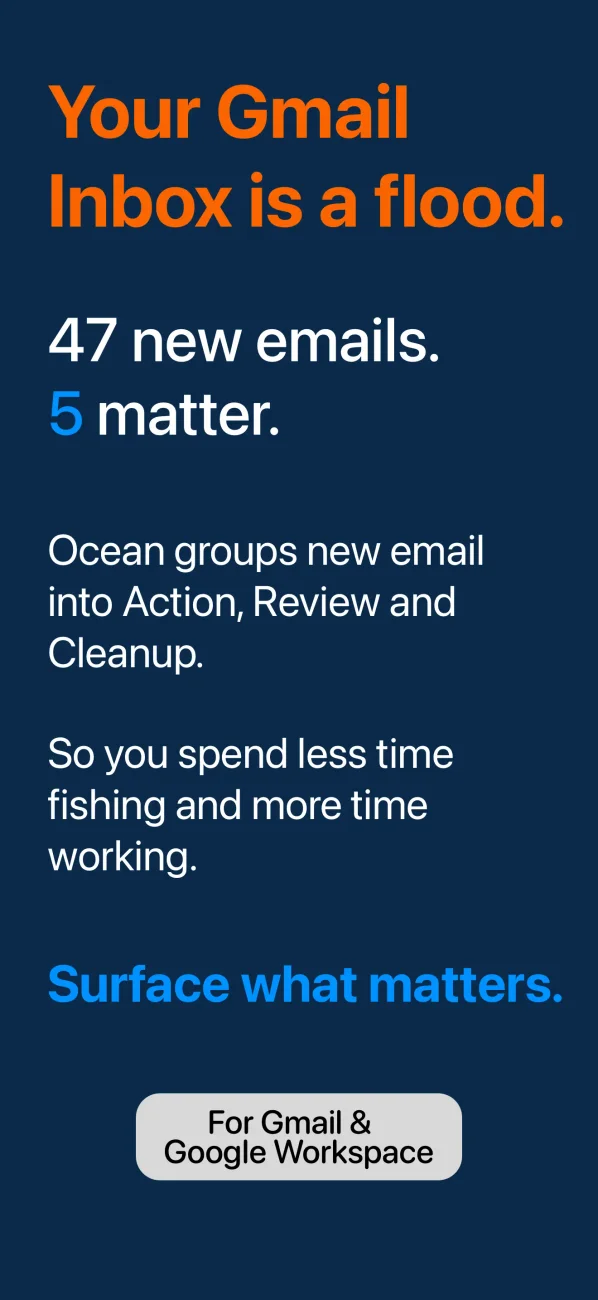
Your Gmail inbox wasn't built for the way you work. Ocean was.
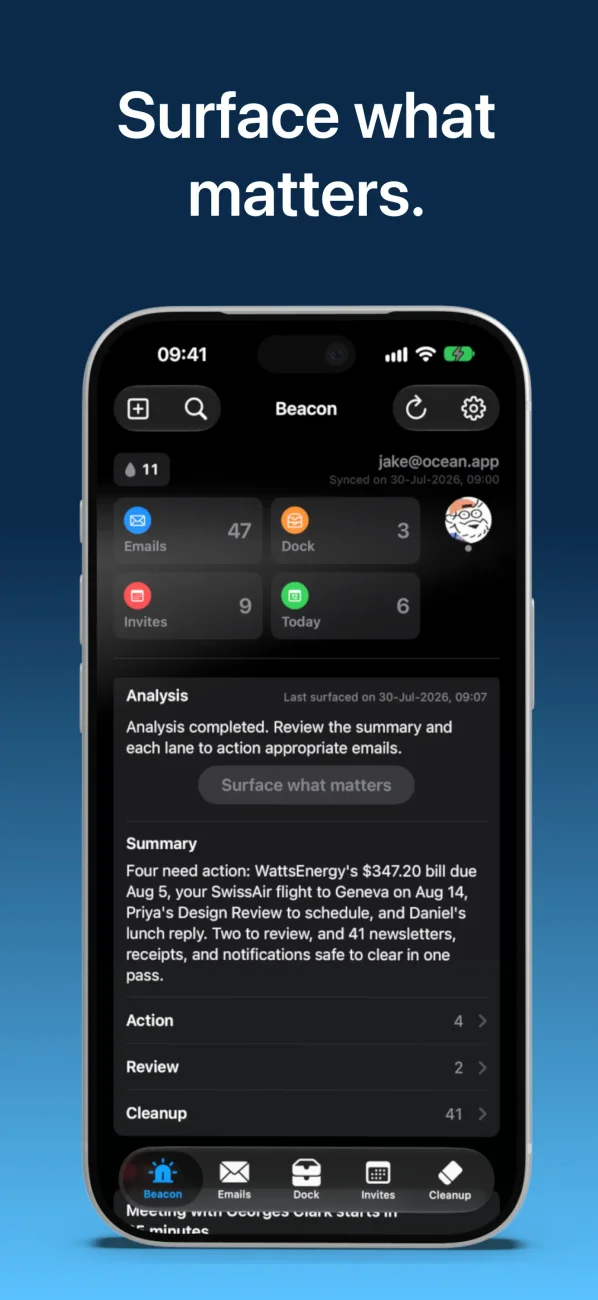
Ocean brings Beacon Intelligence to Gmail and Google Workspace on your iPhone. When you ask, Beacon classifies every email by what it needs from you, so you spend less time sorting and more time doing.
⎯
BEACON INTELLIGENCE
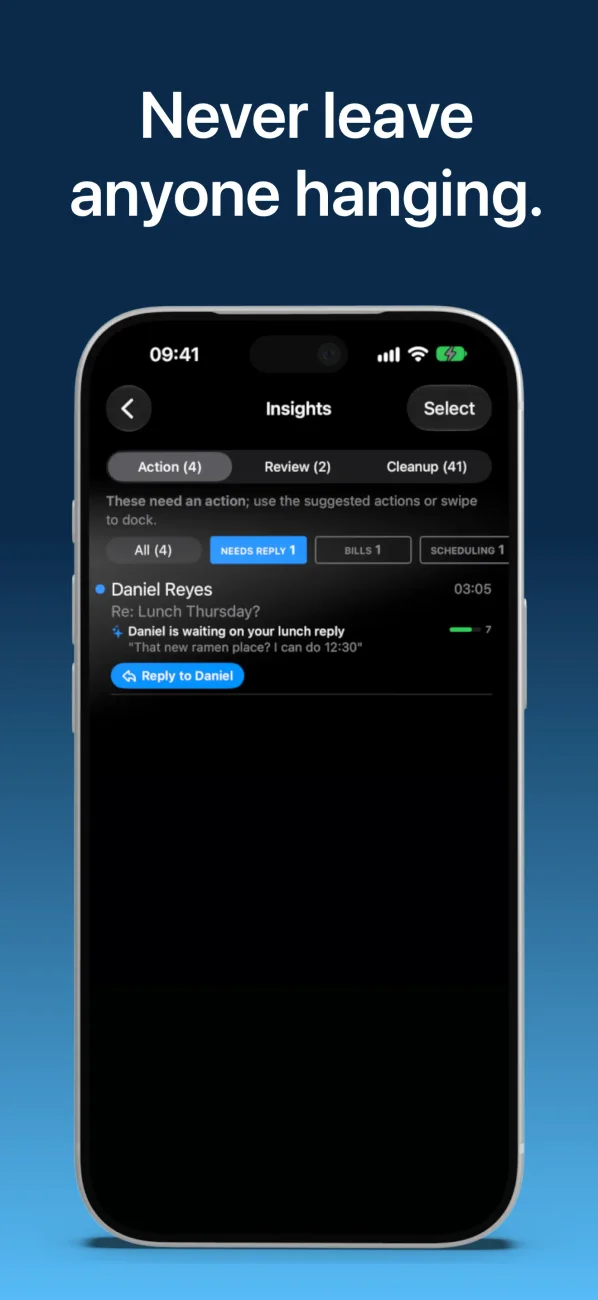
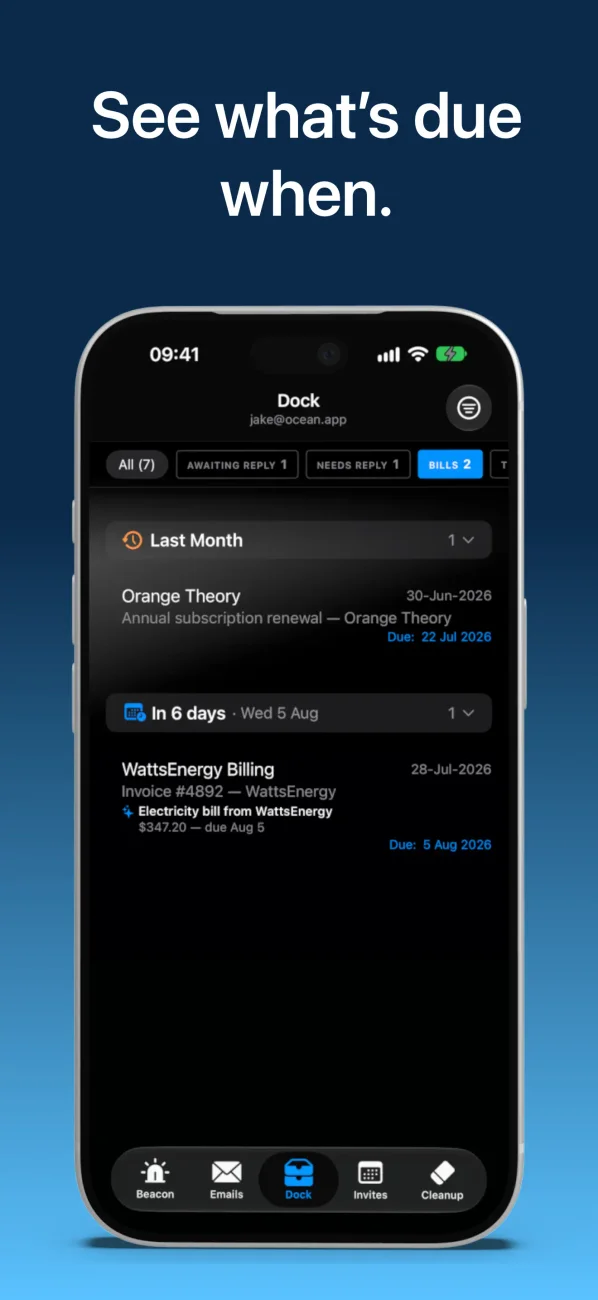
Every email, handled. Beacon classifies every email into three lanes: Action, Review, and Cleanup. Within each lane, emails are grouped by kind (Needs Reply, Bills, Scheduling, Travel, and more) with the best next step ready.
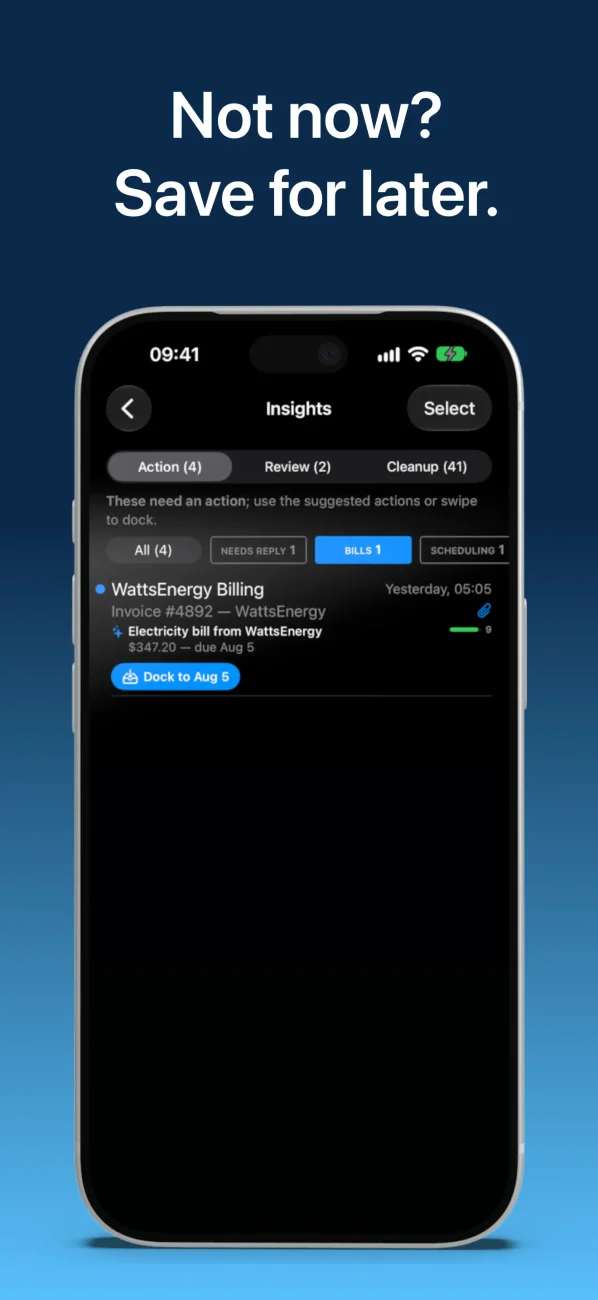
- Action: reply, dock to the due date Beacon found in the email, or send a meeting invite.
- Review: swipe to archive or discard.
- Cleanup: clear hundreds of emails in seconds.
Never leave anyone hanging. Beacon spots emails waiting on your reply, so you can answer now or dock them for later.
⎯
REPLY IN YOUR OWN VOICE
Smart Replies are written the way you write to that person. Or switch to casual, shorter, or formal. Add a quick guideline ("1pm Thursday works") and Ocean drafts the rest. Replies are never sent automatically.
⎯
CLEANUP
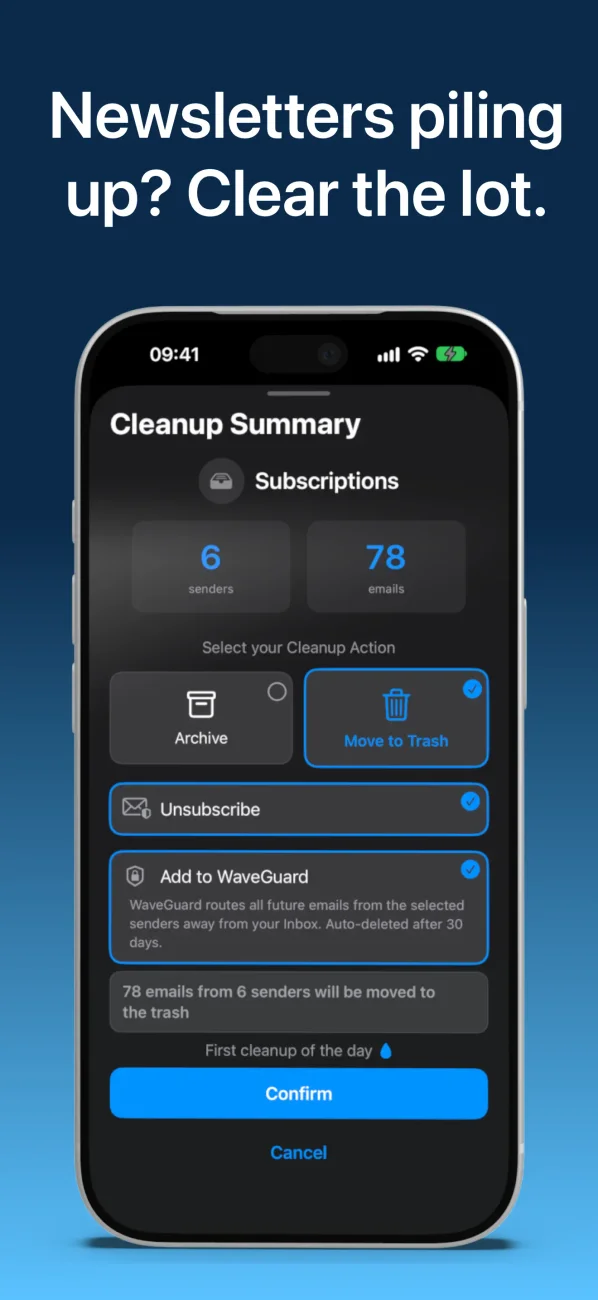
Newsletters piling up? Clear the lot. Pick a category (Subscriptions, First Timers, Persistent Pingers, Forgotten, and more) and clear the whole list in one go. Archive or trash, unsubscribe, and add senders to WaveGuard, which routes their future emails out of your inbox and deletes them after 30 days. Nothing comes back.
Your first cleanup each day uses 1 Credit.
⎯
CREDITS: INTELLIGENCE WITHOUT THE COMMITMENT
Every new account gets 25 free Credits, enough for about a week of daily use.
Credits never expire and are only used when you ask for intelligence. Skip a day, skip a week; you don't pay for days you're not working.
Need more? Credit packs are available for quick top-ups. Or go Ocean Blue, our yearly membership: 25 Credits every day, refreshed at midnight. No subscription, no auto-renewal, nothing to remember to cancel.
Prefer to wait? Ocean's core features stay free forever.
⎯
CORE FEATURES: ALWAYS FREE
Email: compose, reply, forward, and manage your Gmail. A full email client, always free.
Dock: Not now? Dock it. Swipe into Today, Tomorrow, This Weekend, This Week, Next Week, This Month, Next Month, or Whenever, or set an exact due date for bills and deadlines. Docked emails come back right when you need them.
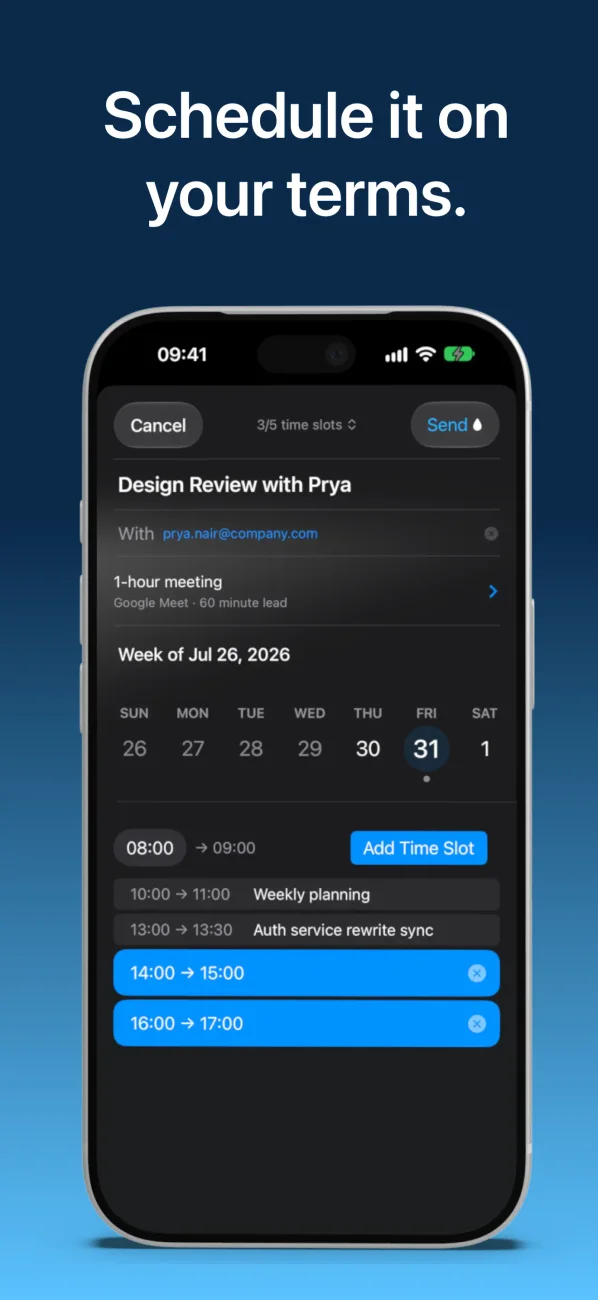
Invites: Meetings without the back-and-forth. Propose a few times in one email; they pick one, and it lands in Google Calendar with a Google Meet link. Slots you've already offered stay off the table, and a lead time blocks last-minute bookings.
Global Search: search across emails and invites from one place.
VIP Contacts: mark important senders as VIP and never miss their emails.
⎯
PRIVACY FIRST
Your emails are never stored on our servers. Beacon only runs when you ask: we request your consent before sending email conversations to our AI provider for analysis. Nothing happens in the background.
⎯
BEAUTIFULLY NATIVE, AND IN SYNC
Dark mode, clean design, built for iPhone. Not a web wrapper. Beacon results and docked emails sync with Ocean on Mac through iCloud.
⎯
Built in Canada by a small team who actually use this thing every day.
Privacy Policy: https://ocean.app/privacy-policy
Terms of Use: https://ocean.app/terms-of-use
Nouveautés
Version 2026.5.2 · 19/11/2026
Ocean for iPhone 2026.5.2 makes it quicker to act on what matters and keeps every inbox current.
• Meetings, handled: Schedule a meeting straight from a surfaced email. Add to Calendar now asks you to confirm, then archives the email for you.
• Reply and Dock from Review: Review rows offer Reply when an email is waiting on you, and Dock to the date found in the email.
• Send and Archive: Send your reply and archive the email in one click.
• New Focus Work: tap + to block focus time on your calendar.
• A sharper Cleanup: Emails are filed by their own date, senders are judged on their full history, and each category shows the dates being cleaned.
• More dependable iCloud sync: Dock changes that fail to reach iCloud retry on their own, and Settings shows your iCloud status, last pull and last push.
Confidentialité de l’application
Ce que BigWave Labs Inc déclare sur l’App Store au sujet du traitement des données par cette application.
-
Données établissant un lien avec vous
Peuvent être collectées et liées à votre identité.
- Coordonnées
- Contacts
- Contenu utilisateur
- Historique de recherche
- Identifiants
-
Données n’établissant aucun lien avec vous
Peuvent être collectées, mais ne sont pas liées à votre identité.
- Données d’utilisation
- Diagnostic
Les pratiques en matière de confidentialité peuvent varier, notamment en fonction des fonctionnalités que vous utilisez ou de votre âge.
Informations
- Vendeur
- BigWave Labs Inc.
- Catégorie
- Productivité
- Version
- 2026.5.2
- Mis à jour
- 19/11/2026
- Publié
- 08/08/2025
- Taille
- 32,4 Mo
- Nécessite
- iOS 18 ou version ultérieure
- Classification d’âge
- 4+
- Prix
- Gratuit
- Achats intégrés
- Oui
- Langues
- Anglais
- Copyright
- © 2026 - BigWave Labs Inc
Vous aimerez peut-être aussi
-
 Dove: email courrier rapideAI mail pour Gmail, Outlook
-
 Quip - Clipboard SuperchargerProductivité
-
 Emma EmailProductivité
-
 Pala: TDAH Planning CalendrierRoutine Quotidienne et Focus
-
 Bloc note & rappel - YepNotesMémo simple, liste et carnet
-
 Nyblit 2 : Tâches et planningLa productivité mieux pensée
-
 Glance - Home Screen FeedsProductivité
-
 ChatInbox: Mail par expéditeurBoîte mail triée par personne
-
 All Email Login: Boîte MailPlusieurs comptes email & IA
-
 Stash : liens et favorisÀ garder pour plus tard