- Classification d’âge4+
- CatégorieProductivité
- DéveloppeurManrai Singh
- LanguesAnglais
- Taille6,4 Mo
Renvoie vers la page App Store officielle
Download.org n’héberge aucun fichier de Office Pad. Le bouton ouvre la page de l’application sur App Store, où Manrai Singh la publie. Fiche vérifiée pour la dernière fois le 20/11/2026.
Captures d’écran

À propos
Le développeur n’a pas fourni ce texte dans votre langue.
Office Pad is a daily notebook for work, built for iPad and Apple Pencil.
Every day gets its own page. Line up your tasks, record your wins, and capture whatever else the day brings — typed notes, handwriting, sketches, photos, and structured templates — all in one calm, focused place.
WHAT YOU CAN DO
• Start each day on a clean page with your tasks and achievements
• Write and draw naturally with Apple Pencil; type with your finger
• Add structured entries — Meeting notes, Brainstorm, and Client Call — and copy any of them as clean text for email or Slack
• Give tasks due dates and project tags; drag to reorder; check them off
• Pin important days and color-code them
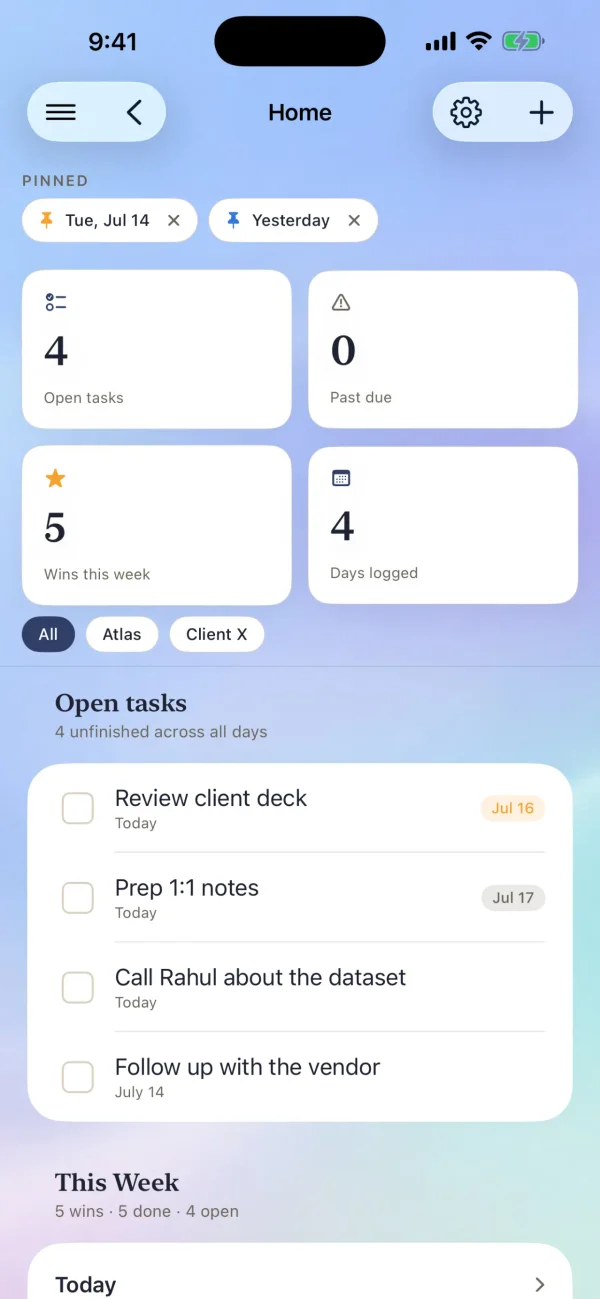
• See everything at a glance on Home: open tasks across all days, wins this week, and your pinned days
• Search across typed notes AND your handwriting — recognition runs on-device
• Flip between days with a date roller, or jump with the calendar
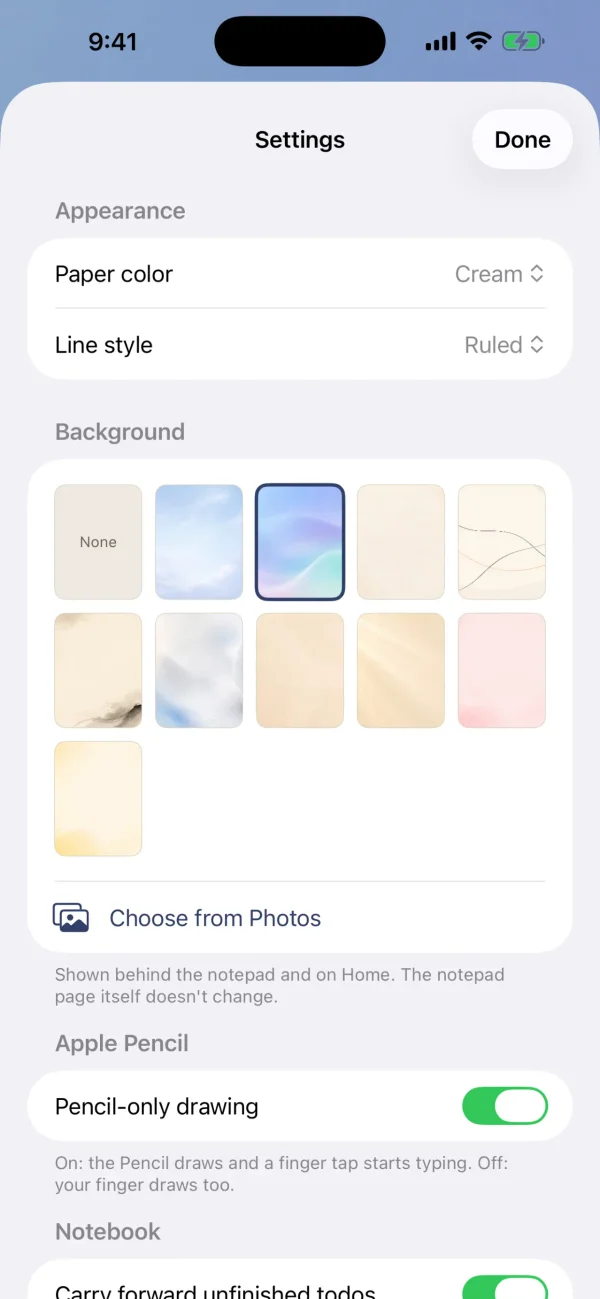
• Make it yours: paper color, line style, and a choice of calming backgrounds
PRIVATE BY DESIGN
Office Pad has no account and no tracking. Everything you write stays on your iPad. Export your notes as Markdown any time.
Designed for iPad. Apple Pencil recommended for writing and drawing.
Nouveautés
Version 1.1.0 · 28/07/2026
Office Pad now runs on iPhone — and brings a few of the most-requested additions.
• Now on iPhone. The notebook, your days, and all your notes adapt to a smaller screen, in portrait or landscape.
• Notes that aren't tied to a day. A new Notes section for reference material, ongoing lists, and ideas — type or write with Apple Pencil. Pin the ones you keep coming back to.
• Task reminders. Add an optional time to any due date and get a notification when it matters.
• Repeating tasks. Set a task to repeat daily or weekly and the next one appears when you check it off.
• Move a task to another day. Long-press any task to reschedule it.
• Better search. Search now covers your standalone notes as well as your daily pages.
Thanks for using Office Pad.
Confidentialité de l’application
Ce que Manrai Singh déclare sur l’App Store au sujet du traitement des données par cette application.
-
Données non collectées
Le développeur ne collecte aucune donnée à partir de cette application.
Les pratiques en matière de confidentialité peuvent varier, notamment en fonction des fonctionnalités que vous utilisez ou de votre âge.
Informations
- Vendeur
- Manrai Singh
- Catégorie
- Productivité
- Version
- 1.1.0
- Mis à jour
- 28/07/2026
- Publié
- 20/07/2026
- Taille
- 6,4 Mo
- Nécessite
- iOS 17.0 ou version ultérieure
- Classification d’âge
- 4+
- Prix
- Gratuit
- Langues
- Anglais
- Copyright
- © 2026 Office Pad
Vous aimerez peut-être aussi
-
 KNotedProductivité
-
 SoFocus: Focus With FriendsProductivité
-
 Kobako : suivi d’idéesNotes rapides et vide-tête
-
 Interleaf : Agenda numériqueJournal, notes et stickers
-
 Chalks PadProductivité
-
 Tratto - Handwritten todo listProductivité
-
 10-minute PlannerProductivité
-
 MemomiumProductivité
-
 FlexiNotesProductivité
-
 Acto|Handwritten PlannerProductivité