
One Line: Notes That Sort
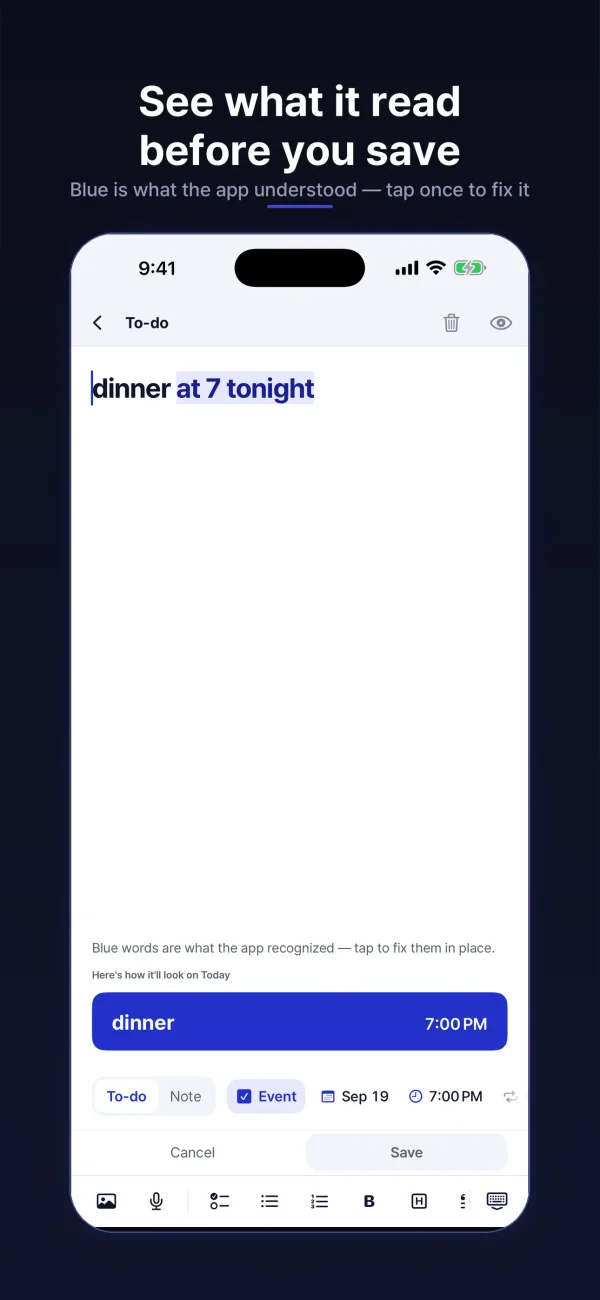
"gym at 7" becomes an event.
Conçue pour iPhone, iPad
Gratuit · Achats intégrés
- Classification d’âge4+
- CatégorieProductivité
- DéveloppeurXTI Co.,Ltd.
- LanguesCoréen+ 1 de plus
- Taille37,5 Mo
Renvoie vers la page App Store officielle
Download.org n’héberge aucun fichier de One Line: Notes That Sort. Le bouton ouvre la page de l’application sur App Store, où XTI Co.,Ltd. la publie. Fiche vérifiée pour la dernière fois le 27/11/2026.
Captures d’écran
À propos
Le développeur n’a pas fourni ce texte dans votre langue.
Type one line. That's the whole system.
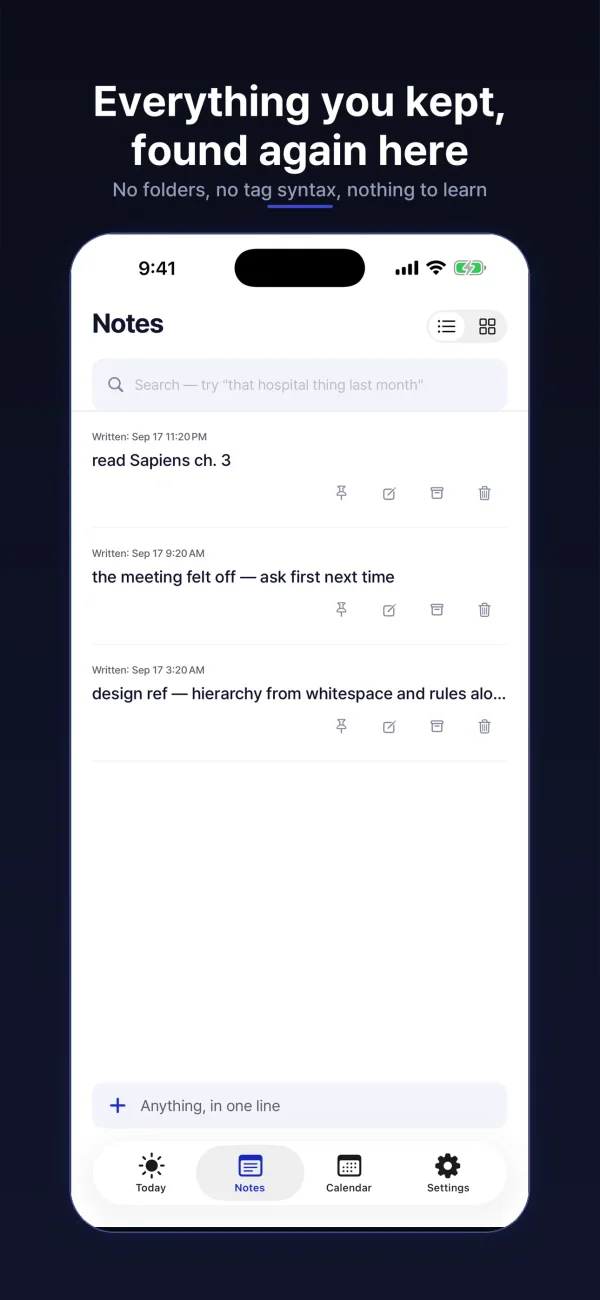
Most notes apps die the same way: organizing them becomes the work. Folders, projects, boards, tag syntax — a filing system you have to maintain before you're allowed to write anything down.
One Line has none of that. You type a line and it stays exactly as you wrote it. Write "dentist tomorrow at 3pm" and the app offers "Tomorrow 3:00 PM · Add" — one tap sets the time and a reminder, or skip it and keep the line as written. The app never rewrites your words on its own.
■ Notes, tasks, and events in one stream
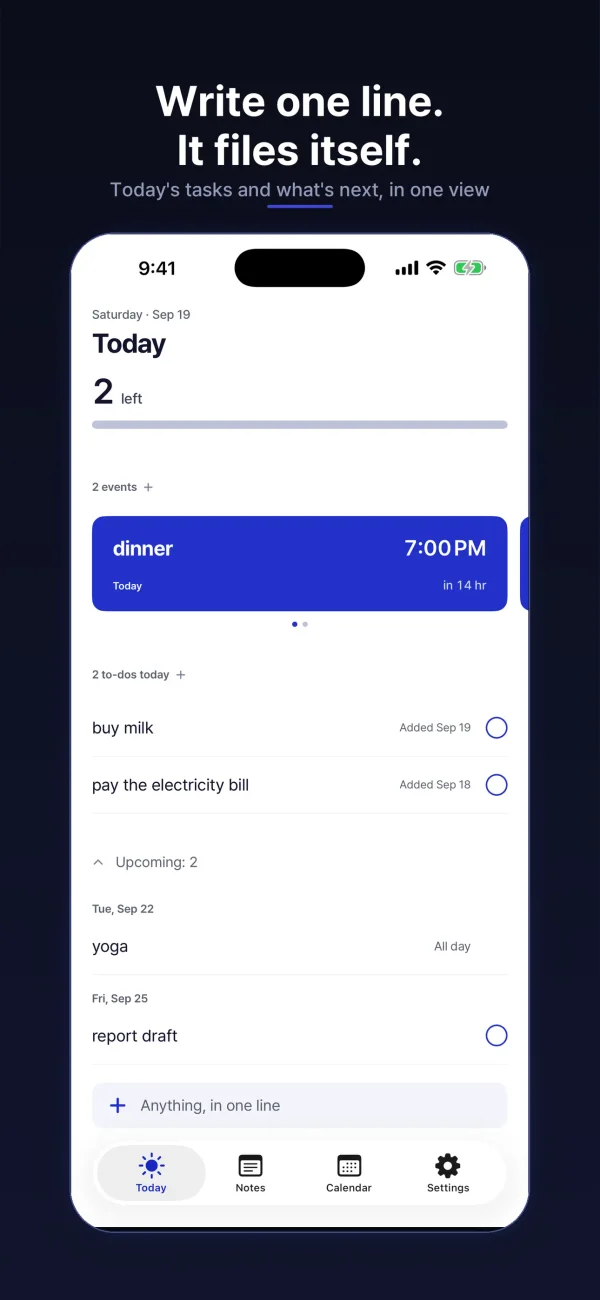
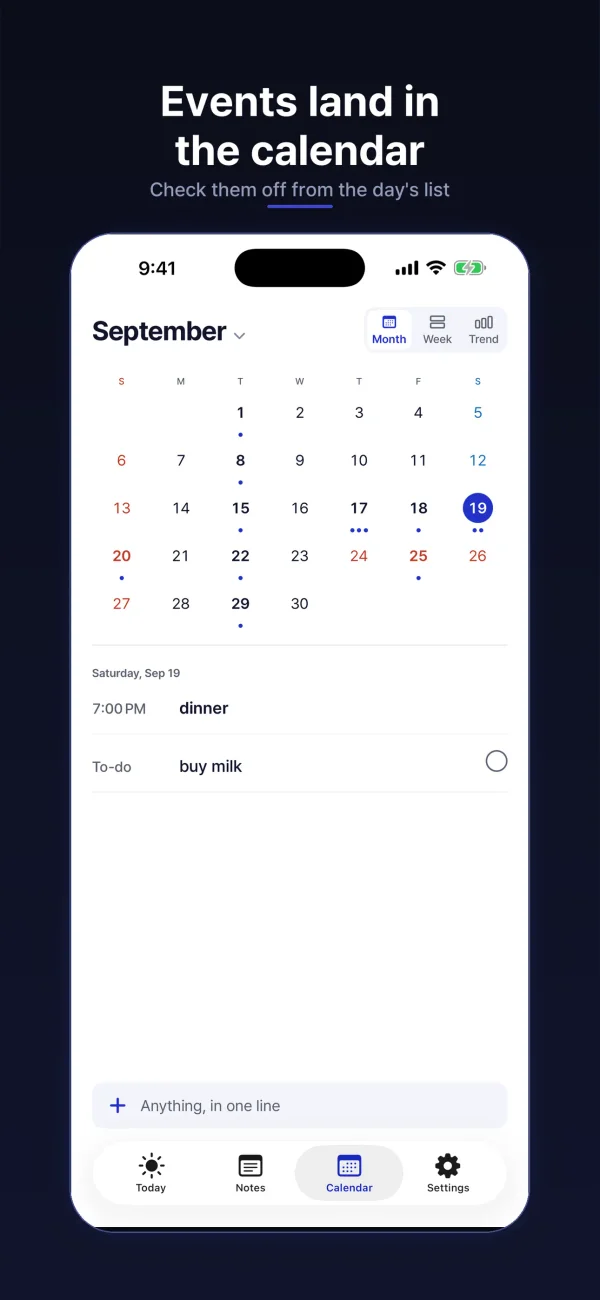
Not three apps. Not three tabs you keep forgetting to open. One place you actually write to, with a Today view for what's in front of you and a calendar for what's coming.
■ Nothing leaves your device unless you ask
No account is needed to use the app. Your writing is stored on your iPhone, and the app reads it on the device itself — nothing is sent anywhere to be processed. No ads, no tracking, no advertising identifier. Airplane mode changes nothing.
Turn on Cloud sync and you sign in with Apple or Google; only then is anything you write stored on our servers. The separate, opt-in usage stats send counts of which features you used, once a week, plus a crash report if the app quits on you — never your notes.
Turn on link previews and the request goes straight to that site — never through us, and we never learn what you looked at. It is off until you turn it on.
■ You don't have to open the app
· A Home Screen widget shows today at a glance
· Tap the widget once to capture straight into the app
· Share from Safari and the page title and article are saved with it — add "todo read tomorrow" while sharing and it becomes a task for tomorrow
· Share text or a screenshot from any other app and it's saved
· Due dates and events arrive as notifications
■ Gets in without typing (Pro)
· Share a screenshot and the text on it becomes a note — menus and status bars stripped, dates, phone numbers and amounts pinned to the top
· Snap a photo or a document and the text inside is read
· Record a voice memo and it is transcribed
· Long articles shared from Safari can be summarized in a few lines (Apple Intelligence devices)
· The reading happens on this device. Photos and voice are never sent anywhere to be read
■ Free, and actually complete
· Unlimited notes, tasks, and events
· Natural-language dates in English and Korean — "dentist tomorrow 3pm", "report by friday", "every monday gym" — offered, never forced
· Polish — fixes only spelling and spacing, and shows you the change before it's applied (Apple Intelligence devices)
· Sync across your devices — sign in and pick up where you left off. Photos, recordings and attachments come along too, up to 5 GB
· Today view, calendar, notifications, widgets
· Export a backup file and restore from it · Export everything as Markdown files
No item caps. No ads. No trial that runs out.
■ One Line Pro
· Yearly, with a discounted first year
· Monthly
· Lifetime — a launch price. Pay once and keep every Pro feature, including the ones that come later
· Gets in without typing — Text from photos · Transcription · Article summary (Apple Intelligence devices)
· Search what piled up — Semantic search: find "that hospital thing last month" without remembering the exact words
· Keep it on your Home Screen — Pinned note widget
Prices are shown in your local currency on the App Store. Cancel any time. Everything stays on your device.
■ Terms & Privacy
· Subscriptions renew automatically unless cancelled at least 24 hours before the end of the current period. Manage or cancel any time in your App Store account settings. Lifetime is a one-time, non-consuming purchase and does not renew.
· Terms of Use (EULA): https://www.apple.com/legal/internet-services/itunes/dev/stdeula/
· Privacy Policy: https://oneline.date/en/privacy
Nouveautés
Version 1.9.1 · 23/11/2026
With Show other calendars on, Today now opens with this week in one row. Each day shows its events as dots; tap another day to see its events right below, or jump to that day on the calendar.
Today also lists today's events from your work, Google, or iCloud calendars. Past events fade, and tapping one opens it in the Calendar app. They never count toward your to-dos.
The Wrap up today card now waits until your other calendars' events are over, and it's simpler.
Confidentialité de l’application
Ce que XTI Co.,Ltd. déclare sur l’App Store au sujet du traitement des données par cette application.
-
Données établissant un lien avec vous
Peuvent être collectées et liées à votre identité.
- Achats
- Coordonnées
- Contenu utilisateur
- Identifiants
-
Données n’établissant aucun lien avec vous
Peuvent être collectées, mais ne sont pas liées à votre identité.
- Identifiants
- Données d’utilisation
Les pratiques en matière de confidentialité peuvent varier, notamment en fonction des fonctionnalités que vous utilisez ou de votre âge.
Informations
- Vendeur
- XTI Co.,Ltd.
- Catégorie
- Productivité
- Version
- 1.9.1
- Mis à jour
- 23/11/2026
- Publié
- 07/09/2026
- Taille
- 37,5 Mo
- Nécessite
- iOS 18.0 ou version ultérieure
- Classification d’âge
- 4+
- Prix
- Gratuit
- Achats intégrés
- Oui
- Langues
- Coréen, Anglais
- Copyright
- © 2026 XTI Co., Ltd.
Vous aimerez peut-être aussi
-
 MemoyoProductivité
-
 My Own Daily RecordProductivité
-
 Labeled: Daily To-Do ListProductivité
-
 Planple — Simple Daily PlannerProductivité
-
 Daylog - All-in-One CalendarProductivité
-
 Off My Mind: Journal intimeLâcher prise sur tes pensées
-
 Only CalendarProductivité
-
 Multi DiaryYour Daily Journal, Simplified
-
 DoJunkie! - Daily To Do ListProductivité
-
 LOG TODO - Tâches, ListesCochez, ou reportez à demain