
OpenResponses
Responses API Playground
Conçue pour iPhone, iPad, Mac
Gratuit · Achats intégrés
- Classification d’âge4+
- CatégorieOutils de développement
- DéveloppeurGunnar Hostetler
- LanguesAnglais+ 1 de plus
- Taille21,8 Mo
Renvoie vers la page App Store officielle
Download.org n’héberge aucun fichier de OpenResponses. Le bouton ouvre la page de l’application sur App Store, où Gunnar Hostetler la publie. Fiche vérifiée pour la dernière fois le 24/11/2026.
Captures d’écran



À propos
Le développeur n’a pas fourni ce texte dans votre langue.
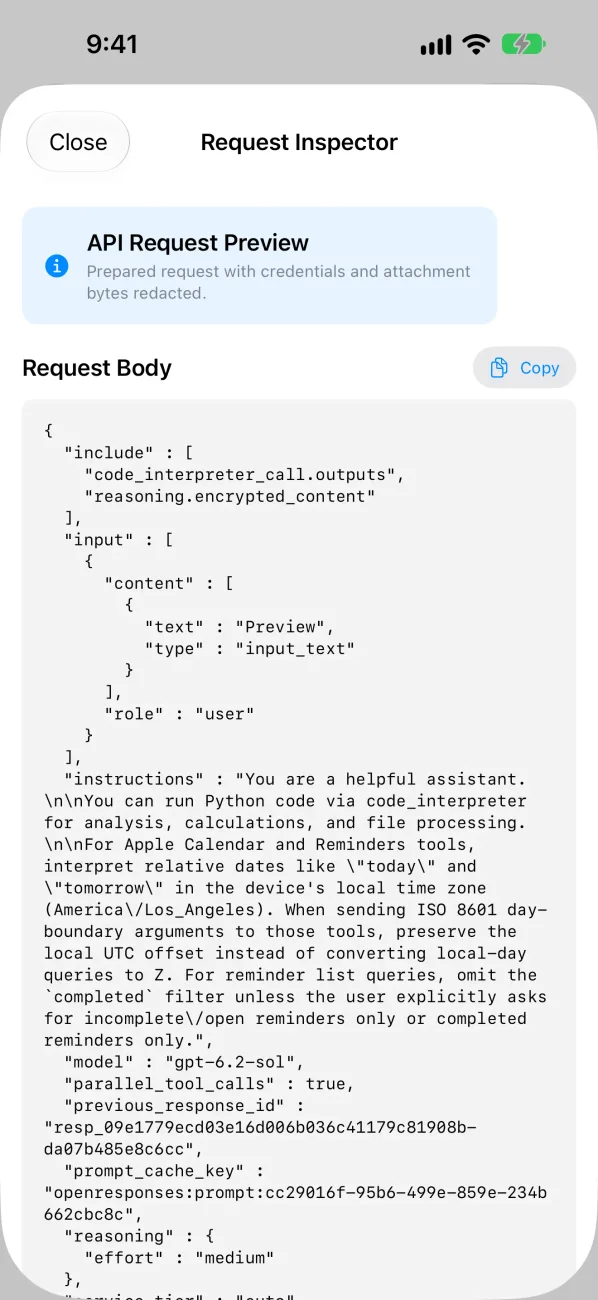
OpenResponses is OpenAI's API on your iPhone and iPad, with nothing hidden. Bring your own API key and it shows you the request before it goes out, the events as they stream back, and every tool call along the way. It's for people who build with OpenAI's models, or who just want to see what the newest ones actually do before writing any code.
It started as the successor to OpenAssistant, my app for OpenAI's older Assistants API, and talks straight to OpenAI's Responses API with no server of mine in between.
PICK A MODEL AND SEE WHAT IT DOES
• GPT-6.2 Sol and Astra, GPT-6.1 Sol and Terra, GPT-6 Sol, Astra and Luna, the GPT-5.6 family, and older models your key can still use. When OpenAI releases a new one, it shows up in the menu on its own, with its settings read from OpenAI's docs.
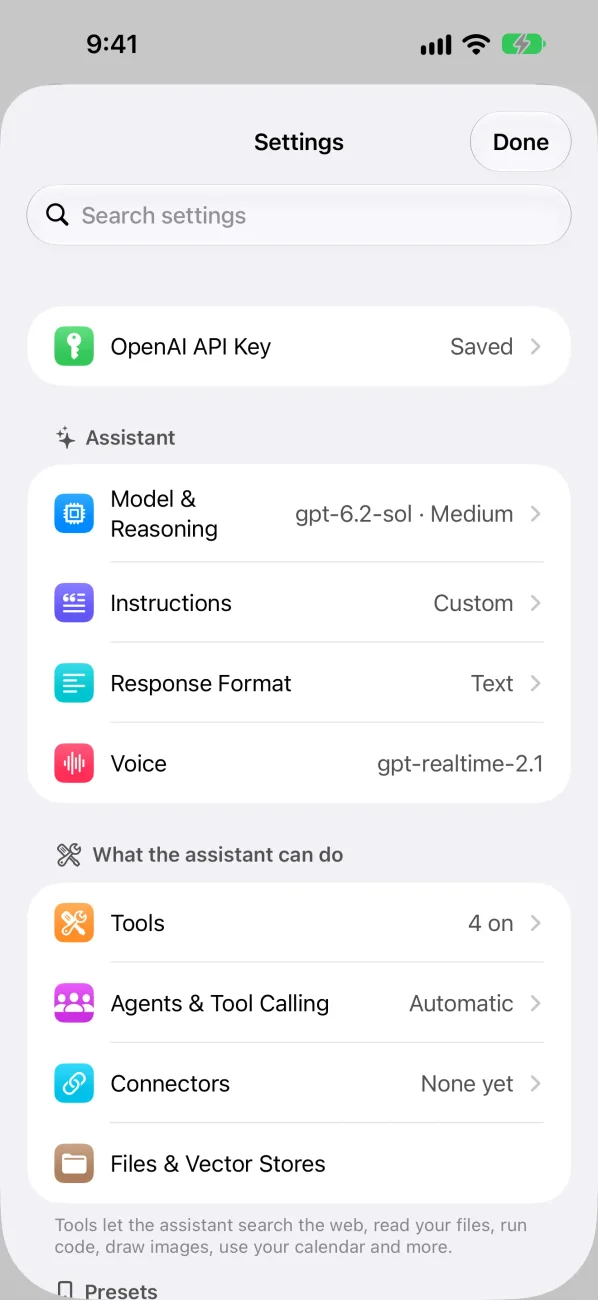
• Reasoning from None to Max where the model takes it, Pro mode, verbosity, context compaction and the rest of the request settings, each on a page Settings search can find.
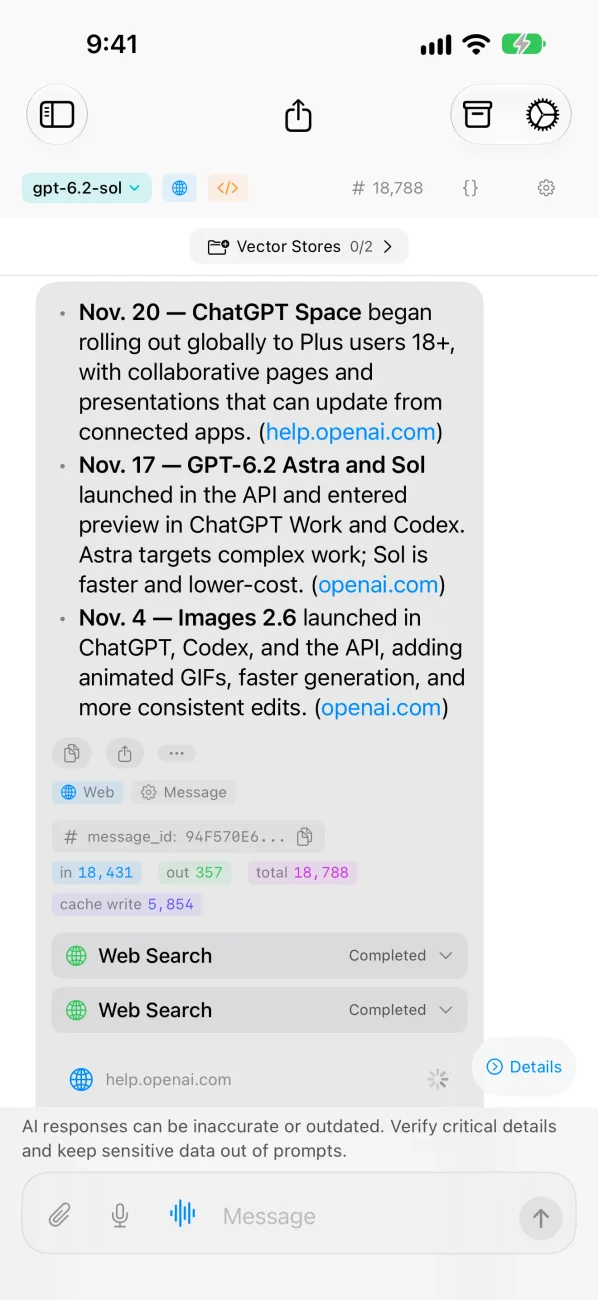
• Replies stream in as they're written, with the reasoning summaries the API sends, token use, and the full request and response a tap away.
• Save setups as presets, attach photos and documents, export conversations, and search your chats by what they're about, not just the exact words.
THE TOOLS THE API HAS
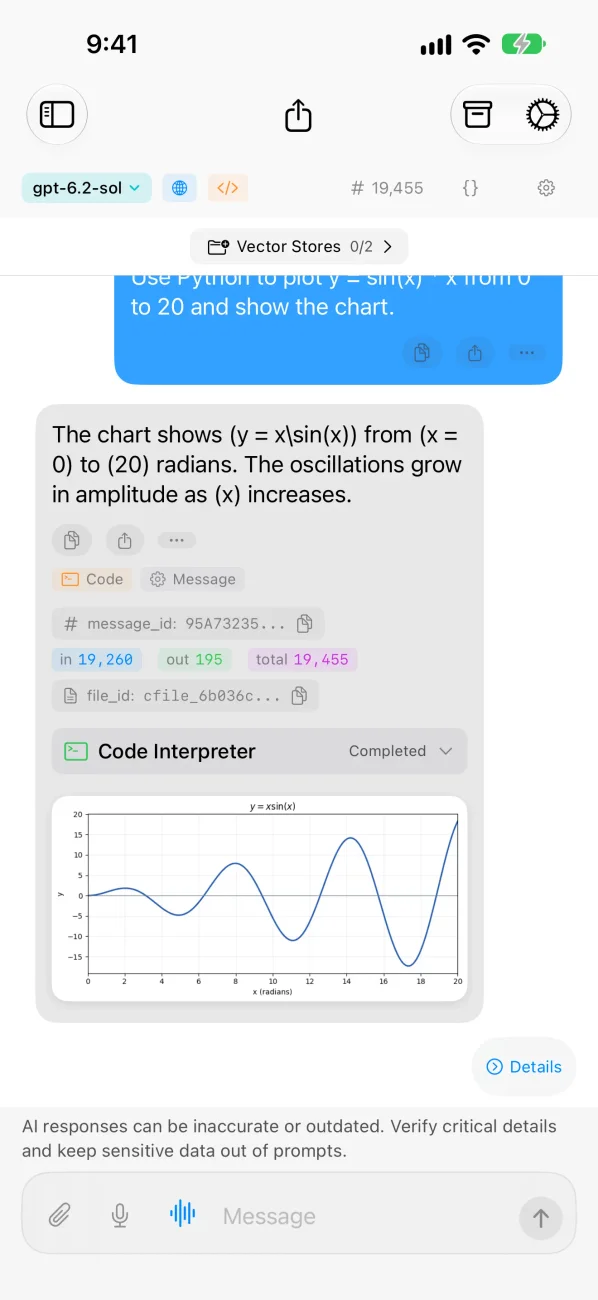
• Web search with sources, Code Interpreter, file search over your own vector stores, and image generation and editing with GPT Image 2.5, up to Max quality.
• Voice conversations with GPT Realtime 2.1 or GPT-Live 1, with mute, and with headphones and Voice Barge-In on you can talk over it to cut it off.
• A browser the model can drive, inside the app, with Stop, time limits and action limits.
• Connectors for MCP servers. Start from the popular ones like GitHub, Notion and Linear or any remote server in the public MCP Registry, sign in or use a key, look through the tools it offers, and approve tool calls unless you turn that off.
• Calendar, Reminders and Contacts, only when you turn them on.
• Local Python. The model writes it, you read it, you tap Run, and it runs on your phone. Standard library, no internet, 30 seconds a run.
API WORKBENCH
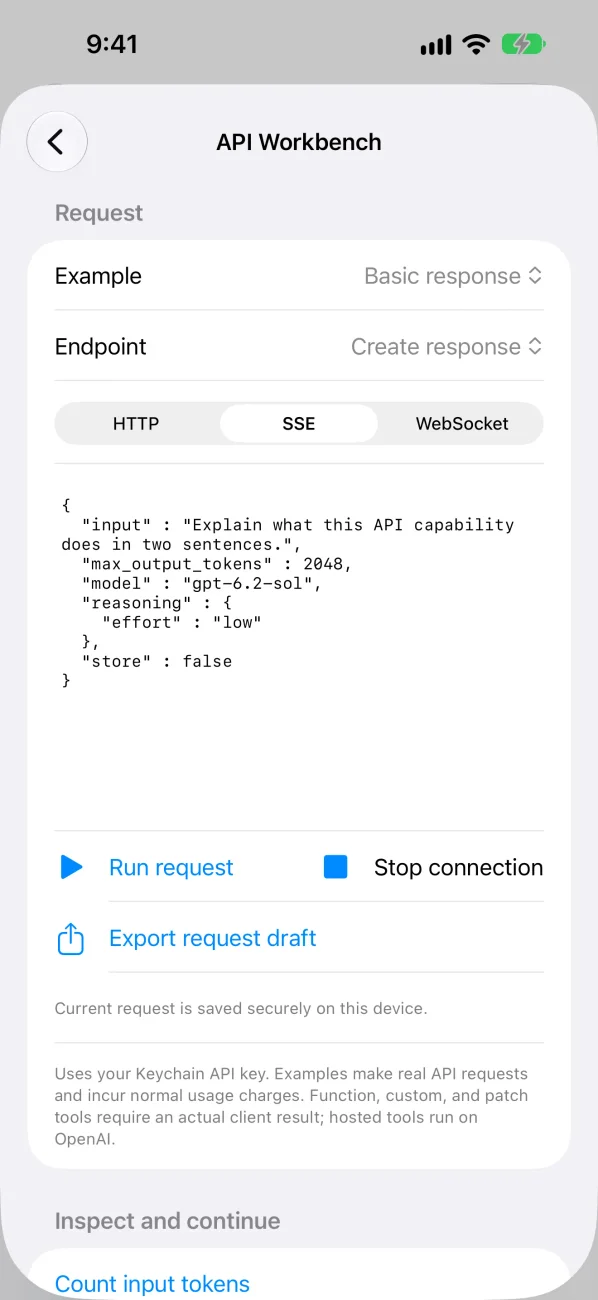
For when you'd rather write the request yourself. Edit the raw JSON, send it over HTTP, streaming or WebSocket, watch every event come back, and export the whole response. It also counts tokens, compacts context, and manages conversations, files, vector stores, containers and batch jobs. Anything that deletes asks first.
OUTSIDE THE CHAT
Ask OpenResponses a question from Siri, Spotlight, the Action button or the Shortcuts app and get the answer back as text, or share text, links, images and files into a new chat from any app's share sheet. Those, and a 12-hour prompt cache, come with OpenResponses Pro, a one-time purchase. Everything else in the app is free.
A few things worth knowing before you download it:
• There's no OpenResponses account. You need your own OpenAI API key, and what you use is billed to your OpenAI account.
• Your key stays in this device's Keychain and only ever goes to OpenAI.
• Explore Demo lets you look around without a key, and it sends nothing.
• Before your first live request, the app shows what gets sent to OpenAI and waits for you to say yes.
• It runs on iPhone and iPad with iOS 17 or later.
One last thing. This shows you what OpenAI's models do, and they can be wrong, sometimes confidently. Check anything that matters before you act on it.
Nouveautés
Version 3.1 · 23/11/2026
3.1 adds GPT-6.2, brings OpenResponses outside the chat with Shortcuts, Siri and the share sheet, and adds OpenResponses Pro, a one-time purchase for those.
GPT-6.2
• GPT-6.2 Sol is the default for new presets, and GPT-6.2 Astra and GPT-6.1 Terra are in every model menu. Your existing presets keep the model they have.
• On GPT-6.2 your system prompt goes in as the first message of the chat instead of as top-level instructions, so the API can cache it and you aren't billed full price for it on every turn.
• Request Options only offers the service tiers the model actually has. A saved tier the model doesn't have gets left out of the request instead of failing.
• Presets on models OpenAI is retiring move to the replacements on OpenAI's deprecations page, like gpt-5 and o3 to GPT-6.1 Sol.
SHORTCUTS, SIRI AND THE SHARE SHEET
• "Ask OpenResponses" sends a question with one of your presets and an optional image, PDF or text file, and gives you the answer as text without opening the app. It works from Siri, Spotlight, the Action button and the Shortcuts app.
• "New Chat in OpenResponses" opens a new chat with your text and files already in it, unsent.
• OpenResponses is in the share sheet for text, links, up to 10 images and up to 10 files. Add a question, tap Save, and the next time you open the app it's all in a new chat. Nothing gets sent from the share sheet.
OPENRESPONSES PRO
• Shortcuts and Siri, the share sheet and the new 12-hour prompt cache are part of OpenResponses Pro, a one-time $4.99 purchase with no subscription. Everything that was already in the app stays free, and so do the new models and fixes, and you keep using your own OpenAI key.
• It's in Settings, with Buy and Restore Purchases.
ALSO
• Request Options has a 12-hour prompt cache lifetime next to the usual 30 minutes.
• Web search's blocked domains go to the API as a real filter now instead of a sentence in the instructions.
• When OpenAI's misalignment monitoring stops a request, the chat tells you so and doesn't keep retrying it.
• Connectors stops listing a service you've already signed in to, and if you still have an old Notion integration token next to a signed-in Notion account, it offers to remove the token.
• Web search sources that embed other content on their page load now instead of showing "Navigation blocked".
Still no account, still your own key, and your chat history stays on your phone.
Confidentialité de l’application
Ce que Gunnar Hostetler déclare sur l’App Store au sujet du traitement des données par cette application.
-
Données non collectées
Le développeur ne collecte aucune donnée à partir de cette application.
Les pratiques en matière de confidentialité peuvent varier, notamment en fonction des fonctionnalités que vous utilisez ou de votre âge.
Informations
- Vendeur
- Gunnar Hostetler
- Catégorie
- Outils de développement
- Version
- 3.1
- Mis à jour
- 23/11/2026
- Publié
- 12/01/2026
- Taille
- 21,8 Mo
- Nécessite
- iOS 17.0 ou version ultérieure
- Classification d’âge
- 4+
- Prix
- Gratuit
- Achats intégrés
- Oui
- Langues
- Anglais, Espagnol
- Copyright
- © 2026 Gunnar Hostetler
Vous aimerez peut-être aussi
-
 CodeAgents MobileOutils de développement
-
 WhisperCodeOutils de développement
-
 HermexOutils de développement
-
 OpenCode Mobile AppOutils de développement
-
 Reins: for Ollama & LM StudioOutils de développement
-
 T3 Code - Remote Claude & moreOutils de développement
-
 Happy: Codex & Claude Code AppOutils de développement
-
 a-ShellOutils de développement
-
 Codex Relay - Remote Codex AppOutils de développement
-
 CursorOutils de développement