
OpenStudio FW26
Collect. Sketch. Design. Spec.
Conçue pour iPhone, iPad, Mac
Gratuit
- Classification d’âge12+
- CatégorieGraphisme et design
- DéveloppeurLayer Creative, Inc.
- LanguesAnglais
- Taille96,4 Mo
Renvoie vers la page App Store officielle
Download.org n’héberge aucun fichier de OpenStudio FW26. Le bouton ouvre la page de l’application sur App Store, où Layer Creative, Inc. la publie. Fiche vérifiée pour la dernière fois le 23/11/2026.
Captures d’écran




À propos
Le développeur n’a pas fourni ce texte dans votre langue.
OpenStudio is the creative workspace for the entire design process. One place to collect, sketch, render, refine, spec and market. Built for fashion designers, product designers, architects, and creators who’d rather stay in one tool than switch between five. Feels like drawing. Works like magic. It should be fun.
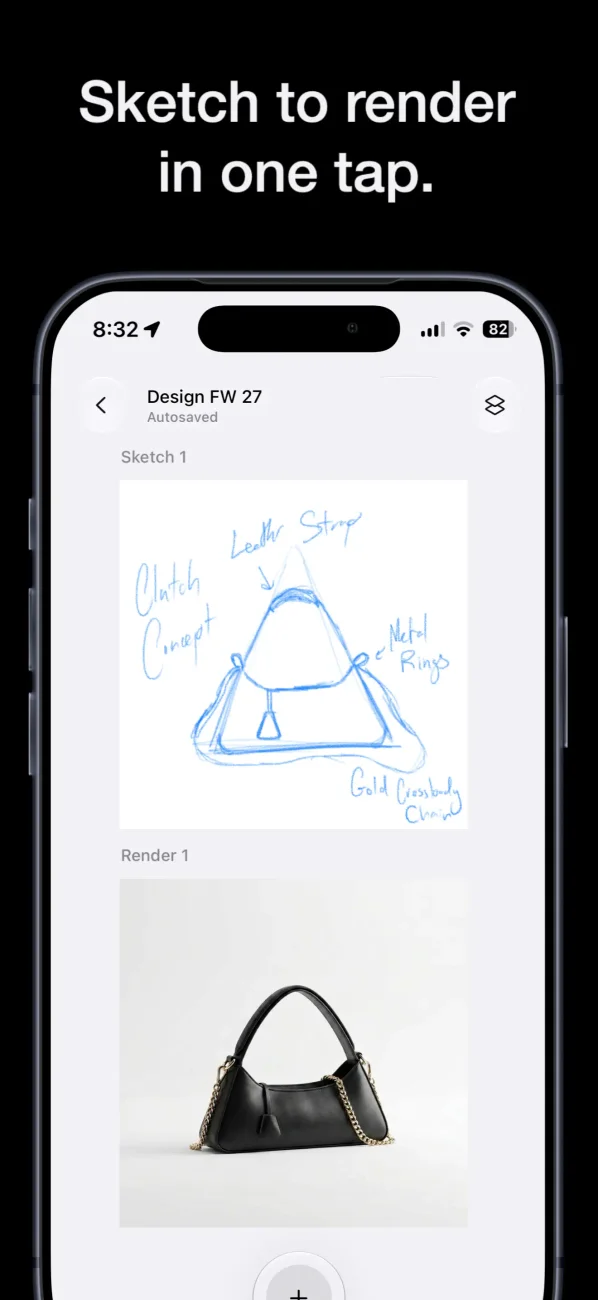
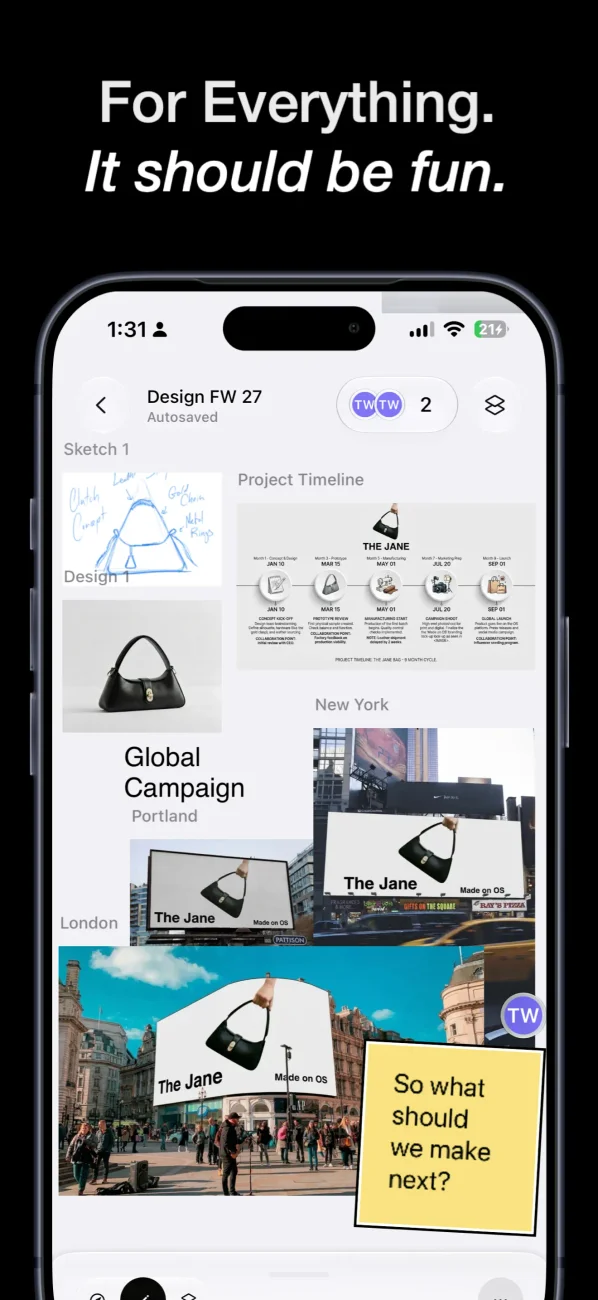
Start from a sketch, photo, 3D primitive, or a reference image. Manage your projects your way with stickies and annotations across an infinite canvas.
ONE CLICK AI TOOLS
- Rendering — turn sketches, photos, and 3D assets into photorealistic renders
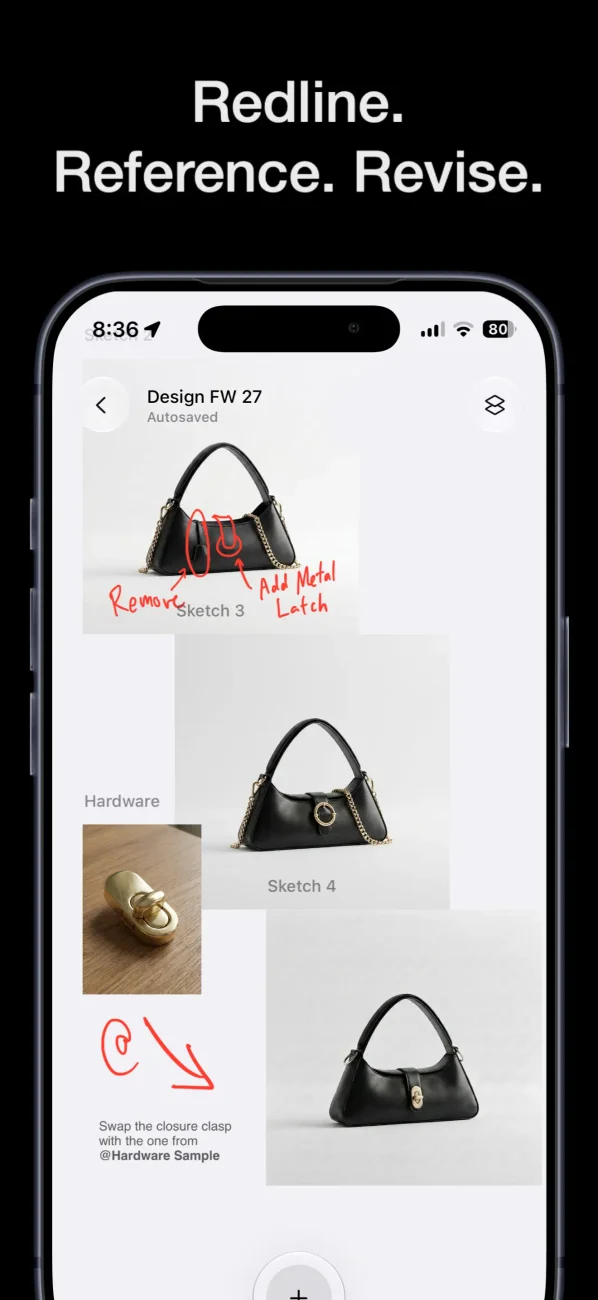
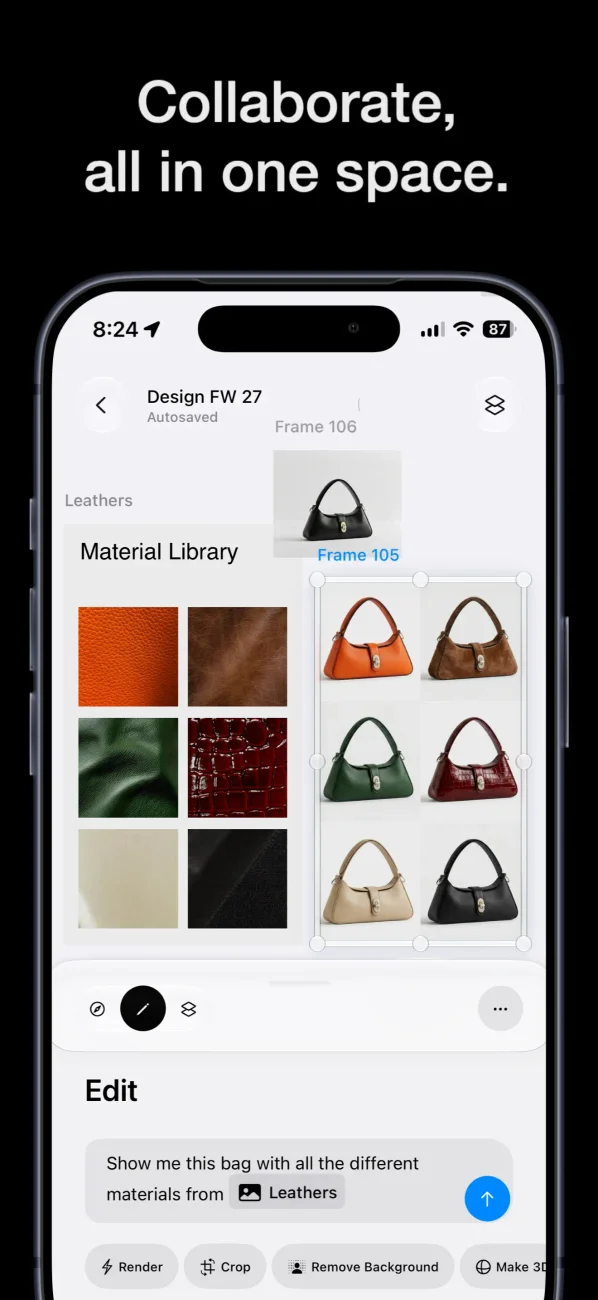
- Precision Editing — describe the exact change you want referencing as many source images as you need and OpenStudio makes it
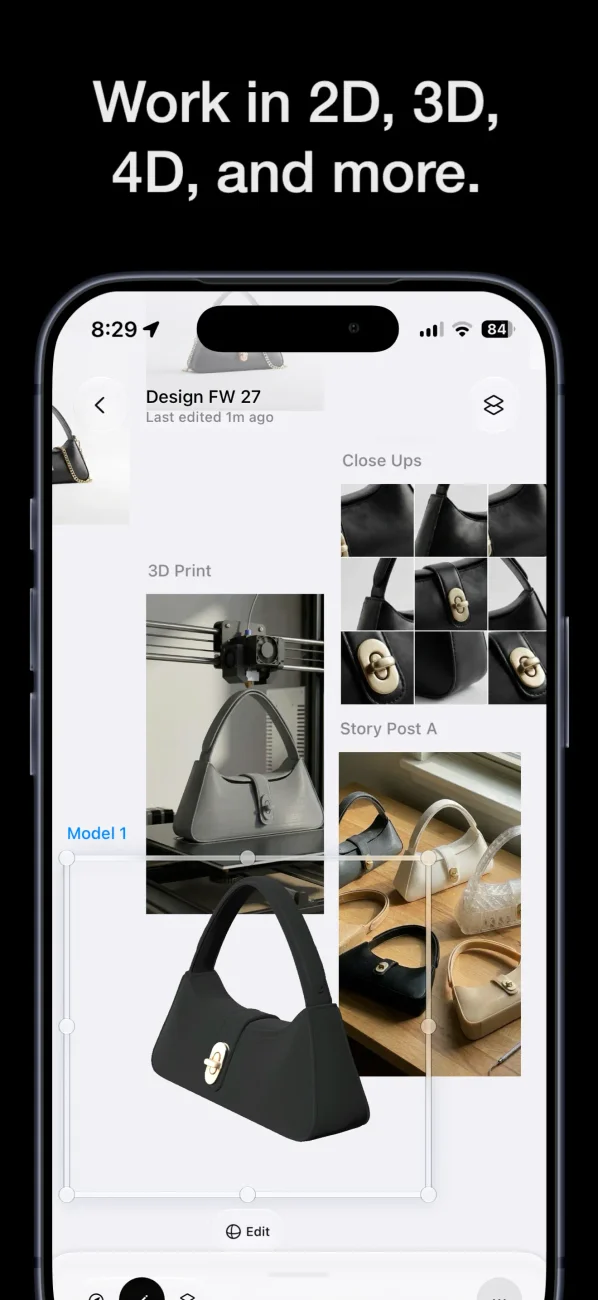
- 3D — convert sketches and images into 3D meshes
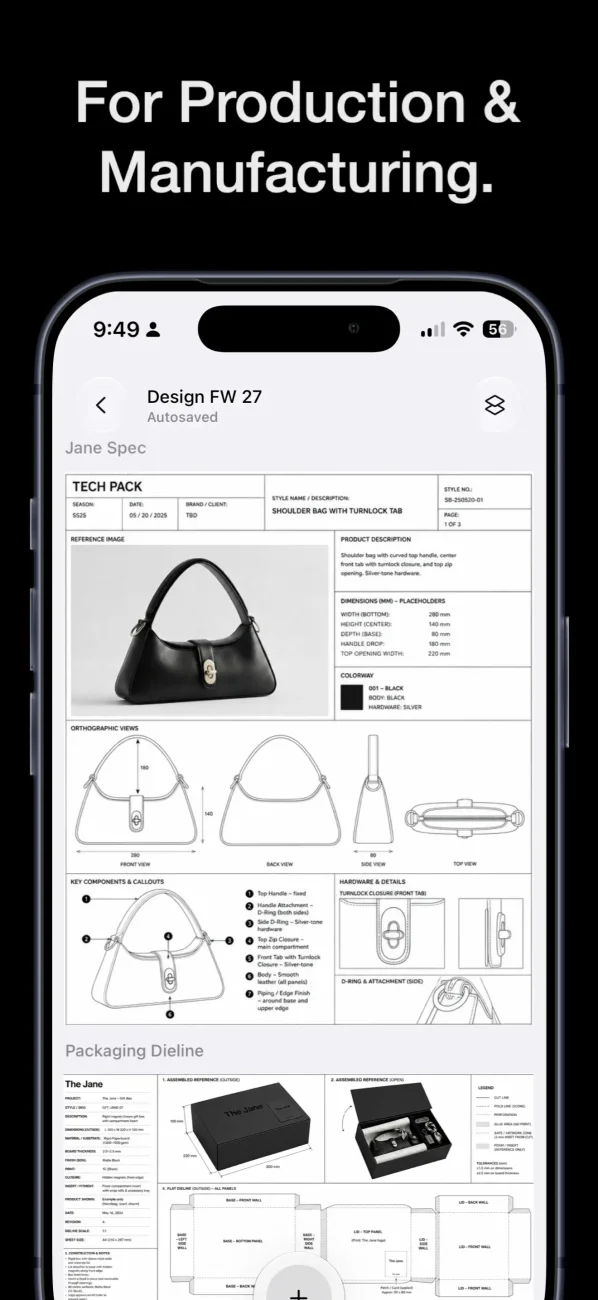
- Technical Drawings & Specs — turn concepts into technical drawings and specification documentation
- Marketing & Story — generate marketing imagery and narrative concepts straight from your designs
- Pattern & Dieline —generate patterns to guide cutting and sewing garments, and dieline templates for packaging or sheet material
- Video — generate video from a still, or animate between multiple keyframes
- Visual Language — instantly create a style guide from your designs
- UI Mocks — produce high quality visual designs for your next digital design project
DRAWING TOOLS
- Freehand sketching with a range of brushes
- Layers to organize sketches and iterations
PHOTO EDITOR
- Crop, retouch, and adjust photos without leaving your project
- Remove background with one click
- Combine photos with 3D and AI-generated content
- Non-destructive edits you can revisit anytime
THINKING TOOLS
- Moodboards for gathering references and inspiration
- Sticky notes and annotations to capture ideas in context
COLLABORATION TOOLS
- Share projects with teammates and collaborate in real time
- Work across mobile, iPad and desktop based on your needs
FILE MANAGEMENT
- Import and organize CAD files, images, and assets in one place
Nouveautés
Version 0.9 · 22/11/2026
New
- Search from any canvas with ⌘F or the magnifier to find objects, images, canvases, and folders
- Your canvases now show up in Spotlight
- Import PDFs, with each page as its own image frame
- Hold Option to measure the distance between objects
- Snap guides now label the gaps between objects
- On Mac, rotate objects from their corners, and hold Shift to snap to 15° steps
- Pan with Space-drag or the middle mouse button
- Zoom with Control + scroll wheel
- Shift-click to select a range of layers
- Supermodels can draw editable vector paths, sketch in line art or flat color, and add dimensions to technical drawings
- Continue a Supermodel conversation after it ends
- Use your canvas photos and videos in custom HTML pages
- Organization logos in the home gallery
- Choose which notifications you get in Account settings
- Ready for iPhone Duo
Improved
- Canvases open faster, and large canvases stay responsive
- Vector tools: hold Shift to keep points in line, close shapes by joining their end points, and keep your last stroke color
- Text editing starts where you click, keeps your text style, and keeps the cursor in view
- Exports remember your last format, including PDF and video
- The minimap is on by default and remembers its setting for each canvas
- Video uploads resume if interrupted and wait for your tap on cellular
- Supermodels keep working while the canvas changes and follow your drawing more closely
- Supermodel sticky notes match regular sticky notes
- Paste Supermodel replies with their formatting
- Clearer message when you run out of credits
- Locked objects can no longer be deleted
- Refreshed look on iPad and Mac, with system-sized buttons and sidebar on Mac
- Mouse wheel scrolling in the home gallery on Mac
Fixed
- Web pages and HTML files that failed to upload
- Edits made just before an autosave sometimes not syncing
- "Cloud sync pending" staying on after your work was already saved
- A crash with 3D models
- A crash in the design toolbar
- The @ picker not opening from the on-screen keyboard
- The @ picker appearing behind the inspector on iPhone
- Measuring stopping after editing text
- Snap guides not following dark mode
- Autocorrect changing search terms in the gallery and asset library
- The welcome video stopping your music
- Try again on the dashboard not reloading organizations
Confidentialité de l’application
Ce que Layer Creative, Inc. déclare sur l’App Store au sujet du traitement des données par cette application.
-
Données établissant un lien avec vous
Peuvent être collectées et liées à votre identité.
- Coordonnées
- Contenu utilisateur
- Identifiants
- Données d’utilisation
- Diagnostic
-
Données n’établissant aucun lien avec vous
Peuvent être collectées, mais ne sont pas liées à votre identité.
- Identifiants
- Diagnostic
Les pratiques en matière de confidentialité peuvent varier, notamment en fonction des fonctionnalités que vous utilisez ou de votre âge.
Informations
- Vendeur
- Layer Creative, Inc.
- Catégorie
- Graphisme et design
- Version
- 0.9
- Mis à jour
- 22/11/2026
- Publié
- 03/09/2026
- Taille
- 96,4 Mo
- Nécessite
- iOS 18.0 ou version ultérieure
- Classification d’âge
- 12+
- Prix
- Gratuit
- Langues
- Anglais
- Copyright
- ©2026 Layer Creative, Inc.
Vous aimerez peut-être aussi
-
 Local AI Arts: MuseLumoCréez en privé, hors ligne
-
 Traceify: AR Sketch & PaintGraphisme et design
-
 LocalMuse: Offline AI ArtGraphisme et design
-
 AltoPaint: Oil & WatercolorGraphisme et design
-
 CanvasPrism - TableauTableau blanc local et privé
-
 GraintouchGraphisme et design
-
 Gathered: Design InspirationCollectez, classez, inspirez
-
 swatchbook remixGraphisme et design
-
 Symmetry Lab : kaléidoscopeDessinez motifs et mandalas
-
 Conjure: Générateur Image IAPhotos hors ligne et privées