Over There->
Augmented Reality travel guide
Conçue pour iPhone, iPad, iPod touch
Gratuit
- Classification d’âge4+
- CatégorieVoyages
- DéveloppeurJon Olivet
- LanguesAnglais
- Taille5,1 Mo
Renvoie vers la page App Store officielle
Download.org n’héberge aucun fichier de Over There->. Le bouton ouvre la page de l’application sur App Store, où Jon Olivet la publie. Fiche vérifiée pour la dernière fois le 14/11/2026.
Captures d’écran

À propos
Le développeur n’a pas fourni ce texte dans votre langue.
Over There is a travel app like no other. Using Augmented Reality you can easily find your destination!
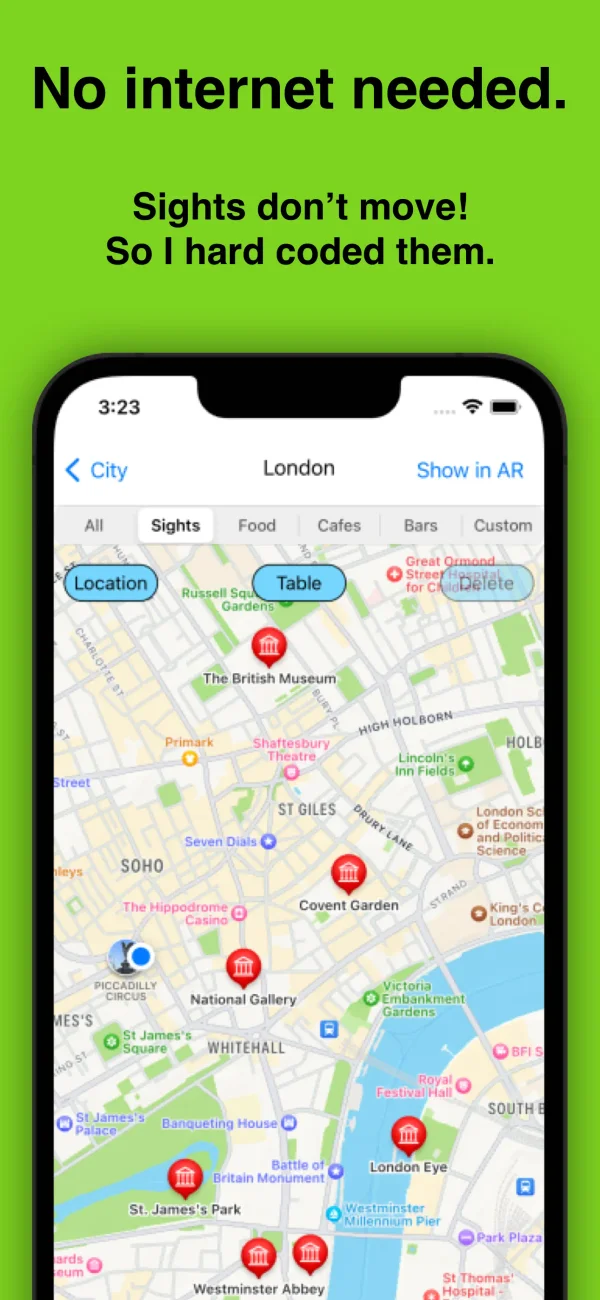
Even better is that it works without an internet connection. All the needed data is hard coded.
When you're traveling in a foreign country you don't need to buy a sim or a new phone. Over There works everywhere!
Sights and historical monuments don't change. So why would you need an active connection to find them or their information? I already hard coded the location for the top sights in the cities.
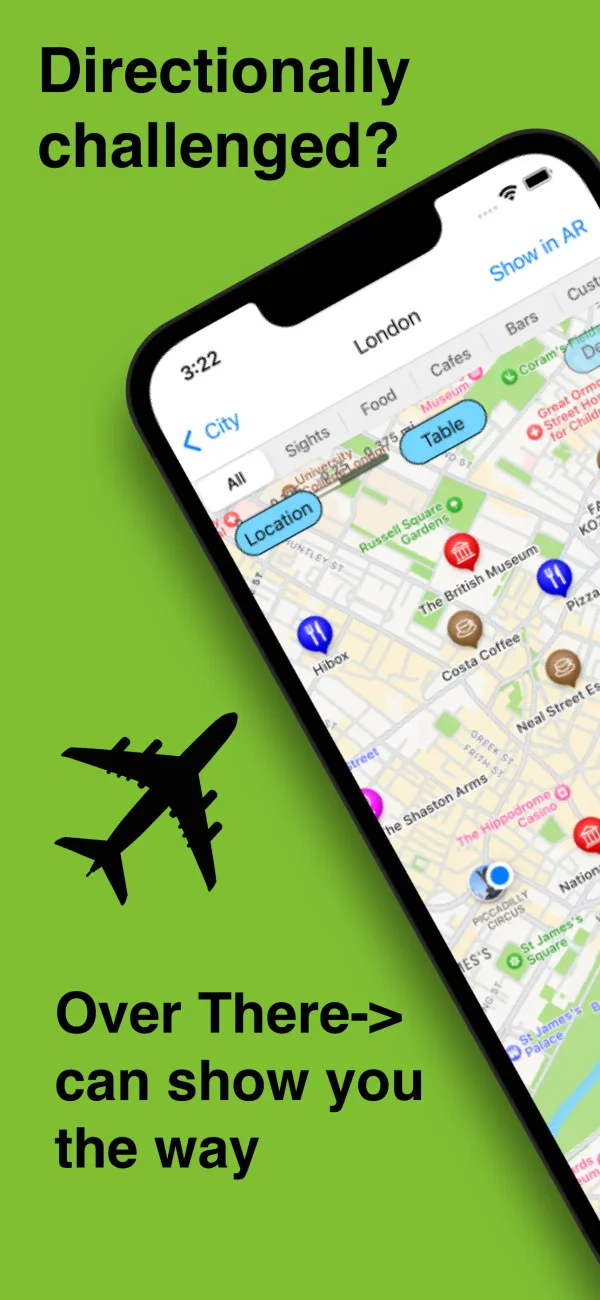
The location and brief info is shown on the map view. The More Info page not only has expanded information, but also open hours, a place to write your own notes which will show there, a link to their website and a Photo Detail to examine the image more closely.
I've also hard coded Food, Cafes and Bars that I liked on the way to the city's sights.
Why pay $100 dollars for a meal when a good less expensive one can be found just next door?
I chose good ones that are on the route and near where the sights are so you can easily grab some food or a bit of caffeine on the way.
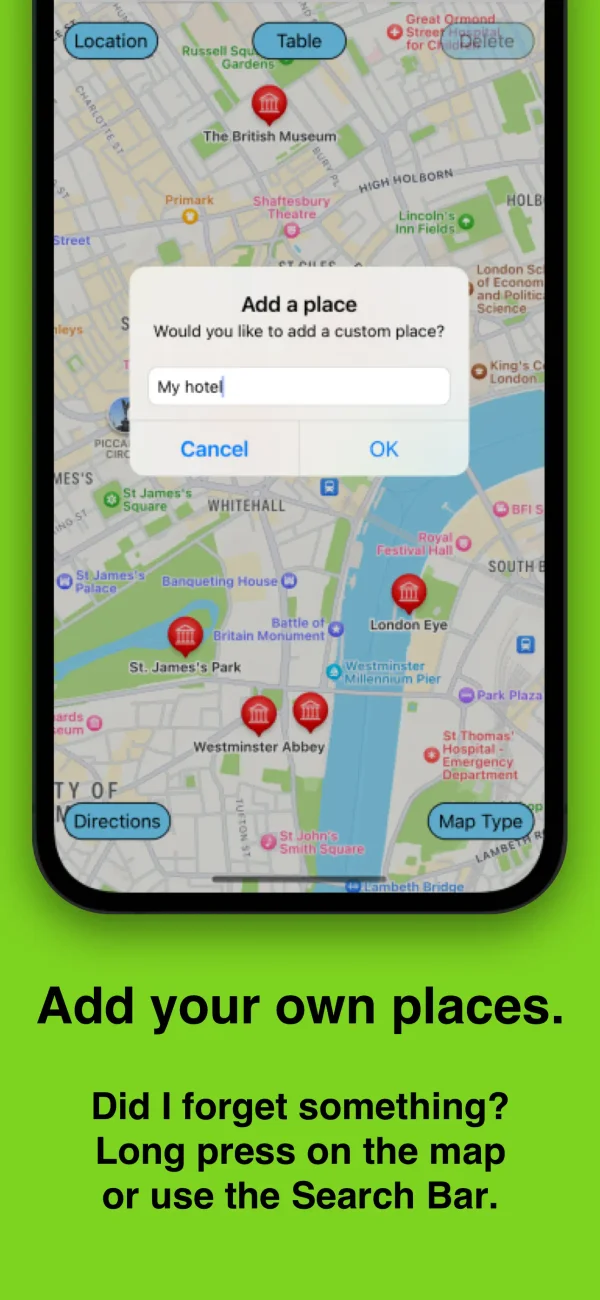
If you don't like the ones that are chosen you can always add more in the Custom tab. Just long press and it will add it to the map until you delete it. If you happen to have a connection you can use the search feature to add them as well. Add and delete as many as you like. There's no limit.
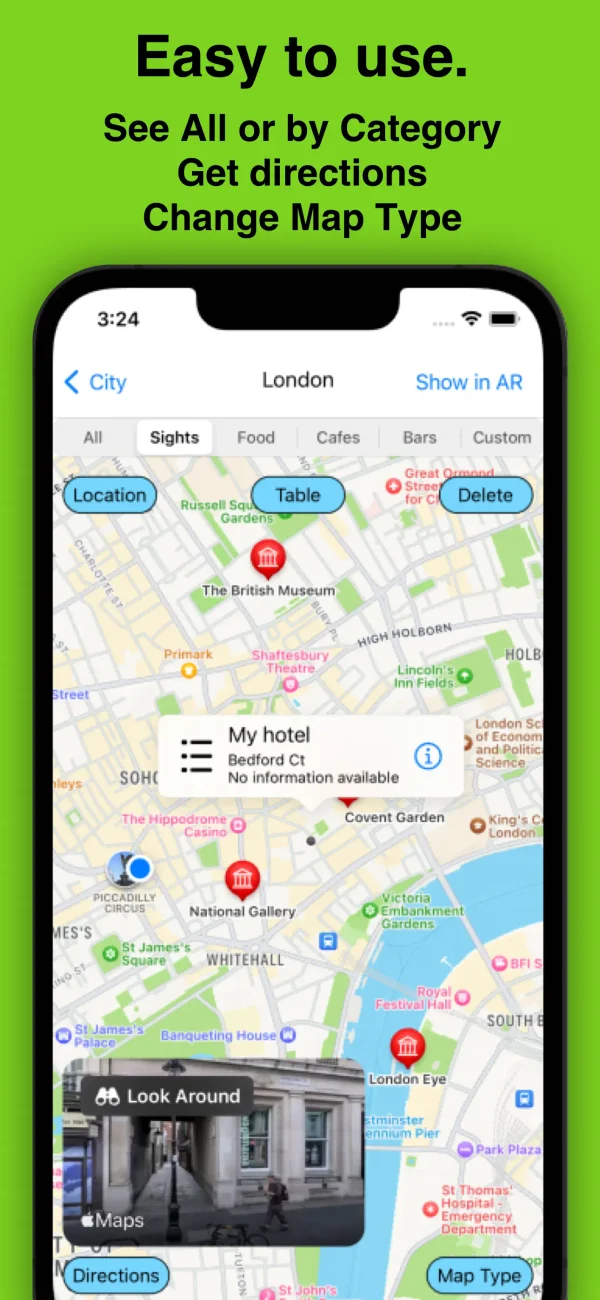
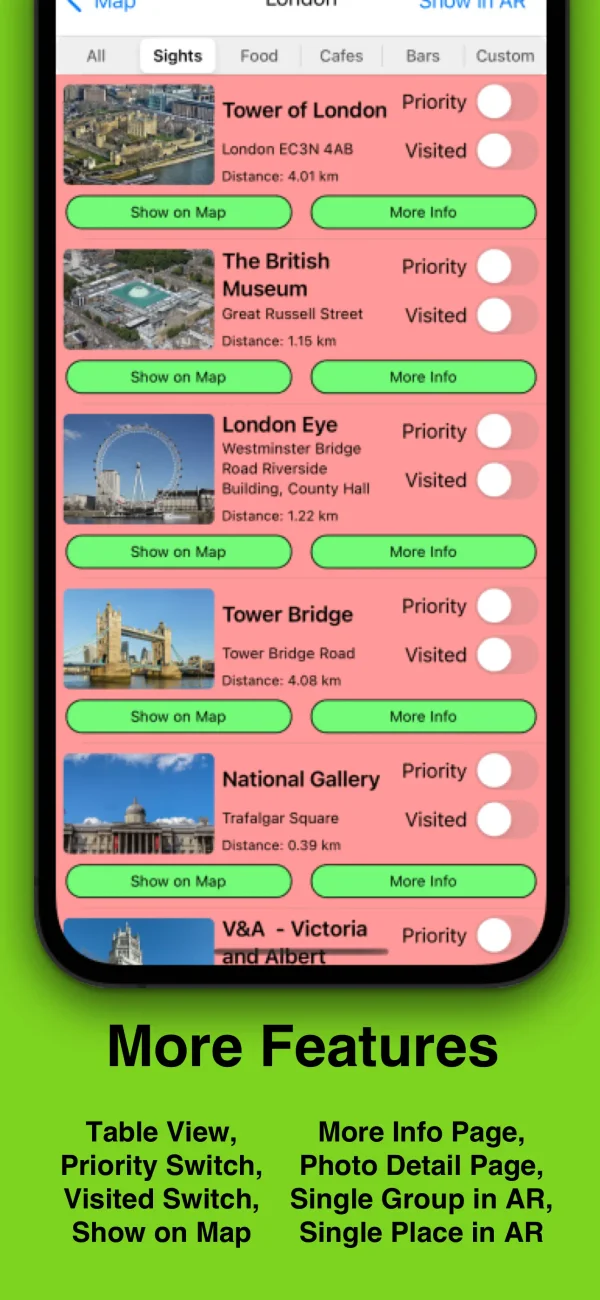
You can view the locations in the Map or in a List. If you choose a location you can get directions to it, either walking or driving.
You can mark any location as a Priority, and it will have a brighter cyan color to be easier to find, or mark it as Visited and it will become translucent on the map and in AR.
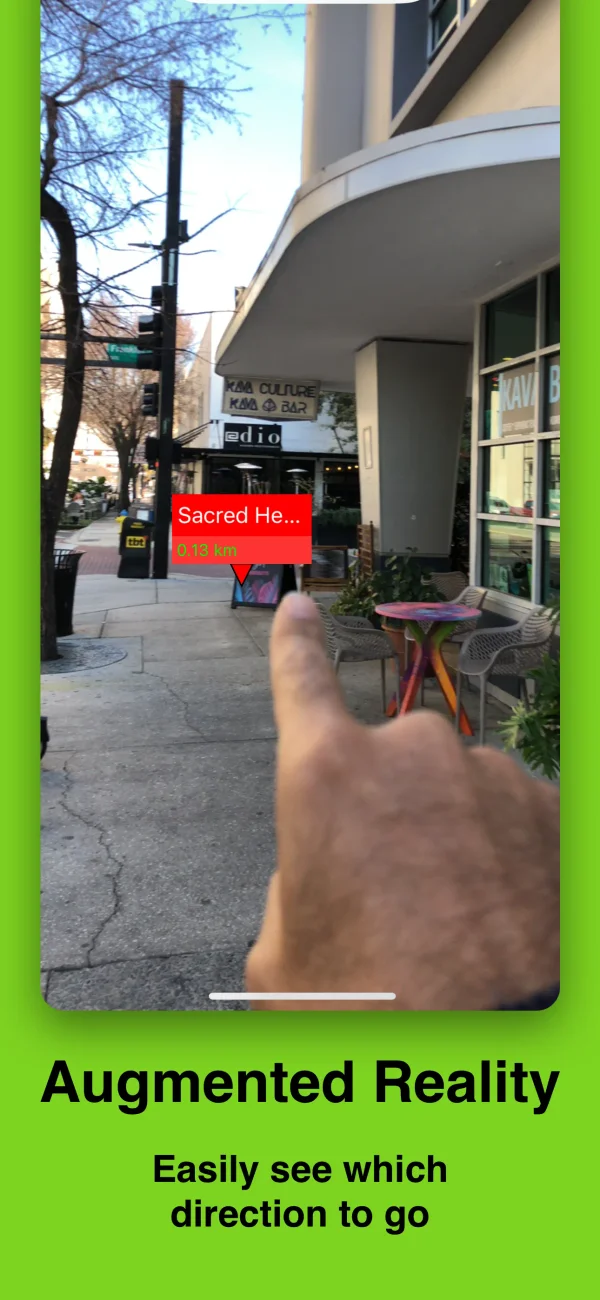
Choose a category and Augmented Reality will show you it's annotations in real time in the camera overlay.
Narrow it down by choosing a different category and it will only show those instead.
Or choose to show only one to easily identify it in the camera AR view.
Cities covered are:
Bangkok
Barcelona
Buenos Aires
Chicago
Dubai
Hong Kong
Istanbul
Kuala Lumpur
Lima
London
Madrid
Miami
Miami Beach
Montevideo
New York
Paris
Rio de Janeiro
Rome
San Francisco
Santiago
Seoul
Singapore
Stockholm
Tampa
Tokyo
With many more to come!
Nouveautés
Version 1.4.0 · 28/04/2024
Added Barcelona, Kuala Lumpur, Madrid and Seoul.
Confidentialité de l’application
Ce que Jon Olivet déclare sur l’App Store au sujet du traitement des données par cette application.
-
Données non collectées
Le développeur ne collecte aucune donnée à partir de cette application.
Les pratiques en matière de confidentialité peuvent varier, notamment en fonction des fonctionnalités que vous utilisez ou de votre âge.
Informations
- Vendeur
- Jon Olivet
- Catégorie
- Voyages
- Version
- 1.4.0
- Mis à jour
- 28/04/2024
- Publié
- 31/01/2024
- Taille
- 5,1 Mo
- Nécessite
- iOS 13.0 ou version ultérieure
- Classification d’âge
- 4+
- Prix
- Gratuit
- Langues
- Anglais
- Copyright
- © Jon Olivet 2024