- Classification d’âge4+
- CatégorieProductivité
- DéveloppeurSta Labs FlexCo
- LanguesAnglais+ 1 de plus
- Taille9,7 Mo
Renvoie vers la page App Store officielle
Download.org n’héberge aucun fichier de OwnTime. Le bouton ouvre la page de l’application sur App Store, où Sta Labs FlexCo la publie. Fiche vérifiée pour la dernière fois le 14/11/2026.
Captures d’écran

À propos
Le développeur n’a pas fourni ce texte dans votre langue.
Track the time you mean to spend.
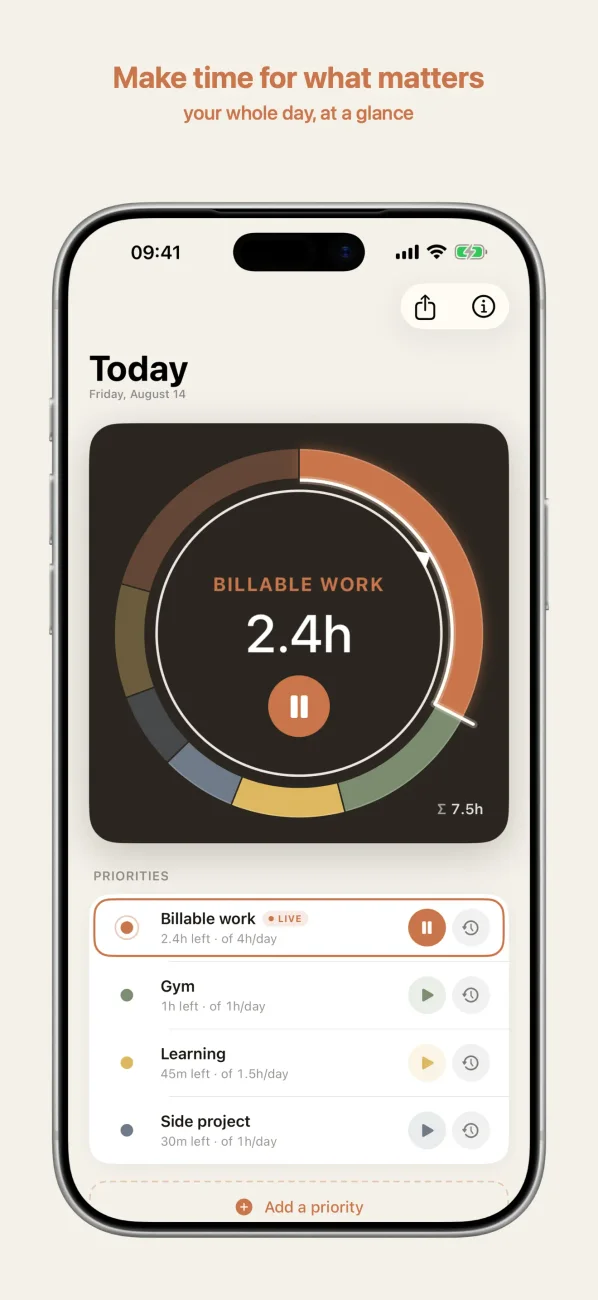
Most time trackers answer "where did my hours go?" OwnTime answers a better question: which of the things you care about are you neglecting right now?
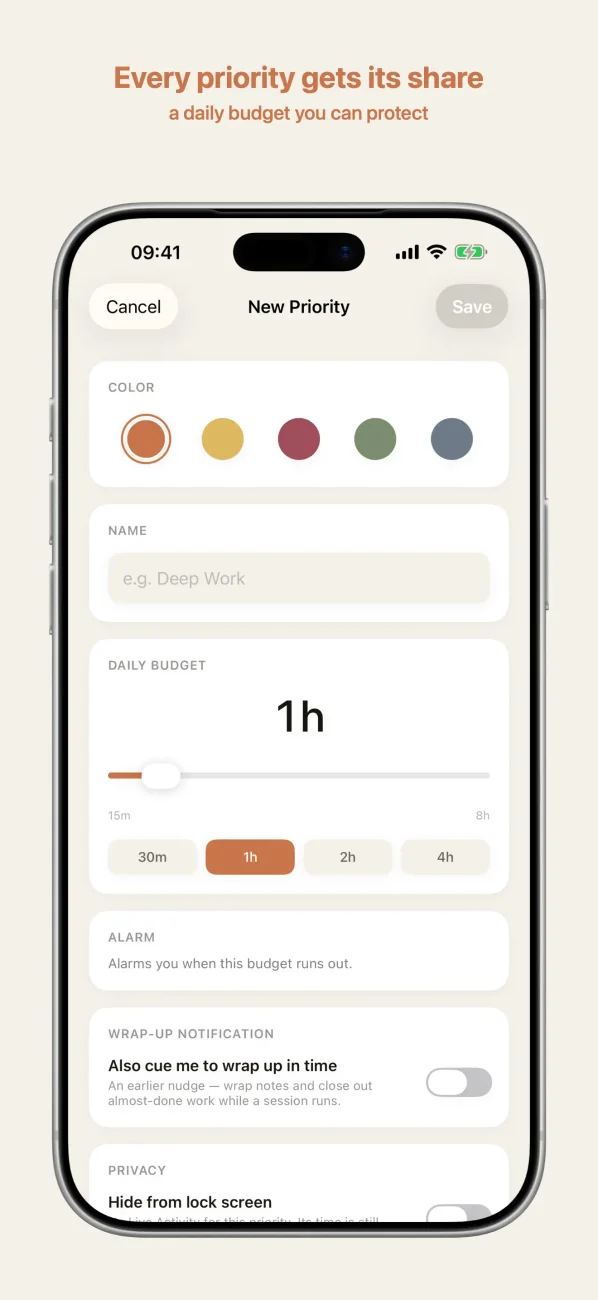
You define a small set of priorities — the parts of your life that actually matter — and give each one a daily budget. Then you start and stop sessions as the day unfolds. At a glance you see what still has time left and what you've been ignoring.
IPHONE AND APPLE WATCH
OwnTime works on its own on iPhone — start, stop, and log sessions, get budget alarms, and follow the live session on the Lock Screen and Home Screen. Add an Apple Watch and it becomes a first-class second surface, built for the next two seconds of intent: start, stop, glance. Your priorities and sessions sync directly between your own devices, and neither one needs the other nearby.
BUDGETS, NOT TIMESHEETS
Each priority has a daily budget, so neglect is visible at a glance — no spreadsheets, no billing, no projects. Optional alarms warn you before a budget runs out.
YOUR DATA, IN A FILE YOU OWN
One tap exports your complete history as a standard SQLite database — the same file the app itself uses. Open it with any tool you like, or keep it as a backup. No export format to decode, no account to request it from.
PRIVATE BY DESIGN
OwnTime has no server and no account. Your priorities and sessions live on your iPhone and Apple Watch and sync directly between your own paired devices over Apple's WatchConnectivity — never through us, never to the cloud. No analytics, ever.
ALSO INCLUDED
• Home Screen widgets (small and medium) with your remaining budget at a glance
• Live Activity on the Lock Screen and Dynamic Island
• Start, stop, and log past sessions with Siri and Shortcuts
• Quick edits on iPhone or Apple Watch — name, daily budget, colour
• Light and dark appearance
OwnTime is for personal attention, not invoicing. If you want to see whether you're actually living by your priorities — not just logging hours — this is the tracker for you.
Nouveautés
Version 1.3 · 12/09/2026
Added
- The Dynamic Island now shows the remaining time while a session is running, without having to expand it.
Changed
- The corner watch complication now draws the remaining time along the watch face's curve, far larger than before, and counts it down live.
Confidentialité de l’application
Ce que Sta Labs FlexCo déclare sur l’App Store au sujet du traitement des données par cette application.
-
Données non collectées
Le développeur ne collecte aucune donnée à partir de cette application.
Les pratiques en matière de confidentialité peuvent varier, notamment en fonction des fonctionnalités que vous utilisez ou de votre âge.
Informations
- Vendeur
- Sta Labs FlexCo
- Catégorie
- Productivité
- Version
- 1.3
- Mis à jour
- 12/09/2026
- Publié
- 05/08/2026
- Taille
- 9,7 Mo
- Nécessite
- iOS 26.1 ou version ultérieure
- Classification d’âge
- 4+
- Prix
- 1,99 €
- Langues
- Anglais, Allemand
- Copyright
- © 2026 Sta Labs FlexCo
Vous aimerez peut-être aussi
-
 24 Hours: Planning du jourBudget d'heures et objectifs
-
 Own Time - Track & StackProductivité
-
 Murmur: AI Wrist AssistantProductivité
-
 Voice Pad - TranscribeProductivité
-
 Foccus: Bloqueur d'AppsTemps d'écran sous contrôle
-
 Focus-Attention Self-ControlProductivité
-
 Life Tile: Auto TrackerProductivité
-
 Decision IOProductivité
-
 VoiceNote: On-Device AI NotesProductivité
-
 Calendar Vision : Scan agendaEmploi du temps & famille