Pausible: Screen Time & Focus
App blocker for doomscrolling
Conçue pour iPhone
Gratuit · Achats intégrés
- Classification d’âge4+
- CatégorieProductivité
- DéveloppeurCHRISTOPHER JAMES HINCKLEY
- LanguesAnglais
- Taille14,9 Mo
Renvoie vers la page App Store officielle
Download.org n’héberge aucun fichier de Pausible: Screen Time & Focus. Le bouton ouvre la page de l’application sur App Store, où CHRISTOPHER JAMES HINCKLEY la publie. Fiche vérifiée pour la dernière fois le 17/11/2026.
Captures d’écran
À propos
Le développeur n’a pas fourni ce texte dans votre langue.
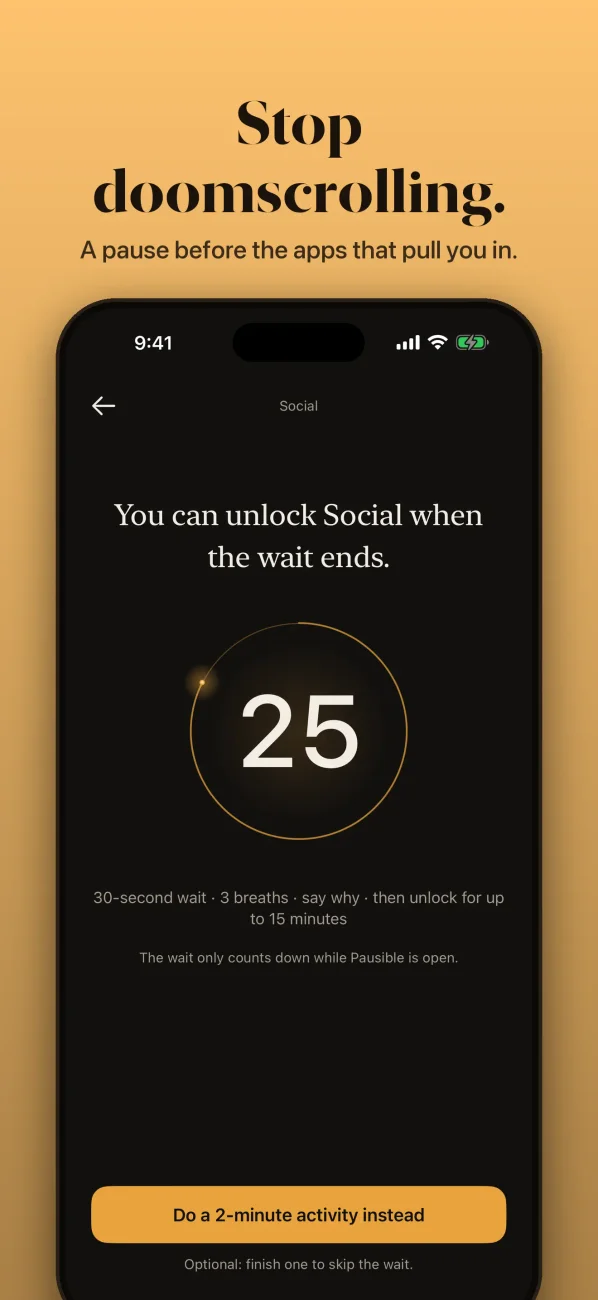
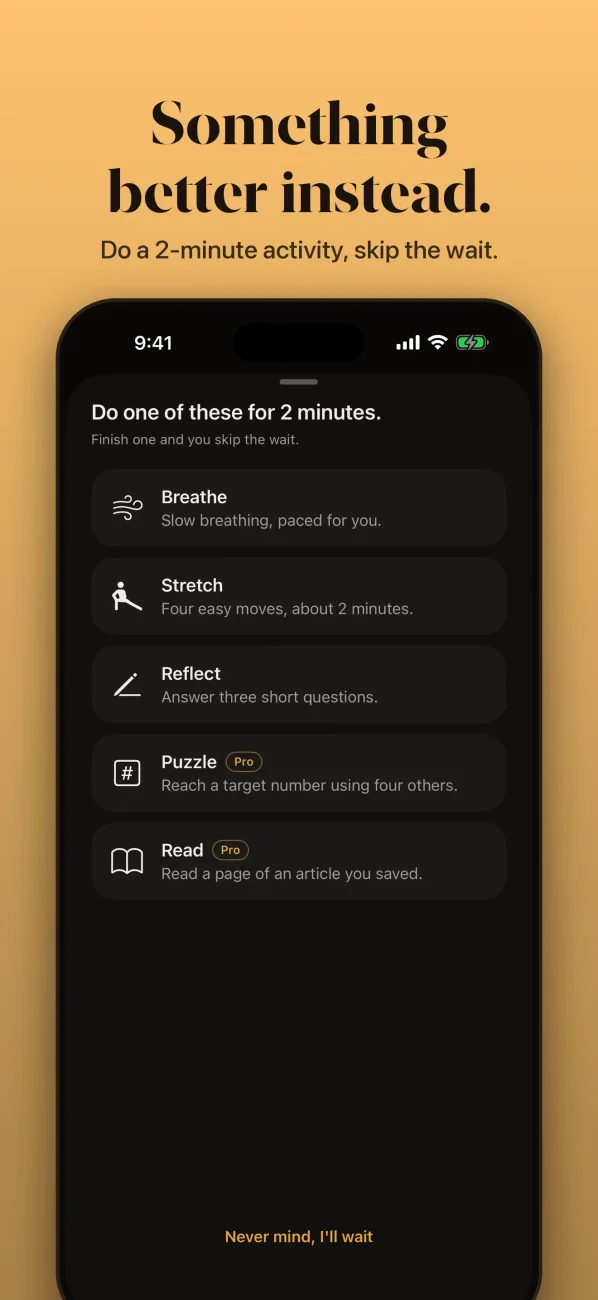
Open a blocked app and Pausible puts a pause in front of it: a short wait, a breath, and a 2-minute activity you can do instead. And it holds at 2 AM: making blocking easier waits until morning; making it stricter is instant.
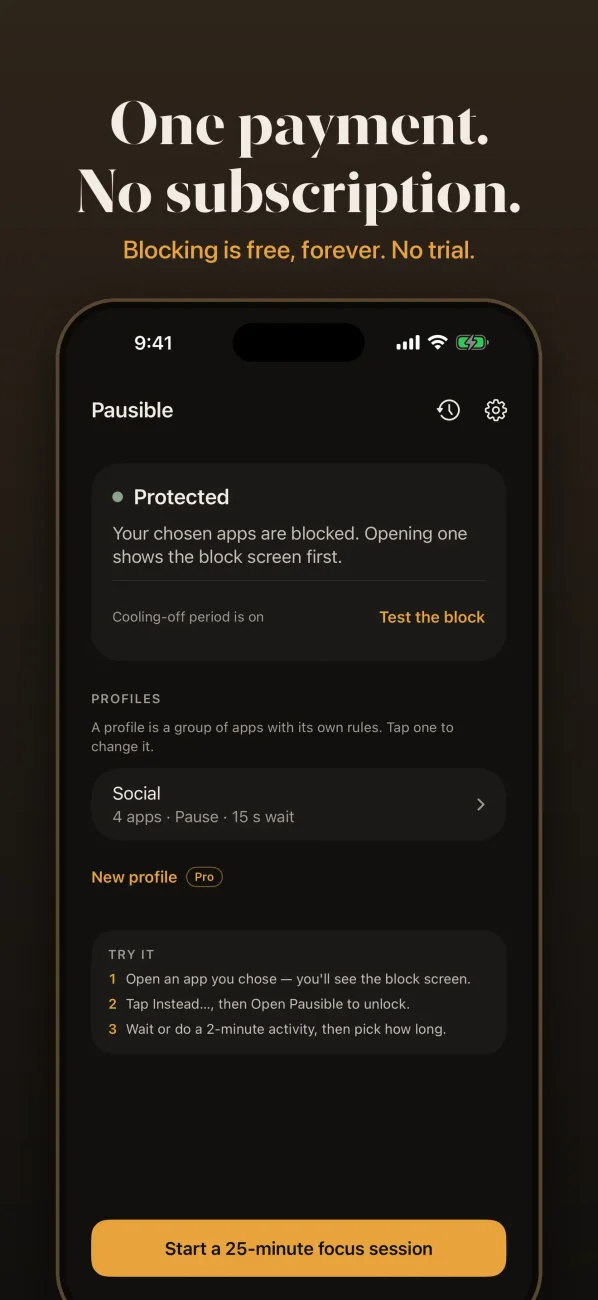
Block unlimited apps free, forever — no account, no ads. Pro is one payment: no subscription, no trial.
Instead of a wall you get a moment: a countdown, a breath, a one-line question about what you're actually opening it for — say why in one tap, or type it. Finish a 2-minute activity and you skip the wait. You still get in. You just get in on purpose.
FREE, FOREVER
• Block unlimited apps and categories, and optionally their websites (those get Apple's block page), with one off-limits time per profile
• 2 levels — Nudge and Pause — with a wait that grows each open
• One profile, one focus session a day
• Breathe, Stretch and Reflect activities
• Protection Status that tells you the truth when iOS drops the ball
• No account, no email, no quiz, no ads. Set up in under two minutes.
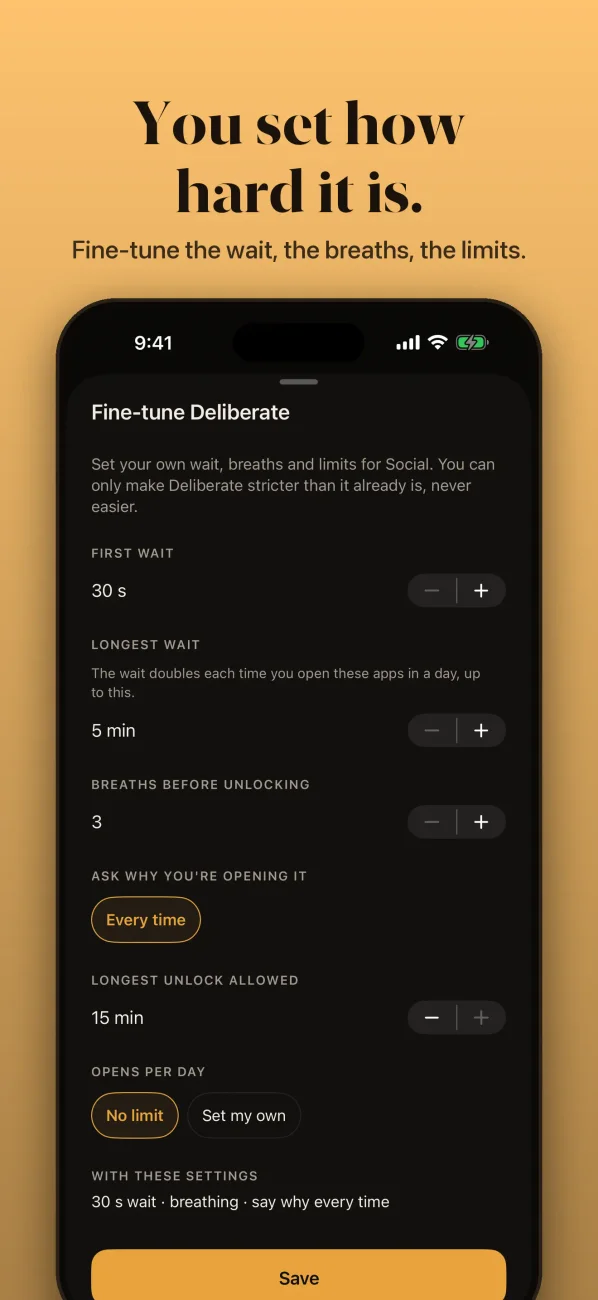
YOU SET HOW HARD IT IS
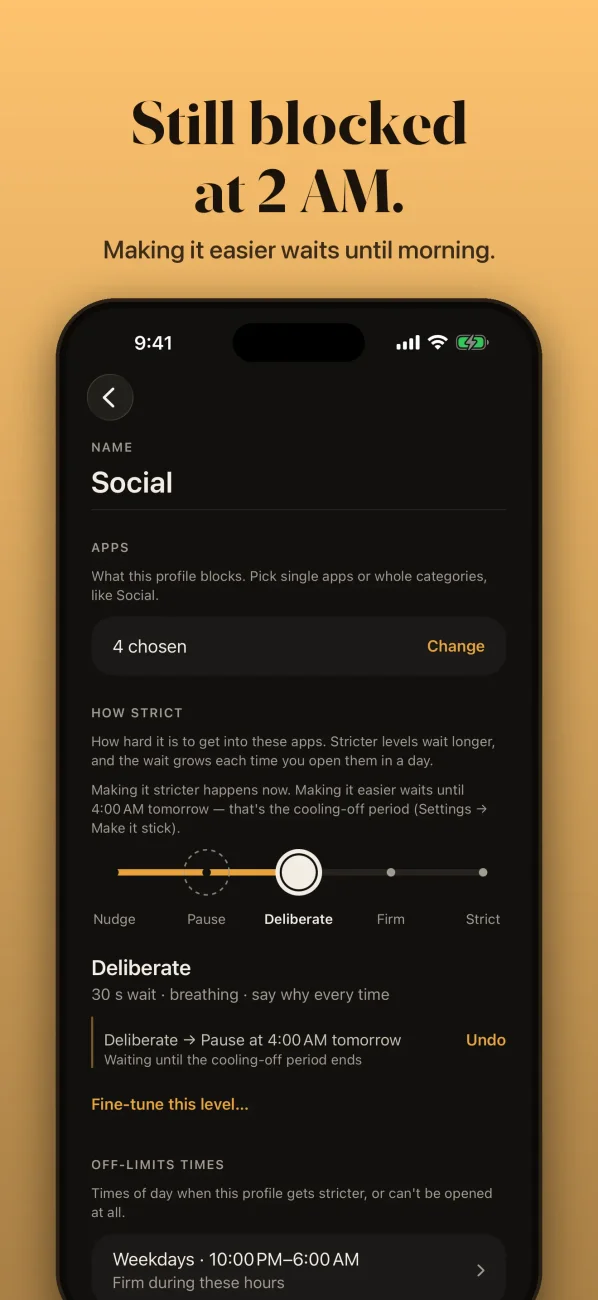
5 levels from a nudge to a lock. The wait grows with each open that day, so the fifth open of the afternoon costs more than the first. Everything is per profile, so your social apps and your news apps can have different rules.
SOMETHING BETTER, RIGHT THEN
Pick a 2-minute activity: Breathe (a 4-7-8 pace), Stretch, Reflect, Puzzle or Read (the last two are Pro). Tell a profile which activity you want first and the pause screen offers it in one tap. And the block screen remembers what you said last time: it quotes your last reason back to you.
MAKE IT STICK
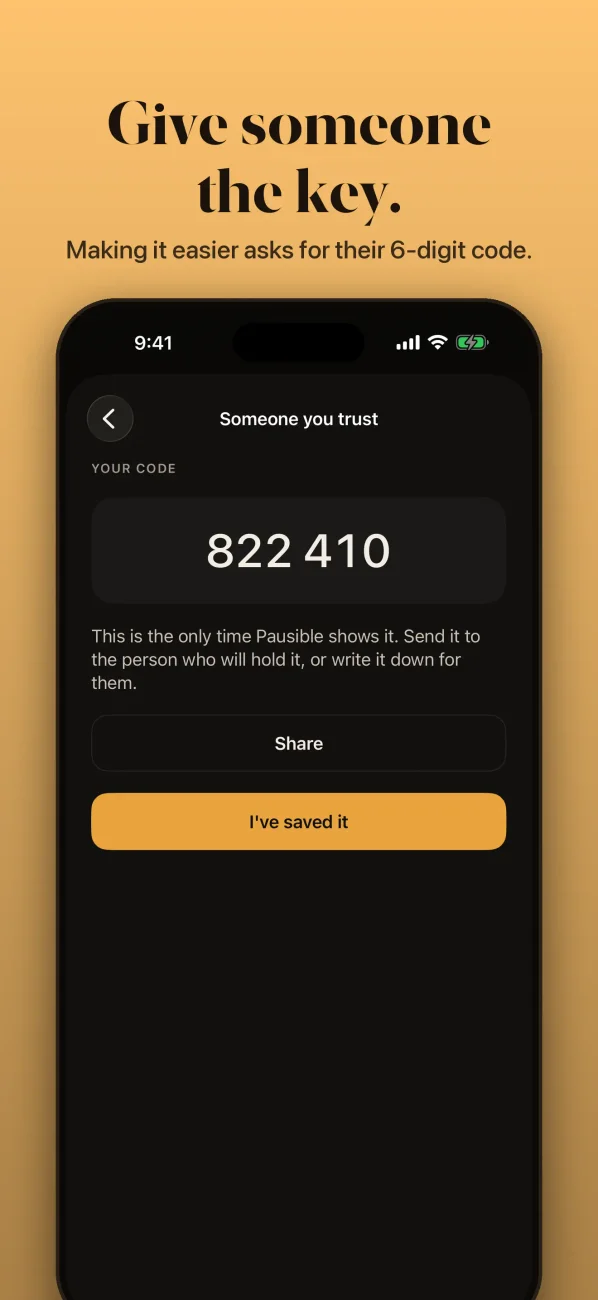
In Pausible, making it stricter is instant and making it easier waits until the next morning — the cooling-off period — with a free undo, always. "5 more minutes" on the block screen (iOS 26.5 and later) works 3 times a week, not 30. Lock Pausible's settings with your own Screen Time passcode, ideally one someone else holds. Or hand a 6-digit code to someone you trust, and the hardest settings ask for it. With Pro, an NFC tag on the fridge can start or end a focus session, via an automation in Apple's Shortcuts app. "Stop apps being deleted" is opt-in.
THE ONE THAT KEEPS WORKING
iOS drops Screen Time permissions and expires app tokens more often than anyone admits. Pausible watches for it on every open, tells you plainly when it happens, and gets you back in two taps. A built-in "Test the block" confirms it is really up. Unlocked and done early? Lock it again from the home screen or the Lock Screen.
PAUSIBLE PRO — ONE PAYMENT
One payment, yours for good, Family Sharing included. No subscription, no weekly plan, no free trial, no "founder" pricing games. Pro adds the stricter levels — Deliberate, Firm and Strict — a daily time limit per profile (once it's used, the apps stay locked until 4 AM; Pausible counts the minutes it unlocked, not what you did with them), more profiles, unlimited off-limits times and focus sessions, the Puzzle and Read activities, full history (7 days are free), Siri, Control Center and the focus-session Live Activity card, automations, and Your week — three calm sentences about your week, written on your phone. Blocking never goes behind the paywall.
WORKS ALONGSIDE APPLE'S SCREEN TIME
Keep using Apple's Screen Time for limits and schedules across your iPhone, iPad and Mac. Pausible adds the part that happens at the moment you open an app: the pause, the 2-minute activity, and rules that hold until morning.
PRIVATE BY DESIGN
Pausible uses Apple's Screen Time framework, which never shows us which apps you use. Your history, the reasons you tap, the occasional suggestion Pausible makes from them and Your week are written on the phone from its own log, and none of it leaves the phone. There is no server, no analytics, no tracking.
Pausible is for adults managing their own phone. It is not a parental-control app.
Nouveautés
Version 1.3.1 · 29/10/2026
Bug fixes and performance improvements.
Confidentialité de l’application
Ce que CHRISTOPHER JAMES HINCKLEY déclare sur l’App Store au sujet du traitement des données par cette application.
-
Données non collectées
Le développeur ne collecte aucune donnée à partir de cette application.
Les pratiques en matière de confidentialité peuvent varier, notamment en fonction des fonctionnalités que vous utilisez ou de votre âge.
Informations
- Vendeur
- CHRISTOPHER JAMES HINCKLEY
- Catégorie
- Productivité
- Version
- 1.3.1
- Mis à jour
- 29/10/2026
- Publié
- 26/09/2026
- Taille
- 14,9 Mo
- Nécessite
- iOS 17.0 ou version ultérieure
- Classification d’âge
- 4+
- Prix
- Gratuit
- Achats intégrés
- Oui
- Langues
- Anglais
- Copyright
- © 2026 Christopher Hinckley
Vous aimerez peut-être aussi
-
 Wait! – Mindful PauseProductivité
-
 Blankr: App Blocker & FocusProductivité
-
 Cascade : Temps d'écran, focusBloque les applis distrayantes
-
 FocusRabbit: Détox digitaleBloqueur: limite temps d'écran
-
 apptokenProductivité
-
 Normal: Screen Time ControlProductivité
-
 Elevate by LongfellowProductivité
-
 Zenvi - Reduce Screen TimeFocus, Timer & App Blocker
-
 GAGARIN VPNProductivité
-
 Breaktime: Focus App BlockerProductivité