
Picrap
DIY Photo Scrapbook
Conçue pour iPhone, iPod touch
Gratuit · Achats intégrés
- Classification d’âge4+
- CatégorieStyle de vie
- DéveloppeurPOYOFARM
- LanguesAnglais
- Taille89,6 Mo
Renvoie vers la page App Store officielle
Download.org n’héberge aucun fichier de Picrap. Le bouton ouvre la page de l’application sur App Store, où POYOFARM la publie. Fiche vérifiée pour la dernière fois le 15/11/2026.
Captures d’écran
À propos
Le développeur n’a pas fourni ce texte dans votre langue.
"Want to keep your smartphone photos like a handmade album?"
Picrap was born from this idea. It is a digital scrapbooking app that lets you preserve your memories with warmth and creativity.
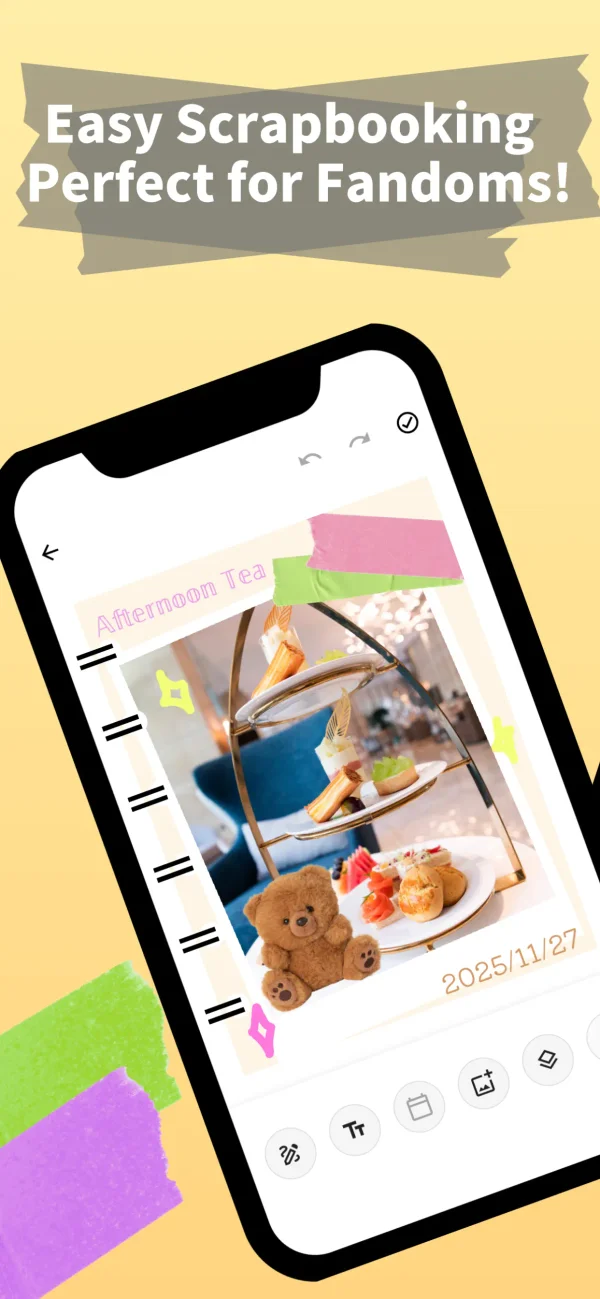
Don't just line up your photos. Add handwritten notes, dates, and instant-style frames to decorate them. It feels just like making a real, physical album, allowing you to carefully craft each page of your precious memories.
[No Registration Required!]
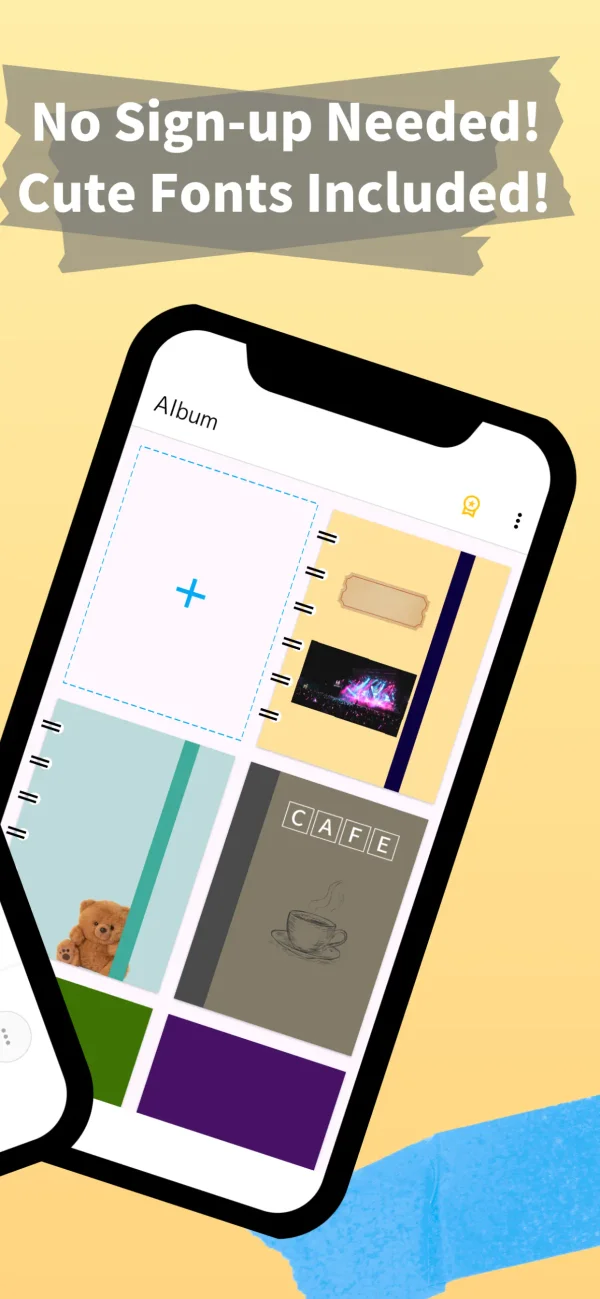
There are no troublesome sign-up processes. You can start creating your memories immediately after downloading.
[What You Can Do with Picrap]
Design Freely Place photos, text, and dates anywhere you like. Resize, rotate, and arrange them freely. Use your sense of style to create pages that are unique to you.
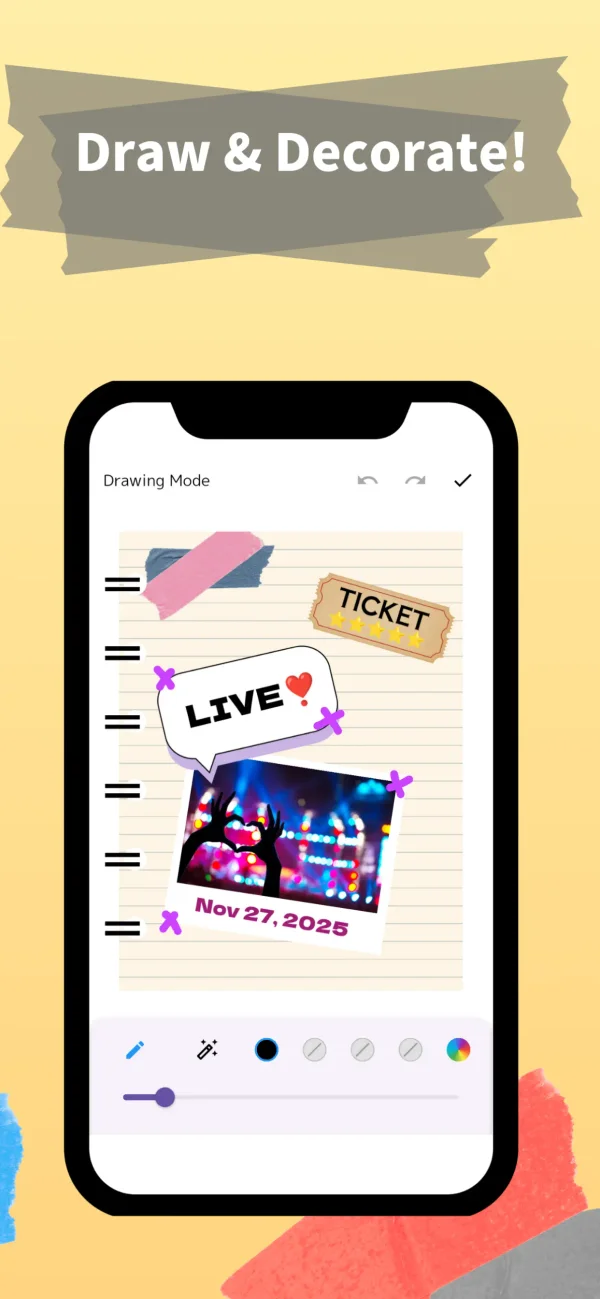
Creative Features Handwriting:
Write warm messages using your finger or a stylus. Cute Fonts: We offer a variety of cute fonts to match your mood (27 Font Styles).
Cute Decorations Instant Photo Frames:
Give your photos a retro instant-camera look with just one tap. You can even doodle in the margins! Cropping: Cut out and use only the most important parts of your photos.
Easy Organization
Organize your created pages into albums. Customize cover colors and titles freely. Just like lining up books on a shelf, you can separate albums by trips or events. Editing, reordering, and deleting pages is intuitive and easy.
Save & Share
Save your created pages as high-quality images to your device. They are perfect for sharing on social media or printing out to decorate your room.
[Recommended For]
・People who want to preserve memories of trips and events in a special way.
・Parents who want to create growth records for their children with handwritten comments.
・Fans who want to create scrapbooks for their fandom activities or hobbies.
・Creative journaling enthusiasts who want to avoid the clutter of physical supplies.
[Premium Pack (One-time Purchase)] Basic features are free to use, but purchasing the "Premium Pack" unlocks even more convenient features:
・Unlimited Albums: (Free version: up to 3 albums)
・Unlimited Pages: (Free version: up to 10 pages per album)
・Album Styles: Planner style available (Free version: Plain & Notebook only)
・Paper Types: Choose from lined, grid, and other paper styles (Free version: blank only)
・Ad-Free: Hides ads during page creation.
Turn your memories into treasures with Picrap. Download now and start making your album today!
[Important: Data Storage]
Data for this app is stored locally on your device only. If you delete the app or reset your device, your data cannot be restored. We strongly recommend backing up your important pages using the image save function.
Nouveautés
Version 1.1.2 · 29/12/2025
【Picrap ver.1.1】
We've made significant updates to improve usability!
■ Bug Fixes
・Fixed an issue where the bottom button bar showed buttons from the previous page after creating a new page
・Fixed an issue where editing text with a Unicode-converted font would default to the standard font instead of the selected one
・Fixed the misalignment between the eraser cursor position and the actual erased area in drawing mode
■ Feature Improvements
Drawing Mode
・Added zoom functionality
・Added layer feature *Note: With this update, existing drawings will be assigned to "Layer 1"
・Improved pen tool usability:
・Added cursor display at the drawing position
・Cursor now appears on tap
・Added settings to choose cursor position for stylus drawing vs. finger drawing
・Improved initial stroke rendering behavior
Album Cover
・Album cover can now be edited by tapping the cover preview on the album creation screen
Page Features
・Added page delete button at the bottom of the album detail screen
・Layer names now display with numbers for better clarity
・Added ability to rename layers
・Added layer delete functionality
General
・Added color picker (eyedropper) tool
・Changed delete buttons to red and repositioned for better accessibility
・Color history now persists when navigating between screens
・Text preview color is now consistently black during text input
v.1.1.2 Update: Added "About" section with app details..
That's all for this update. Enjoy creating your scrapbooks!
Confidentialité de l’application
Ce que POYOFARM déclare sur l’App Store au sujet du traitement des données par cette application.
-
Données utilisées pour vous suivre
Peuvent être utilisées pour vous suivre sur des applications et des sites web appartenant à d’autres sociétés.
- Données d’utilisation
- Diagnostic
-
Données établissant un lien avec vous
Peuvent être collectées et liées à votre identité.
- Achats
- Données d’utilisation
- Diagnostic
-
Données n’établissant aucun lien avec vous
Peuvent être collectées, mais ne sont pas liées à votre identité.
- Contenu utilisateur
- Diagnostic
Les pratiques en matière de confidentialité peuvent varier, notamment en fonction des fonctionnalités que vous utilisez ou de votre âge.
Informations
- Vendeur
- POYOFARM
- Catégorie
- Style de vie
- Version
- 1.1.2
- Mis à jour
- 29/12/2025
- Publié
- 04/12/2025
- Taille
- 89,6 Mo
- Nécessite
- iOS 13.0 ou version ultérieure
- Classification d’âge
- 4+
- Prix
- Gratuit
- Achats intégrés
- Oui
- Langues
- Anglais
- Copyright
- © 2025 POYOFARM
Vous aimerez peut-être aussi
-
 Memori: Visual JournalStyle de vie
-
 Junk MailStyle de vie
-
 Folded LettersStyle de vie
-
 べつに日記 | ツンデレAIと記録していく毎日の簡単日記Style de vie
-
 推し活手帳 - グッズ管理・家計簿・記念日Style de vie
-
 Cat Habit: Cozy Habit TrackerStyle de vie
-
 WearNextStyle de vie
-
 Restocker - 買い物・在庫・家計管理Style de vie
-
 ArcanaLog: Tarot JournalDraws, spreads, patterns
-
 習慣を継続させるカレンダー FlareCalendarStyle de vie