- Classification d’âge4+
- CatégorieProductivité
- DéveloppeurJAEMIN LEE
- LanguesAnglais
- Taille64,6 Mo
Renvoie vers la page App Store officielle
Download.org n’héberge aucun fichier de pilgi. Le bouton ouvre la page de l’application sur App Store, où JAEMIN LEE la publie. Fiche vérifiée pour la dernière fois le 12/11/2026.
Captures d’écran


À propos
Le développeur n’a pas fourni ce texte dans votre langue.
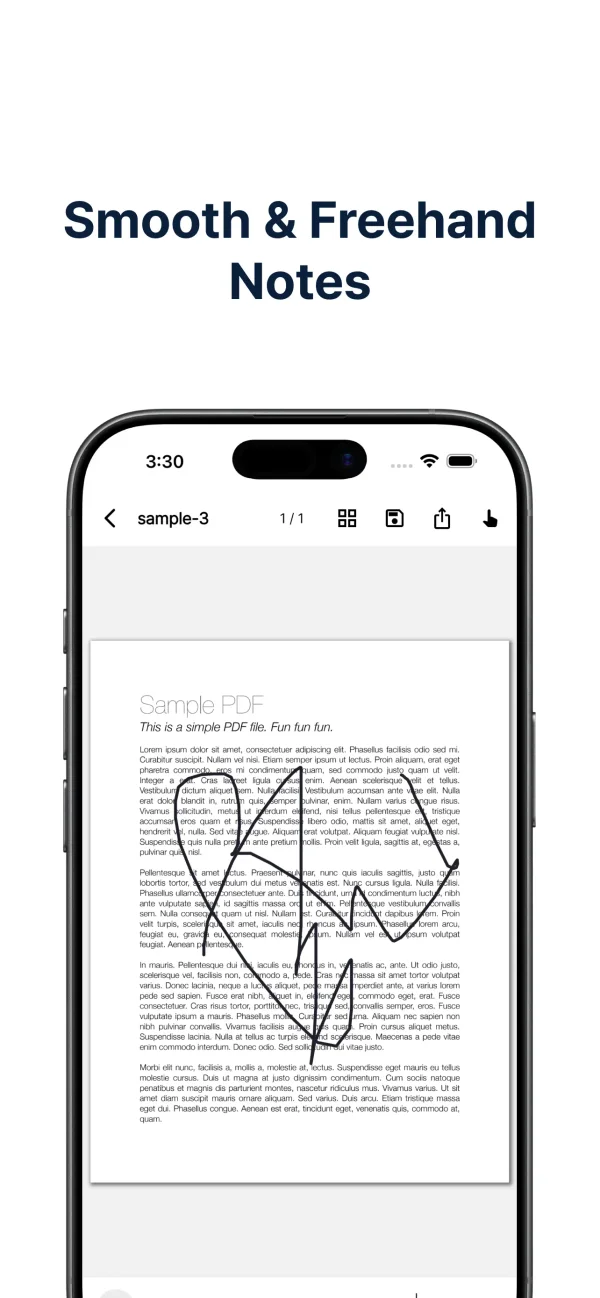
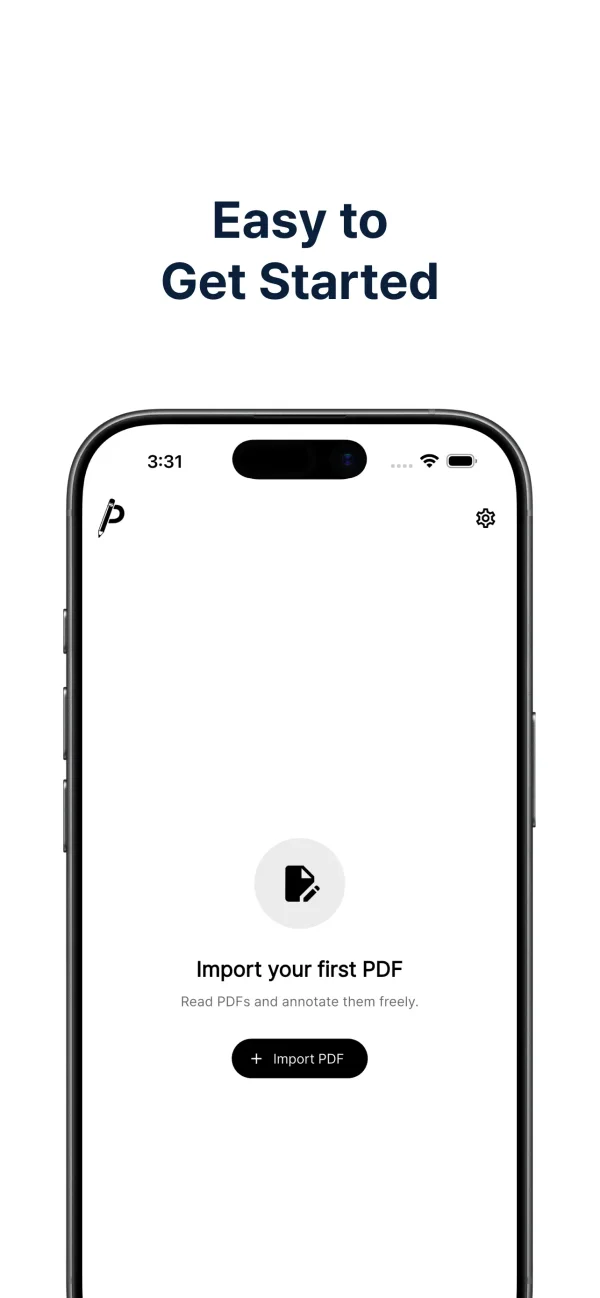
pilgi is a PDF reader and annotation app that lets you import your PDF documents and freely write or draw directly on them, just like writing by hand.
Take notes while reading lecture materials, mark up contracts and reports, or solve practice tests on scanned worksheets.
Your original PDF file remains completely untouched—all annotations are saved separately and securely, allowing you to revert to the original state at any time.
■ PDF Library
- Directly import PDFs stored on your device
- View recently opened documents at a glance
- Display page counts and last-read positions for each document
- Delete unnecessary documents whenever you want
■ Comfortable PDF Viewer
- Smooth vertical scrolling and flexible zoom in/out
- Jump straight to desired pages by entering page numbers directly
- Quickly find the right page by browsing page thumbnails
- Automatically resume from the last viewed page when reopening
■ Freehand & Text Annotation
- 4 essential tools: Pen, Highlighter, Eraser, and Text (typing)
- Choose from preset colors or pick custom colors from a color wheel to create your own palette
- Quick access to recent colors directly from the toolbar, just like favorites
- Text tool includes 5 royalty-free Korean fonts (Pretendard, Noto Sans KR, Nanum Gothic, Nanum Myeongjo, IBM Plex Sans KR)
- Freely adjust text font size
- Full Undo and Redo support so you can annotate with confidence
- Supports stylus pressure sensitivity (such as Apple Pencil) for a natural handwriting feel
- Auto-saves every time you turn a page; your latest notes are preserved even if the app closes unexpectedly
■ Export & Share
- Flatten pen, highlighter, and text annotations onto the original PDF to create a new PDF file
- Share completed annotated PDFs directly via device share sheet (messaging, email, cloud storage, and more)
■ Customized Experience
- Dark Mode support for comfortable viewing in low light
- Switch instantly between 5 languages: English, Korean, Japanese, Simplified Chinese, and Traditional Chinese
- Brief onboarding tutorial on first launch, bringing you straight to your library afterwards
■ Why You Can Use It with Peace of Mind
- Offline-first approach—use immediately without login required
- Minimal risk of file corruption by storing original PDFs and annotation data separately
- Additional auto-save trigger when moving to background or quitting to prevent data loss
Recommended for:
- Students and examinees who want to take notes while reading e-books or scanned materials
- Professionals who want to mark up lecture PDFs or meeting documents on the spot
- Anyone reviewing contracts, reports, or research papers with underlines and notes
- Tablet and stylus users looking for an intuitive handwriting experience
Transform your PDF reading time into your own personal notebook with pilgi.
Nouveautés
Version 1.0.1 · 23/08/2026
- Added support for Bengali and Portuguese (Brazil)!
- Improved app stability
Confidentialité de l’application
Ce que JAEMIN LEE déclare sur l’App Store au sujet du traitement des données par cette application.
-
Données n’établissant aucun lien avec vous
Peuvent être collectées, mais ne sont pas liées à votre identité.
- Emplacement
- Identifiants
Les pratiques en matière de confidentialité peuvent varier, notamment en fonction des fonctionnalités que vous utilisez ou de votre âge.
Informations
- Vendeur
- JAEMIN LEE
- Catégorie
- Productivité
- Version
- 1.0.1
- Mis à jour
- 23/08/2026
- Publié
- 05/08/2026
- Taille
- 64,6 Mo
- Nécessite
- iOS 13.0 ou version ultérieure
- Classification d’âge
- 4+
- Prix
- Gratuit
- Langues
- Anglais
- Copyright
- © 2026 Leya. All rights reserved.
Vous aimerez peut-être aussi
-
 AxiomikaProductivité
-
 Trifecta: Judgment & FocusProductivité
-
 BLISS Note: notes, PDF, agendaManuscrite, tâches, journal
-
 UltraNotes – AI NotesProductivité
-
 PDF Fill & Sign ProEdit, Sign & Fill PDF Forms
-
 Notator | Annotate DocumentsProductivité
-
 MathNotes: AI Notes for STEMProductivité
-
 paintBoardProProductivité
-
 Instaboard: Whiteboard PlannerProductivité
-
 OpenNotes : Notes et PDFÉcriture, PDF, sans compte