Pixelable - Pixel Art Editor
Pixel art editor
Conçue pour iPhone, iPad, iPod touch
Gratuit · Achats intégrés
- Classification d’âge4+
- CatégorieDivertissement
- DéveloppeurYosuke Seki
- LanguesAnglais+ 1 de plus
- Taille6,7 Mo
Renvoie vers la page App Store officielle
Download.org n’héberge aucun fichier de Pixelable - Pixel Art Editor. Le bouton ouvre la page de l’application sur App Store, où Yosuke Seki la publie. Fiche vérifiée pour la dernière fois le 20/11/2026.
Captures d’écran


À propos
Le développeur n’a pas fourni ce texte dans votre langue.
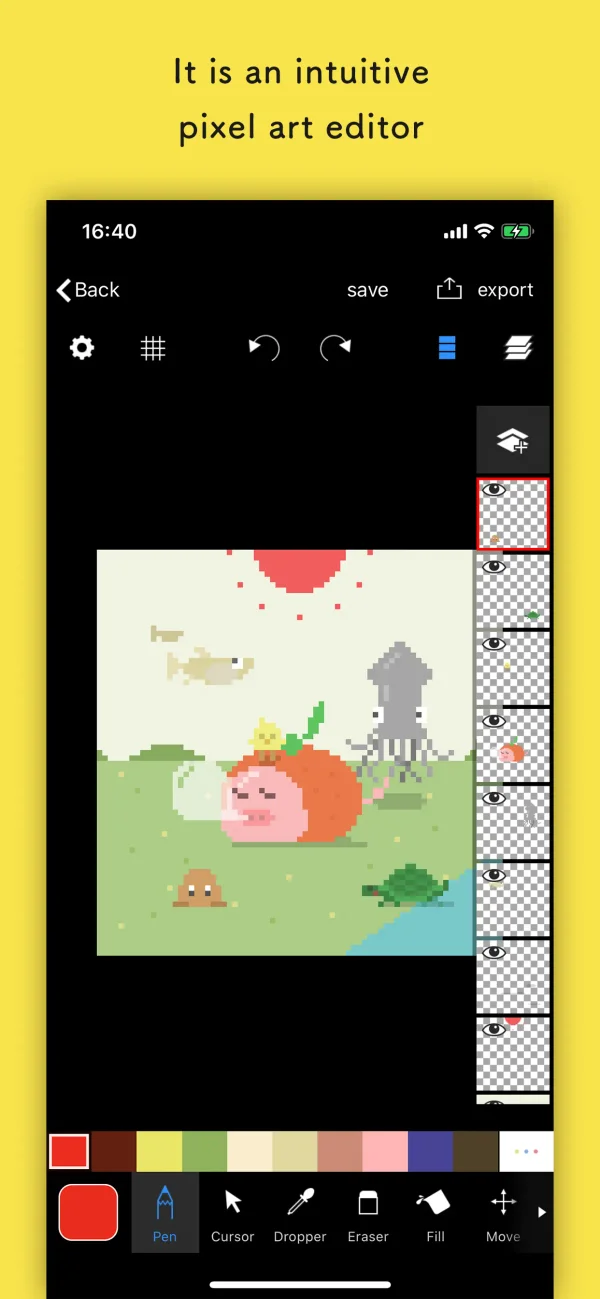
Here is a pleasant pixel art editor!
This is an app which pursue the stress-free and intuitively drawing of pixel art.
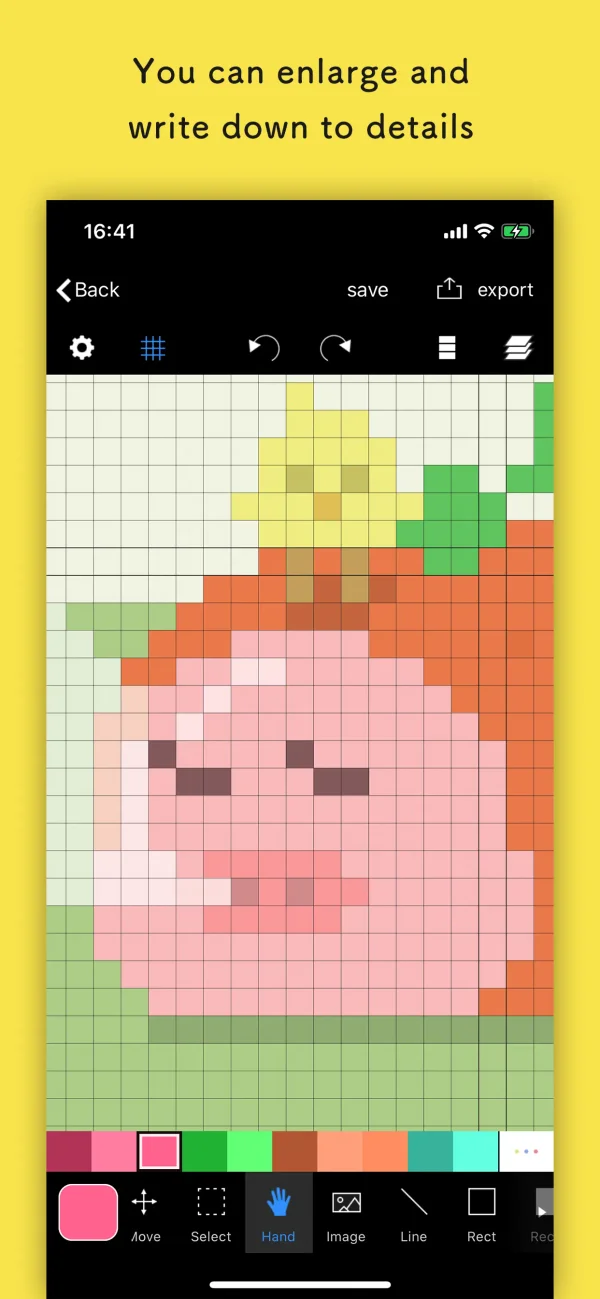
The app has genuine functions, like layer editing, color making, and various tools. Also, you can operate intuitively. For example you can enlarge and reduce the canvas by pinch in or pinch out.
Main functions are below.
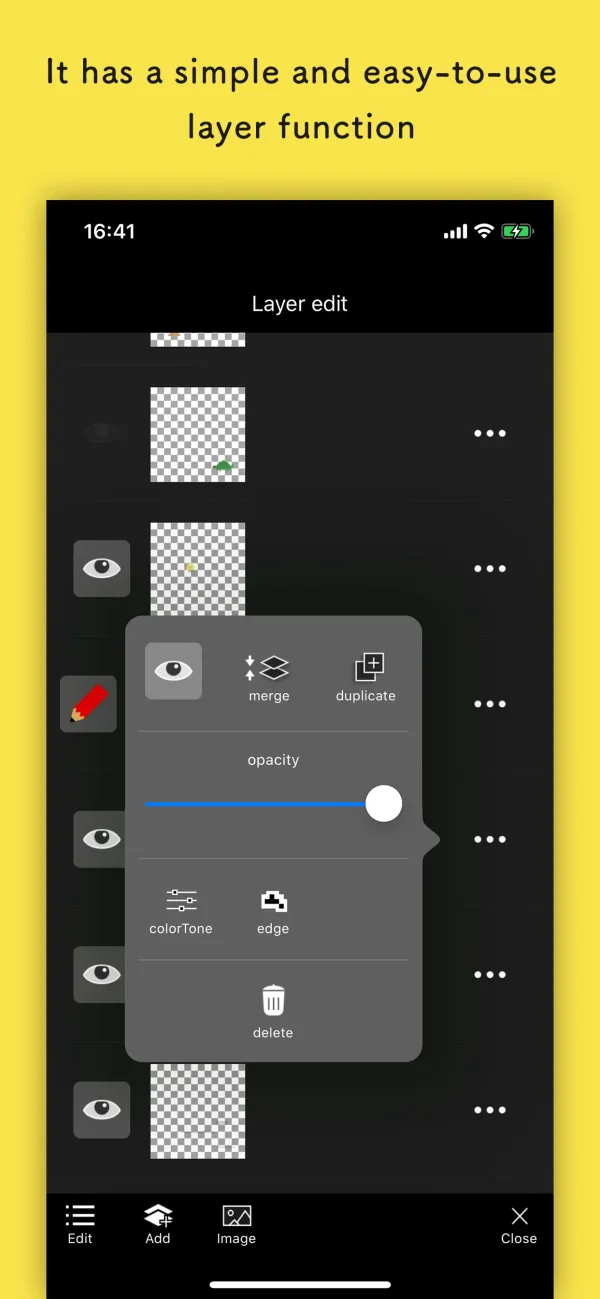
- Layer editing
You can add and erase, and copy layers. Also, you can select display or non-display mode, change the order of layers, and make a layer transparent.
- Tools
The app has basic tools to draw pixel arts. (For example, pen, spuit, filling and transfer)
・Undo and redo
You can cancel drawing.
- Animated GIF export
Each layer is going to be one frame.
- Color making
You can make your favorite color easily.
You can save 150 colors in maximum by a work.
- Pinch in and pinch out
You can enlarge and reduce the canvas by pinch in and out. It enables you to draw more details.
- Saving multiple pictures
You can save several projects, so that you can edit other projects later.
- Setting canvas size
You can select the size of canvas from 5*5 to 256*256.
- Setting a exporting pixel size
You can select exporting size. Pictures will be saved to camera roll as a png file.
- Reflection function
You can reflect the selected layer vertical and horizontal.
※There is another flunked app, ‘Dottable’.
※To prevent a crash, you need more than 150MB of free space to make a new project. Sorry for the inconvenience.
Nouveautés
Version 2.10.4 · 21/01/2024
- Minor fixes
Confidentialité de l’application
Ce que Yosuke Seki déclare sur l’App Store au sujet du traitement des données par cette application.
-
Données utilisées pour vous suivre
Peuvent être utilisées pour vous suivre sur des applications et des sites web appartenant à d’autres sociétés.
- Données d’utilisation
-
Données n’établissant aucun lien avec vous
Peuvent être collectées, mais ne sont pas liées à votre identité.
- Données d’utilisation
- Diagnostic
Les pratiques en matière de confidentialité peuvent varier, notamment en fonction des fonctionnalités que vous utilisez ou de votre âge.
Informations
- Vendeur
- Yosuke Seki
- Catégorie
- Divertissement
- Version
- 2.10.4
- Mis à jour
- 21/01/2024
- Publié
- 21/12/2016
- Taille
- 6,7 Mo
- Nécessite
- iOS 14.0 ou version ultérieure
- Classification d’âge
- 4+
- Prix
- Gratuit
- Achats intégrés
- Oui
- Langues
- Anglais, Japonais
- Copyright
- © Yosuke Seki
Vous aimerez peut-être aussi
-
 8bit Painter - Pixel ArtCréer du pixel art facilement
-
 PixilartDivertissement
-
 dotpictDivertissement
-
 Beads Creator - Bead PatternsDivertissement
-
 Divoom: Pixel art communityDivertissement
-
 Pixel Couleur-Numéro ColoriageJeux de Pixel Dessin
-
 Animation Desk® Draw & AnimateCreate animations and cartoons
-
 Folioscope: Animation & DessinAnime ton coloriage de BD
-
 JUMP PAINT by MediBangAppli Manga du Shonen Jump
-
 Stick Nodes Pro - AnimateurCréer des films de personnage!