Proof Pocket - Document Vault
Safe offline document vault
Conçue pour iPhone
Achats intégrés
- Classification d’âge4+
- CatégorieUtilitaires
- DéveloppeurKarol Burdzinski
- LanguesAnglais
- Taille46,2 Mo
Proof Pocket - Document Vault n’est peut-être pas disponible sur App Store pour le moment
La fiche de la boutique était inaccessible lors de notre dernière vérification. Le lien mène toujours à la page App Store officielle.
Captures d’écran



À propos
Le développeur n’a pas fourni ce texte dans votre langue.
Proof Pocket – Secure Document Vault, Scanner & Expiry Tracker
Keep your important documents safe, encrypted, and with you. Scan, store, and protect passports, IDs, certificates, licenses, and other sensitive files on your iPhone using Face ID, Touch ID, or a master password. No account, no Proof Pocket servers — your documents are encrypted on your device.
New in 1.7: a completely redesigned app, encrypted iCloud backup, a dedicated Expiry tab, and one-tap Quick Scan.
Why Proof Pocket?
A lost or expired document can derail travel plans or delay critical tasks. Proof Pocket gives you instant access to encrypted digital copies, alerts you before documents expire, keeps whole sets of paperwork together in cases, and brings everything back from an encrypted backup if you lose your phone.
Key Features:
- Document Scanning & Quick Scan: Scan with your camera, import from Photos, or add PDF files. Quick Scan opens the camera straight away and saves in one tap — add the title, category, and expiry date whenever you're ready.
- Encrypted iCloud Backup (optional): Back up your whole vault to a Proof Pocket folder in your iCloud Drive, or save the backup as a file. Backups are encrypted before they leave your iPhone and can't be opened without your master password. Restore straight from iCloud on a new iPhone. The 3 most recent backups are kept automatically.
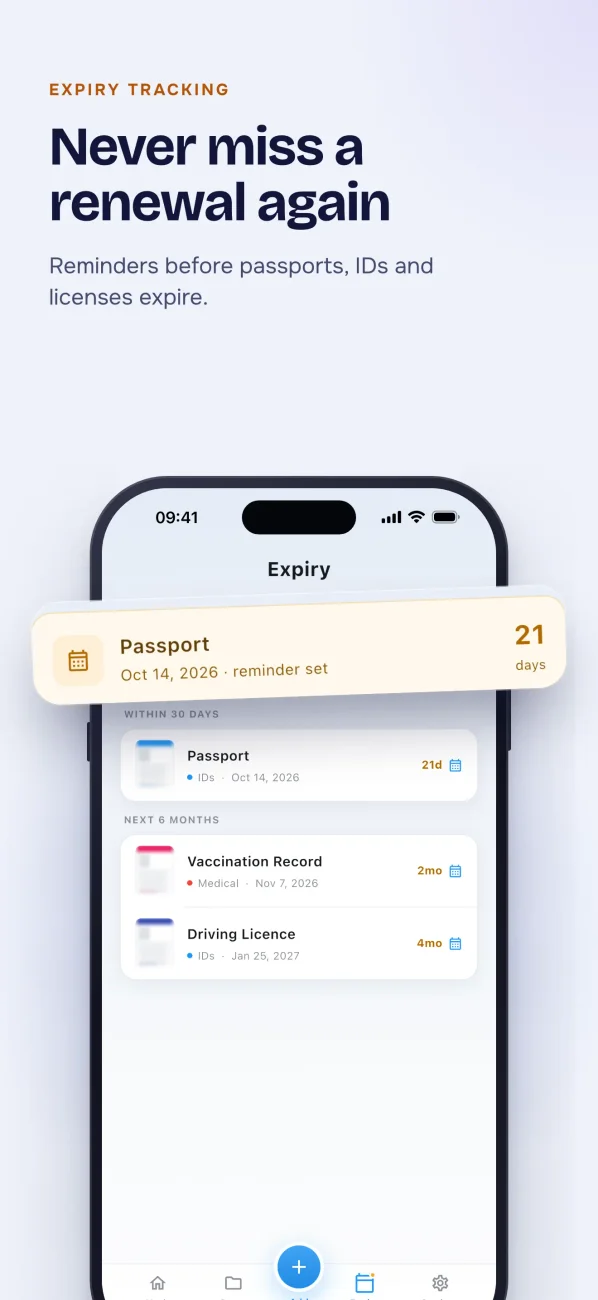
- Expiration Date Tracker & Reminders: Set expiration dates on passports, IDs, driver's licenses, visas, and certificates. The Expiry tab shows what's next, and reminders arrive 90, 30, 7, or 1 day ahead so you can renew on time.
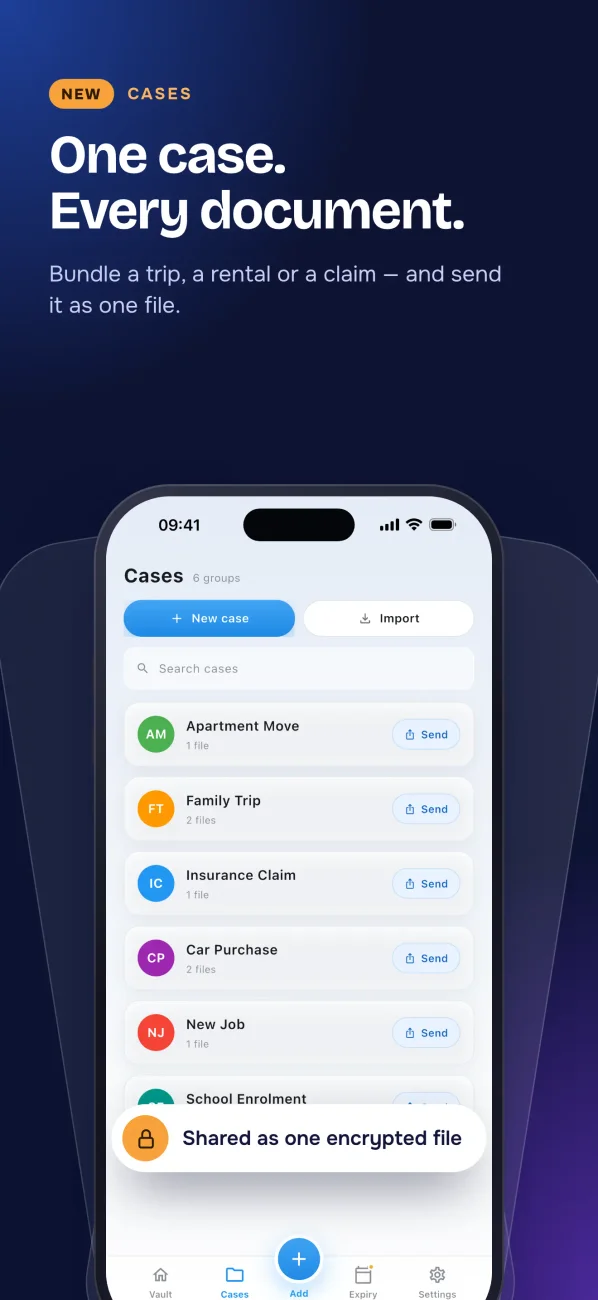
- Cases — Group & Share Documents Together: Bundle related documents into a case: a trip, a rental application, a child's papers, an insurance claim. Export a whole case as one encrypted file, and import cases you receive.
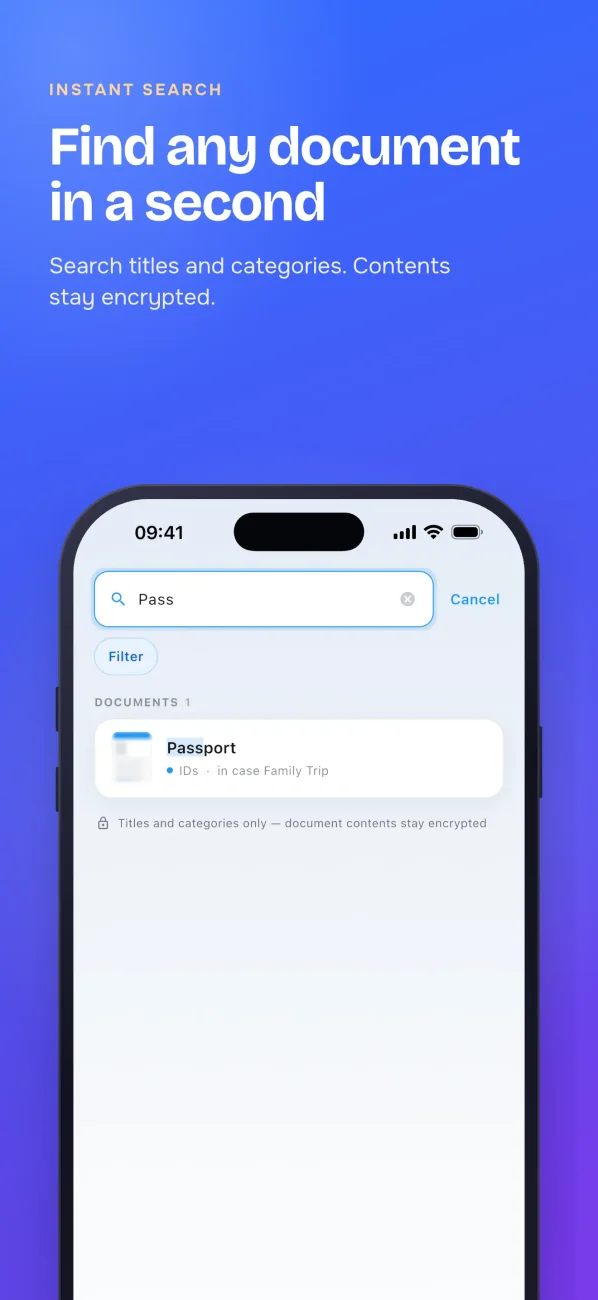
- Search & Filters: Find any document by title or category, and filter by category, case, or documents expiring within 90 days. Document contents stay encrypted while you search.
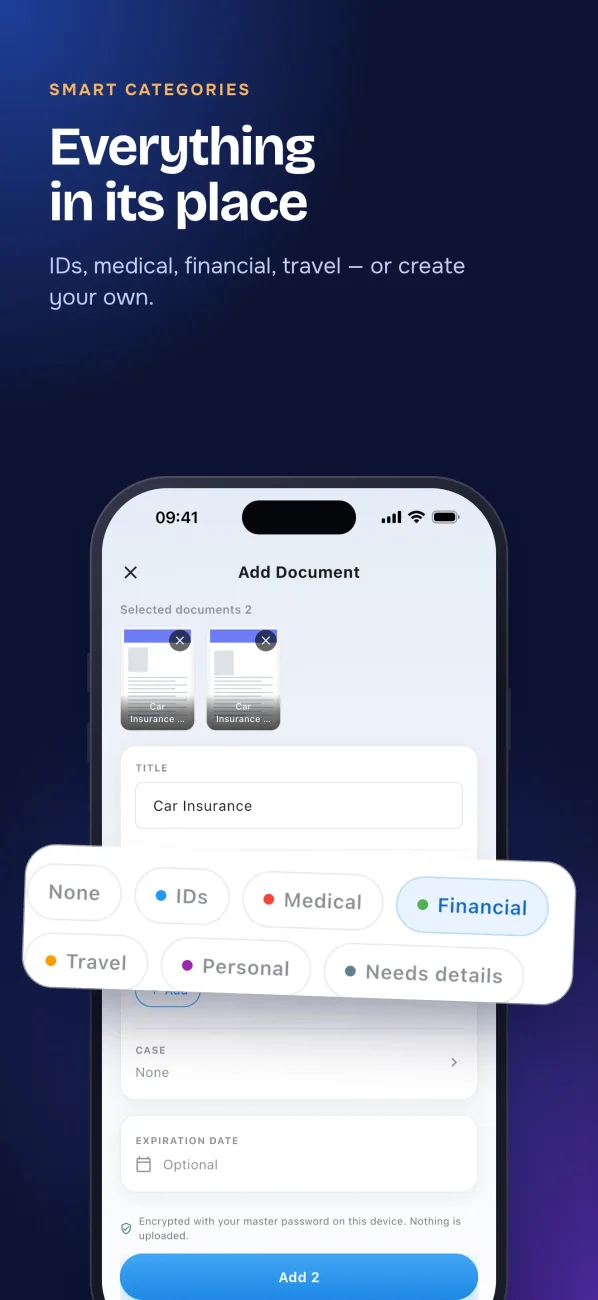
- Smart Categories: Organize documents into IDs, medical, financial, travel, personal, and more. Switch between grid and list view.
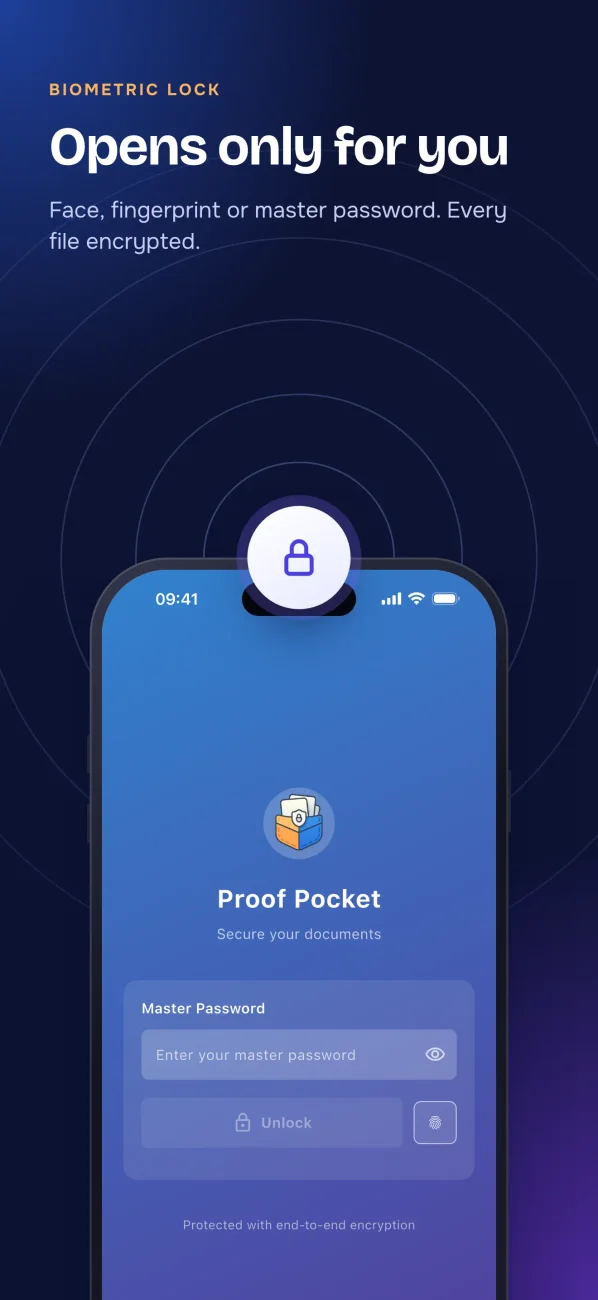
- Face ID, Touch ID & Password Protection: Lock your vault with biometrics or a master password. Every file is encrypted on your device.
- Offline First: Scanning, encryption, search, and reminders all work without internet. iCloud backup is optional and off until you turn it on.
- Secure Export & Device-to-Device Transfer: Export copies only when you need to share, and move your entire vault to a new device over your local network.
Use Cases:
- Travel ready — keep passports, visas, and boarding passes together in one case. Get expiry alerts months in advance.
- Applications & claims — bundle a rental application, insurance claim, or visa file into a case and send it as a single encrypted file.
- Families — track passport and ID expiry for everyone and keep each person's papers in their own case.
- Emergency prepared — instantly access ID copies at embassies, hospitals, or police stations, with an encrypted backup if your phone is lost or broken.
- Stay organized — group contracts, certificates, and licenses per client or project.
Your documents. Your device. Your control. Proof Pocket keeps everything encrypted, organized, and backed up on your terms.
Terms of Use: https://proofpocket.com/terms?lang=en
Privacy Policy: https://proofpocket.com/privacy?lang=en
Nouveautés
Version 1.7.1 · 28/09/2026
• Fixed an issue where Proof Pocket could fail to start when opened right after installing or updating.
• Stability improvements.
New in 1.7:
• All-new design with Vault, Cases, Add and Expiry tabs.
• Encrypted iCloud backup: restore your vault on a new iPhone.
• Expiry tab and reminders so you never miss a renewal.
• Quick Scan: save a document in one tap, add details later.
Confidentialité de l’application
Ce que Karol Burdzinski déclare sur l’App Store au sujet du traitement des données par cette application.
-
Données n’établissant aucun lien avec vous
Peuvent être collectées, mais ne sont pas liées à votre identité.
- Diagnostic
Les pratiques en matière de confidentialité peuvent varier, notamment en fonction des fonctionnalités que vous utilisez ou de votre âge.
Informations
- Vendeur
- Karol Burdzinski
- Catégorie
- Utilitaires
- Version
- 1.7.1
- Mis à jour
- 28/09/2026
- Publié
- 04/12/2025
- Taille
- 46,2 Mo
- Nécessite
- iOS 16.0 ou version ultérieure
- Classification d’âge
- 4+
- Achats intégrés
- Oui
- Langues
- Anglais
- Copyright
- © 2026 Karol Burdzinski
Vous aimerez peut-être aussi
-
 QuietVault: Fichiers et photosDossier sécurisé & documents
-
 Secuware Human ProofProuvez que vous êtes humain
-
 LuWuUtilitaires
-
 私人保险箱 - 文件加密存储房产证·保单·遗嘱·加密钱包
-
 Sultexio: Hide Private PhotosUtilitaires
-
 Tockett: Flip Clock WidgetsUtilitaires
-
 ÈisyUtilitaires
-
 DurstlöscherUtilitaires
-
 SageDocs: Coffre-fort papiersDates d'expiration & rappels
-
 KeepSlip : Preuve d'achatReçus, garanties et retours