
Pulse: Network Diagnostics
Ping, traceroute, SSH terminal
Conçue pour iPhone, iPad
Gratuit · Achats intégrés
- Classification d’âge4+
- CatégorieOutils de développement
- DéveloppeurPascal Peltriaux
- Taille29,3 Mo
Renvoie vers la page App Store officielle
Download.org n’héberge aucun fichier de Pulse: Network Diagnostics. Le bouton ouvre la page de l’application sur App Store, où Pascal Peltriaux la publie. Fiche vérifiée pour la dernière fois le 18/11/2026.
Captures d’écran
À propos
Le développeur n’a pas fourni ce texte dans votre langue.
Pulse is a network toolbox for iPhone and iPad, built for the people who get asked why the network is slow.
It measures a network and tells you what the numbers mean — and opens a terminal on the machine at the other end.
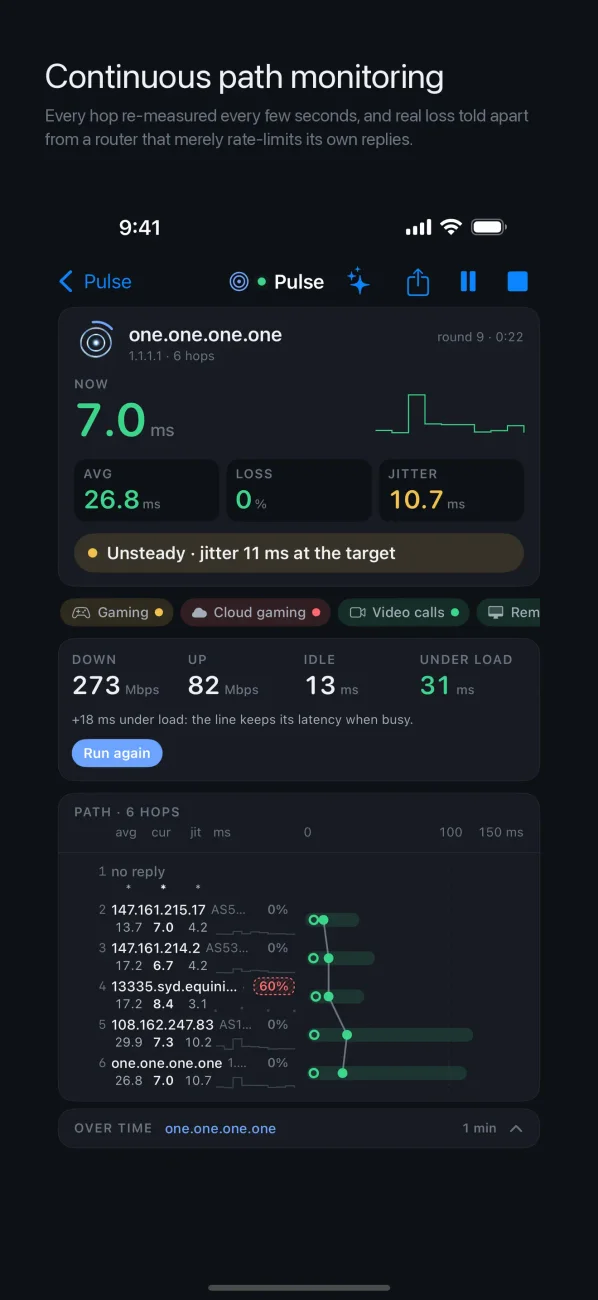
PULSE — CONTINUOUS PATH MONITORING
Re-walks the path to a host every few seconds and keeps a window per hop, so a router losing one packet in twenty becomes visible. It tells a hop dropping your traffic from one merely rate-limiting its own replies; most tools paint both red.
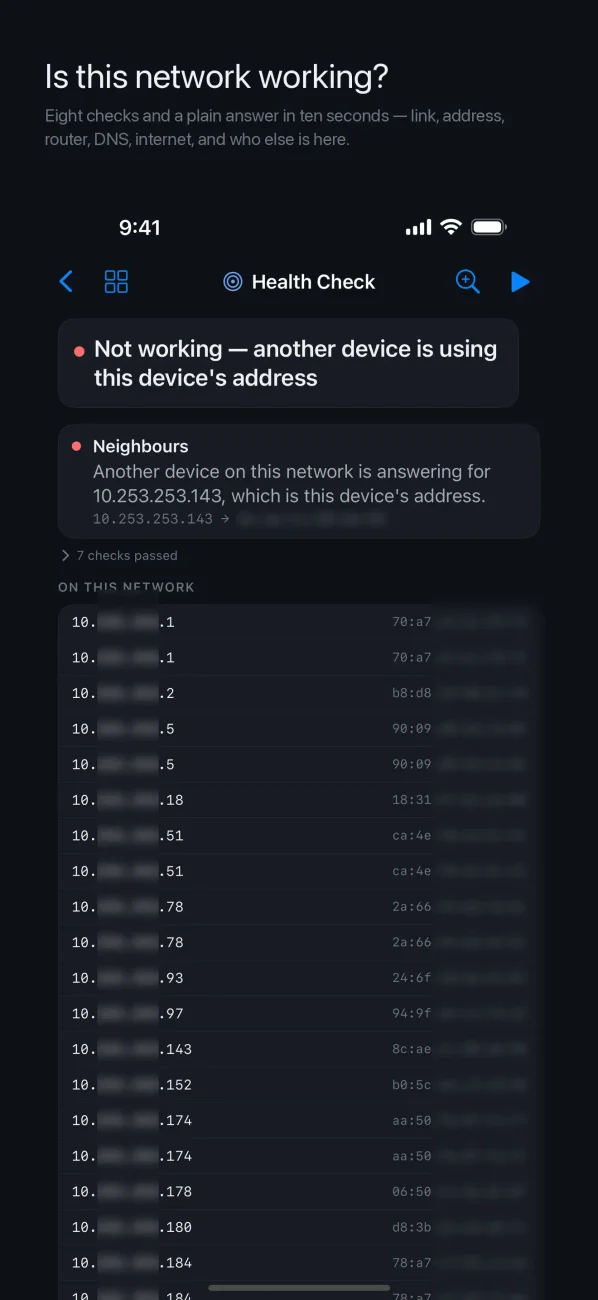
HEALTH CHECK
Eight checks and a plain verdict in about ten seconds — the link, this device's address, the router, the neighbours, DNS, the internet, your public address, any VPN — naming the earliest failure.
SERVICES
Sixteen everyday services — video calls, files, sign-in and mail, remote desktop — checked against their real endpoints in about fifteen seconds, with a plain verdict.
DEVICES
Everything else on this network, named by what each device advertises, with an opt-in port check.
WEB CHECK (PULSE PRO)
Load any page the way a browser does and see where the time went: redirects, DNS, connect, TLS, the server's wait, the download, and everything the page pulled in, by site. A picture shows whether you reached the site or a Wi-Fi login or block page.
ON THE LOCK SCREEN AND HOME SCREEN
A running Pulse is a Live Activity on the Lock Screen, in the Dynamic Island and on your Apple Watch, and it alerts you when the path turns bad. A widget answers "is this network OK right now?", refreshed in the background.
SIRI, SHORTCUTS AND CONTROL CENTER
Ask Siri whether the network is OK, ping your router, check a certificate or your public address — without opening the app. Run any of it from Shortcuts, an automation or the Action button, or tap Check network in Control Center and get the verdict as a notification.
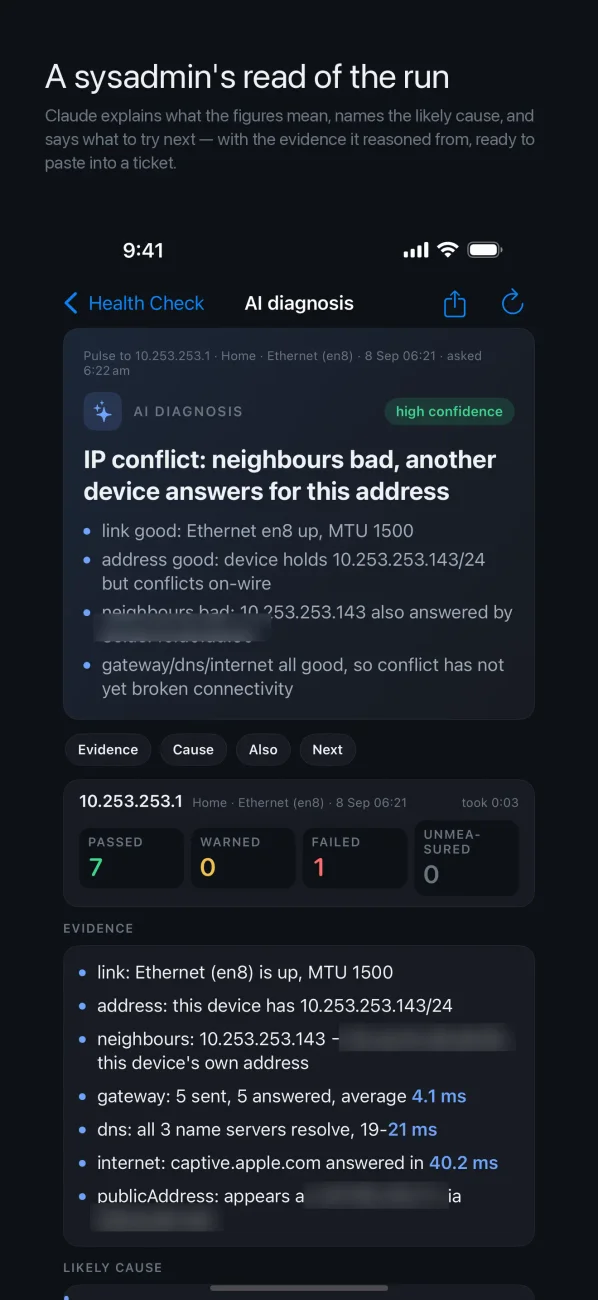
AI DIAGNOSIS
A reading of any run, written for a ticket: what is wrong, where, why, and what to try next. You are asked before anything is sent, and told exactly what goes.
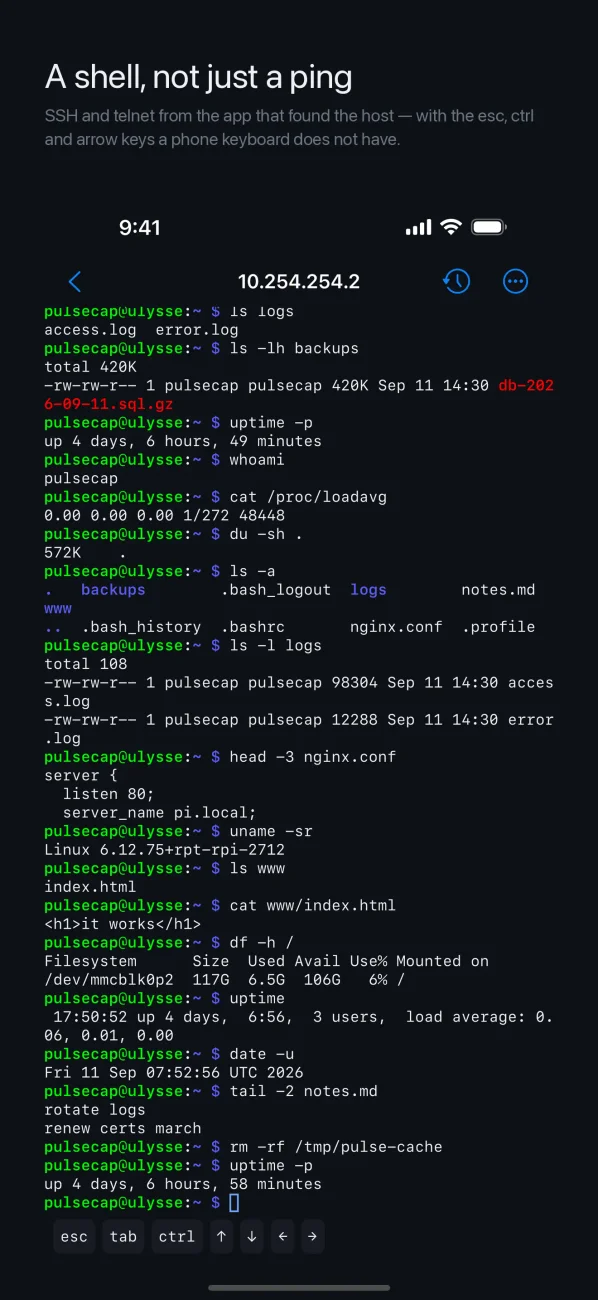
TERMINAL
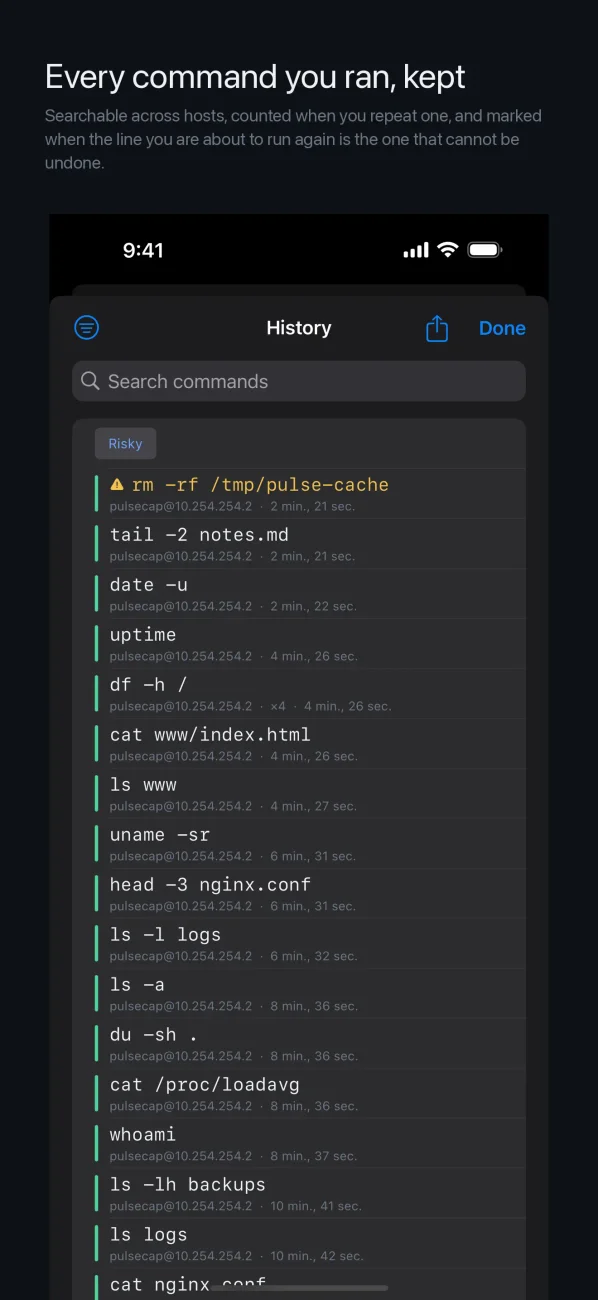
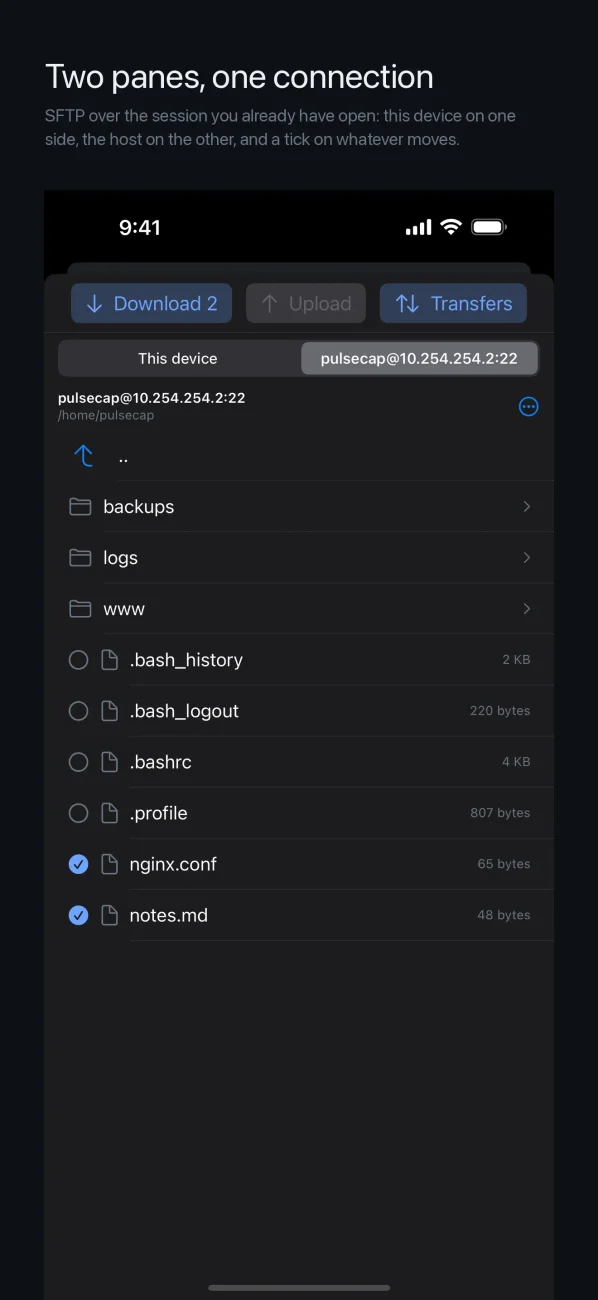
SSH and telnet, with passwords and keys in the Keychain. Open one straight from a traceroute hop or a device on your network. Every command you ran, per host, searchable, with anything irreversible marked. SFTP in two panes.
AND THE REST
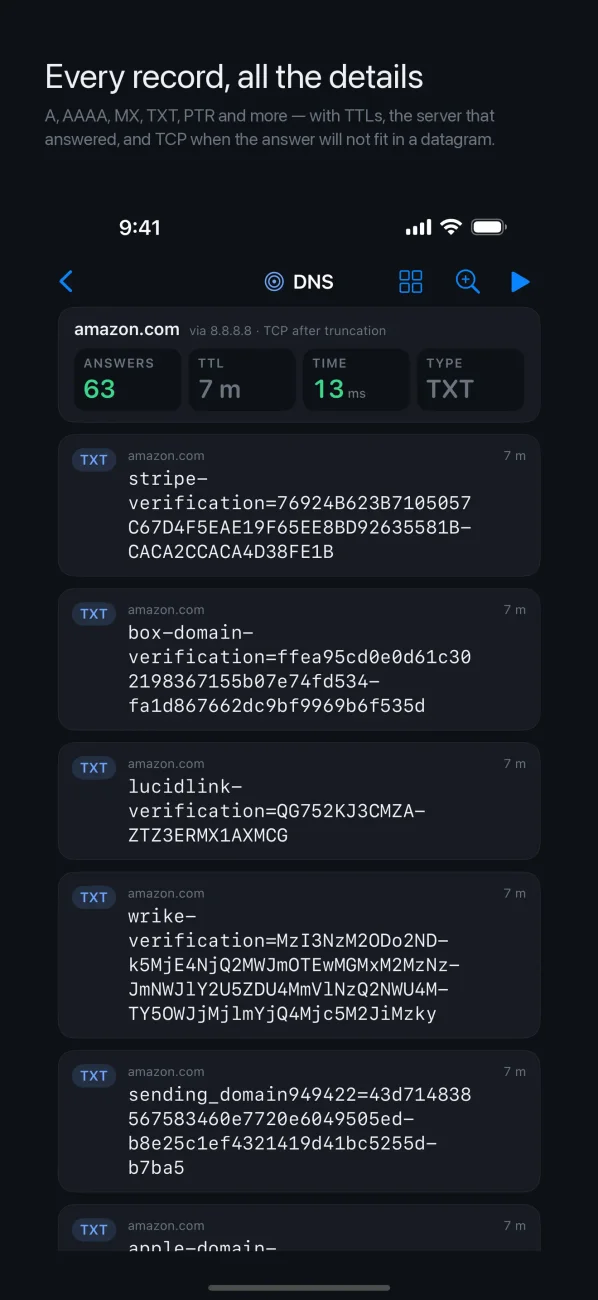
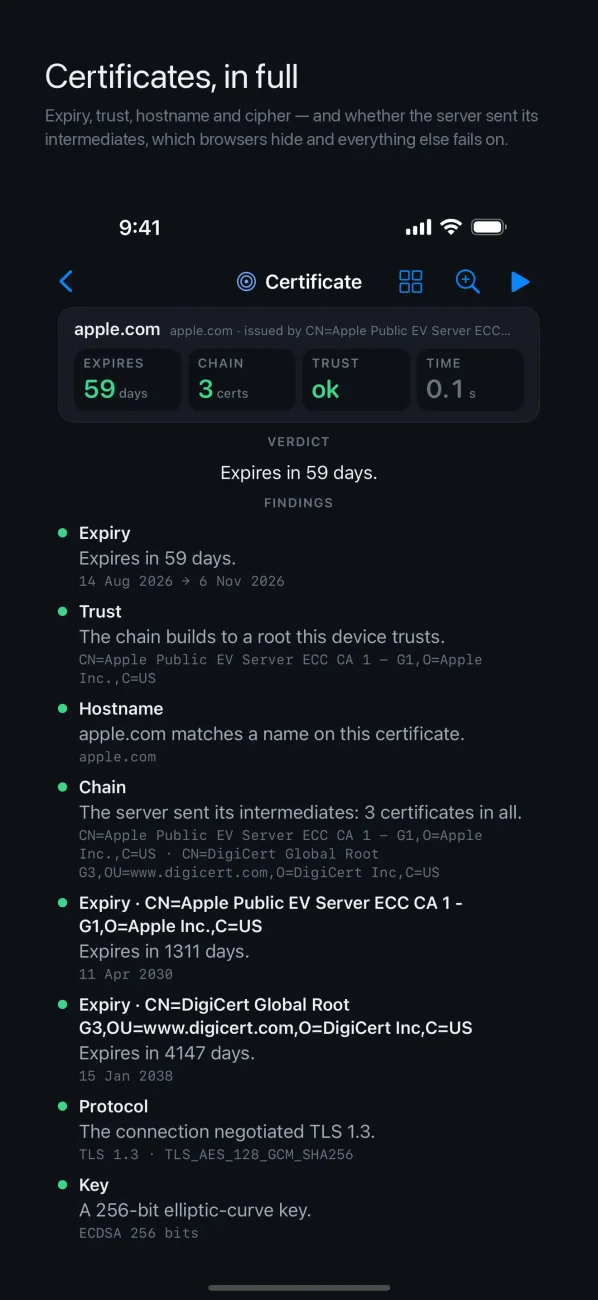
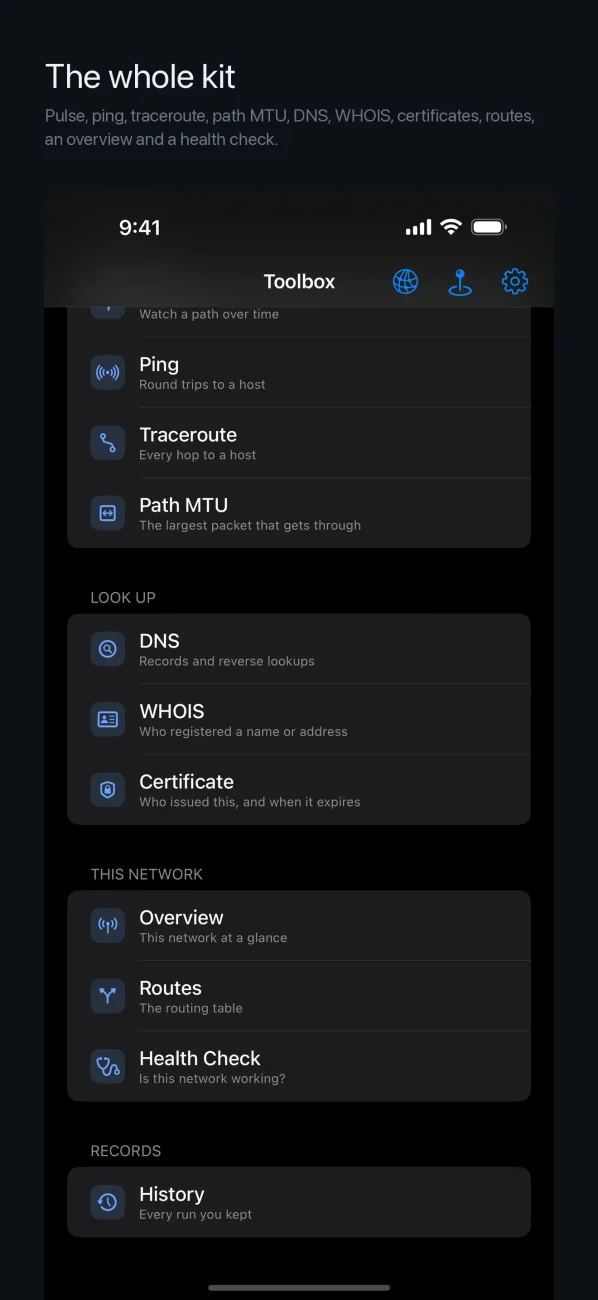
Certificates (and whether the server sent its intermediates), ping with RFC 3550 jitter, traceroute over ICMP, UDP or TCP, path MTU, DNS, WHOIS over RDAP or port 43, interfaces, routes, VPN and proxy state.
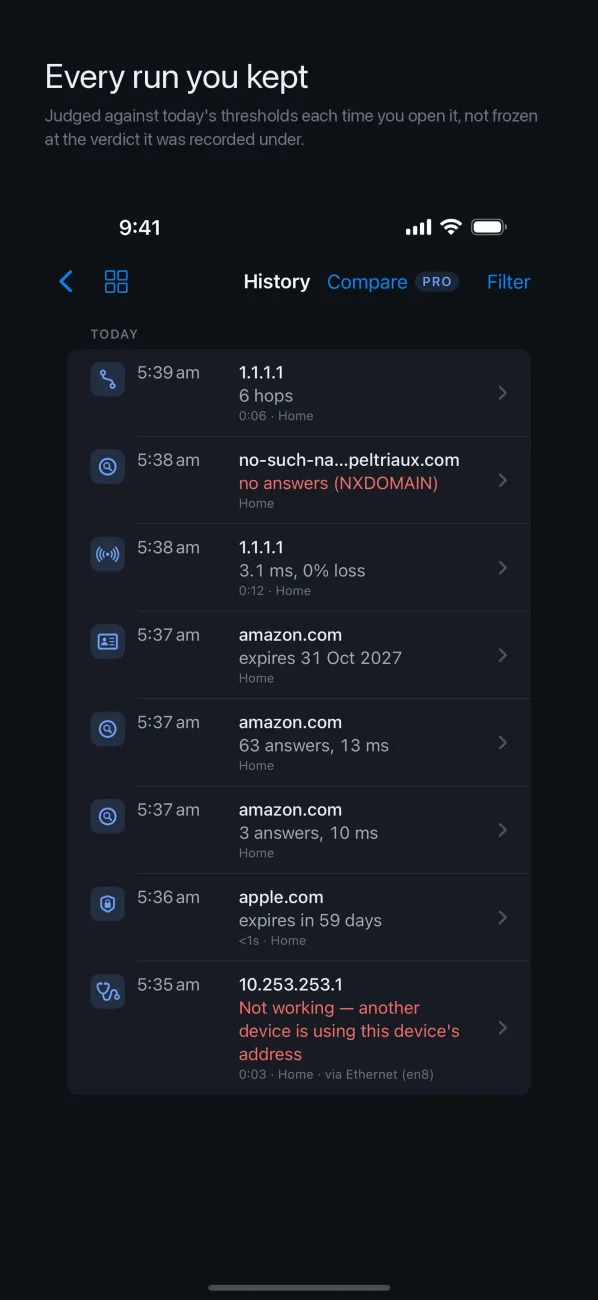
EVERY RUN IS KEPT
And judged again, against today's thresholds, each time you open it. Pin any tool to one interface to measure Wi-Fi and cellular separately.
PULSE PRO
Every network test is free, and so are the terminal, the Live Activity, the widget and seven days of history. Pro adds the AI diagnosis, Web check, certificate alerts, each service's endpoints and your organisation's own, device names that stick and what is new on your network, a link test between your own devices, two interfaces or IPv4 and IPv6 side by side, up to six Pulses at once, session comparison, picture and CSV export, full history synced through your own iCloud, sessions that stay open, command history and suggestions, file transfer, and a terminal on any hop or neighbour.
Pulse Pro is an auto-renewing subscription, monthly or yearly. Payment is charged to your Apple Account at confirmation of purchase and renews unless cancelled at least 24 hours before the period ends. Manage it in Settings.
Privacy Policy: https://peltriaux.com/pulse/privacy
Terms of Use (EULA): https://www.apple.com/legal/internet-services/itunes/dev/stdeula/
Pulse terms: https://peltriaux.com/pulse/terms
PRIVACY
No accounts, no analytics, no advertising, no trackers. Your runs stay on this device, and sync through your own iCloud — which the developer cannot read — only if you turn that on. Nothing you type in the terminal reaches the developer or an AI diagnosis. Only the AI diagnosis sends anything to a service the developer runs, and only when you ask.
Nouveautés
Version 1.12 · 17/10/2026
New in 1.12: Siri, Shortcuts and a Control Center button.
• Ask Siri "Is my network OK in Pulse" and hear the verdict, with a small card. The app stays closed. Also: "Ping my router with Pulse", "Check a certificate with Pulse" and "What's my IP in Pulse".
• "Pulse my router with Pulse" opens the app and starts watching the path. "Check a service in Pulse" opens a service check.
• Every action is in the Shortcuts app: run Check my network from an automation (when you join the office Wi-Fi, say) or the Action button, and be notified only when something is wrong.
• Add Check network to Control Center: one tap runs a Health Check, and the verdict arrives as a notification. Tap it to open the run.
• Fixed a crash when you tap a Pulse notification, such as a certificate alert.
Pulse sends nothing new anywhere.
Confidentialité de l’application
Ce que Pascal Peltriaux déclare sur l’App Store au sujet du traitement des données par cette application.
-
Données n’établissant aucun lien avec vous
Peuvent être collectées, mais ne sont pas liées à votre identité.
- Achats
- Emplacement
- Identifiants
- Diagnostic
Les pratiques en matière de confidentialité peuvent varier, notamment en fonction des fonctionnalités que vous utilisez ou de votre âge.
Informations
- Vendeur
- Pascal Peltriaux
- Catégorie
- Outils de développement
- Version
- 1.12
- Mis à jour
- 17/10/2026
- Publié
- 10/09/2026
- Taille
- 29,3 Mo
- Nécessite
- iOS 18.0 ou version ultérieure
- Classification d’âge
- 4+
- Prix
- Gratuit
- Achats intégrés
- Oui
- Copyright
- © 2026 Pascal Peltriaux
Vous aimerez peut-être aussi
-
 MitmoOutils de développement
-
 ProxyTunnel: Smart LAN ProxyOutils de développement
-
 PacketProOutils de développement
-
 Device Info : Infos systèmeCPU, RAM, batterie et réseau
-
 Proxy CaptureOutils de développement
-
 ProxygenOutils de développement
-
 Packet Capture Pro: HTTPSCapture HTTPS et débogage API
-
 JellyCutsOutils de développement
-
 Hodor - HTTP(s) Packet SnifferCapture Flutter et tests d’API
-
 Stream HTTP SnifferOutils de développement