- Classification d’âge4+
- CatégorieOutils de développement
- DéveloppeurJALAL ZAINADDIN
- LanguesAnglais
- Taille45,5 Mo
PyNotebook n’est peut-être pas disponible sur App Store pour le moment
La fiche de la boutique était inaccessible lors de notre dernière vérification. Le lien mène toujours à la page App Store officielle.
Captures d’écran
À propos
Le développeur n’a pas fourni ce texte dans votre langue.
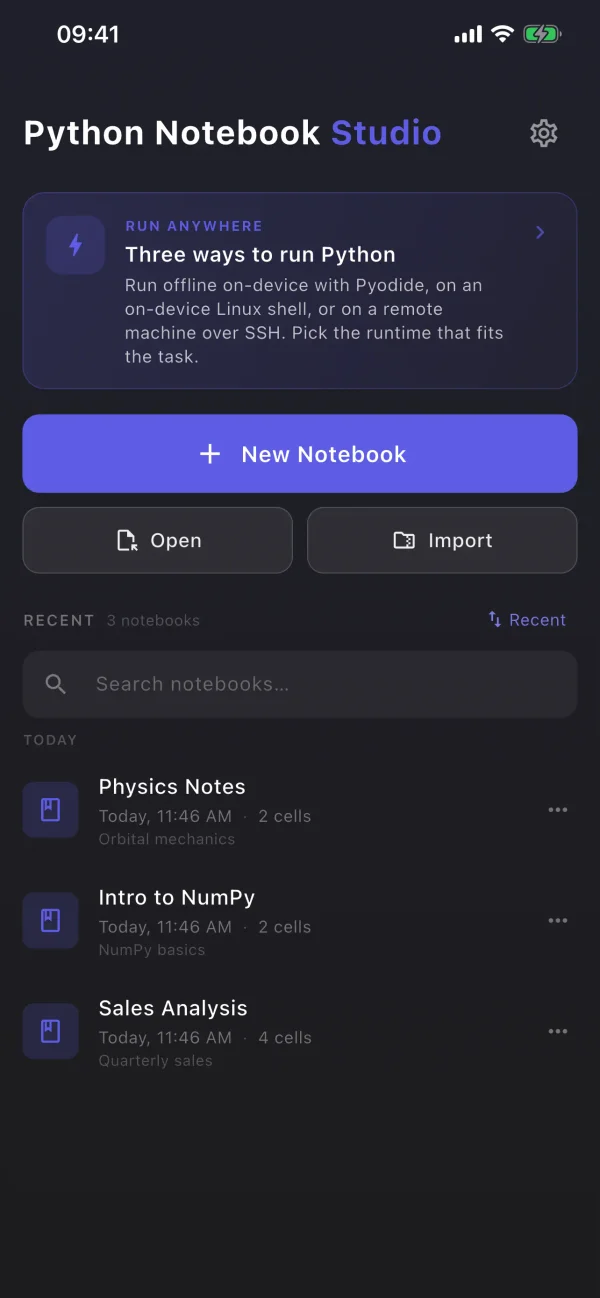
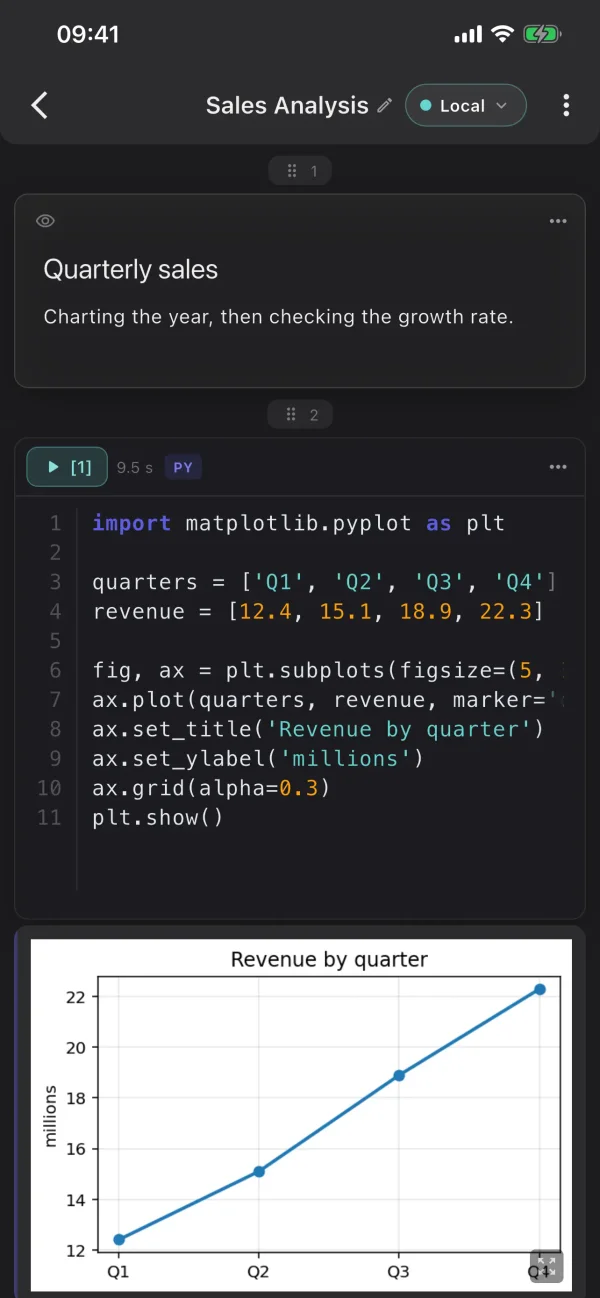
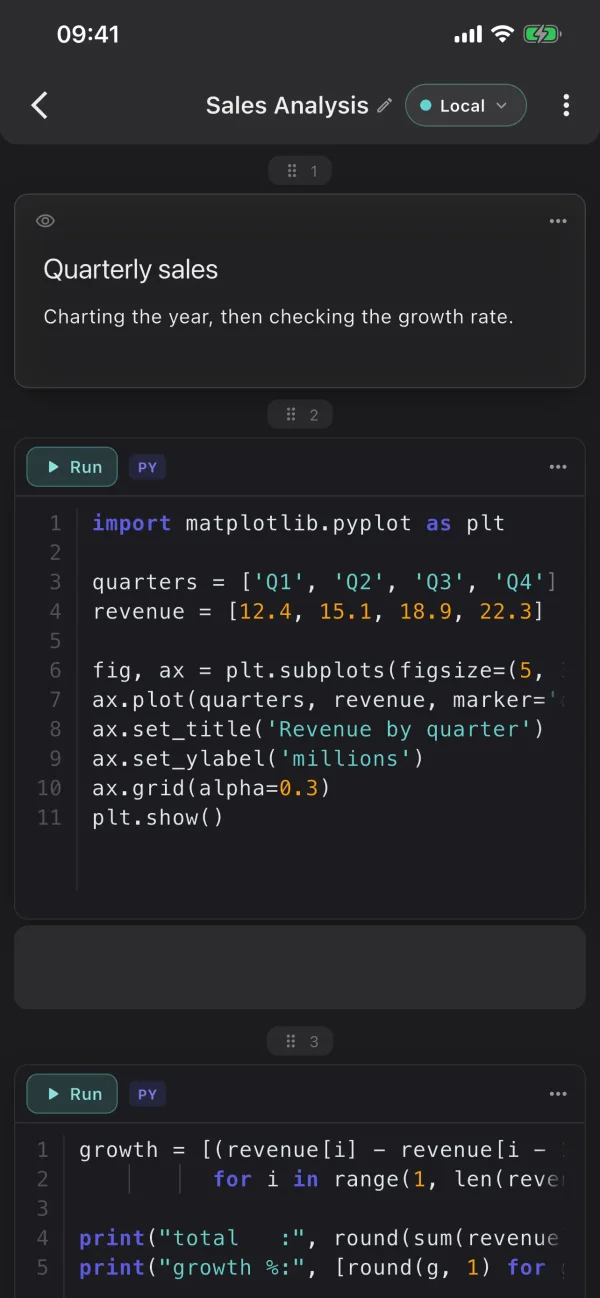
PyNotebook runs Python and Jupyter (IPython) notebooks inside your iPhone. Open an .ipynb file, edit the cells, press Run, and the output appears under each cell the way it does on a desktop.
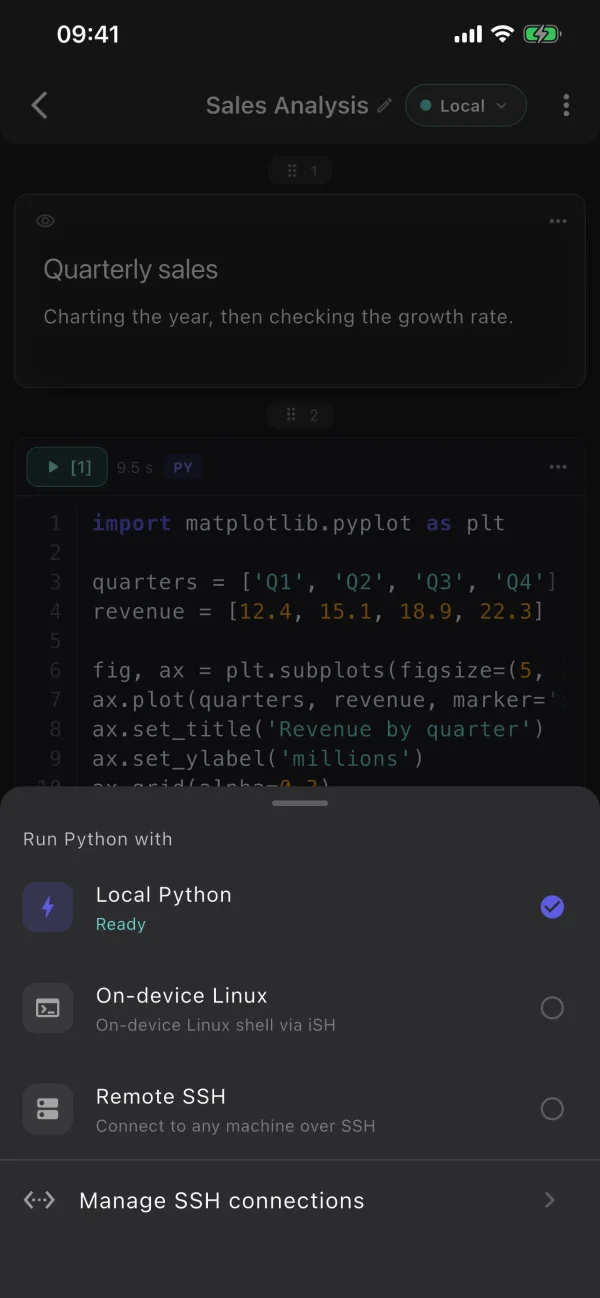
THREE PLACES TO RUN YOUR CODE
Local Python runs on the device itself, using a Python interpreter compiled to WebAssembly and bundled in the app.
On-device Linux runs your code using your own Linux Emulator app, which gives you close to a real CPython shell on the phone.
Remote SSH runs it on your own Mac, PC, Raspberry Pi, or Linux server. The phone stays the editor and the other machine does the work.
The kernel chip in the toolbar switches between them.
PACKAGES
Write "!pip install pandas" in a cell to install a pure-Python package from PyPI. numpy, pandas and matplotlib download on first import and stay cached afterwards. iSH and Remote SSH run standard CPython, so pip there installs anything it can build, including packages with native code.
CHARTS AND MATH
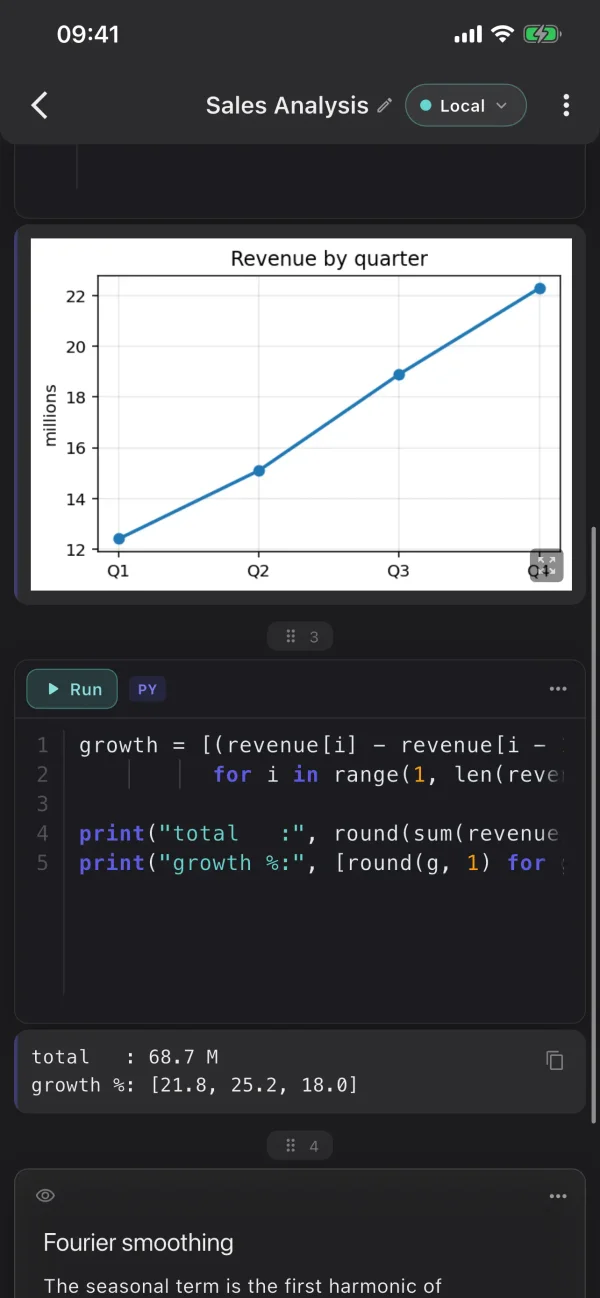
matplotlib figures appear inline as images. Tap one to zoom. Markdown cells render LaTeX.
EDITING
Python syntax highlighting with indentation guides, and a Backspace that removes a whole indent level.
Long-press a cell, or tap the More button, to run, copy, duplicate, move, or delete it.
Drag a cell by its index pill to reorder it.
FILES
Opens .ipynb, .py, .md and .zip. A ZIP or folder of notebooks and their images imports as one project. Any notebook exports to the Files app as a .ipynb or as a plain .py script.
Edits save as you type, so there is no save button to remember.
PRIVACY
The app collects nothing and has no analytics.
Confidentialité de l’application
Ce que JALAL ZAINADDIN déclare sur l’App Store au sujet du traitement des données par cette application.
-
Données non collectées
Le développeur ne collecte aucune donnée à partir de cette application.
Les pratiques en matière de confidentialité peuvent varier, notamment en fonction des fonctionnalités que vous utilisez ou de votre âge.
Informations
- Vendeur
- JALAL ZAINADDIN
- Catégorie
- Outils de développement
- Version
- 1.0
- Mis à jour
- 26/08/2026
- Publié
- 26/08/2026
- Taille
- 45,5 Mo
- Nécessite
- iOS 13.0 ou version ultérieure
- Classification d’âge
- 4+
- Langues
- Anglais
- Copyright
- © 2026 Jalal Zainaddin
Vous aimerez peut-être aussi
-
 ConnTermOutils de développement
-
 API NautaOutils de développement
-
 Symbol CatalogCherchez et copiez
-
 Laboratoire RegexTestez motifs et cas limites
-
 Pier ShellOutils de développement
-
 Canvas UI KitOutils de développement
-
 Minos PR InboxOutils de développement
-
 Ultimate SF Symbols finderOutils de développement
-
 Quota BoardOutils de développement
-
 electermOutils de développement