QR Scanner - Code Reader
Scan, Generate & Manage Codes
Conçue pour iPhone, iPad
Gratuit
- Classification d’âge4+
- CatégorieUtilitaires
- DéveloppeurErik Auranaune
- LanguesAnglais
- Taille1,1 Mo
Renvoie vers la page App Store officielle
Download.org n’héberge aucun fichier de QR Scanner - Code Reader. Le bouton ouvre la page de l’application sur App Store, où Erik Auranaune la publie. Fiche vérifiée pour la dernière fois le 16/11/2026.
Captures d’écran

À propos
Le développeur n’a pas fourni ce texte dans votre langue.
The fastest, most complete QR code scanner on the App Store — and it's completely free with no ads, no subscriptions, and no limits.
INSTANT SCANNING
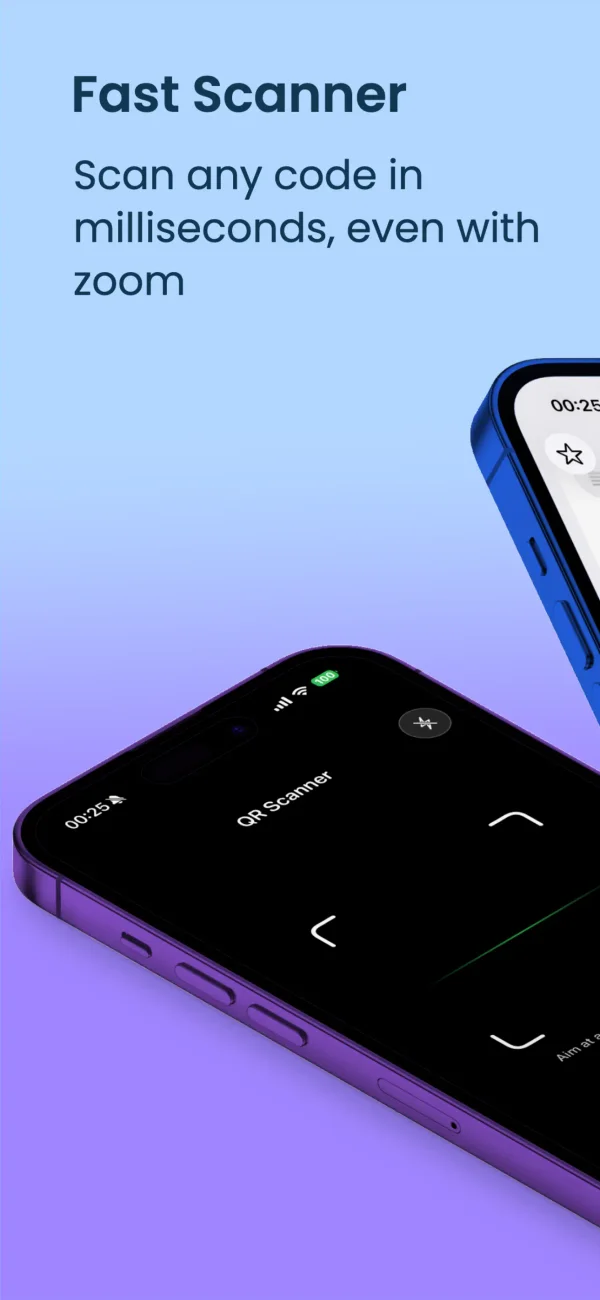
Powered by AVFoundation, QR Scanner locks onto codes in milliseconds. Continuous auto-focus, hardware-accelerated zoom, and a real-time viewfinder make scanning effortless — even in low light with the built-in torch.
QR CODE GENERATOR
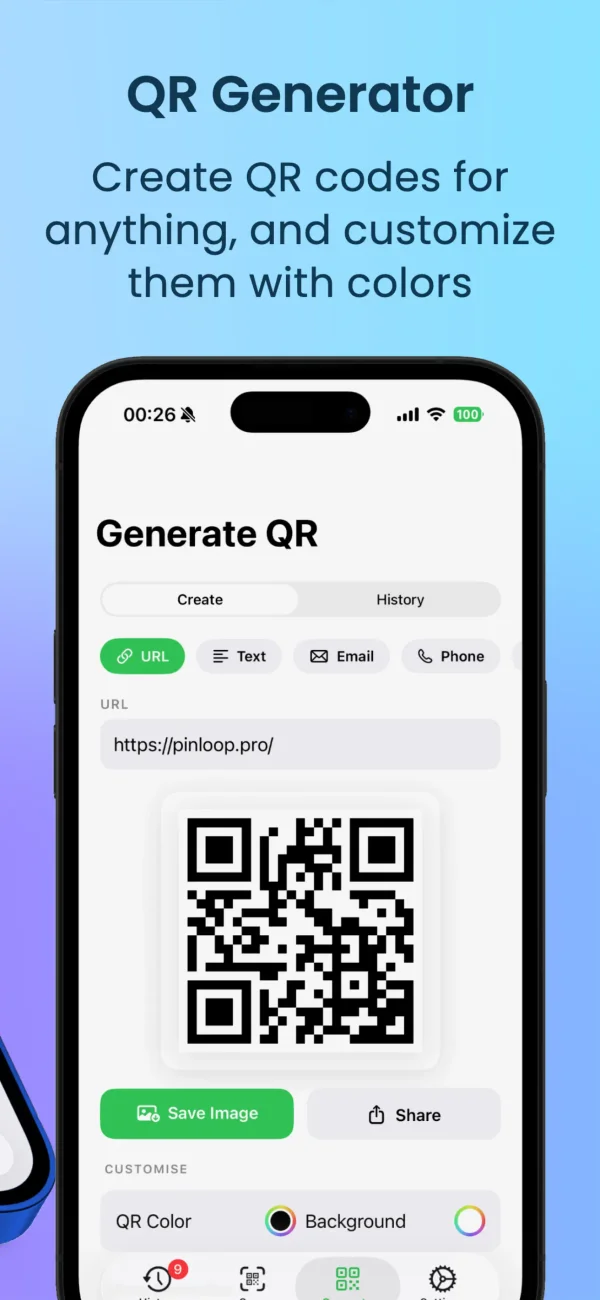
Create your own QR codes in seconds. Generate codes for:
Websites and URLs
Wi-Fi networks (shareable with one tap)
Email with subject and body pre-filled
Phone numbers
Contact cards (vCard)
Any text
Customise the colour, background, and error correction level. Save to your photo library or share instantly. Every code you generate is saved to a history so you can reshare anytime.
SMART ACTIONS
QR Scanner understands what it scans. Tap a result to:
Open URLs directly in Safari
Call or message phone numbers
Compose emails
Join Wi-Fi networks automatically
Save contacts to your address book
FULL SCAN HISTORY
Every scan is saved and searchable. Add personal notes, mark favourites, sort by date or type, and filter to find exactly what you need. URLs even show the page title instead of the raw link.
THREE SCAN MODES
Choose how you want to scan:
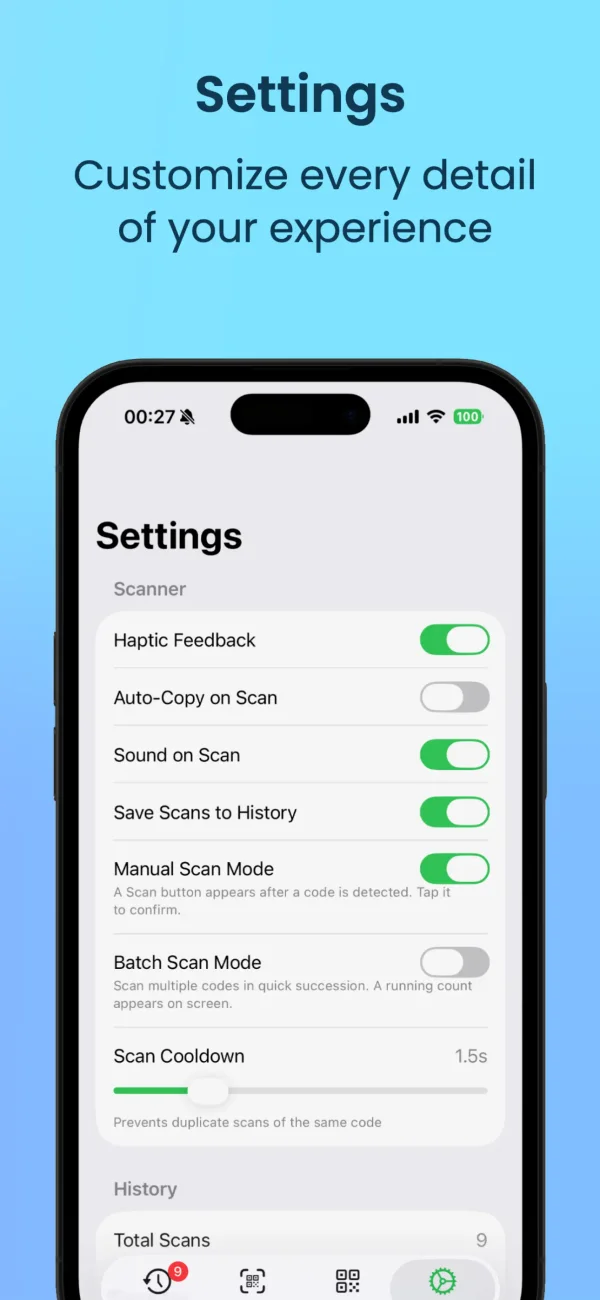
Auto — codes are captured instantly the moment they're detected (default)
Manual — the camera detects the code, then waits for you to tap a Scan button before saving. Perfect for reviewing codes before committing
Batch — rapid continuous scanning with no interruptions and a live counter. Built for events, inventory, and anywhere you need to scan many codes fast
PRIVACY FIRST
Everything stays on your device. No account required, no data collected, no analytics, no tracking. Your scan history is yours alone.
DETAILS:
Pinch-to-zoom and smooth hardware-accelerated zoom slider
Per-type haptic feedback — different feel for URLs, Wi-Fi, contacts and more
Optional scan sound
Auto-copy scanned content to clipboard
Avoid duplicate entries — each code saved only once
Full Dynamic Type support for accessibility
Spotlight search — find scans from the iOS home screen
Configurable scan cooldown
Supports QR Code, EAN-8, EAN-13, PDF417, Aztec, Code 128, Code 39, Code 93, DataMatrix, UPC-E, and ITF-14.
Nouveautés
Version 1.5 · 10/06/2026
- Added toggle for "Scan Result Window" in settings.
Confidentialité de l’application
Ce que Erik Auranaune déclare sur l’App Store au sujet du traitement des données par cette application.
-
Données non collectées
Le développeur ne collecte aucune donnée à partir de cette application.
Les pratiques en matière de confidentialité peuvent varier, notamment en fonction des fonctionnalités que vous utilisez ou de votre âge.
Informations
- Vendeur
- Erik Auranaune
- Catégorie
- Utilitaires
- Version
- 1.5
- Mis à jour
- 10/06/2026
- Publié
- 24/02/2026
- Taille
- 1,1 Mo
- Nécessite
- iOS 16.1 ou version ultérieure
- Classification d’âge
- 4+
- Prix
- Gratuit
- Langues
- Anglais
- Copyright
- © Erik Auranaune
Vous aimerez peut-être aussi
-
 SnapContact - Face to ContactsUtilitaires
-
 Barcode Scanner & CopyUtilitaires
-
 Ten AI - Unlimited, Private AIUtilitaires
-
 Tempo Lab: Metronome & DrumsUtilitaires
-
 PicSwipe : Nettoyeur PhotosTriez et libérez de l’espace
-
 Video & Image ConverterImage, Video Mp3, HEIC to JPG
-
 LudyQR - QR creator & scannerCréez, Scannez vos QR Codes
-
 Friends Log - People JournalUtilitaires
-
 Grail - Widget horlogeCadrans analogiques & digitaux
-
 No Free Ride - Partagez fraisFrais de carburant entre amis