Question Roulette App
Public Speaking Training App
Conçue pour iPhone, iPad, iPod touch
Gratuit · Achats intégrés
- Classification d’âge4+
- CatégorieÉducation
- DéveloppeurGK Training and Communications
- LanguesAnglais
- Taille36,7 Mo
Renvoie vers la page App Store officielle
Download.org n’héberge aucun fichier de Question Roulette App. Le bouton ouvre la page de l’application sur App Store, où GK Training and Communications la publie. Fiche vérifiée pour la dernière fois le 13/11/2026.
Captures d’écran


À propos
Le développeur n’a pas fourni ce texte dans votre langue.
Do you need an app for public speaking training and executive presence to prep for an interview, a sales pitch, a presentation, a party, a relationship talk, or another scenario? Question Roulette provides a concrete, effective way to work on your public speaking skills. This innovative communication skills training app helps you practice and track your improvement.
How the Question Roulette App works:
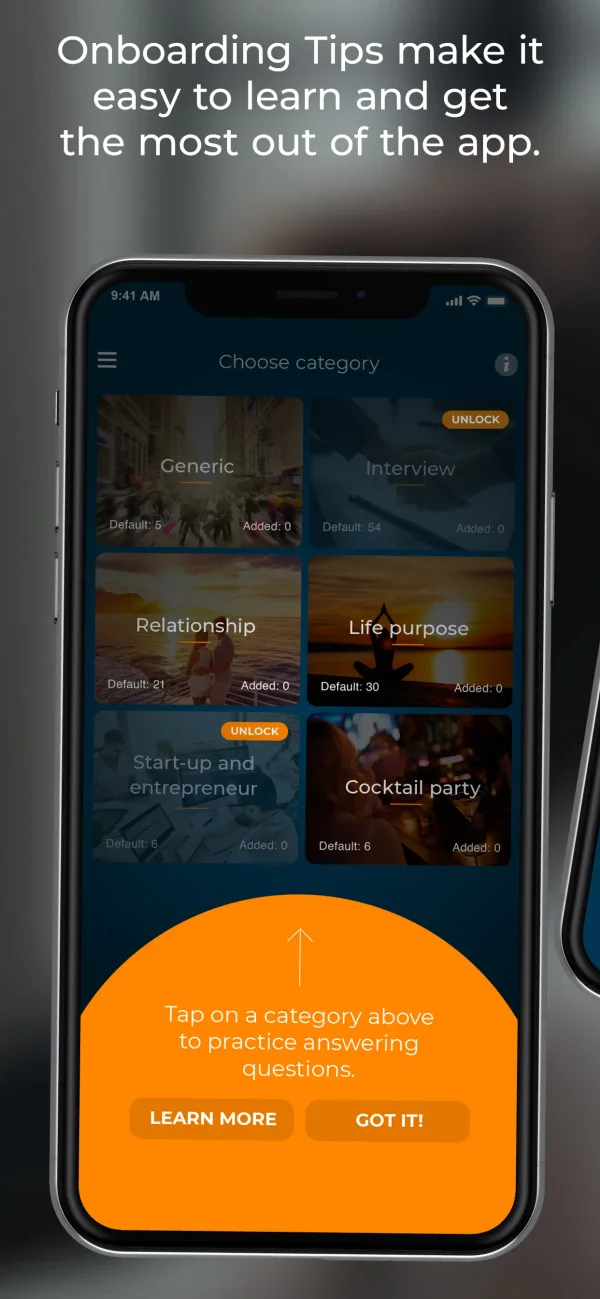
- Question Roulette lets you answer difficult questions or objections, with topics like general business, relationships, self-reflection, cocktail party banter, and many other public speaking situations.
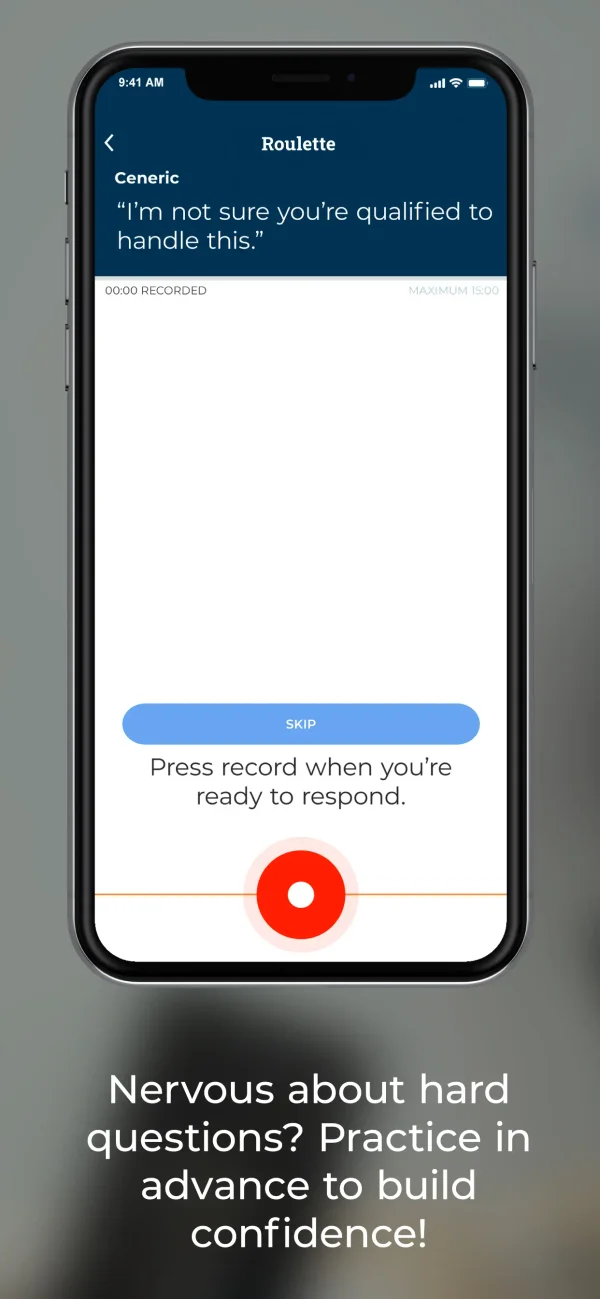
- Record your answer and listen to how you did. You can also read a transcript of your response, very useful for interview training.
- Get immediate, concrete feedback on: time speaking, amount and type of filler language, and pace of speech.
- Save your best recordings, rate yourself with self-assessments, and track your improvement.
- Share your best responses and get feedback from colleagues or friends, to take your speech training to the next level.
Answering tough questions is great for overall communications training. Examples include:
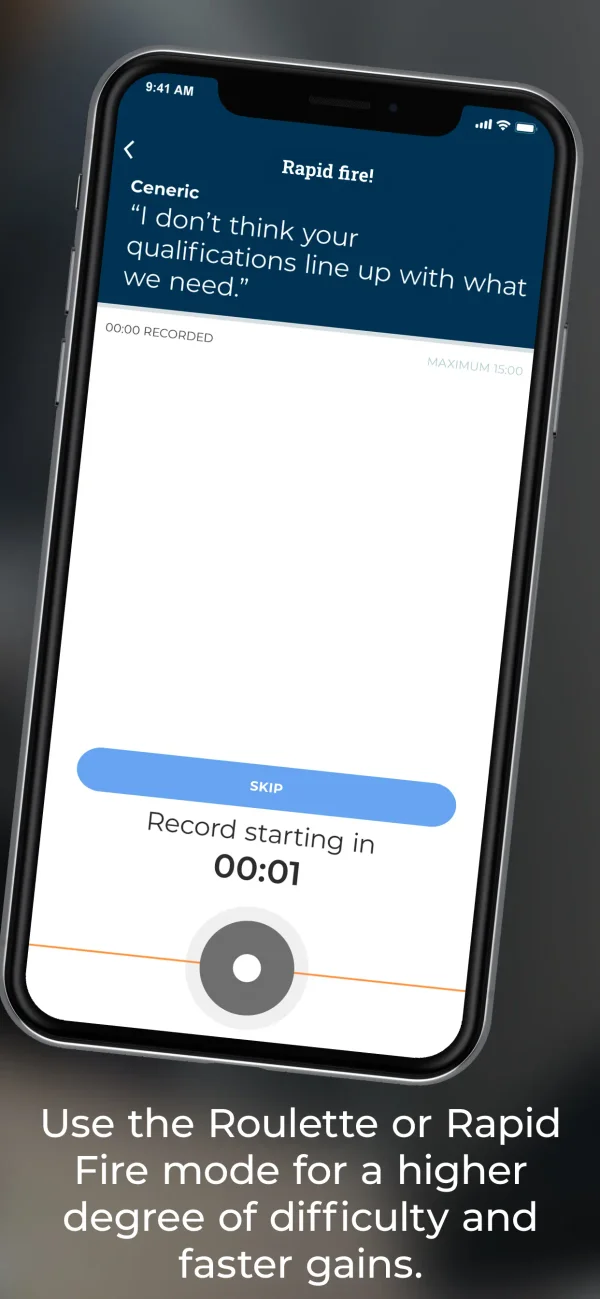
• “You’re not qualified for this position.”
• “What do you want to do with your life?”
• “Where is this relationship going?”
Practicing out loud is the best way to prepare for an interview or presentation, and our interview questions training app makes it easy and fun. Improve your performance and build confidence before you ever get in the room.
You can experience this interview training app in three different modes: choose the objection yourself, get one roulette question asked randomly with time to warm up, or get one question at random and start speaking immediately.
Choose Question:
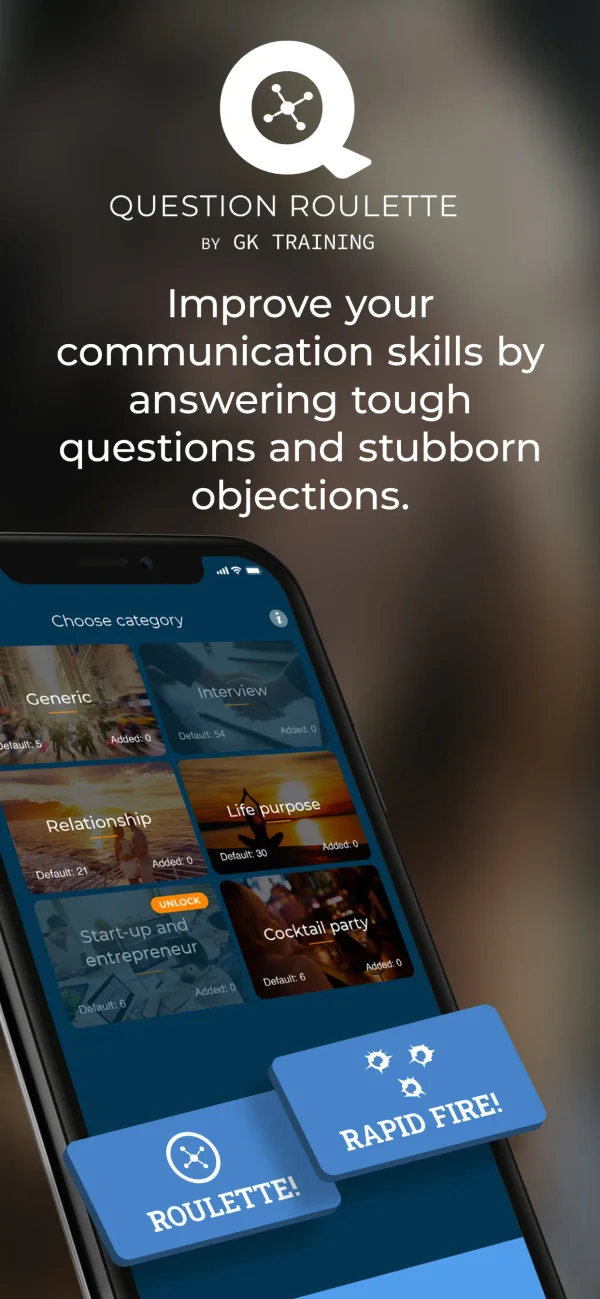
In the “Choose Category” screen, you can pick a topic area and then choose a question you want to practice answering for interview questions training. You can see default questions or ones you’ve created yourself (if you own a “Group Account”).
Roulette Mode:
This allows you to practice answering questions one after another, great for developing public speaking skills. In this mode, the app prompts you with a random question. You can think, prepare yourself, and start answering the roulette questions when you feel ready.
Rapid Fire:
The Rapid Fire mode challenges you to answer questions without having the time to prepare a response, which is excellent for interview skills training. In this mode, the app chooses a question at random for you, and you need to begin answering it when the three-second countdown ends.
Metrics for Recorded Answers:
Once you record an answer, Question Roulette creates a transcript and shows data about your response, such as time speaking, filler language used, and words per second. Our interview training app will give you concrete feedback on your answer and suggest tips and videos to help you improve your speaking skills.
Self-Assessment and Feedback:
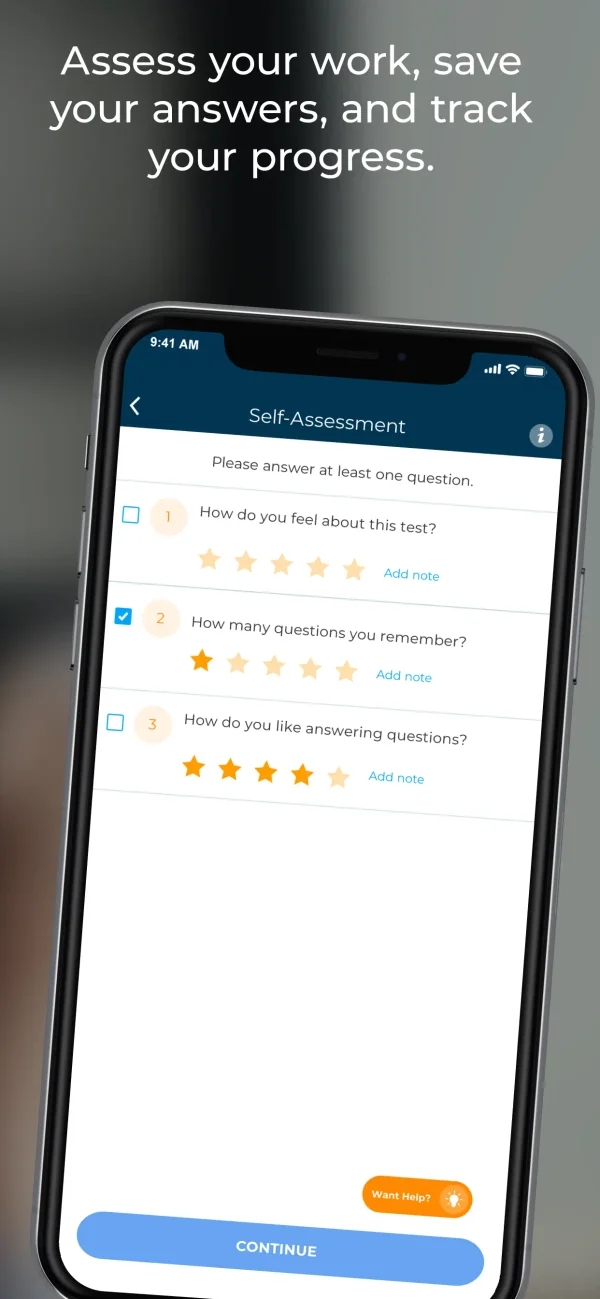
After you review your answer and do a self-assessment, you can delete or replay your recording, as well as save it for future reference. If you want to get feedback on your answers from other users, you can share it. Both the self-assessment and feedback are rated from 1 to 5 stars.
In-App Purchases:
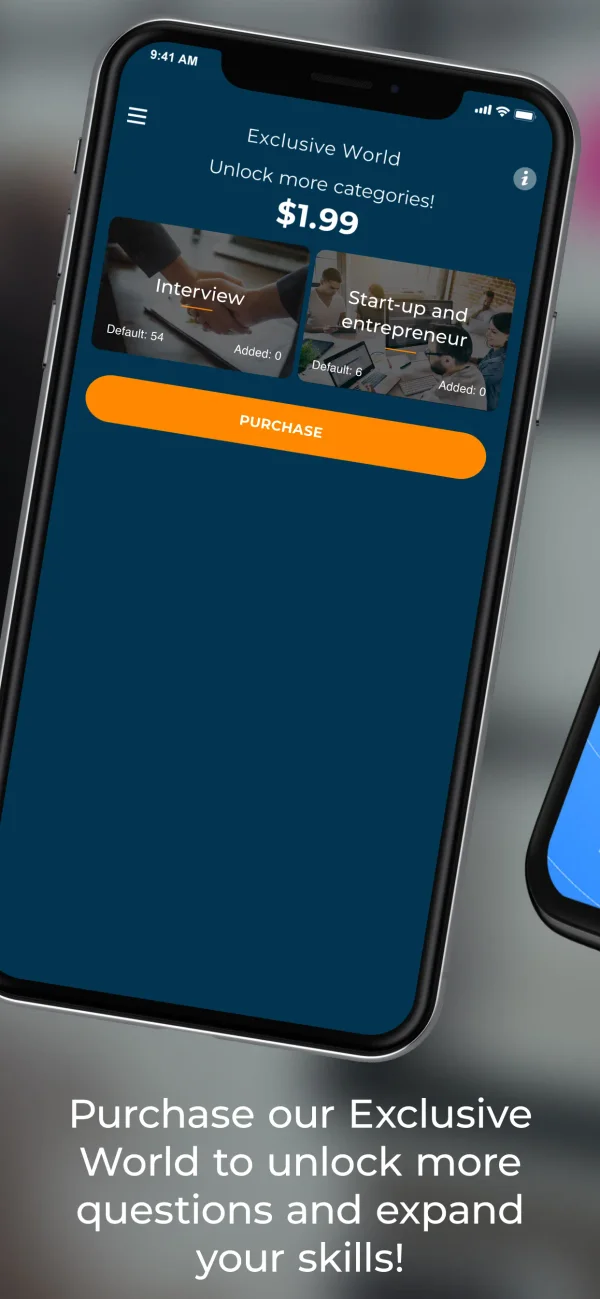
You can purchase the Exclusive World and unlock more questions in our roulette questions app. You’ll get exclusive access to 25+ additional questions related to job interviews, start-ups, and entrepreneurship!
Download the Question Roulette App and start speech training today to improve your communication skills!
EULA: https://www.apple.com/legal/internet-services/itunes/dev/stdeula/
Nouveautés
Version 2.3.24 · 03/11/2026
What’s New:
Fix bugs and enhance the features.
Confidentialité de l’application
Ce que GK Training and Communications déclare sur l’App Store au sujet du traitement des données par cette application.
-
Données utilisées pour vous suivre
Peuvent être utilisées pour vous suivre sur des applications et des sites web appartenant à d’autres sociétés.
- Coordonnées
- Contenu utilisateur
- Identifiants
- Données d’utilisation
- Diagnostic
-
Données établissant un lien avec vous
Peuvent être collectées et liées à votre identité.
- Coordonnées
- Contenu utilisateur
- Identifiants
- Données d’utilisation
- Diagnostic
Les pratiques en matière de confidentialité peuvent varier, notamment en fonction des fonctionnalités que vous utilisez ou de votre âge.
Informations
- Vendeur
- MCH Communications Inc.
- Catégorie
- Éducation
- Version
- 2.3.24
- Mis à jour
- 03/11/2026
- Publié
- 29/05/2018
- Taille
- 36,7 Mo
- Nécessite
- iOS 15.1 ou version ultérieure
- Classification d’âge
- 4+
- Prix
- Gratuit
- Achats intégrés
- Oui
- Langues
- Anglais
- Copyright
- © 2018 GK Training
Vous aimerez peut-être aussi
-
 Stage Master: Speak, ImpressÉducation
-
 Flourish - Soft Skills AppÉducation
-
 English Communication SkillsÉducation
-
 MicMentor: Public SpeakingÉducation
-
 Communication skills 2026Éducation
-
 Re:Mind AppÉducation
-
 Orato : Éloquence et élocutionCoach IA : art oratoire & oral
-
 Minutelore - Online coursesÉducation
-
 Debate ArenaÉducation
-
 Parla - Social IntelligenceÉducation