- Classification d’âge4+
- CatégorieProductivité
- DéveloppeurBhautik Gadhiya
- LanguesAnglais
- Taille15,2 Mo
Renvoie vers la page App Store officielle
Download.org n’héberge aucun fichier de Quick Doc Scanner. Le bouton ouvre la page de l’application sur App Store, où Bhautik Gadhiya la publie. Fiche vérifiée pour la dernière fois le 18/11/2026.
Captures d’écran



À propos
Le développeur n’a pas fourni ce texte dans votre langue.
Quick Doc Scanner – Scan, Enhance & Create PDF Documents On the Go!
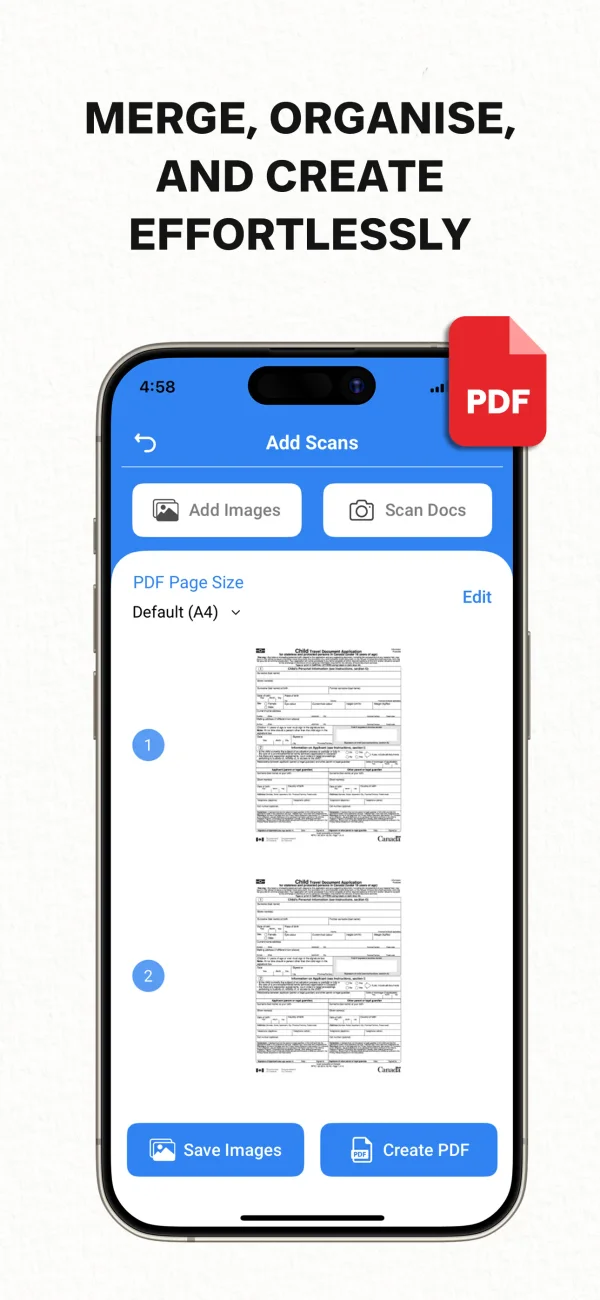
Turn your iPhone or iPad into a powerful pocket scanner with Quick Doc Scanner. Easily scan documents, receipts, notes, books, or whiteboards using your camera or existing images from your gallery. Organize, enhance, and convert your scans into high-quality PDFs or images – all in one streamlined app.
Scan Anything, Anytime
Capture documents instantly using your camera
Import multiple images directly from your gallery
Auto-detect edges with manual crop adjustment
Clean and accurate scans in seconds
Enhance Your Scans:
Apply smart filters to improve clarity and readability
Choose from multiple enhancement modes: black & white, grayscale, color boost, etc.
Adjust brightness, contrast, and sharpness manually if needed
Organize and Sort with Ease:
Drag and drop images to rearrange page order
Rename scans and group pages as per your preference
Preview before saving to ensure everything is just right
Save as PDF or Images:
Export your scanned documents as PDF or individual images
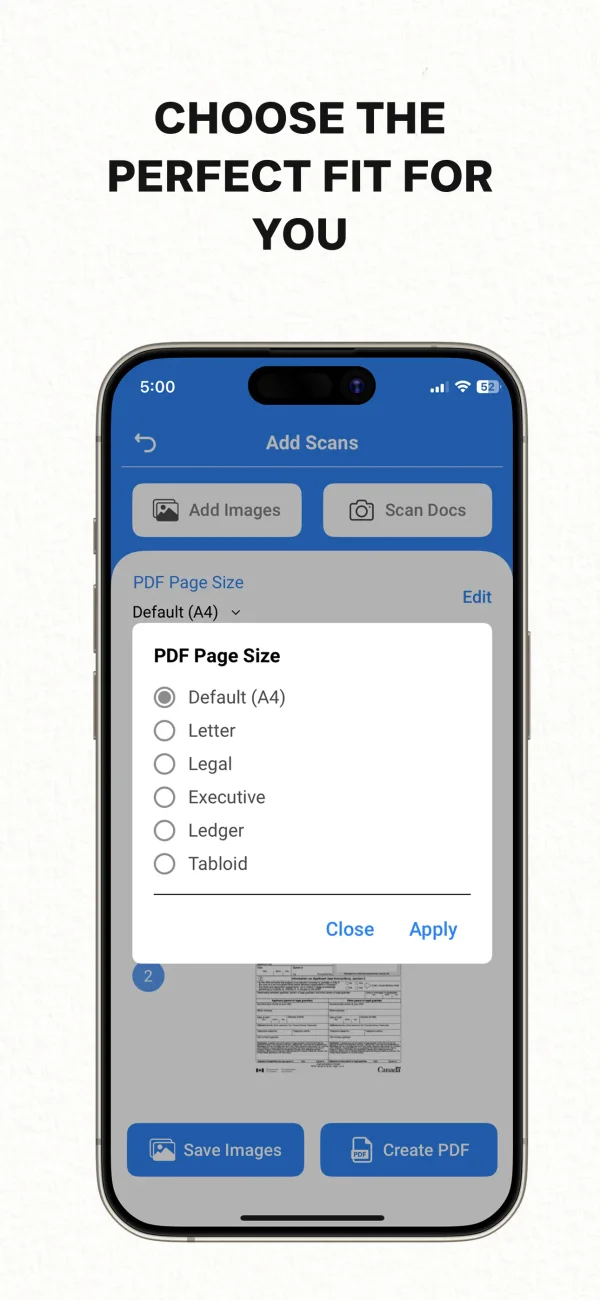
Customize page sizes, orientation, and margins before saving
Share via email, cloud drives, or other apps directly from the app
Edit Existing PDFs:
Re-open previously saved PDFs and make changes
Add, remove, or rearrange pages from old files
Enhance or replace existing pages with new scans or gallery images
Powerful & Easy-to-Use:
Clean and intuitive user interface
Lightweight, fast, and secure – no internet required for core features
Perfect for students, professionals, and everyday users
Whether you're managing business paperwork, scanning notes, or organizing personal documents, Quick Doc Scanner gives you full control with professional tools in your pocket.
We offer following plans:
- Doc Scanner One Month Premium: $1.00
- Document scanner unlimited: $10.00
Terms of use: https://www.apple.com/legal/internet-services/itunes/dev/stdeula/
Privacy policy: https://www.termsfeed.com/live/36a711f9-e927-4044-a72c-55969293d779
Nouveautés
Version 1.0.3 · 11/11/2025
- Update PDF and image functionality
- Improve User Experience
Confidentialité de l’application
Ce que Bhautik Gadhiya déclare sur l’App Store au sujet du traitement des données par cette application.
-
Données non collectées
Le développeur ne collecte aucune donnée à partir de cette application.
Les pratiques en matière de confidentialité peuvent varier, notamment en fonction des fonctionnalités que vous utilisez ou de votre âge.
Informations
- Vendeur
- KMSOFT
- Catégorie
- Productivité
- Version
- 1.0.3
- Mis à jour
- 11/11/2025
- Publié
- 16/07/2025
- Taille
- 15,2 Mo
- Nécessite
- iOS 16.0 ou version ultérieure
- Classification d’âge
- 4+
- Prix
- Gratuit
- Achats intégrés
- Oui
- Langues
- Anglais
- Copyright
- © 2023 KMSOFT!.
Vous aimerez peut-être aussi
-
 PDF Enhance: Scan HD & ProAffinage de texte et document
-
 PDF Export Pro - Éditeur PDFÉditer,Signe,Scanner,Fusionner
-
 Doc Align - Perspective FixerProductivité
-
 EasyScan : scanner PDF et OCRNumériser en texte et image
-
 CameraScan:Document ScannerProductivité
-
 Docusy: Éditeur & Scanner PDFNumériser et signer des PDF
-
 JioSmartLivingProductivité
-
 PDF Scanner - ScanyProductivité
-
 Grille - CalendrierEvenement Time calendar
-
 PDF Compress - Reduce PDF SizeProductivité