- Classification d’âge4+
- CatégorieUtilitaires
- DéveloppeurRyo Tazaki
- LanguesAnglais+ 1 de plus
- Taille30,6 Mo
Quick3D CAD Viewer n’est peut-être pas disponible sur App Store pour le moment
La fiche de la boutique était inaccessible lors de notre dernière vérification. Le lien mène toujours à la page App Store officielle.
Captures d’écran

À propos
Le développeur n’a pas fourni ce texte dans votre langue.
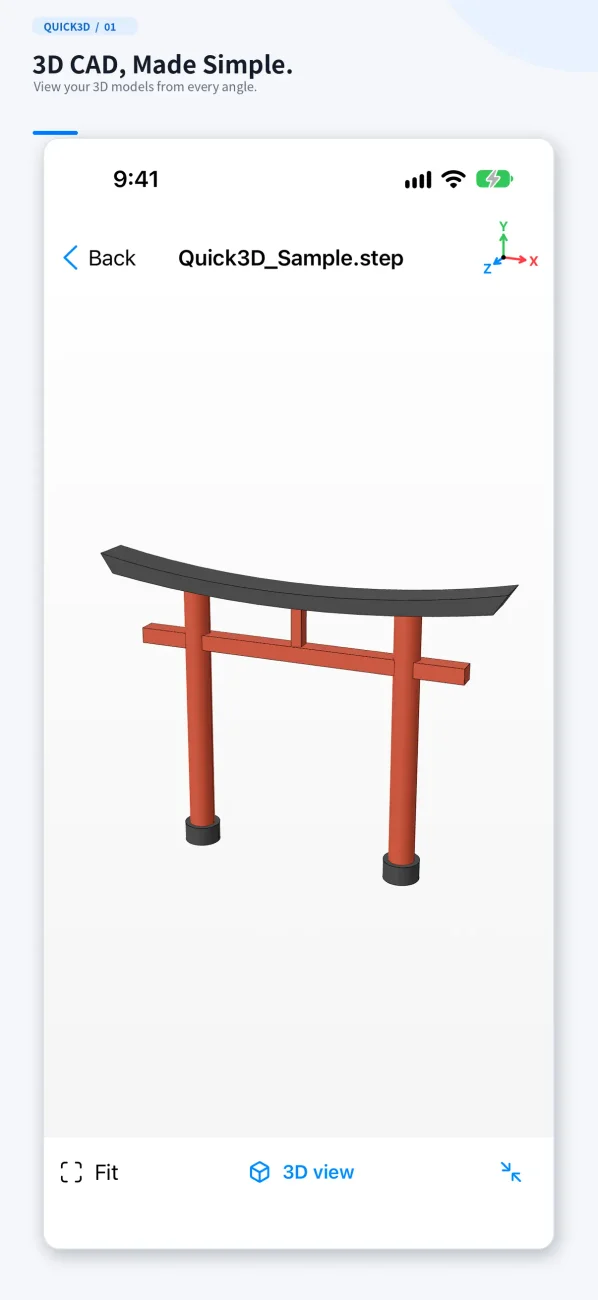
Quick3D Viewer is a free, ad-supported 3D viewer for iPhone and iPad. View models, take measurements and explore CAD geometry on your device, whether you are reviewing a design, checking a part on the shop floor or inspecting a model for 3D printing.
V2.0 introduces a contextual interface that presents tools for the current task, with an iOS light-mode-based design. Move between 3D viewing, the model tree, measurement and analysis.
Supported formats
STEP / STP, IGES / IGS, STL, OBJ, PLY, 3MF, GLB / glTF and USDZ / USD.
Available hierarchy, colors and units depend on the format and file. Mesh display supports static geometry and base colors, with limitations for textures, transparency and animation.
Viewing and measurement
- Rotate, zoom, pan and fit the model to the view.
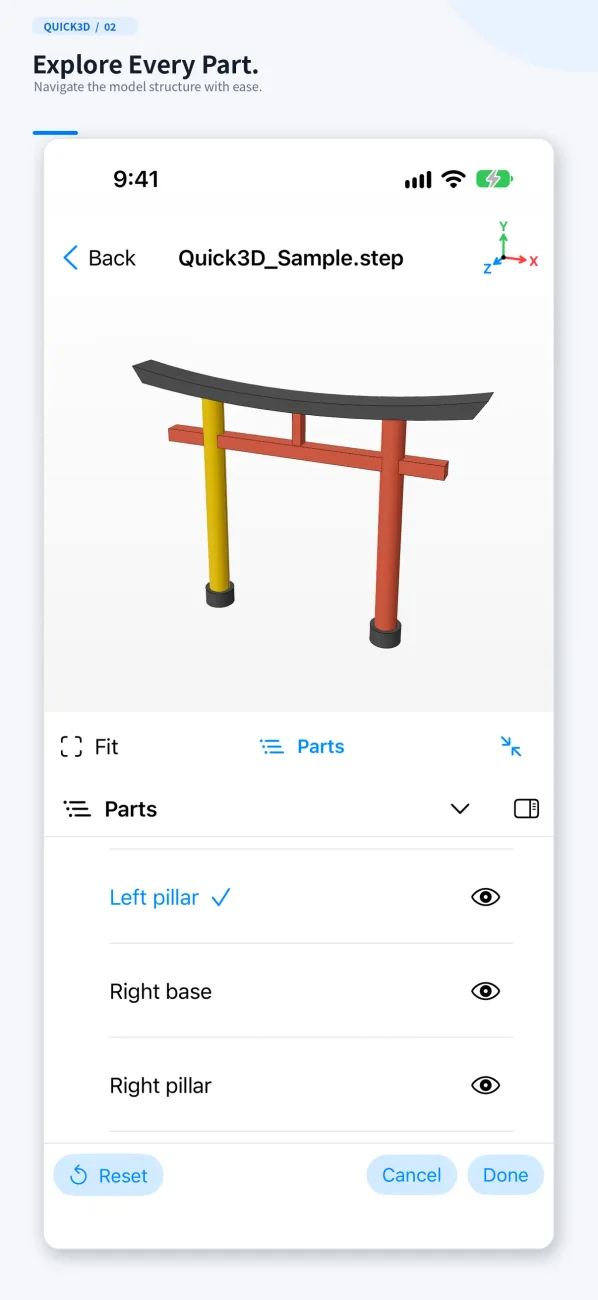
- Select parts and control their visibility in the model tree.
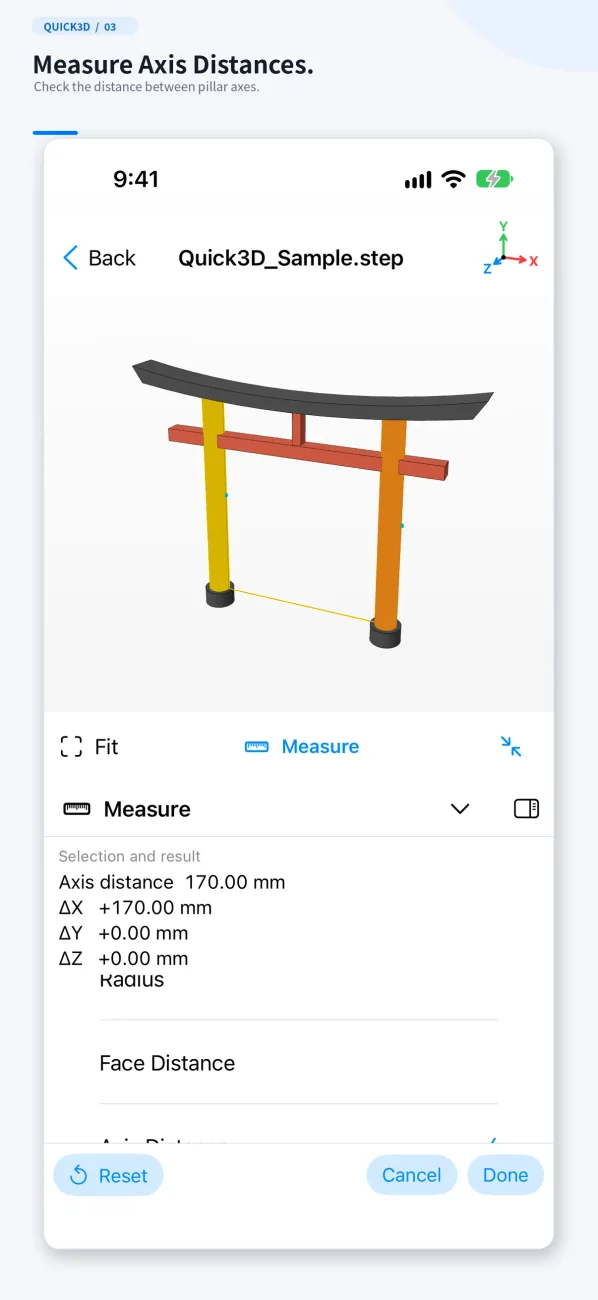
- Measure point-to-point distance, diameter, radius, planar-face distance and cylinder-axis distance where the geometry and format support them.
- Keep up to 10 recent files.
- Hide viewer banner ads using the existing full-screen mode.
CAD analysis in V2.0
- Bounding dimensions: inspect model-coordinate X, Y and Z dimensions for the whole model or a selected body, in mm or inches.
- Volume, mass and centroid: calculate properties of a valid single closed solid. Use material density presets or a custom density and show a centroid marker.
- 3D annotations: place pins, leaders and comments on the model, save them on your device and reopen them later.
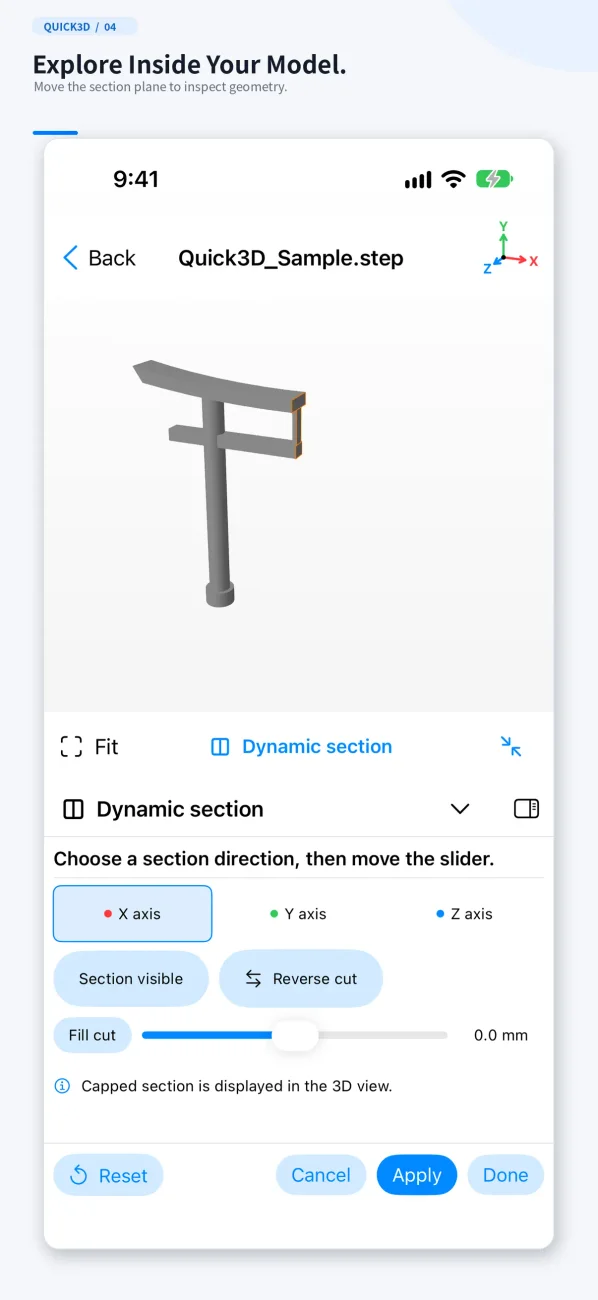
- Dynamic sections: set the plane direction and position for a section preview and B-Rep section lines.
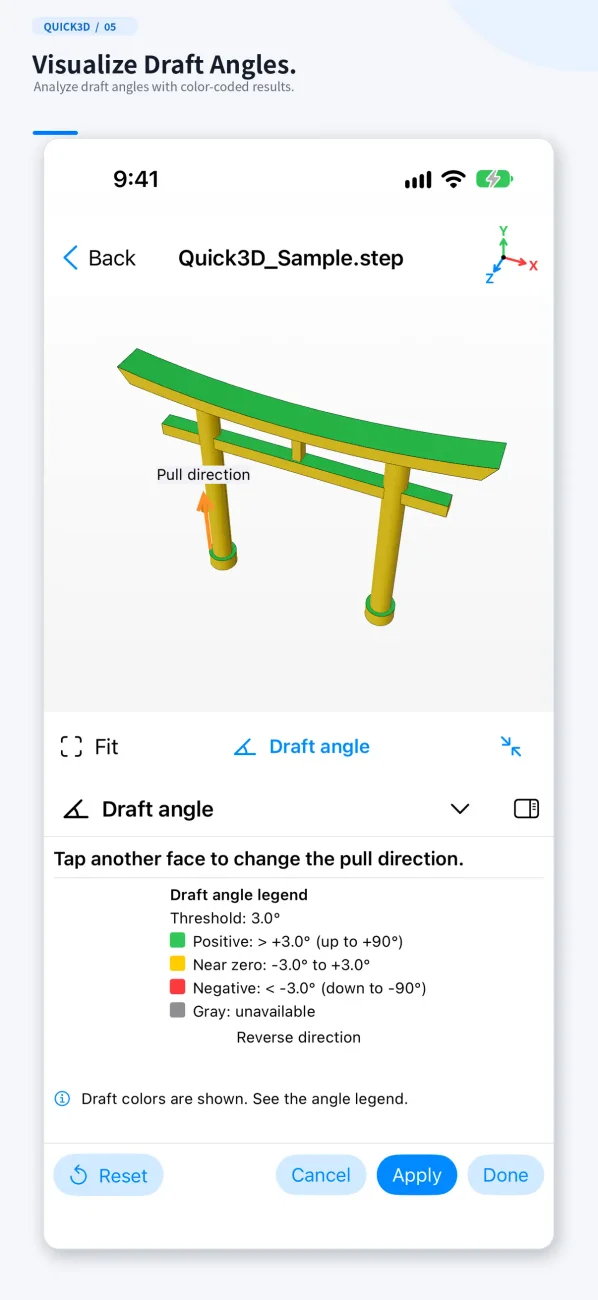
- Integrated draft and undercut analysis: inspect color-coded draft angles and sampled undercut candidates for a specified straight pull direction.
- STEP comparison: select bodies from the same assembly or separate files. View removed, added and common regions with their volumes.
Scope and limitations
B-Rep analysis requires STEP or IGES geometry. Volume, mass and comparison require valid closed solids. Assembly overlaps are not automatically removed to calculate a total. Comparison operates on one closed solid per side in the same coordinate system.
Comparison and capped sections are limited to 2,000 faces per target; CPU section previews accept up to 100,000 input triangles. Draft and undercut results are approximate, can miss small features and do not guarantee manufacturability. Mass calculated from density is an estimate.
Mesh formats lack analytic CAD surface information, so some measurements and analyses are unavailable. Assumed or unknown units are identified. Point-to-point measurement may also be unavailable for USD files whose units cannot be read.
Privacy
Model loading and analysis run on your device. The app does not upload CAD files to a developer-operated analysis server. Recent-file history and annotations are stored on your device. Google AdMob provides advertising and Google UMP handles consent management. See the privacy policy for advertising-related data practices.
Japanese and English interfaces are supported.
Nouveautés
Version 2.0 · 09/11/2026
V2.0 introduces a contextual interface with an iOS light-mode-based design.
- Access 3D viewing, the model tree, measurement and analysis tools for the current task.
- Measure cylinder-axis distances where supported by the geometry and format.
- Explore dynamic sections with adjustable direction and position.
- Inspect draft angles and straight-pull undercut candidates in an integrated analysis workflow.
- Compare STEP shapes using bodies from the same assembly or separate files.
- Add 3D annotations and inspect bounding dimensions, volume, density-based mass and centroid markers.
Comparison requires valid single closed solids in the same coordinate system. Analysis availability depends on the format and geometry. Approximation notices and processing limits are shown in the app.
Confidentialité de l’application
Ce que Ryo Tazaki déclare sur l’App Store au sujet du traitement des données par cette application.
-
Données utilisées pour vous suivre
Peuvent être utilisées pour vous suivre sur des applications et des sites web appartenant à d’autres sociétés.
- Identifiants
-
Données établissant un lien avec vous
Peuvent être collectées et liées à votre identité.
- Identifiants
- Données d’utilisation
- Diagnostic
-
Données n’établissant aucun lien avec vous
Peuvent être collectées, mais ne sont pas liées à votre identité.
- Emplacement
Les pratiques en matière de confidentialité peuvent varier, notamment en fonction des fonctionnalités que vous utilisez ou de votre âge.
Informations
- Vendeur
- Ryo Tazaki
- Catégorie
- Utilitaires
- Version
- 2.0
- Mis à jour
- 09/11/2026
- Publié
- 01/10/2026
- Taille
- 30,6 Mo
- Nécessite
- iOS 18.6 ou version ultérieure
- Classification d’âge
- 4+
- Langues
- Anglais, Japonais
- Copyright
- © 2026 Ryo Tazaki