
QuickCollage: Collage Maker
Photo Collage, Photo Editor
Conçue pour iPhone, iPod touch
Gratuit
- Classification d’âge4+
- CatégoriePhoto et vidéo
- DéveloppeurRohit Kanade
- LanguesAnglais
- Taille39,3 Mo
Renvoie vers la page App Store officielle
Download.org n’héberge aucun fichier de QuickCollage: Collage Maker. Le bouton ouvre la page de l’application sur App Store, où Rohit Kanade la publie. Fiche vérifiée pour la dernière fois le 17/11/2026.
Captures d’écran
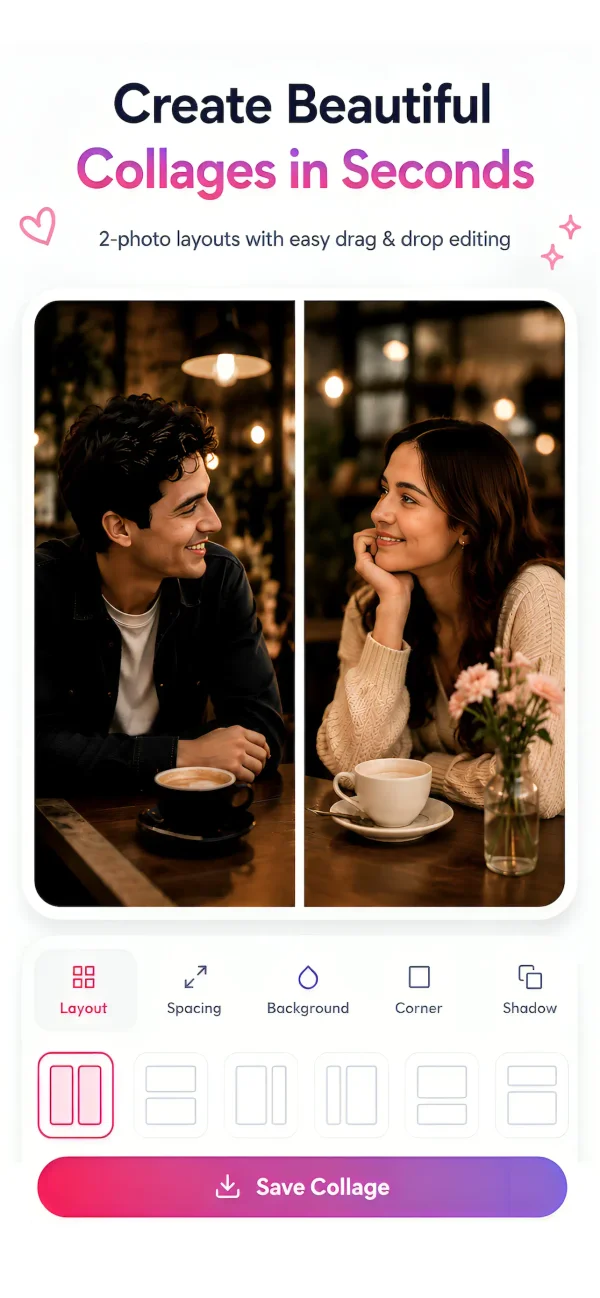



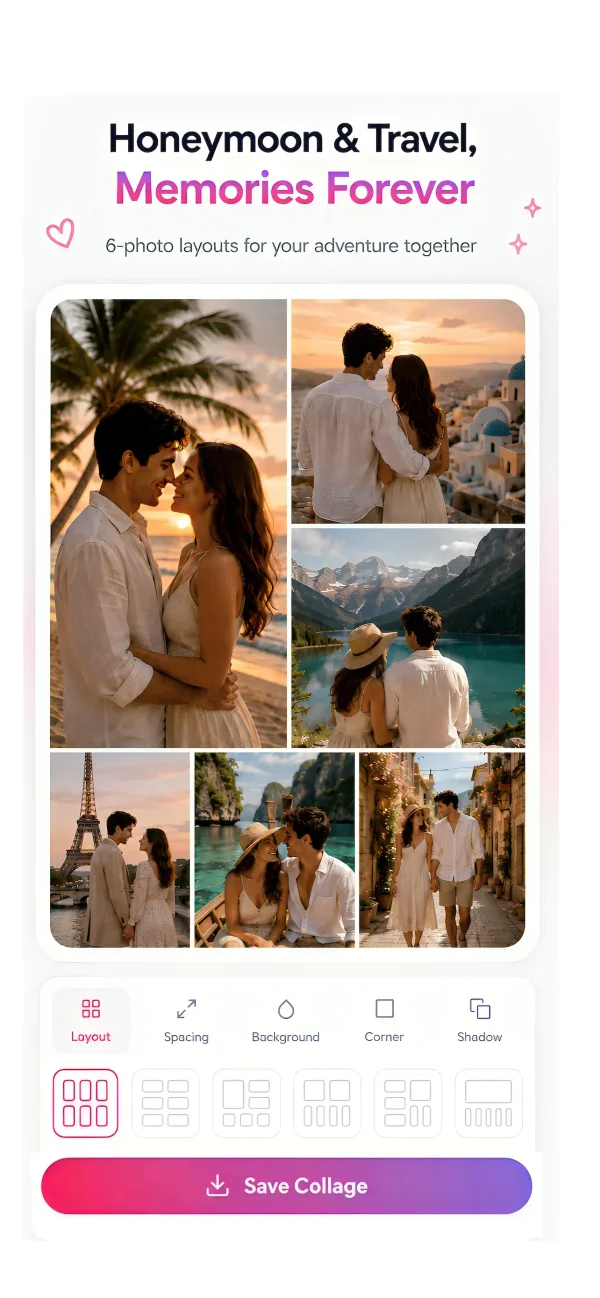
À propos
Le développeur n’a pas fourni ce texte dans votre langue.
Create stunning photo collages in seconds — 100% offline, 100% private.
QuickCollage is a free collage maker that helps you combine your favorite photos into beautiful collages, grids, and layouts. Choose up to 10 photos, pick a template, customize spacing and colors, add text and stickers, then save or share instantly.
No accounts. No tracking. No internet required.
KEY FEATURES
• Beautiful collage layouts and photo grid templates
• Create collages with up to 10 photos
• Add text, stickers, emojis, and fun decorations
• Apply photo filters, gradients, and patterned backgrounds
• Drag, rotate, reorder, and swap photos easily
• Customize spacing, borders, backgrounds, and colors
• One-tap aspect ratios for Instagram, Stories, and TikTok
• Undo and redo editing actions instantly
• Choose export quality for high-resolution images
• Save high-quality collages directly to your photo library
• Share instantly to Instagram, Messages, TikTok, and more
• Fast, lightweight, and easy to use
PRIVACY FIRST
Your photos never leave your device. QuickCollage works entirely offline with no accounts, no tracking, and no data collection.
PERFECT FOR
• Instagram stories and social media posts
• Mood boards and vision boards
• Family memories and travel highlights
• Before-and-after comparisons
• Creative photo edits and aesthetic layouts
Download QuickCollage today and start creating beautiful collages for free.
Email: contact@nine99.biz
Website: https://nine99.biz/
Privacy Policy: https://nine99.biz/quickcollage-privacy.html
Terms & Conditions: https://nine99.biz/quickcollage-terms.html
Nouveautés
Version 4.0.0 · 14/06/2026
QuickCollage just leveled up — your new favorite photo collage maker is more fun than ever!
- Add text & stickers, drop in playful emojis, and search a bigger sticker library
- Spice up your grids with photo filters, gradients, and pretty pattern backgrounds
- Pack up to 10 photos into fresh collage layouts & templates
- One-tap aspect ratios made for Instagram, Stories & TikTok
- Rotate, reorder, swap photos, and undo/redo like a pro
- Choose your export quality for crisp, share-ready pics
We also smoothed out sharing, sped things up, and squashed pesky bugs.
Make it. Mix it. Share it.
Questions or feedback? Email- contact@nine99.biz
Loving QuickCollage? Leave us a review!
Confidentialité de l’application
Ce que Rohit Kanade déclare sur l’App Store au sujet du traitement des données par cette application.
-
Données n’établissant aucun lien avec vous
Peuvent être collectées, mais ne sont pas liées à votre identité.
- Identifiants
- Données d’utilisation
Les pratiques en matière de confidentialité peuvent varier, notamment en fonction des fonctionnalités que vous utilisez ou de votre âge.
Informations
- Vendeur
- Rohit Kanade
- Catégorie
- Photo et vidéo
- Version
- 4.0.0
- Mis à jour
- 14/06/2026
- Publié
- 01/06/2026
- Taille
- 39,3 Mo
- Nécessite
- iOS 15.1 ou version ultérieure
- Classification d’âge
- 4+
- Prix
- Gratuit
- Langues
- Anglais
- Copyright
- © 2026 Nine99 Innovation Lab (OPC) Pvt Ltd
Vous aimerez peut-être aussi
-
 Créateur Photo CollageMise en page, grille photo
-
 Easy Photo GridPhoto et vidéo
-
 Plain CollagePhoto et vidéo
-
 Collalike: Photo Collage MakerGrille, Mise en page & Éditeur
-
 Collage Photos - CollageKitPhoto Video Collage Maker
-
 Photo Editor * Collage MakerPhoto et vidéo
-
 Side by Side Photo Editor GridPhoto et vidéo
-
 Photo Collage Montage CadresColler et encadrer deux photos
-
 Collage Photos, Montage PhotosGomme,Grille,Éditeur de photos
-
 Photo Collage Maker,Free of adPhoto et vidéo