- Classification d’âge4+
- CatégorieÉducation
- DéveloppeurRonit Amar Bhatia
- LanguesAnglais
- Taille990,6 Mo
Renvoie vers la page App Store officielle
Download.org n’héberge aucun fichier de Quivlo. Le bouton ouvre la page de l’application sur App Store, où Ronit Amar Bhatia la publie. Fiche vérifiée pour la dernière fois le 21/11/2026.
Captures d’écran

À propos
Le développeur n’a pas fourni ce texte dans votre langue.
Quivlo helps you turn information overload into clear, memorable flashcards.
Paste text, add an article link, or import a screenshot, and Quivlo uses on-device AI to identify the most valuable ideas, rewrite them into clear flashcards, and organize them into a format you can review, edit, and share. The result is a faster, more private, and more seamless way to turn reading into usable knowledge.
Whether you’re learning from articles, research notes, newsletters, study material, or saved screenshots, Quivlo helps you capture what matters and retain it.
What you can do with Quivlo:
1. Create cards from pasted text
Paste raw notes, copied highlights, or long-form content and generate structured flashcards quickly.
2. Extract text from article links
Paste a URL and Quivlo pulls readable article text so you can generate cards without manual cleanup.
3. Import screenshots with OCR
Capture text from screenshots and convert it into editable study cards.
4. Generate with on-device AI
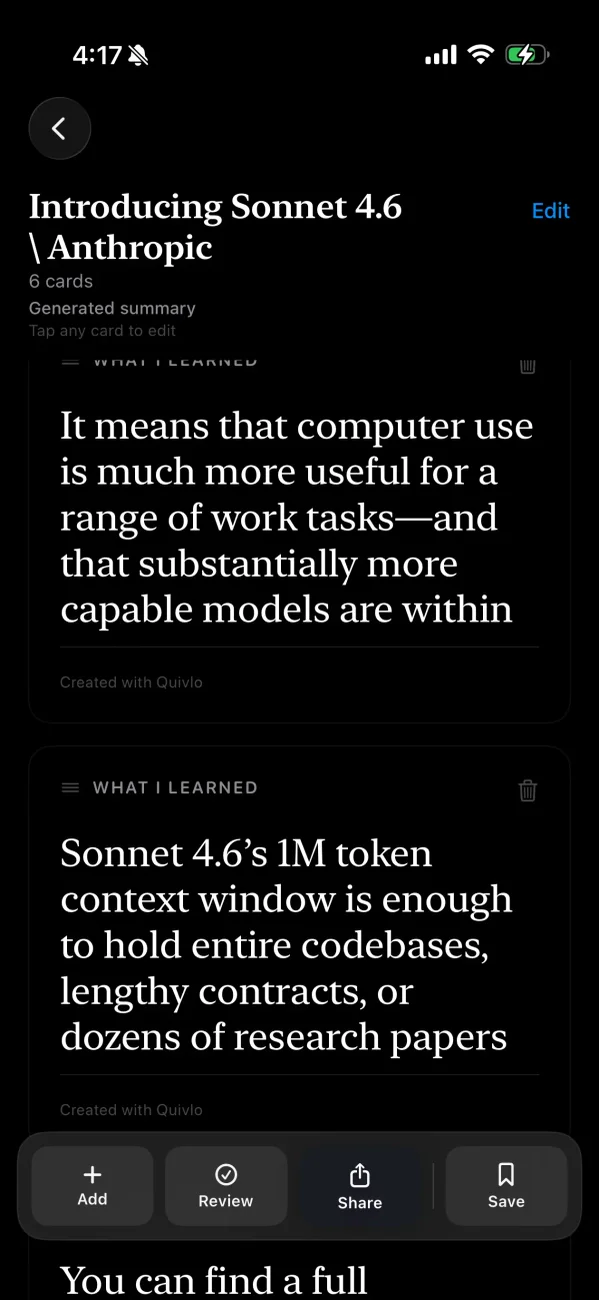
Quivlo uses on-device AI to analyze source material, surface high-value ideas, and rewrite them into more useful flashcards for learning and recall.
5. Edit every card your way
Refine wording, reorder cards, delete weaker cards, and add new ones to shape the final set the way you want.
6. Review and polish before sharing
Use review mode to tighten your message and prepare a clean final card set.
7. Share ready-to-post card images
Export cards as crisp PNG images for LinkedIn-style carousels or share through Messages, AirDrop, Files, and more.
8. Save your best sets
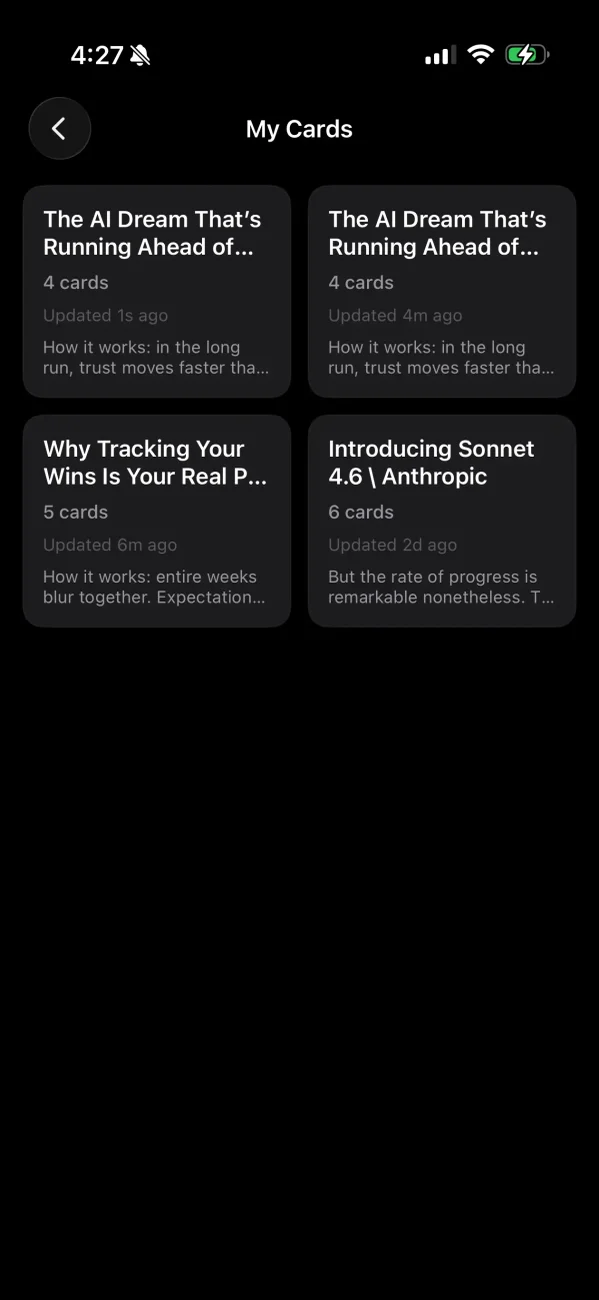
Store card sets in My Cards, reopen them anytime, rename, update, and reuse them later.
Why Quivlo:
1. On-device AI for a more private and responsive experience
2. Fast capture from multiple inputs including text, links, and screenshots
3. Clear, readable flashcards designed for learning, retention, and communication
4. Full editing control before review or sharing
5. No account required for the core experience
Use Quivlo to study smarter, summarize faster, and turn reading into reusable knowledge.
Nouveautés
Version 2.0 · 29/03/2026
Quivlo is now faster, smarter, and more reliable. This release introduces on-device AI-powered flashcard generation, allowing Quivlo to process text directly on your device for a more seamless, responsive, and private experience.
We also improved how Quivlo identifies and rewrites the most valuable ideas from longer text and article inputs, helping generate flashcards that feel clearer, more relevant, and more useful for learning and recall. Alongside these AI upgrades, this update enhances progress visibility during creation and delivers a more polished end-to-end experience.
Confidentialité de l’application
Ce que Ronit Amar Bhatia déclare sur l’App Store au sujet du traitement des données par cette application.
-
Données non collectées
Le développeur ne collecte aucune donnée à partir de cette application.
Les pratiques en matière de confidentialité peuvent varier, notamment en fonction des fonctionnalités que vous utilisez ou de votre âge.
Informations
- Vendeur
- Ronit Amar Bhatia
- Catégorie
- Éducation
- Version
- 2.0
- Mis à jour
- 29/03/2026
- Publié
- 04/03/2026
- Taille
- 990,6 Mo
- Nécessite
- iOS 17.0 ou version ultérieure
- Classification d’âge
- 4+
- Prix
- Gratuit
- Langues
- Anglais
- Copyright
- © 2026 Quivlo. All rights reserved.
Vous aimerez peut-être aussi
-
 Campus CredentialsÉducation
-
 Bloom AI NotebookÉducation
-
 iNote- Notes,Study,CollaborateÉducation
-
 Vedic Maths : Trucs de calculCalcul mental rapide
-
 Dryden Central Schools NYÉducation
-
 Gluten Free Scanner: GluRéférences
-
 JCSC MobileRéférences
-
 Snap Learn - AI CartesApprendre avec IA
-
 Osho Talks - Audio DiscoursesÉducation
-
 Simplified GRE VocabularyÉducation