
Recontrol: Plan, Budget, Split
For couples, family and trips
Conçue pour iPhone, iPad
Gratuit · Achats intégrés
- Classification d’âge17+
- CatégorieFinance
- DéveloppeurMrinal Wahal
- LanguesAnglais
- Taille63,6 Mo
Renvoie vers la page App Store officielle
Download.org n’héberge aucun fichier de Recontrol: Plan, Budget, Split. Le bouton ouvre la page de l’application sur App Store, où Mrinal Wahal la publie. Fiche vérifiée pour la dernière fois le 23/11/2026.
Captures d’écran
À propos
Le développeur n’a pas fourni ce texte dans votre langue.
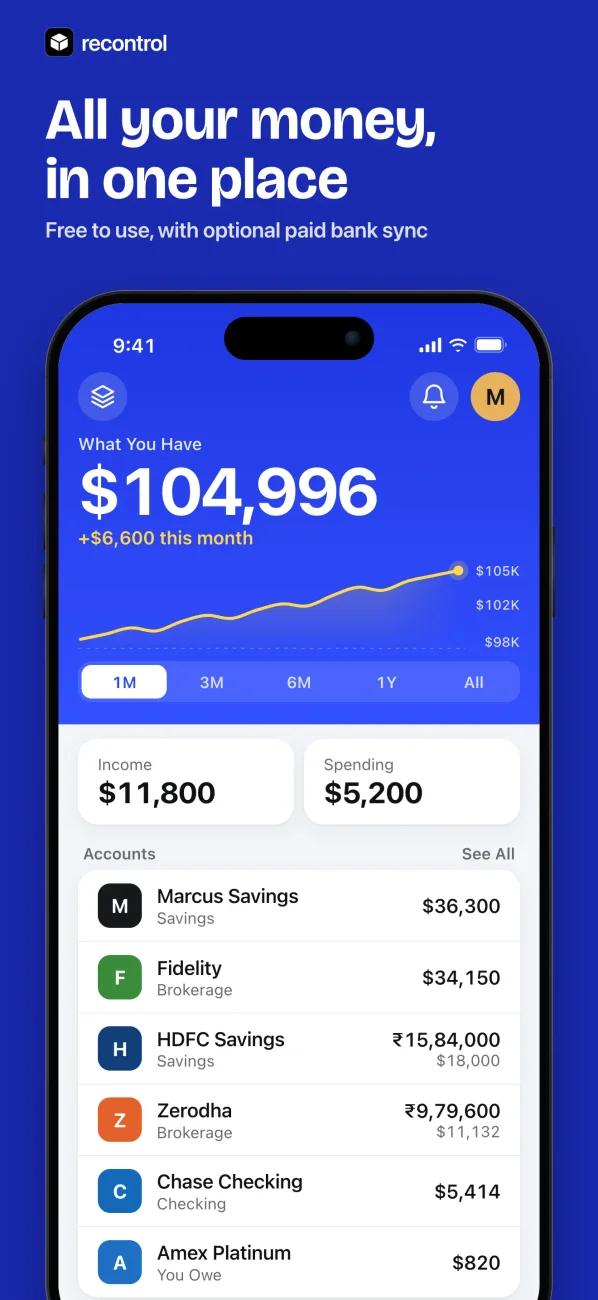
Recontrol brings every bank account, card, loan and investment into one money app, with budgets and goals that always add up: on your own, or with the people you share costs with.
See where your money stands
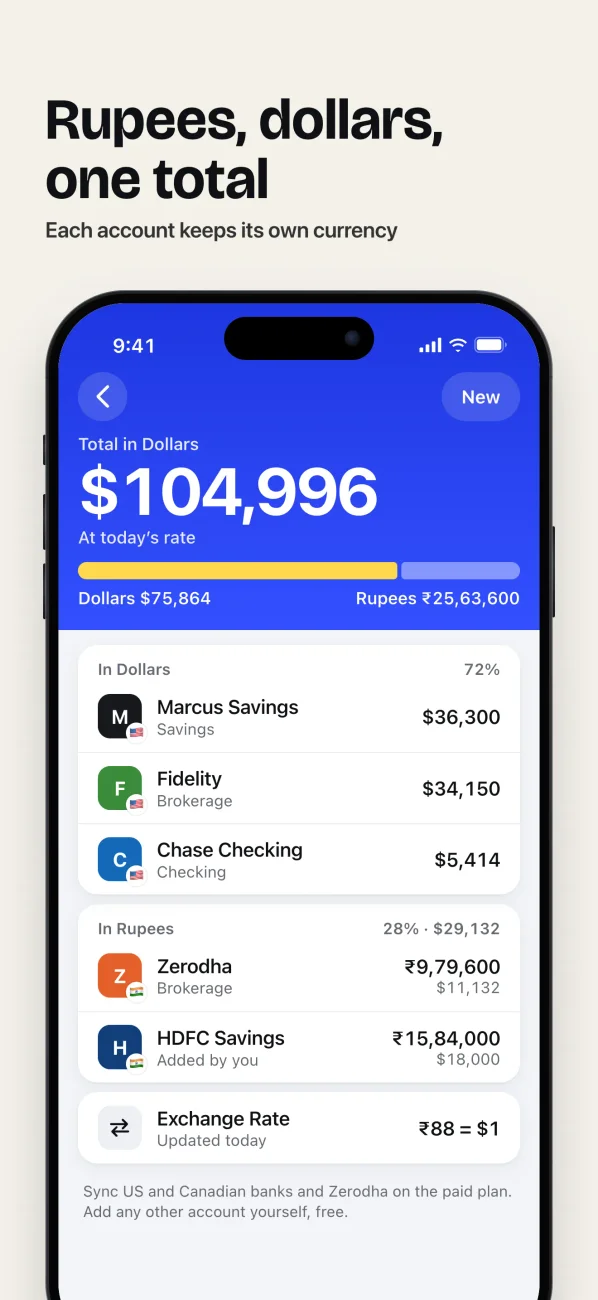
Assets, liabilities, income sources and expenses each have their own screen, with clear charts and every account behind them. A shared space adds People: who has paid what, and who pays whom. Each account keeps its own currency, and the space adds them up in the currency you pick, at each day's rate.
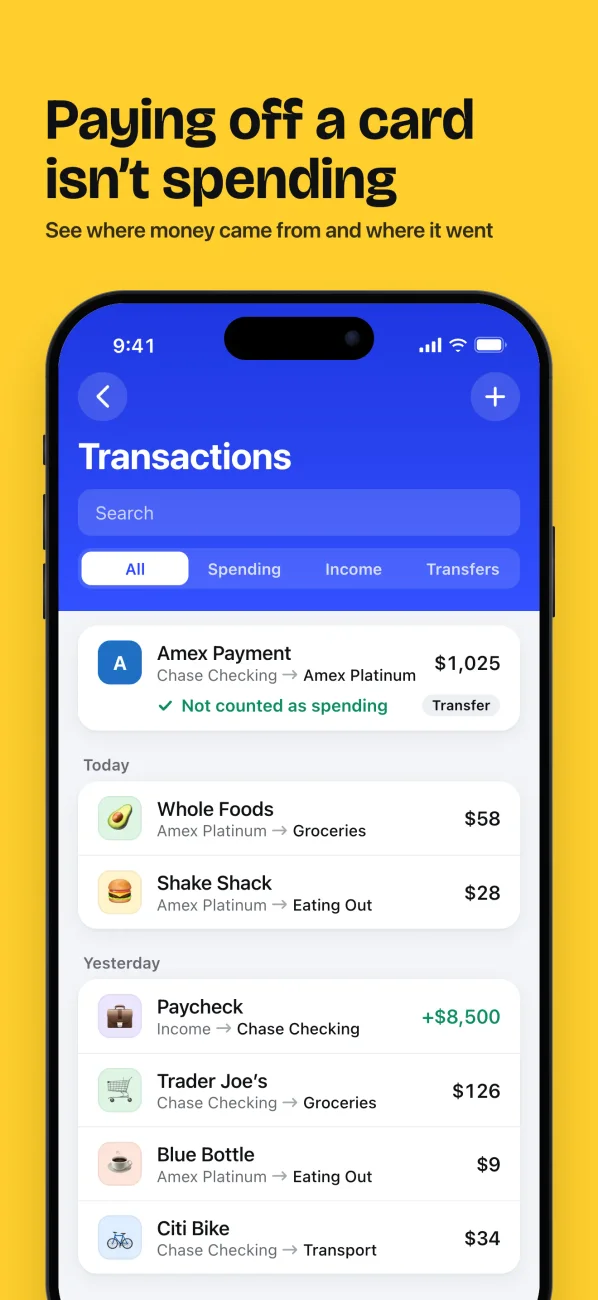
Every transaction says where money came from and where it went
From and To, on every transaction, so a transfer is never counted twice and every balance checks out. A day-by-day list with search and filters. Set rent or a subscription to recur, and record it with a tap when it's due.
Budgets that tell you where you stand
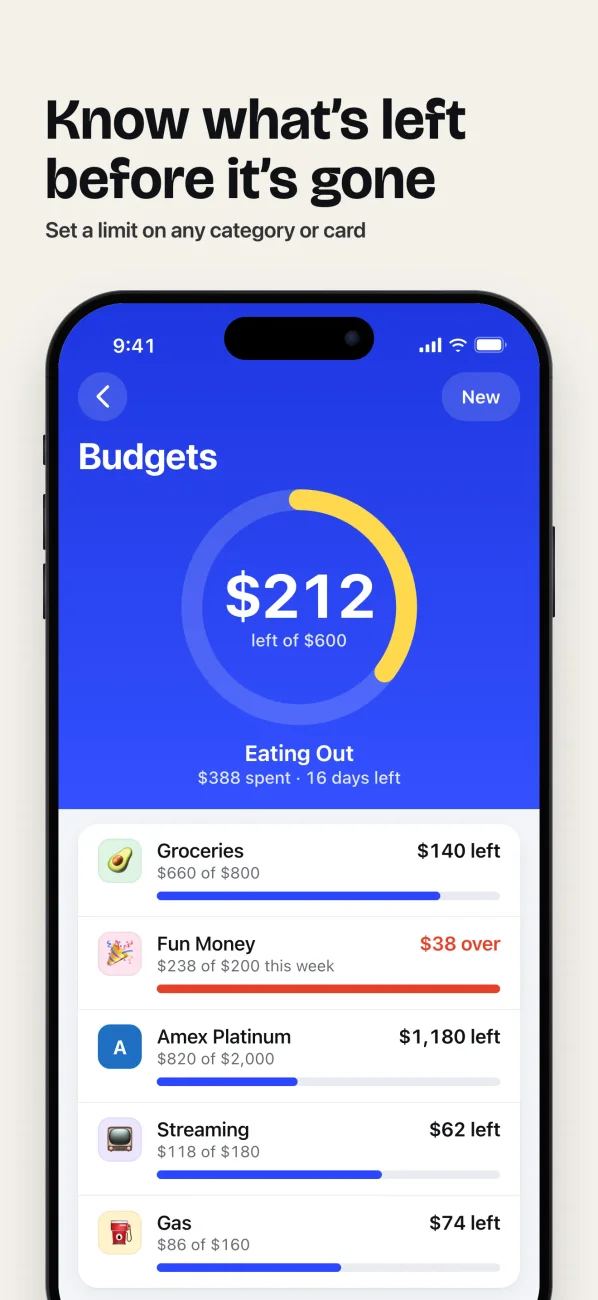
Set a limit for a week, a month, a quarter or a year on the categories you spend through. Each budget shows what's spent, what's left and the days it has to last. Its figure turns red once the limit is passed.
Goals and watchlists
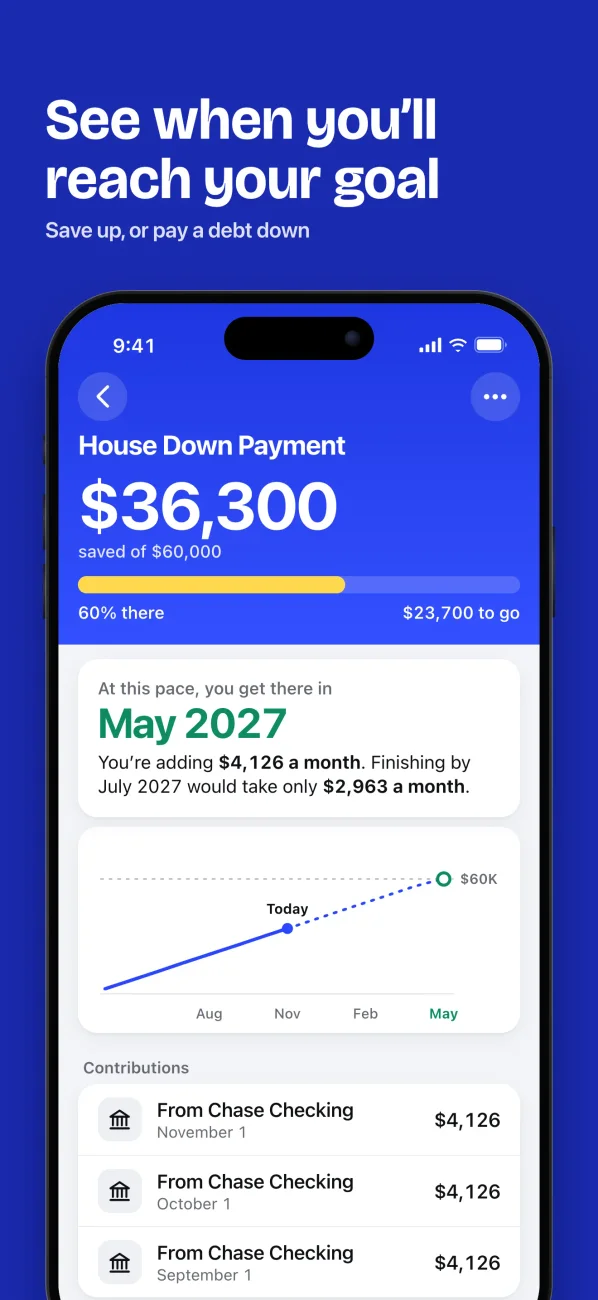
Save toward a goal or pay a debt down, and see whether you're on track. Follow any total you care about, like cash on hand or a portfolio, with a watchlist.
A space for each part of your life
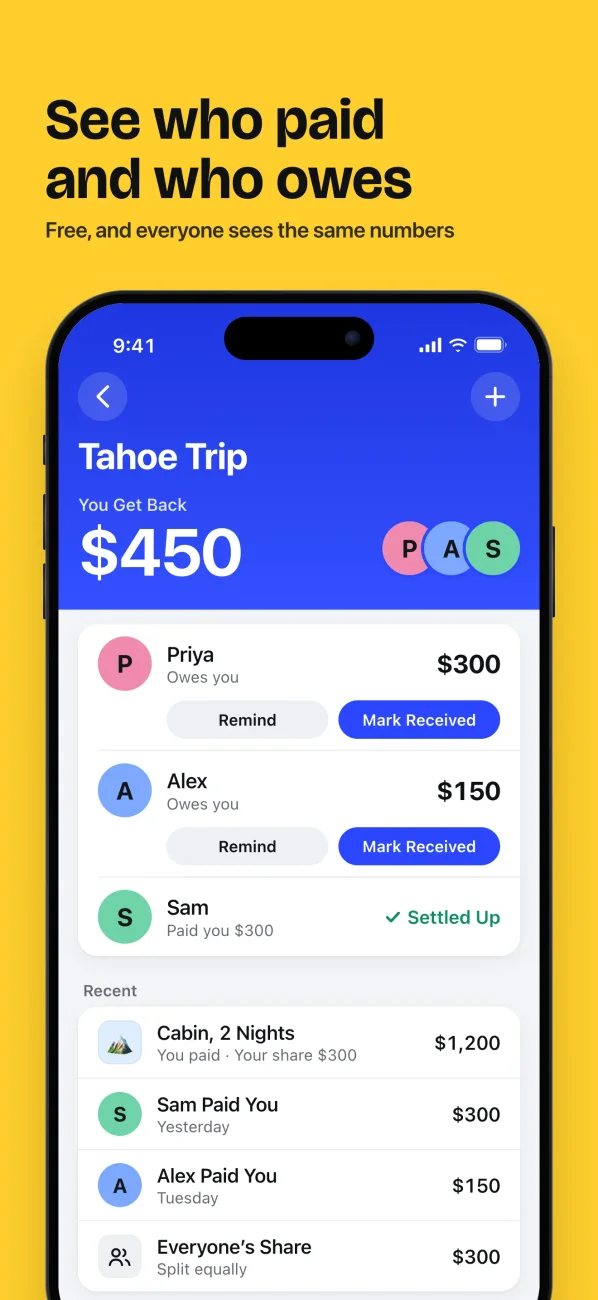
Personal is yours alone. A Household shares the bills and shows what each of you has put in. A Group shares costs with friends, housemates or a trip, even people not on Recontrol, and shows the payments that settle it. A Company shows what the business owes each person who paid for it. Everyone in a space sees what's in it; a role decides what each person can change.
Connect your banks
Link bank accounts and cards in the US and Canada through Plaid, and stock and mutual fund holdings from Zerodha in India, so balances and transactions arrive by themselves. Or keep everything by hand. Recontrol only reads: it can never move your money.
Ask Chat, or your own AI tool
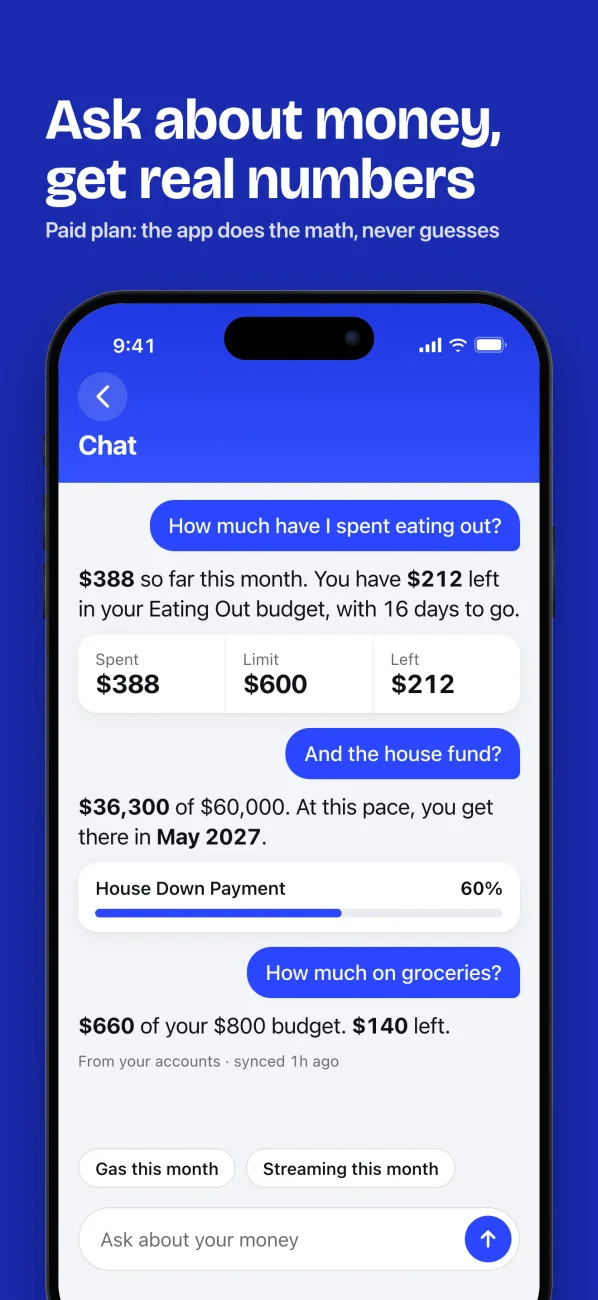
Ask about your money in plain words and get answers worked out from your own accounts. Or connect Claude or ChatGPT to your books, free.
Private by design
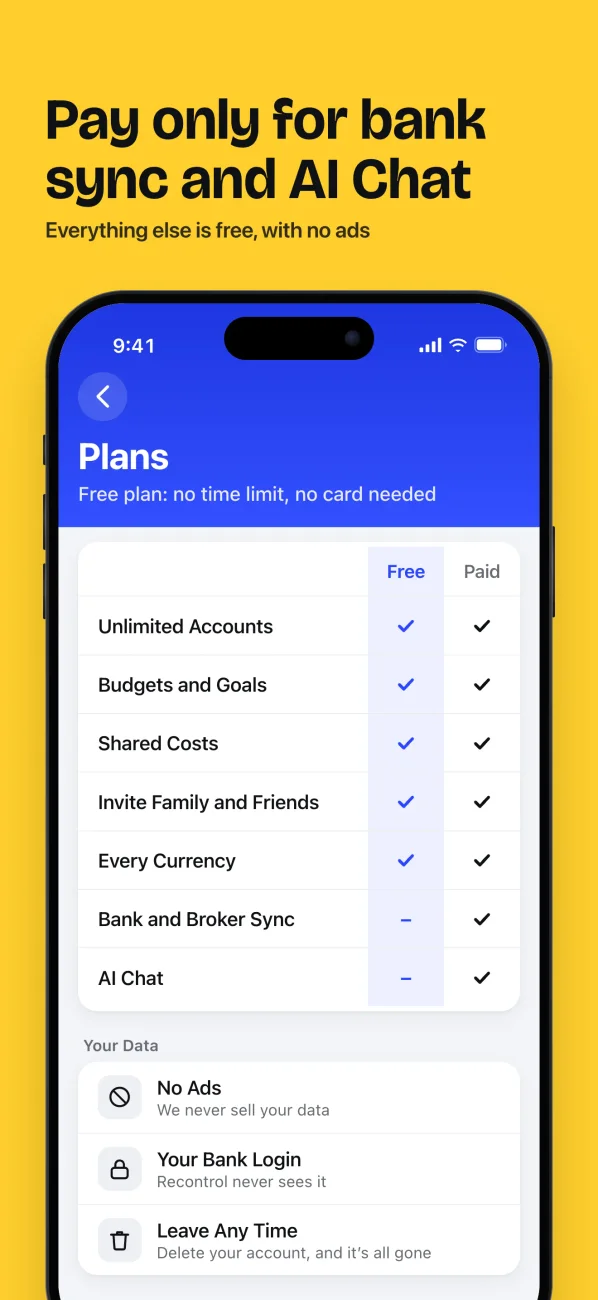
Lock the app with your face or fingerprint. Hide amounts with one tap. Choose how money is coloured: Green & Red, Blue & Orange, or Monochrome. No ads, and your data is never sold.
Your accounts, transactions, plans, spaces and shared costs are free. A subscription adds bank sync and Chat.
Terms of Use: https://www.apple.com/legal/internet-services/itunes/dev/stdeula/
Terms of Service: https://recontrol.money/docs/legal/terms
Privacy Policy: https://recontrol.money/docs/legal/privacy
Nouveautés
Version 1.11.0 · 22/11/2026
Tabs. Home, Transactions and Plans sit in tabs along the bottom, with Search beside them. On iPad they become a sidebar.
People. A shared space has a People screen: who pays whom, one line each, and on every person's page the ways to settle up. Mark a payment received or paid, or cover their share. Add a guest who isn't on Recontrol.
Plans, rebuilt. New plan offers the three plans that fit your kind of space, and every plan opens on its answer. Type an amount on its own keypad, beside what your books already know. Budgets and goals wear a progress ring wherever they appear.
What's due waits on Home. Recurring transactions that are due sit on Home, and the Home tab's badge counts them.
Fair comparisons. A change compares the same days of the period before, and an account opened partway through says when it began.
Also new: categories with nothing this period fold into one row, Search previews what it finds and keeps your recent Chat questions, Zerodha asks you to reconnect when its sign-in ends, as a bank does, and new categories suggest familiar names.
Confidentialité de l’application
Ce que Mrinal Wahal déclare sur l’App Store au sujet du traitement des données par cette application.
-
Données établissant un lien avec vous
Peuvent être collectées et liées à votre identité.
- Achats
- Informations financières
- Coordonnées
- Contenu utilisateur
- Identifiants
- Données d’utilisation
- Diagnostic
-
Données n’établissant aucun lien avec vous
Peuvent être collectées, mais ne sont pas liées à votre identité.
- Contenu utilisateur
- Diagnostic
Les pratiques en matière de confidentialité peuvent varier, notamment en fonction des fonctionnalités que vous utilisez ou de votre âge.
Informations
- Vendeur
- Mrinal Wahal
- Catégorie
- Finance
- Version
- 1.11.0
- Mis à jour
- 22/11/2026
- Publié
- 24/03/2026
- Taille
- 63,6 Mo
- Nécessite
- iOS 16.4 ou version ultérieure
- Classification d’âge
- 17+
- Prix
- Gratuit
- Achats intégrés
- Oui
- Langues
- Anglais
- Copyright
- © 2026 Mrinal Wahal
Vous aimerez peut-être aussi
-
 Means: Safe to SpendFinance
-
 Monit: Personal FinanceFinance
-
 Fullness: Finance TrackerFinance
-
 Саshexprs - Contrôle DetteRisque de Remboursement
-
 NetWise — Personal FinanceFinance
-
 Debt ControlFinance
-
 Bills & BalanceFinance
-
 ClearBudget: Suivi DépensesBudget & Gestion d'Argent
-
 Ledge Personal FinanceFinance
-
 Vel: Personal Finance TrackerFinance