Refund: Screen Time
App Blocker: Stop Doomscroll
Conçue pour iPhone, iPad
Gratuit · Achats intégrés
- Classification d’âge12+
- CatégorieProductivité
- DéveloppeurSirru Technologies Inc.
- LanguesAnglais
- Taille69,0 Mo
Renvoie vers la page App Store officielle
Download.org n’héberge aucun fichier de Refund: Screen Time. Le bouton ouvre la page de l’application sur App Store, où Sirru Technologies Inc. la publie. Fiche vérifiée pour la dernière fois le 25/11/2026.
Captures d’écran

À propos
Le développeur n’a pas fourni ce texte dans votre langue.
Refund is the screen time app that helps you stop opening apps without thinking. Pick the apps that take too much of your day, choose how strict Refund should be with each one, and get your time back.
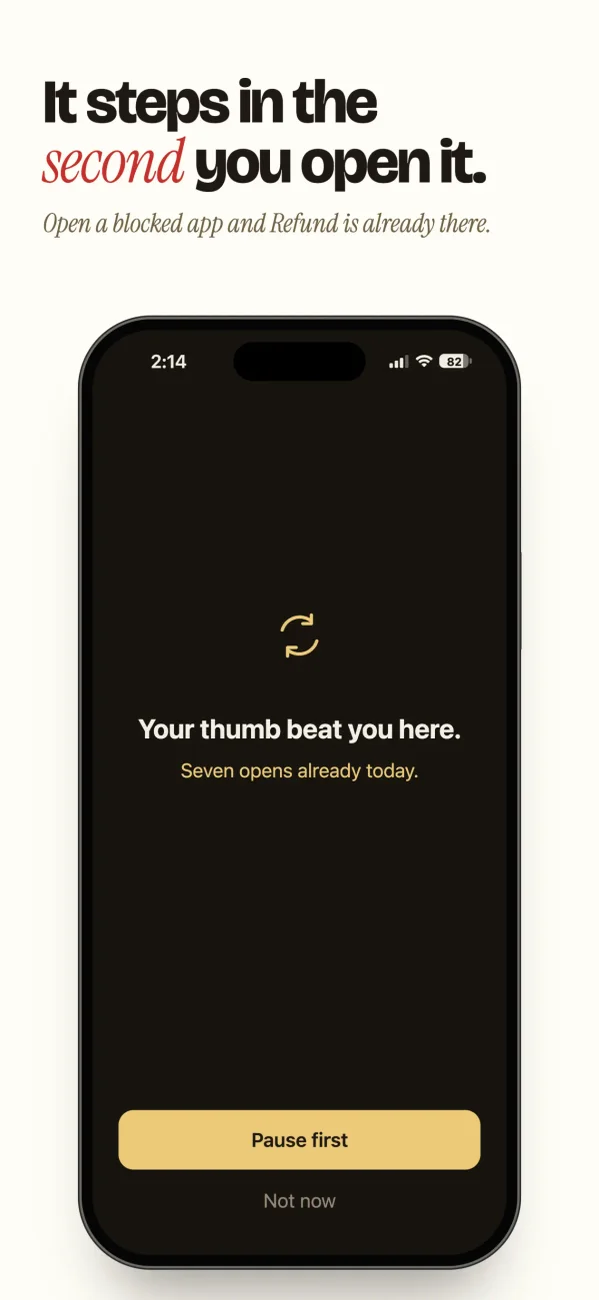
Check your Screen Time. That number is what Refund helps you bring down. Every time you open an app you picked, Refund steps in first: with a reminder, a short wait, or a daily limit. Then it shows you how much time you saved.
BENEFITS
- Spend less time on the apps that take over your day
- Break the habit of opening apps without thinking
- Set daily limits you actually keep
- Understand your patterns: which app, which hour, which day
- See the time you saved, added up like a receipt
- No account needed to use Refund
NEW: TIME THIEF, IN EARLY ACCESS
A game for you and a friend. Pick an hour, both lock the apps you chose, and the first to give up loses. The morning paper says who held. Try a 15-minute practice duel first. Free during early access. Time Thief is optional and uses its own account, which you can delete in the app any time.
FEATURES
- Dumb Phone: Lock every app except up to 10 you keep, from 15 minutes to a day.
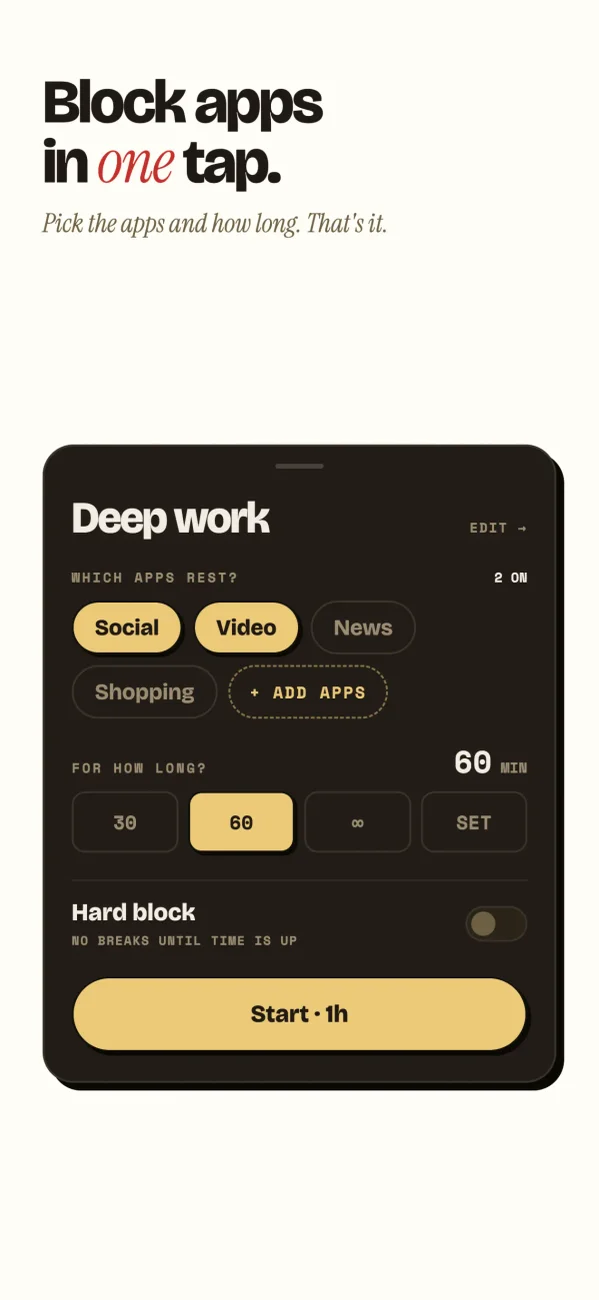
- App Blocker: Block any apps for a set time with one tap.
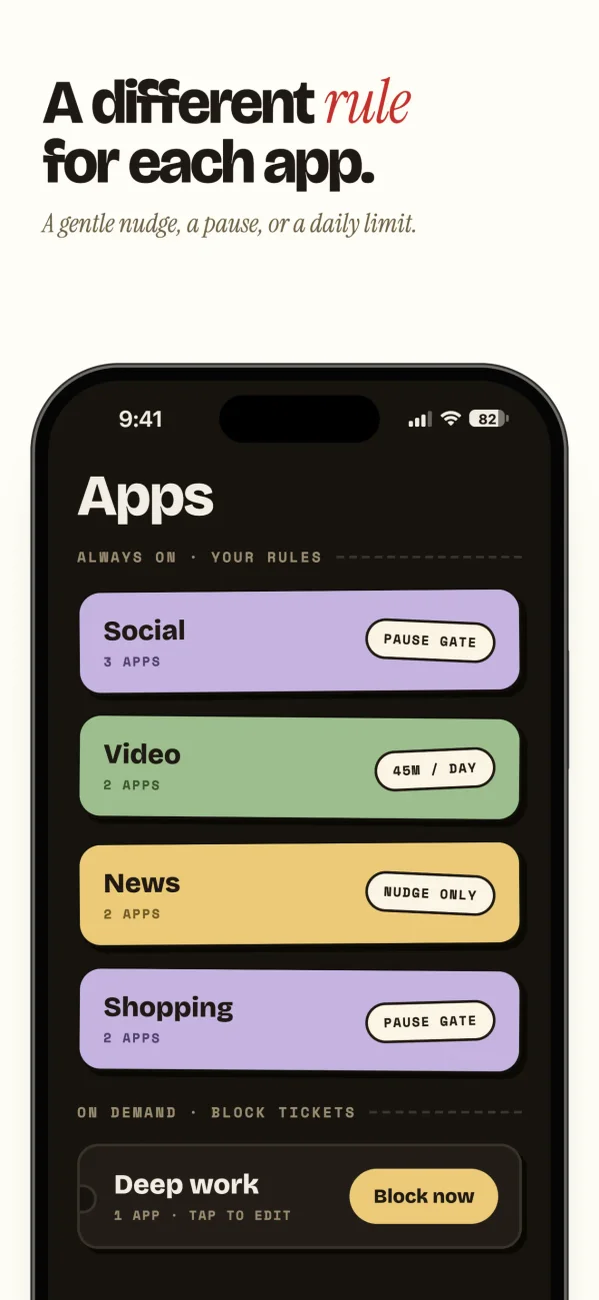
- Three Levels: Choose how strict Refund is for each group of apps. Nudge sends a reminder. Pause makes you wait before the app opens. Hard stop sets a daily limit.
- Growing Wait: On Pause, the wait gets a little longer each time you come back the same day.
- Daily Limits: Set a daily budget. When it runs out, take a short break or lock the app until tomorrow.
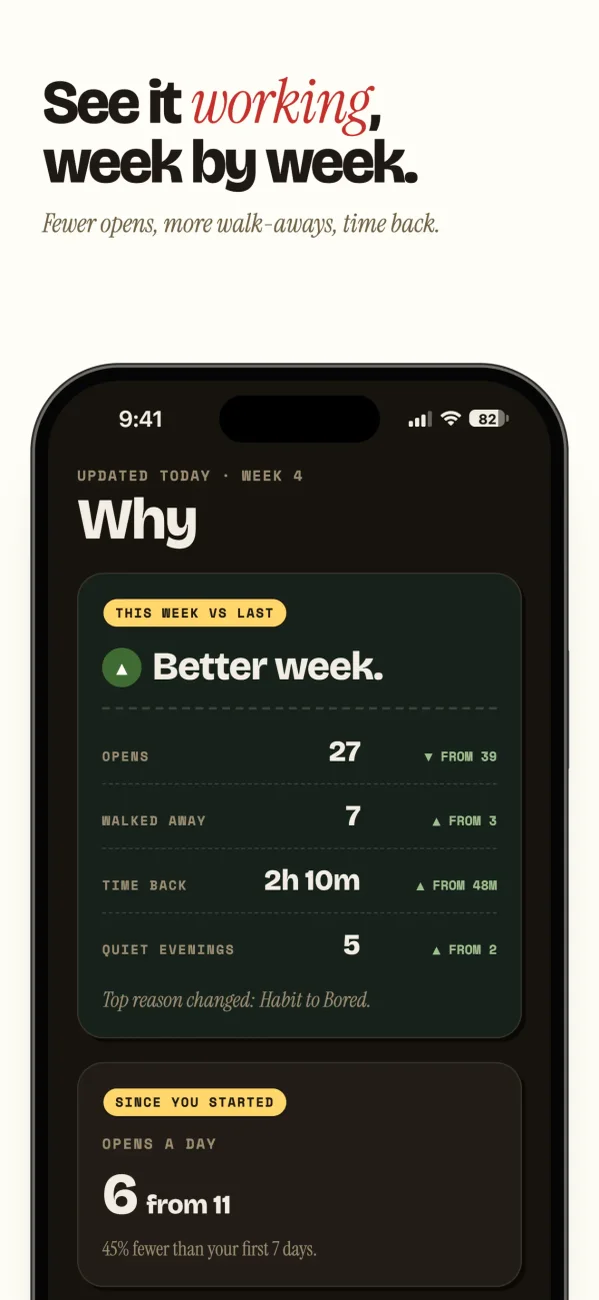
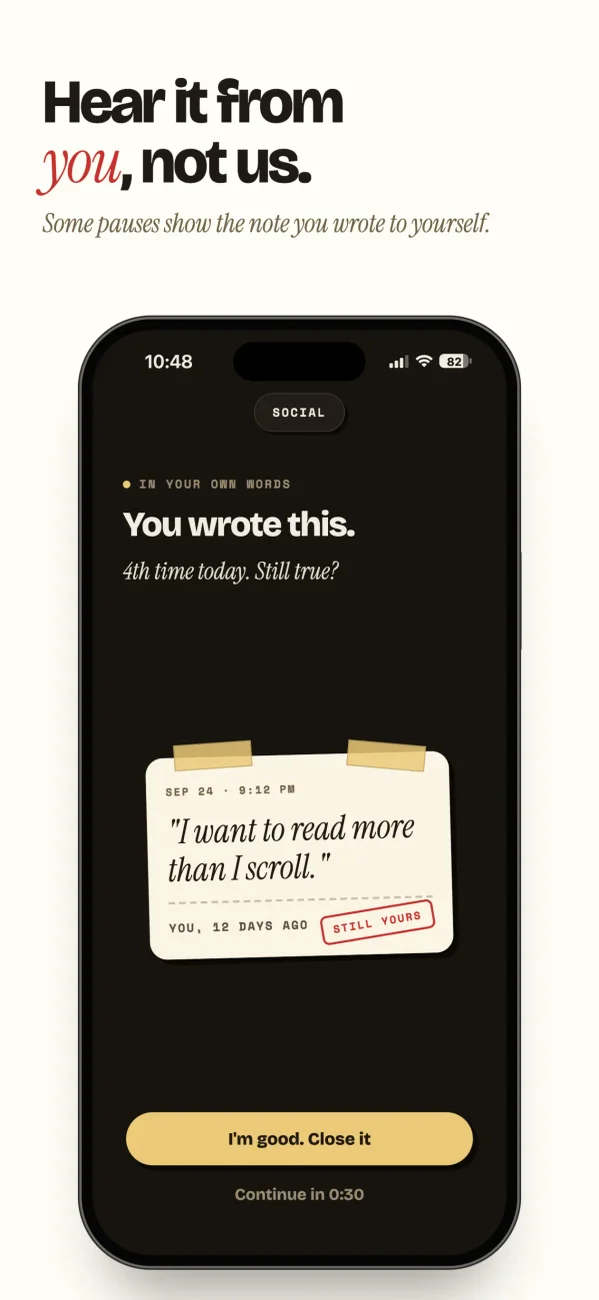
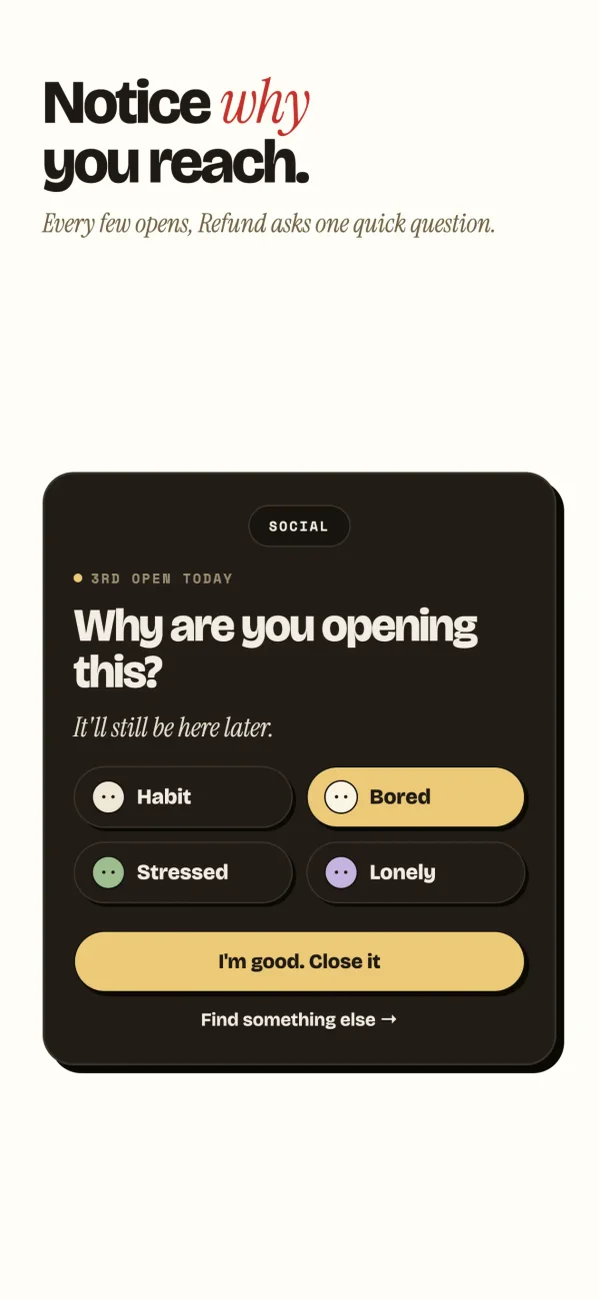
- Why Check: Every few opens, Refund asks why you're opening the app, so you notice your habits.
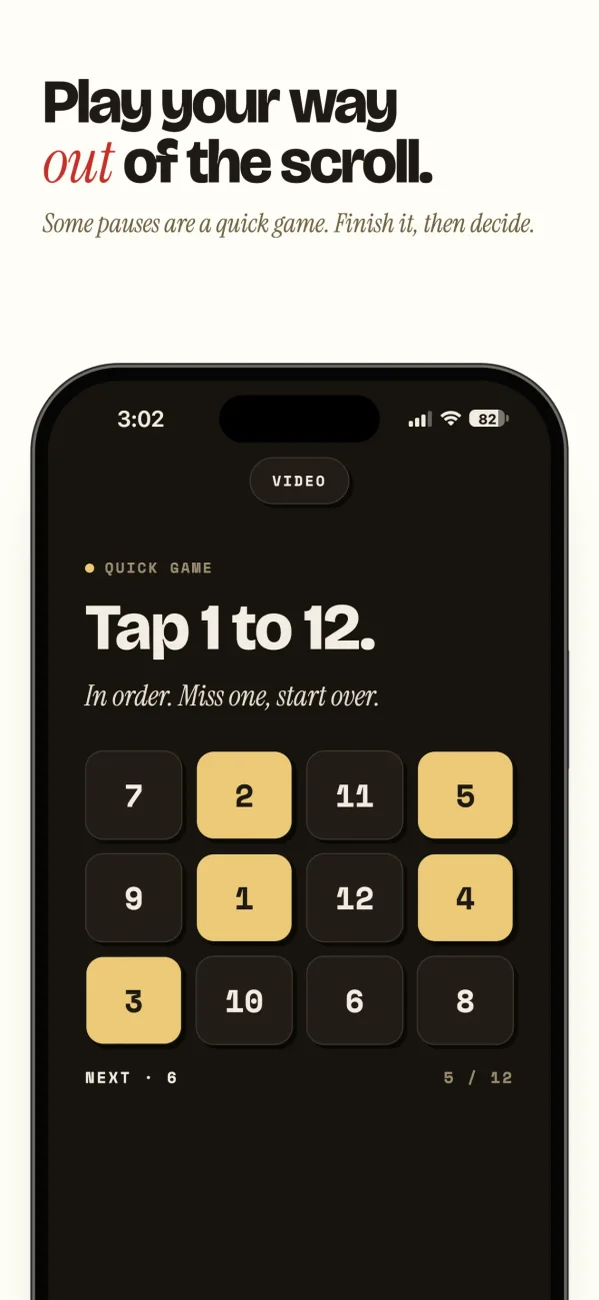
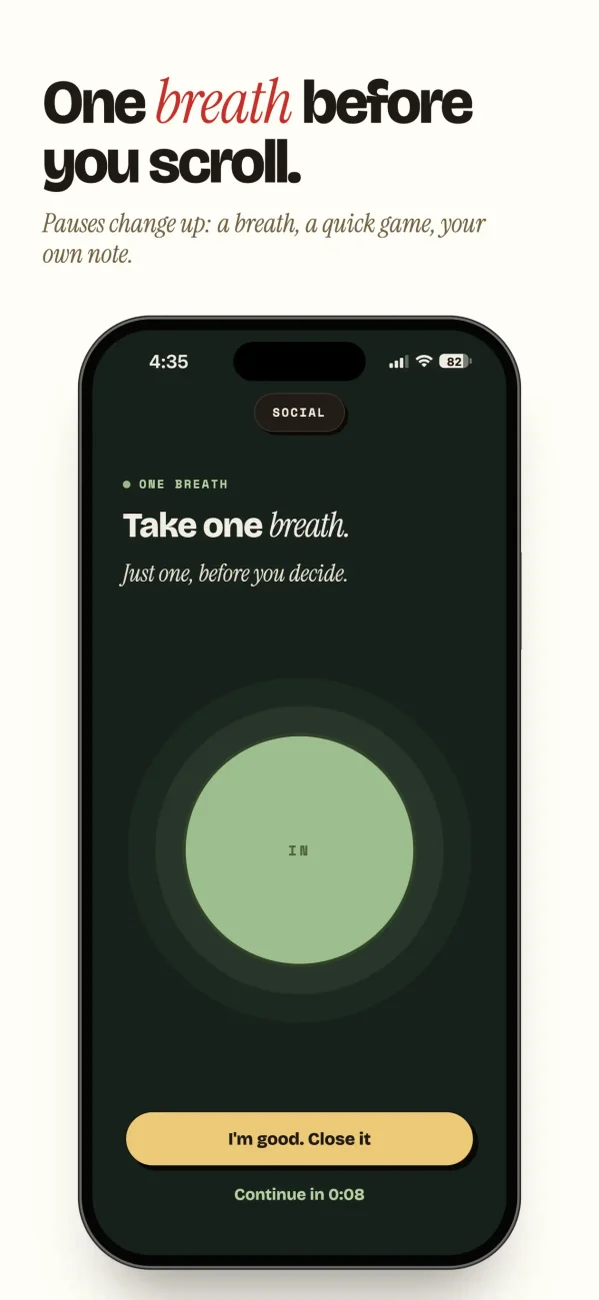
- Pause Screens: A breath, a quick game, your own face, or a short rest before the app opens.
- Schedules: Set rules that only run during the hours you choose.
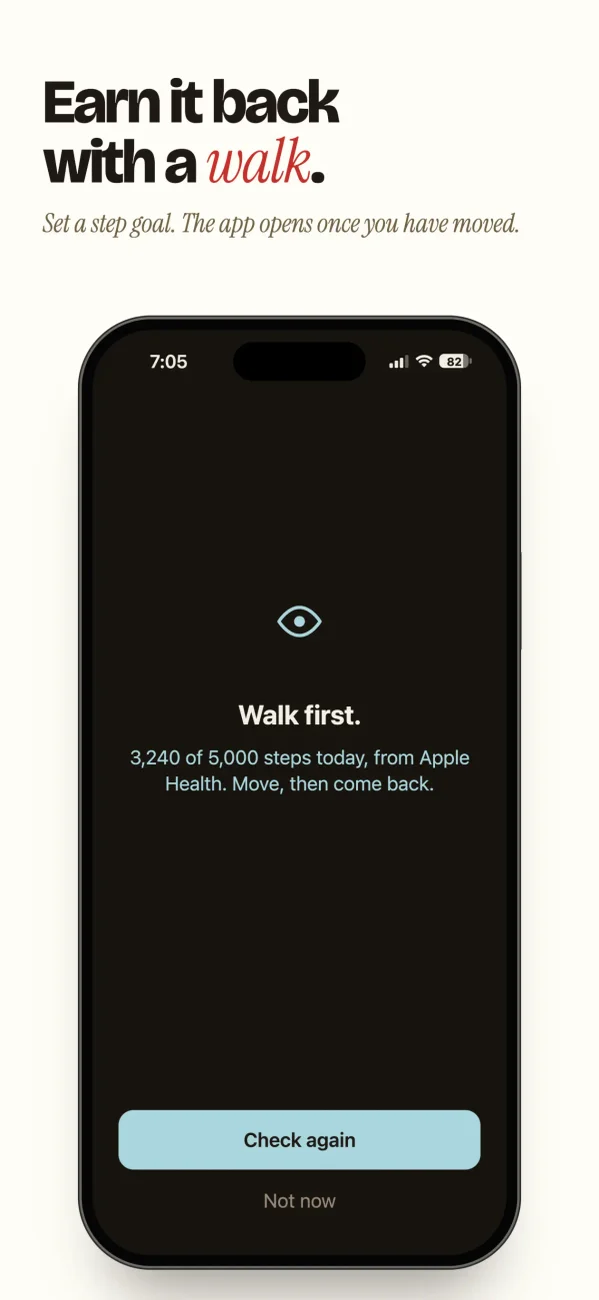
- Walk to Unlock: Earn an app back with steps from Apple Health.
- Quiet Hours: Lock apps in the evening, with a few passes for when you really need one.
- Web Filter: Block the websites you choose in Safari.
- Always Allowed: Keep the apps you need open, no matter what.
- Focus Report: See which hour gets you, this week compared to last, and your total time saved.
- Stamps: Earn a stamp for each day you stay on track.
- Your Why: Write who you want to be and record a photo or video note to yourself. Refund shows it when you need it.
- People: Pick up to three people to call instead of scrolling.
- Graduation: When you don't need a rule anymore, Refund offers to make it lighter.
PRIVATE & SAFE
Refund uses Apple's Screen Time API to notice when you open the apps you picked. Apple keeps your app list private, so Refund never sees app names. Your history, notes and report stay on your phone, and Refund itself needs no account. If you play Time Thief, its account is kept on the game's server so you can play with friends. Delete it in the app: Settings, then Time Thief, then Delete my game account.
TERMS, PRIVACY & CONDITIONS
Terms of Use: https://www.apple.com/legal/internet-services/itunes/dev/stdeula/
Time Thief Terms: https://therefundapp.com/terms/
Privacy Policy: https://therefundapp.com/privacy/
Nouveautés
Version 2.5.1 · 23/11/2026
Time Thief is here, in early access. Pick an hour with a friend, both lock your apps, and the first to give up loses. The morning paper says who held.
New: Dumb phone. Lock everything except up to 10 apps, from 15 minutes to a day.
Refund now fits the iPad, plus fixes and a faster start.
Confidentialité de l’application
Ce que Sirru Technologies Inc. déclare sur l’App Store au sujet du traitement des données par cette application.
-
Données établissant un lien avec vous
Peuvent être collectées et liées à votre identité.
- Coordonnées
- Contacts
- Contenu utilisateur
- Identifiants
- Autres données
-
Données n’établissant aucun lien avec vous
Peuvent être collectées, mais ne sont pas liées à votre identité.
- Achats
- Données d’utilisation
- Diagnostic
Les pratiques en matière de confidentialité peuvent varier, notamment en fonction des fonctionnalités que vous utilisez ou de votre âge.
Informations
- Vendeur
- Sirru Technologies Inc.
- Catégorie
- Productivité
- Version
- 2.5.1
- Mis à jour
- 23/11/2026
- Publié
- 29/08/2026
- Taille
- 69,0 Mo
- Nécessite
- iOS 18.0 ou version ultérieure
- Classification d’âge
- 12+
- Prix
- Gratuit
- Achats intégrés
- Oui
- Langues
- Anglais
- Copyright
- © 2026 Sirru Technologies Inc.
Vous aimerez peut-être aussi
-
 Konvo : juste les messagesArrêtez de scroller sans fin
-
 Spool: Screen Time ControlApp Blocker, Focus & Limit
-
 BlockRot: Screen Time ControlProductivité
-
 useLess: Screen Time BlockerProductivité
-
 Friend Controls: Screen TimeProductivité
-
 67: Strict Screen Time BlockerProductivité
-
 Latent: Focus TimelapseProductivité
-
 WallHabit Block Shorts & ReelsProductivité
-
 Unglue: Screen Time FriendBloqueur d'app & Habitudes
-
 ScrollGuard: Bloquer ReelsMasquer fil, shorts, explorer