
Remote Rowing Coach
Remote Rowing Coaching
Conçue pour iPhone, iPad, iPod touch
Gratuit · Achats intégrés
- Classification d’âge4+
- CatégorieForme et santé
- DéveloppeurPower Ten Development LLC
- LanguesAnglais
- Taille18,9 Mo
Renvoie vers la page App Store officielle
Download.org n’héberge aucun fichier de Remote Rowing Coach. Le bouton ouvre la page de l’application sur App Store, où Power Ten Development LLC la publie. Fiche vérifiée pour la dernière fois le 18/11/2026.
Captures d’écran


À propos
Le développeur n’a pas fourni ce texte dans votre langue.
Please read the requirements for this app before downloading and purchasing remote coaching functionality.
Terms And Conditions
https://powertendevelopment.com/remote-rowing-coach-terms-and-conditions/
Privacy Policy
https://powertendevelopment.com/remote-rowing-coach-privacy-policy/
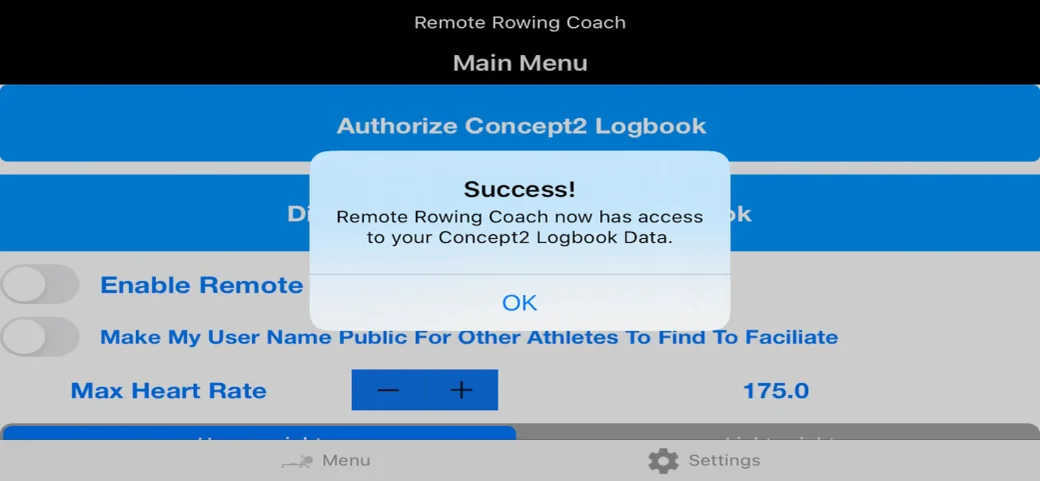
Remote Rowing Coach is an iOS app designed to run on iPhone and iPad devices. Once the app is connected to the PM5 monitor on the erg it records workout metrics and displays them in real-time. It will also upload most workouts to the Concept2 Logbook provided the user authenticates with the Logbook from within the app.
Remote Rowing Coach also provides the functionality (with the purchase of an in-app subscription) to allow another 3rd party to view PM5 metrics in real-time remotely. Please note that in order to access this functionality, the third party will also need another instance of Remote Rowing Coach running with the subscription service purchased for that device. Another way to view real-time metrics is to use the website associated with this app and which can be located at:
https://remote-coach-481a5.firebaseapp.com/remoterowingcoach/login.html
In order to use this app, a user is required to have a Concept2 rower with a PM5 monitor capable of Bluetooth. This app will NOT work with a PM3 or PM4 monitor. Additionally, the force curve functionality is ONLY available on PM5 monitors that were manufactured in late 2016 or later.
Features
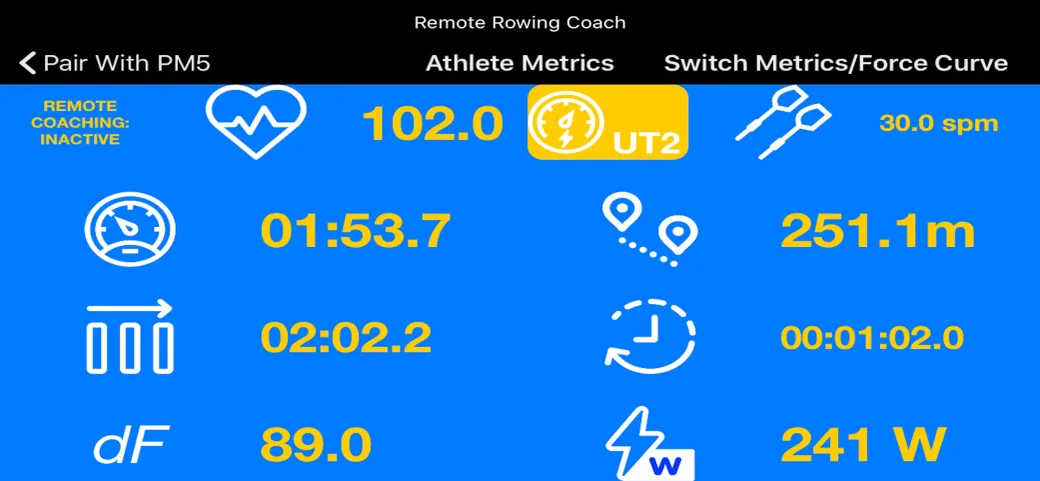
Displays your workout in real-time.
This screen shows the following metrics
Current 500m/split
Average 500m/split
Distance
Time Elapsed
Stroke Number
Drag Factor
Power (Watts)
Stroke Rate (Strokes per minute)
Heart Rate and Heart Rate Zone (UT1, UT2, AT, TR, AN).
Force Curve Screen
The force curve screen shows the following metrics.
Real-time force curve data
Impulse (calculated as Average Force x Stroke Time)
Peak Force (in Newtons)
Average Force (in Newtons)
% of stroke rowed when peak force is achieved
Average Force / Peak Force %
Drive Time (seconds)
Drive Length (meters)
Work per stroke (Joules)
Training Review
Remote Rowing Coach allows for the review of your training pieces.
Provides average calculations for Stroke Rate, Average Heart Rate, Average Pace, Average Peak Power, Average Stroke Length, Average Drive Time, Peak Force Percentage Average, Average Work Per Stroke, Average Stroke Speed, Average Impulse.
Additionally, training summaries include maximum, minimum, and ending heart rate metrics.
Training Splits
The training split screen shows all splits recorded by the app/PM5 during your training.
Data Analysis
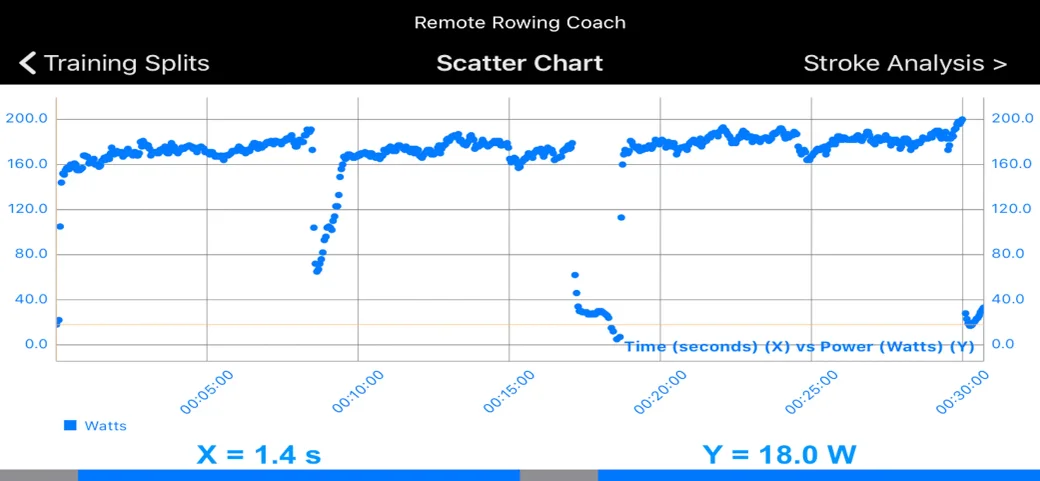
The data analysis screen allows for every metric captured to be displayed on a scatter graph. The user must choose the metric for the x-axis and also for the y axis and then plot the graph.
Training data can be uploaded to the Concept2 Logbook from this screen (assuming an account has been authenticated in the settings screen).
Training data can also be exported in a CSV in a more detailed fashion. (Stroke Number, Time, Distance, 500m Split, Power, Cal/Hr, Heart Rate, Stroke Rate, Peak Force, Average Drive Force, Drive Time. % of stroke at peak force, Impulse, Work per stroke, stroke speed, and all force curve points for each stroke.
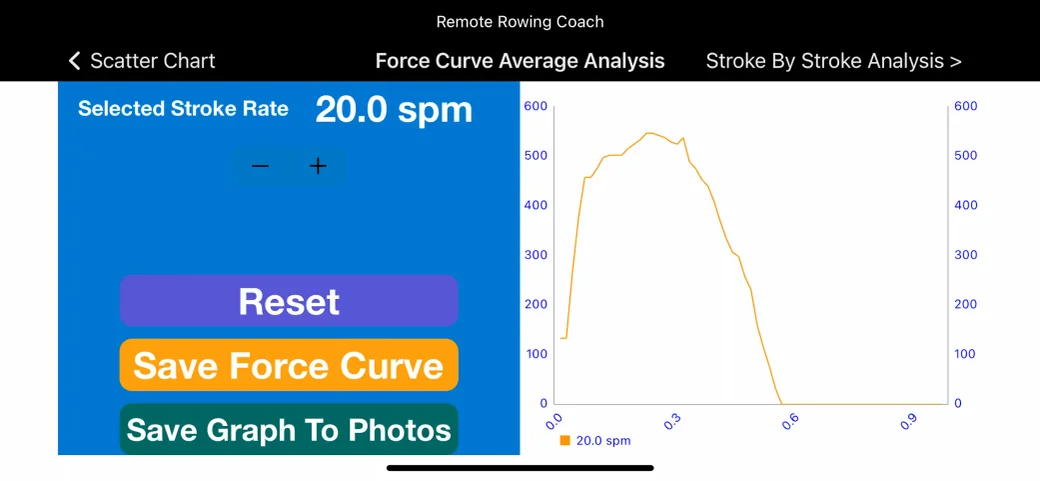
Force Curve Analysis (in-app purchase)
Analyze your training data by looking at your average force curve for a particular stroke rate.
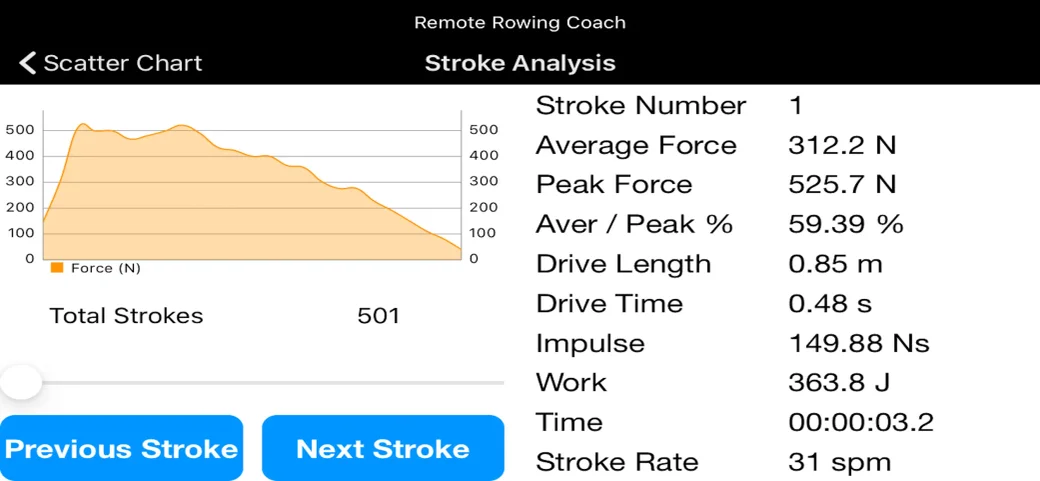
Stroke Analysis
For those users equipped with a PM5 model that is a later than 2016 model. PM5 console (hardware version 600 or higher) force curve data collection is available.
The stroke analysis screen allows for stroke by stroke comparison of force curves for those users that want to look at any of their individual force curves.
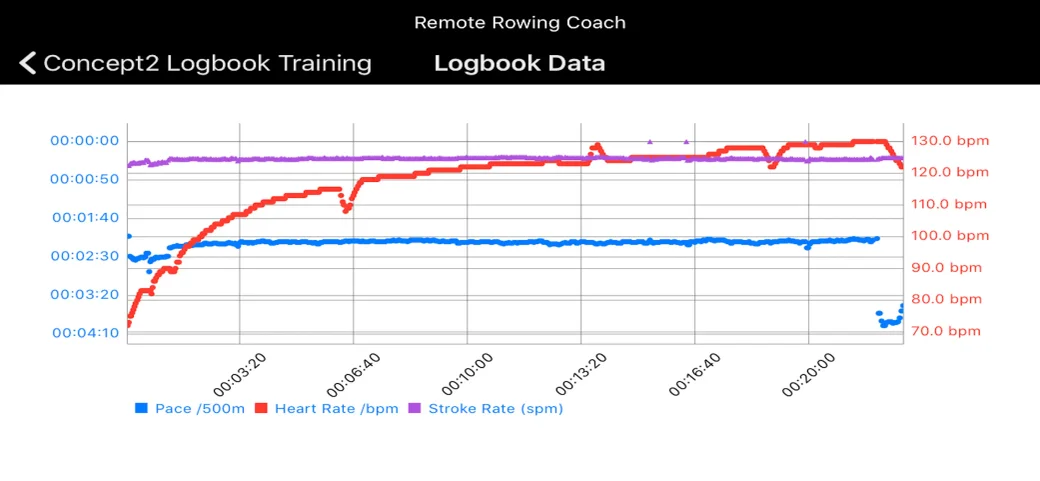
Viewing Concept2 Logbook Training
If your app is authenticated with the Concept2 Logbook, view your training data from within the app. A scatter graph is used to show pace / 500m, stroke rate, power, and heart rate (heart rate was recorded using the PM5).
Nouveautés
Version 1.30 · 14/11/2025
Fixed authentication issues with reset password and verify email address.
Confidentialité de l’application
Ce que Power Ten Development LLC déclare sur l’App Store au sujet du traitement des données par cette application.
-
Données établissant un lien avec vous
Peuvent être collectées et liées à votre identité.
- Santé et forme
- Achats
- Coordonnées
- Contenu utilisateur
- Identifiants
- Données d’utilisation
- Diagnostic
-
Données n’établissant aucun lien avec vous
Peuvent être collectées, mais ne sont pas liées à votre identité.
- Contenu utilisateur
- Diagnostic
Les pratiques en matière de confidentialité peuvent varier, notamment en fonction des fonctionnalités que vous utilisez ou de votre âge.
Informations
- Vendeur
- Power Ten Development LLC
- Catégorie
- Forme et santé
- Version
- 1.30
- Mis à jour
- 14/11/2025
- Publié
- 15/03/2021
- Taille
- 18,9 Mo
- Nécessite
- iOS 15.6 ou version ultérieure
- Classification d’âge
- 4+
- Prix
- Gratuit
- Achats intégrés
- Oui
- Langues
- Anglais
- Copyright
- © Power Ten Development, LLC
Vous aimerez peut-être aussi
-
 Ergometer SpaceForme et santé
-
 Row ForgeForme et santé
-
 PocketCox - Rowing WorkoutsForme et santé
-
 RowHeroForme et santé
-
 RowrForme et santé
-
 CrewNerd for Rowing & PaddlingForme et santé
-
 Regatta Indoor RowingForme et santé
-
 RowingCoachForme et santé
-
 Cozweat-Row together anywhereForme et santé
-
 NK LogbookForme et santé