Remove people - Removex
Erase from photos background
Conçue pour iPhone, iPad
Gratuit · Achats intégrés
- Classification d’âge4+
- CatégoriePhoto et vidéo
- DéveloppeurBen Does Apps Ltd
- LanguesAnglais+ 5 de plus
- Taille107,9 Mo
Renvoie vers la page App Store officielle
Download.org n’héberge aucun fichier de Remove people - Removex. Le bouton ouvre la page de l’application sur App Store, où Ben Does Apps Ltd la publie. Fiche vérifiée pour la dernière fois le 26/11/2026.
Captures d’écran
À propos
Le développeur n’a pas fourni ce texte dans votre langue.
Remove people from photos on your iPhone.
Key features:
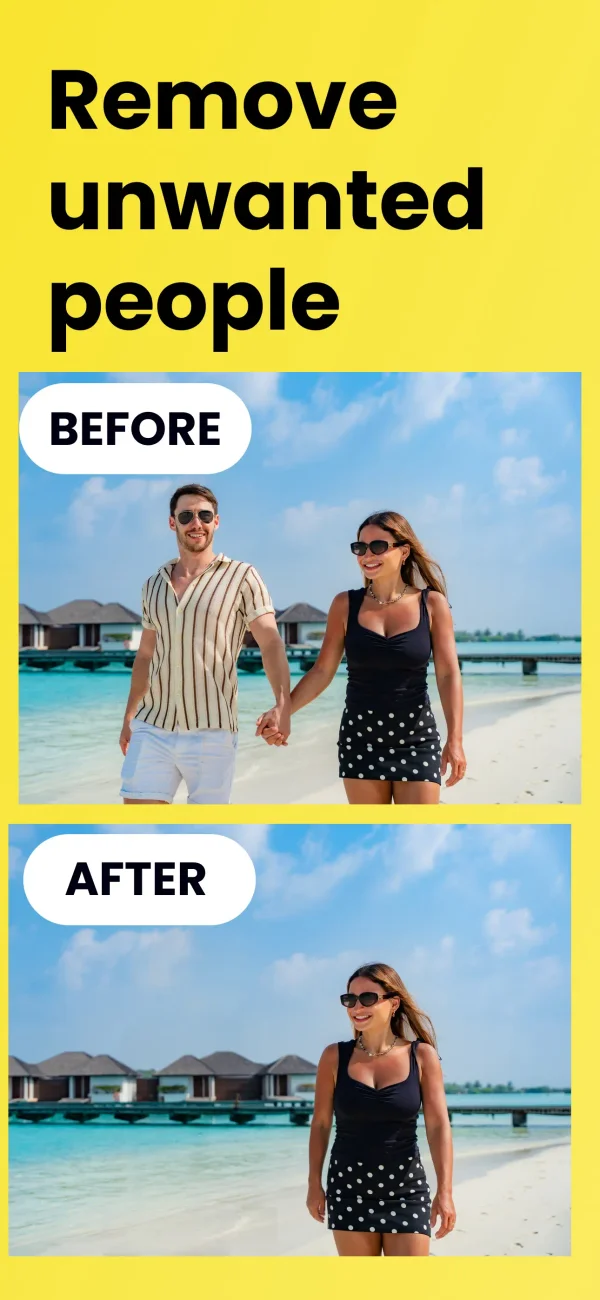
• Remove unwanted people (and objects too)
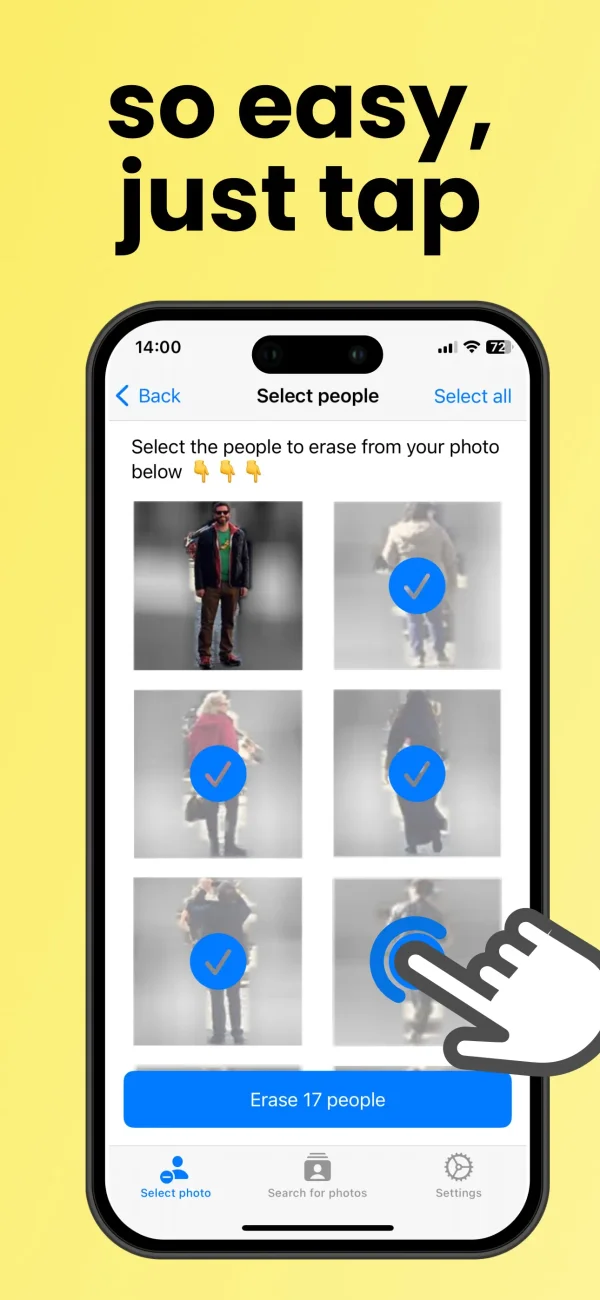
• Use tapping to remove rather than drawing which is quicker and easier.
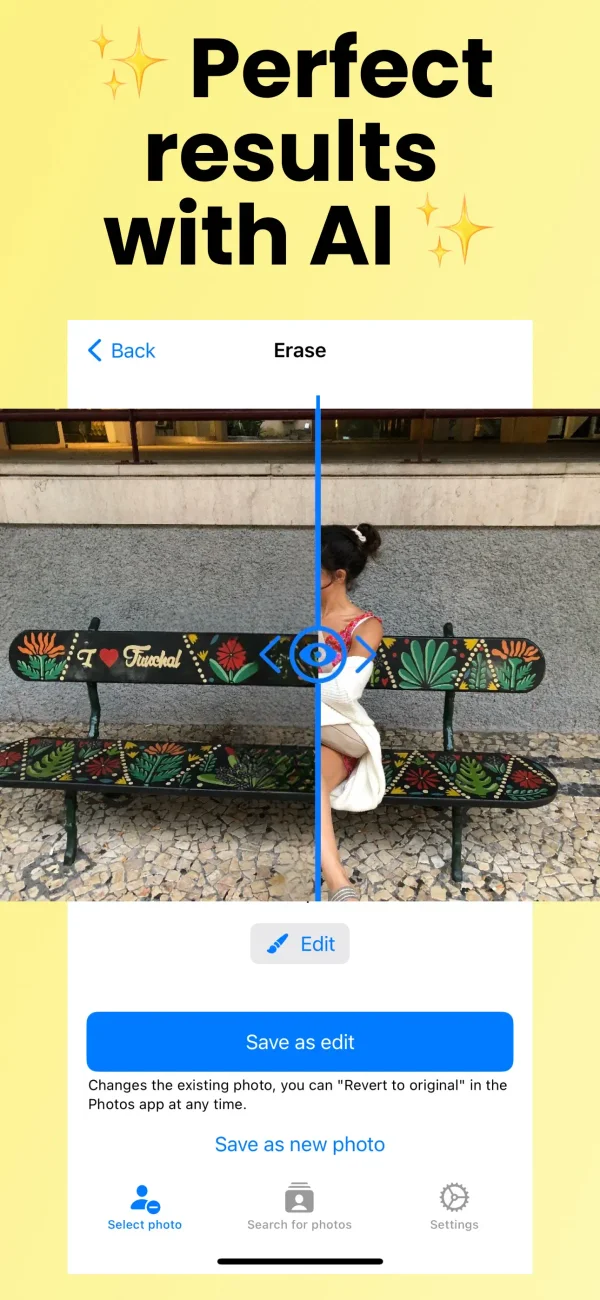
• Uses the latest AI to accurately remove even the largest foreground subjects (e.g. an ex-partner)
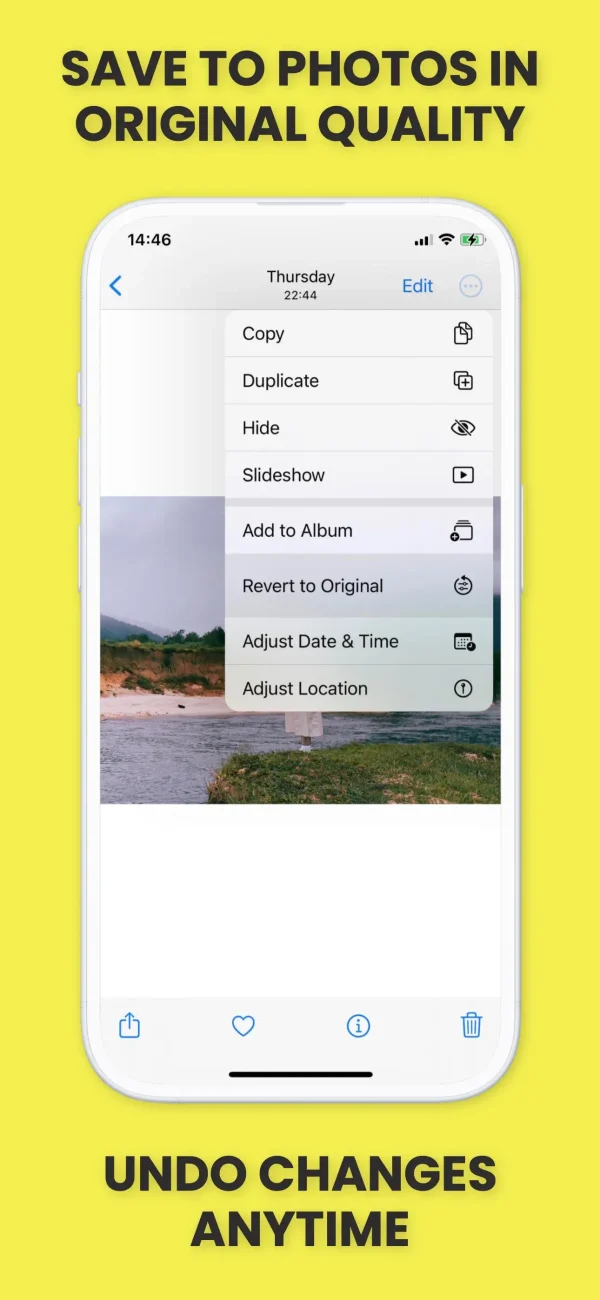
• Preserves original photo quality
• Selectively remove some people while keeping others
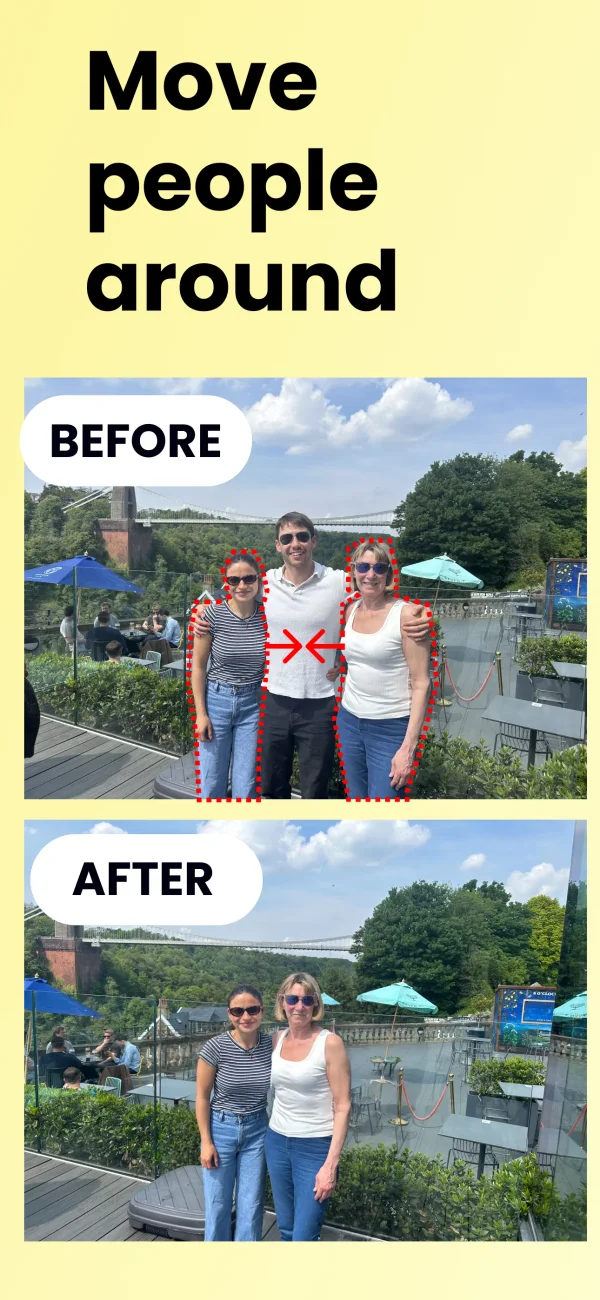
• Move people closer together to fill the gap left after removing someone — a unique way to keep group shots looking natural
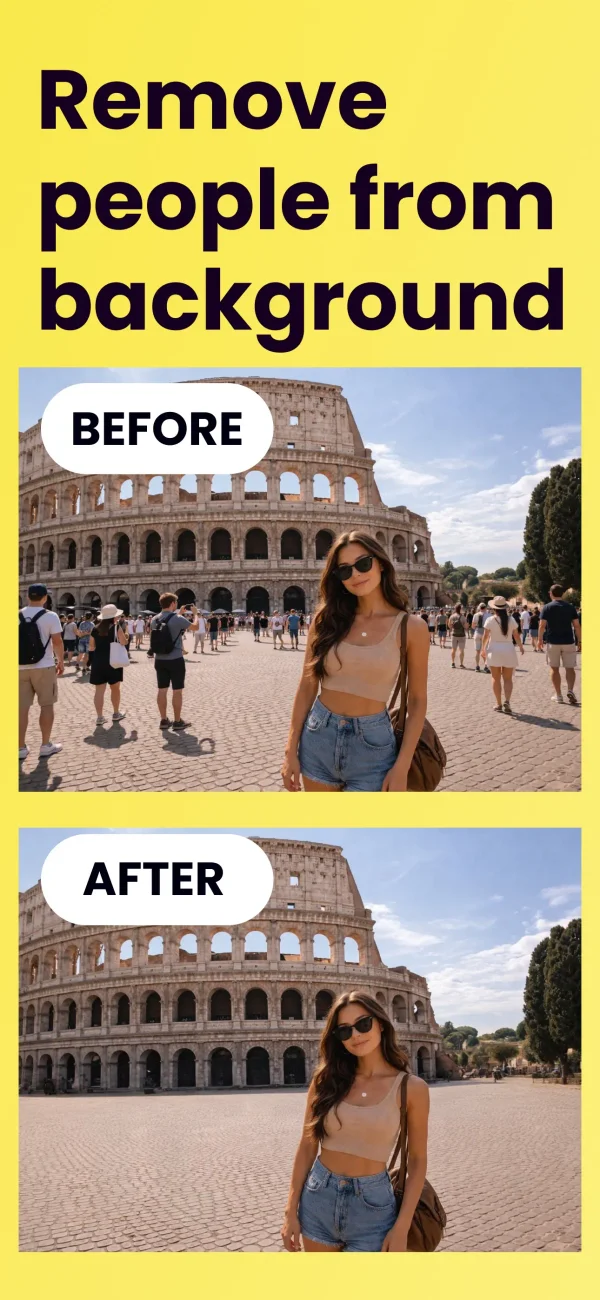
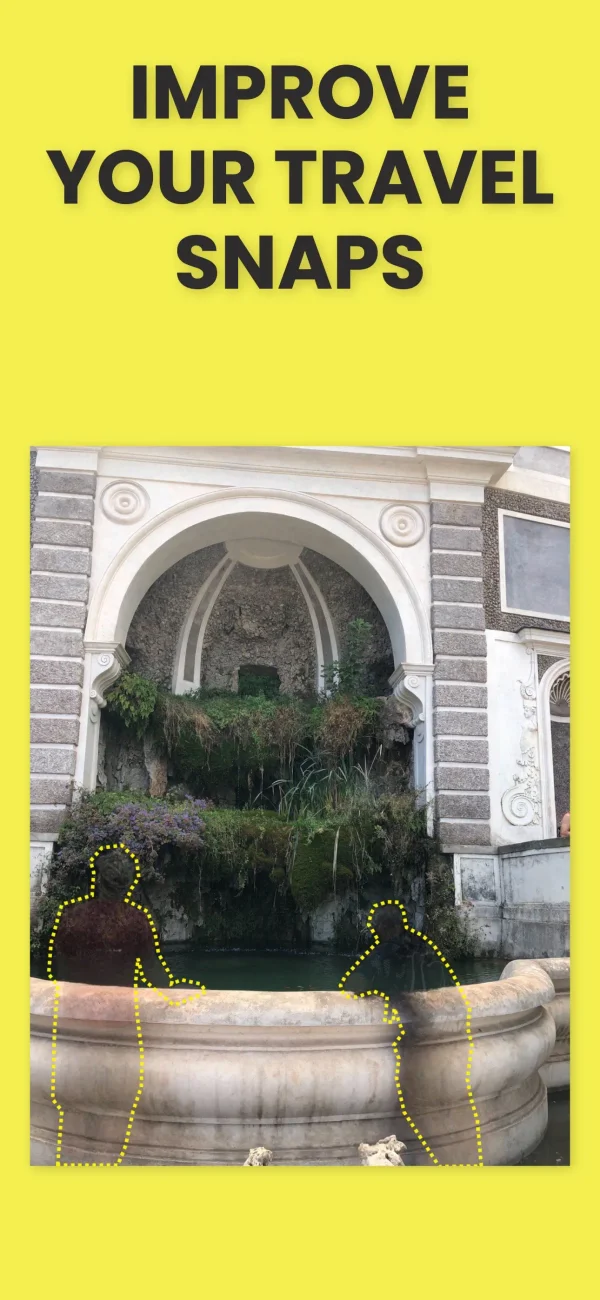
• Clean up vacation and group photos
• Select all people to remove then choose who to exclude, making cleaning shots with lots of background people super easy.
--------
Can Removex remove large objects or people in the foreground?
Yes. Removex can accurately remove large subjects, including people standing close to the camera, while reconstructing the background naturally in full quality.
How is Removex different from Apple Photos’ cleanup tool?
Apple’s cleanup tool isn’t supported on many devices and often struggles with complex or large removals. Removex works on a wider range of phones and is designed to handle more difficult scenes with better consistency. It's also much easier to select lots of people to remove.
How is it superior to AI chat models like ChatGPT for image editing?
LLM-based editors regenerate the entire image, which can change faces, textures, and lighting. Removex edits only the selected area, preserving the original photo’s detail and realism.
Why should I use Removex for removing people rather than a different app?
Removex specialises in removing people and makes it super easy, we detect people first so you can just tap the people you want to remove without drawing (which is what most other apps make you do). We use more advanced AI than other apps for better results.
Will Removex change the rest of my photo?
No. Only the area you remove is modified, everything else remains exactly as captured.
Can I use Removex for vacation photos?
Absolutely. Removex is perfect for removing strangers, crowds, or distractions from travel photos.
Can I use Removex for group photos?
Yes. You can remove specific people from group shots without affecting others or distorting the scene.
Can I remove someone standing right next to me, like a partner or friend?
Yes. Removex is designed to handle close-contact situations and can remove someone beside you while keeping you intact and natural-looking.
Can I remove multiple people or objects at once?
Yes. You can remove multiple subjects in a single photo with just a few taps.
Will my photo lose quality after editing?
No. Removex preserves resolution and avoids the blurry or artificial look common in many AI-based editors.
Is Removex free?
Removex is free to download, and offers a free trial and even without the trial, the first erase is on us.
Is my data private?
Yes. Your photos are processed securely and are not used to train AI models.
How do I get support?
Email us: ben@bendoesapps.com, a real person (me Ben) will respond to you within a day.
Pro:
• You can subscribe to unlock Pro, which gives you unlimited watermark free erasing.
• Subscriptions auto-renew at the end of current period, unless cancelled 24-hours in advance prior to the end of the current period. The subscription fee is charged to your iTunes account at confirmation of purchase. You may manage your subscription and turn off auto-renewal by going to your Account Settings after purchase. Per Apple policy, no cancellation of the current subscription is allowed during active subscription period. Once purchased, refunds will not be provided for any unused portion of the term.
App website: https://RemovexApp.com
Terms of use: https://www.apple.com/legal/internet-services/itunes/dev/stdeula/
Privacy policy: https://bendoesapps.com/privacy
Nouveautés
Version 65 · 20/11/2026
We continue to make Removex the best app to remove people from photos.
Confidentialité de l’application
Ce que Ben Does Apps Ltd déclare sur l’App Store au sujet du traitement des données par cette application.
-
Données établissant un lien avec vous
Peuvent être collectées et liées à votre identité.
- Identifiants
-
Données n’établissant aucun lien avec vous
Peuvent être collectées, mais ne sont pas liées à votre identité.
- Achats
- Emplacement
- Contenu utilisateur
- Données d’utilisation
- Diagnostic
Les pratiques en matière de confidentialité peuvent varier, notamment en fonction des fonctionnalités que vous utilisez ou de votre âge.
Informations
- Vendeur
- Ben Does Apps Ltd
- Catégorie
- Photo et vidéo
- Version
- 65
- Mis à jour
- 20/11/2026
- Publié
- 30/06/2023
- Taille
- 107,9 Mo
- Nécessite
- iOS 17.6 ou version ultérieure
- Classification d’âge
- 4+
- Prix
- Gratuit
- Achats intégrés
- Oui
- Langues
- Anglais, Français, Allemand, Italien, Portugais, Espagnol
- Copyright
- © Ben Does Apps Ltd
Vous aimerez peut-être aussi
-
 AI Photo Enhancer by PicturaDessin, Restaurer, Retouche
-
 Visual LabX: Retouche Photo IAAppareil Photo Retouch, Filtre
-
 ScanSphere - Scan PDF 3D RoomPhoto et vidéo
-
 Floutage Photo & Mosaique: PixAppli pour Flouter Foto, Video
-
 Passport Photo ID Visa MakerPhoto et vidéo
-
 Luca - Photo Editor & FiltersPhoto et vidéo
-
 TelepromptrPhoto et vidéo
-
 Photo Editor Express+Filters, Retouch & Backgrounds
-
 Phot AI: AI Photo EditorPhoto et vidéo
-
 Collage Photos · Éditeur PhotoCadres photo & mise en page