Retro-Amp
Retro-Style Local Music Player
Conçue pour iPhone
Gratuit · Achats intégrés
- Classification d’âge4+
- CatégorieMusique
- DéveloppeurKIYOUMI AGEMURA
- LanguesJaponais
- Taille4,8 Mo
Renvoie vers la page App Store officielle
Download.org n’héberge aucun fichier de Retro-Amp. Le bouton ouvre la page de l’application sur App Store, où KIYOUMI AGEMURA la publie. Fiche vérifiée pour la dernière fois le 13/11/2026.
Captures d’écran

À propos
Le développeur n’a pas fourni ce texte dans votre langue.
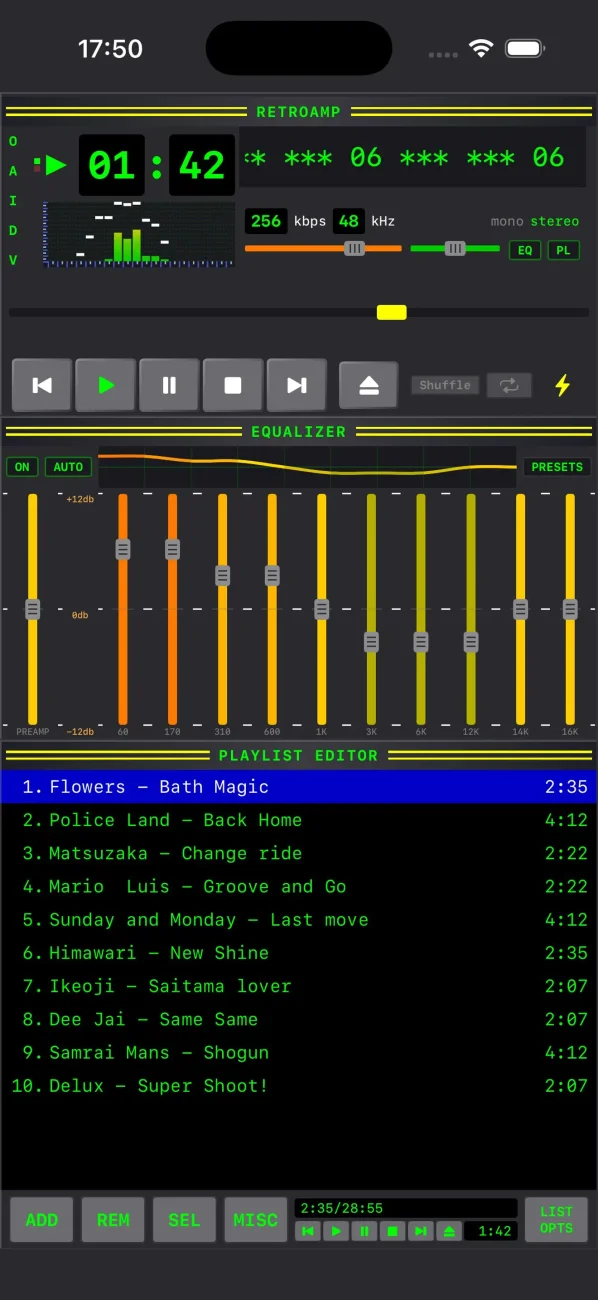
RetroAmp is a local music player for iOS that brings back the look and feel of early-2000s desktop music players.
No streaming. No subscriptions. Just your music files, played on your device.
=== Features ===
▸ Classic UI
Pixel-art sprites, monospaced fonts, scrolling titles, a real-time spectrum analyzer, and a digital clock display. The desktop music player aesthetic, rebuilt for iPhone.
▸ CarPlay Support [NEW]
Access your RetroAmp library in the car. Browse by Artists / Albums / Playlists / Radio with a full Now Playing screen.
▸ Home Screen Widget [NEW]
View your current playlist on your home screen. The widget reflects your skin's colors and frame. Tap a track to play it.
▸ Full Local Playback Engine
Lossless, gapless playback powered by AVAudioEngine. Supports FLAC / ALAC (M4A) / WAV / AAC / MP3 / OGG / AIFF. Imported files are stored at their original quality.
▸ 10-Band Graphic Equalizer
10 bands from 60Hz to 16kHz with ±12dB range and preamp. Built-in presets included.
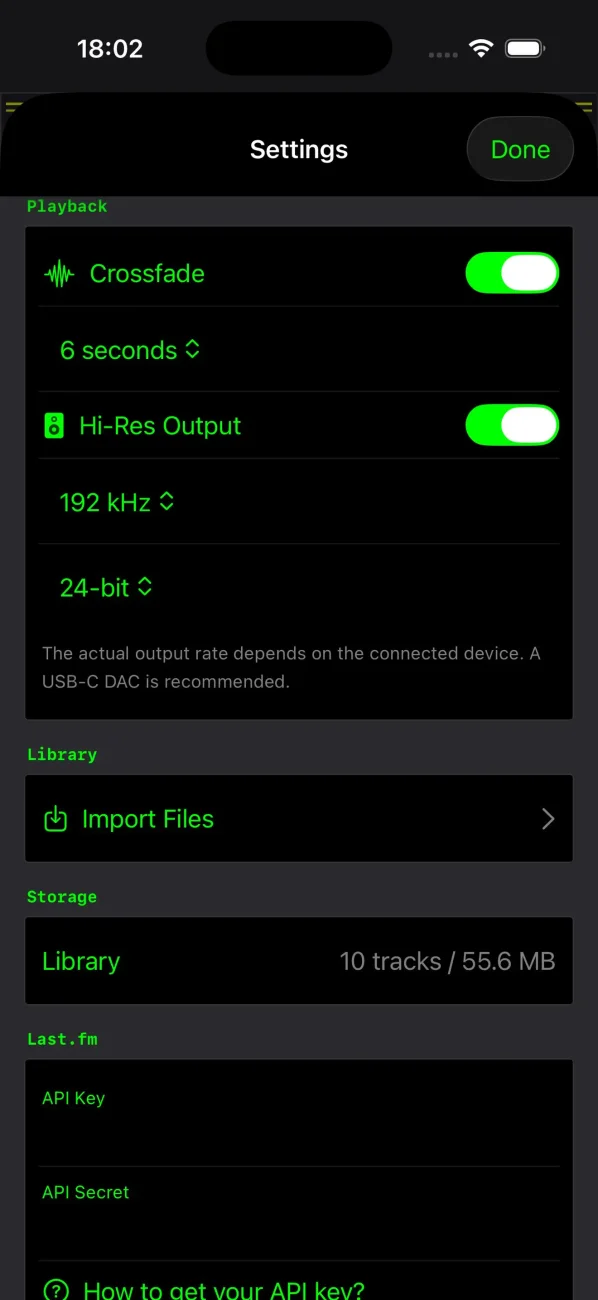
▸ Hi-Res Output
Supports up to 384kHz/32-bit. Connect a USB-C DAC to hear your files at their native quality.
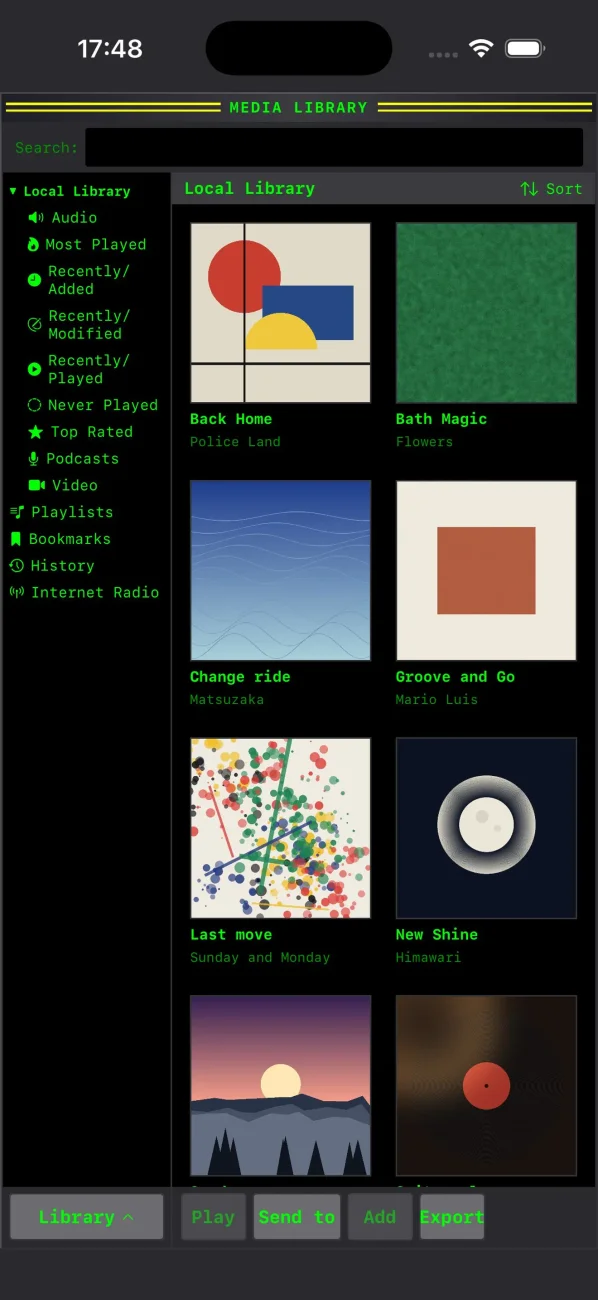
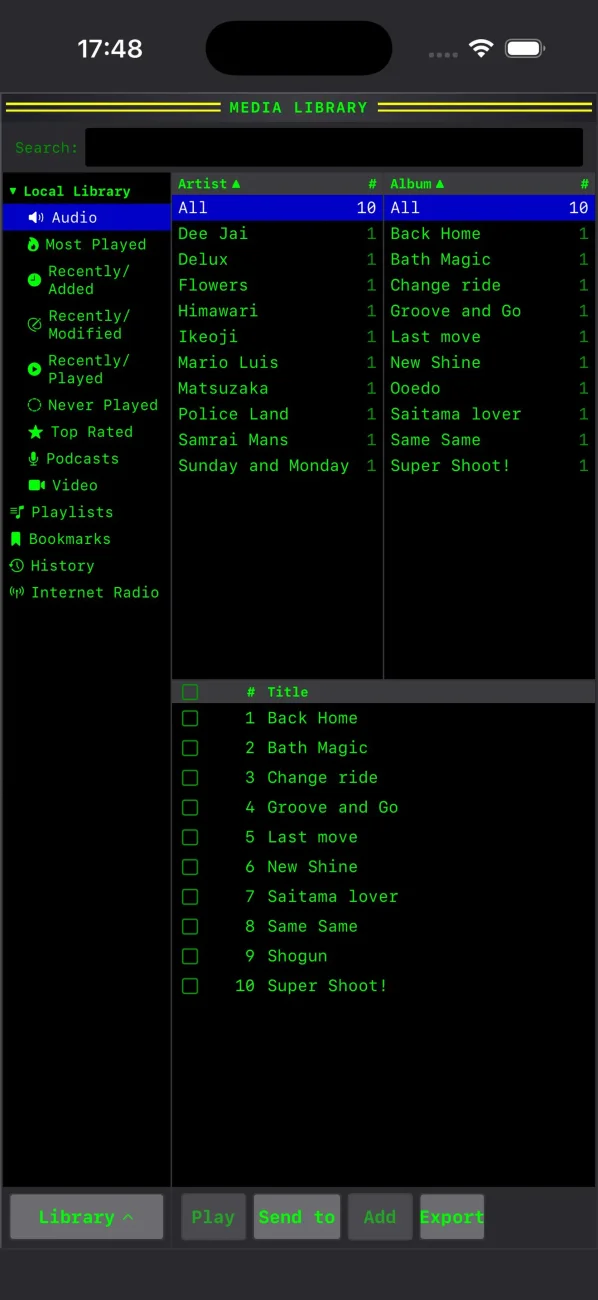
▸ Media Library
Quick access via sidebar to Audio / Most Played / Recently Added / Recently Modified / Recently Played / Never Played / Top Rated / Podcasts / Video. Switch between grid view and list view.
▸ Playlist Editor
Add to queue, reorder with drag and drop, save as named playlists, jump to the playing track, shuffle, repeat.
▸ Synced Lyrics (LRCLIB)
Fetches time-synced lyrics from the open lyrics database LRCLIB. No account required.
▸ Last.fm Scrobbling
Automatically scrobble your listening history. Offline scrobbles are queued and sent when back online.
▸ Custom Themes
Import .wsz skin files to change the look. One slot available for free.
=== In-App Purchases ===
Free to use. Expand your theme slots with a one-time purchase:
Lite ($0.99) – 4 slots
Pro ($4.99) – Unlimited
One-time purchases, not subscriptions. Family Sharing supported.
=== Privacy ===
No personal data is collected. All data stays on your device. Last.fm and LRCLIB integrations are optional.
Support: haruhi@icloud.com
Nouveautés
Version 1.1 · 12/05/2026
▸ CarPlay Support
Browse your Artists, Albums, Playlists, and Radio from your car.
▸ Home Screen Widget
View your current playlist in your skin's design. Tap a track to play it.
▸ Improved File Import
iCloud downloads now run in the background, reducing wait time during import.
▸ Now Playing Controller Fix
Fixed an issue where an empty Now Playing controller appeared on the lock screen without any track playing.
▸ Other Fixes
Queue persistence, UI text corrections.
Confidentialité de l’application
Ce que KIYOUMI AGEMURA déclare sur l’App Store au sujet du traitement des données par cette application.
-
Données non collectées
Le développeur ne collecte aucune donnée à partir de cette application.
Les pratiques en matière de confidentialité peuvent varier, notamment en fonction des fonctionnalités que vous utilisez ou de votre âge.
Informations
- Vendeur
- KIYOUMI AGEMURA
- Catégorie
- Musique
- Version
- 1.1
- Mis à jour
- 12/05/2026
- Publié
- 21/04/2026
- Taille
- 4,8 Mo
- Nécessite
- iOS 17.0 ou version ultérieure
- Classification d’âge
- 4+
- Prix
- Gratuit
- Achats intégrés
- Oui
- Langues
- Japonais
- Copyright
- © 2026 Kiyoumi Agemura
Vous aimerez peut-être aussi
-
 RetroAMPMusique
-
 Vamp PlayerMusique
-
 HarmonIQ Music PlayerMusique
-
 Retro SpectrumMusique
-
 OMusic - Offline Music PlayerMusique
-
 CassoFlow - lecteur de musiqueCassette·Navidrome·NAS·Local
-
 HS Player - FLAC, EQualizerMusique
-
 QXPlayer –Music & Radio PlayerMusique
-
 WinampPour les fans et créateurs
-
 SepiaPod - Retro Music PlayerMusique