- Classification d’âge4+
- CatégoriePhoto et vidéo
- Développeurkitamura hira
- LanguesAnglais+ 2 de plus
- Taille1,7 Mo
Renvoie vers la page App Store officielle
Download.org n’héberge aucun fichier de RevoCam. Le bouton ouvre la page de l’application sur App Store, où kitamura hira la publie. Fiche vérifiée pour la dernière fois le 10/11/2026.
Captures d’écran
À propos
Le développeur n’a pas fourni ce texte dans votre langue.
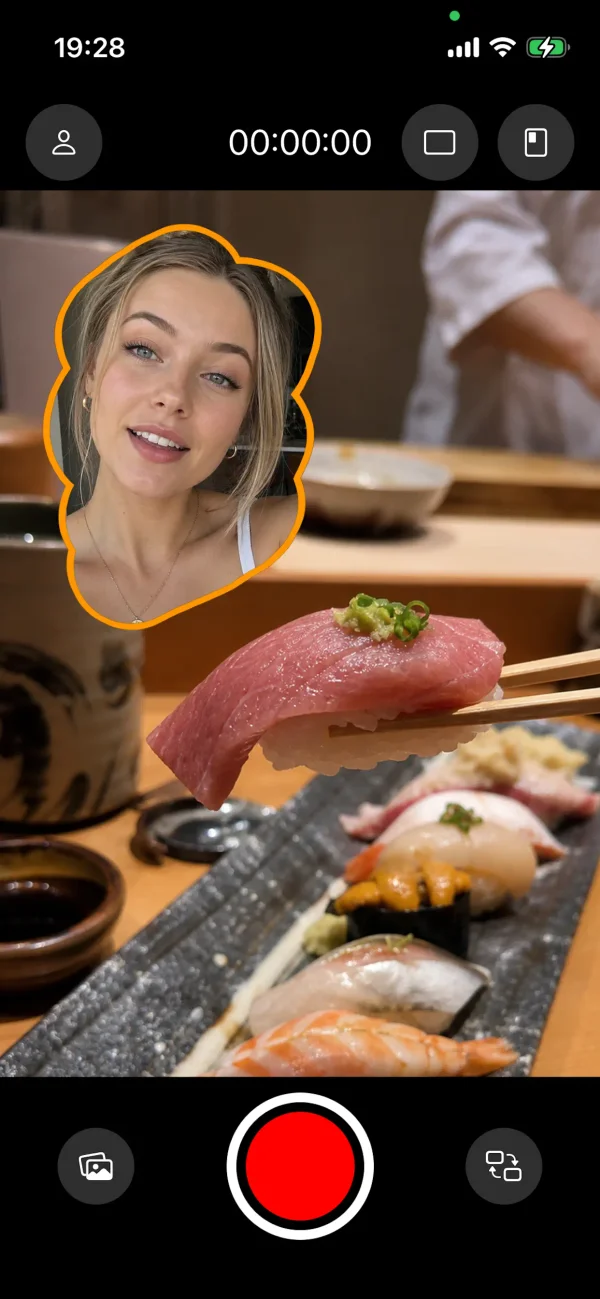
RevoCam is a video recording app that supports simultaneous recording with the front and rear cameras. You can capture yourself and the scene in front of you at the same time while recording, making it ideal for vlogs, product introductions, tutorials, travel videos, and more.
Unlike ordinary apps that record with the front and rear cameras at the same time, RevoCam not only generates a composed video, but also saves the front camera video, rear camera video, audio, and subtitle file separately. This makes it easy to edit your footage again later. After recording, you can still freely adjust the border style, border color, width, and subtitle content of the small video window. You can also export the materials to your computer and continue editing them with professional video editing software.
Features
・Record videos with the front and rear cameras simultaneously
・Swap the front and rear camera views
・Add a border to the small video window
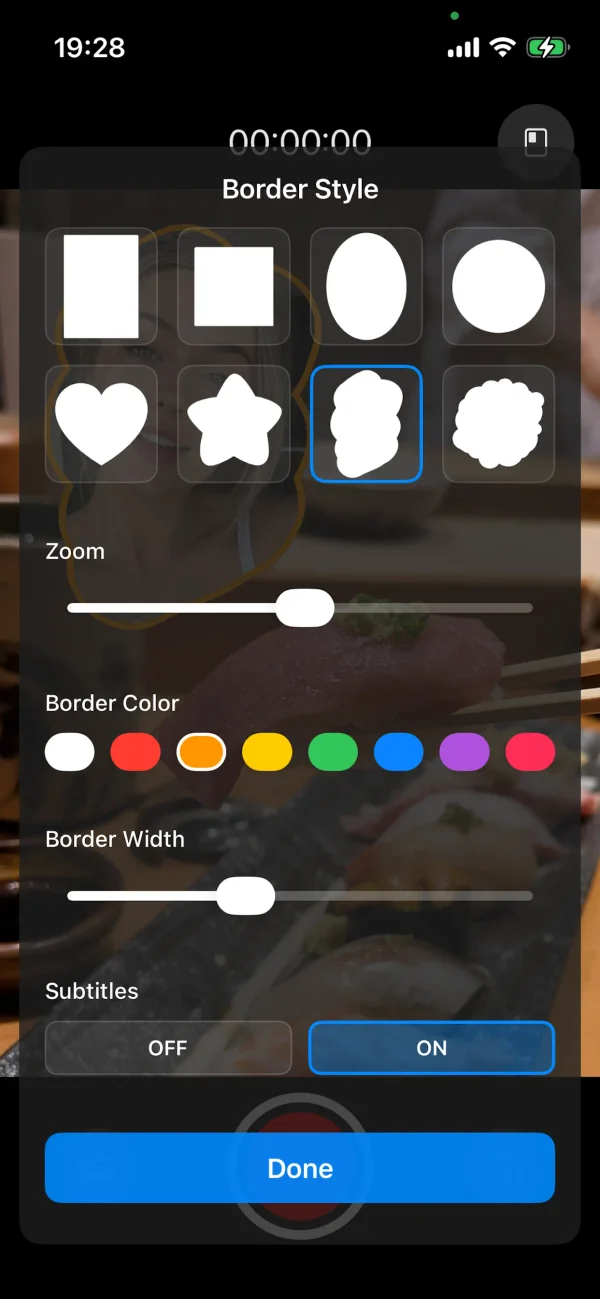
・Customize the border color and border width
・Generate subtitles while recording
・Save foreground video, background video, audio, and SRT subtitles separately
・Readjust border styles and subtitles after recording
・Export a composed video, or export the original materials for professional editing
Export Materials Separately
On the video list page, select the video you want to export, then tap the share button in the lower-left corner. The following items can be exported as a set of materials:
・Foreground video
・Background video
・Audio file
・SRT subtitle file
・Composed video, if already generated
This makes it convenient to continue post-production on your computer or in other video editing software.
Video Composition and Export
Tap a video on the video list page to enter the preview screen.
On the preview screen, tap the share button in the lower-left corner. The app will first compose the video, then export the composed result.
If the video has already been composed before, the app will automatically skip the composition step when exporting again and directly output the composed video.
However, if you adjust the border style, border color, width, or other visual settings on the preview screen, the video must be composed again before the latest version can be exported.
Use Cases
If you are a vlog creator and want to record yourself while also capturing the product, scenery, or operation process you are introducing, this app is a great fit for you.
Whether you are creating unboxing videos, product introductions, travel records, course explanations, or everyday sharing videos, simultaneous front and rear camera recording can make your content richer while giving you more flexibility for post-production.
Try RevoCam and experience a more flexible way to shoot dual-camera videos.
Nouveautés
Version 2.0 · 29/07/2026
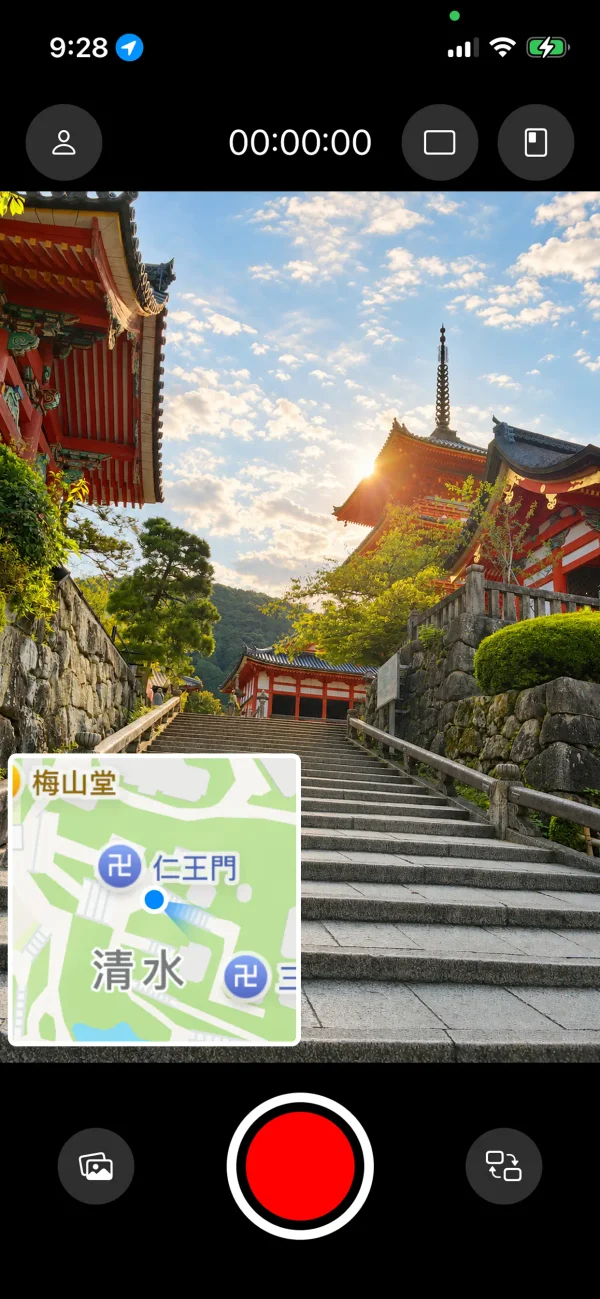
1. Add map recording functionality, with flexible switching and combination between the front and rear cameras.
2. Add editing/trimming functionality.
3. Enhance the subtitle feature: allow font and border settings, and of course color adjustments as well.
4. Enhance the export feature: allow separate export of the original video, merged/composited video, audio, and subtitles.
5. Make minor UI adjustments.
6. Fix bugs.
Confidentialité de l’application
Ce que kitamura hira déclare sur l’App Store au sujet du traitement des données par cette application.
-
Données non collectées
Le développeur ne collecte aucune donnée à partir de cette application.
Les pratiques en matière de confidentialité peuvent varier, notamment en fonction des fonctionnalités que vous utilisez ou de votre âge.
Informations
- Vendeur
- kitamura hira
- Catégorie
- Photo et vidéo
- Version
- 2.0
- Mis à jour
- 29/07/2026
- Publié
- 23/06/2026
- Taille
- 1,7 Mo
- Nécessite
- iOS 15.6 ou version ultérieure
- Classification d’âge
- 4+
- Prix
- 0,99 €
- Langues
- Anglais, Japonais, Chinois simplifié
- Copyright
- © Dreamo Studio
Vous aimerez peut-être aussi
-
 SnaperyCaptures longues, cadres vidéo
-
 PicPure - Smart Photo CleanerPhoto et vidéo
-
 iVideo - Video Editor ToolboxPhoto et vidéo
-
 TriLens - Shoot Once See More.Photo et vidéo
-
 Cam Master-Professional CameraPhoto et vidéo
-
 FlipPhotos:3D Flip PhotosPhoto et vidéo
-
 PhotoDateStamp: TimestampPhoto et vidéo
-
 DoubleIt CameraPhoto et vidéo
-
 Filmix CameraPhoto et vidéo
-
 StudioBlur : Arrière-plan flouCaméra flou & vlog arrière