Routine Interval Timer - DDANG
Routine Timer & Heart Rate
Conçue pour iPhone, iPad
Gratuit · Achats intégrés
- Classification d’âge4+
- CatégorieForme et santé
- Développeursang woon kim
- LanguesAnglais
- Taille73,4 Mo
Renvoie vers la page App Store officielle
Download.org n’héberge aucun fichier de Routine Interval Timer - DDANG. Le bouton ouvre la page de l’application sur App Store, où sang woon kim la publie. Fiche vérifiée pour la dernière fois le 12/11/2026.
Captures d’écran
À propos
Le développeur n’a pas fourni ce texte dans votre langue.
Repeat your workouts and focus sessions in timed sets.
DDANG is a routine interval timer that keeps workouts, stretching, and focus sessions moving with short sounds and haptic cues.
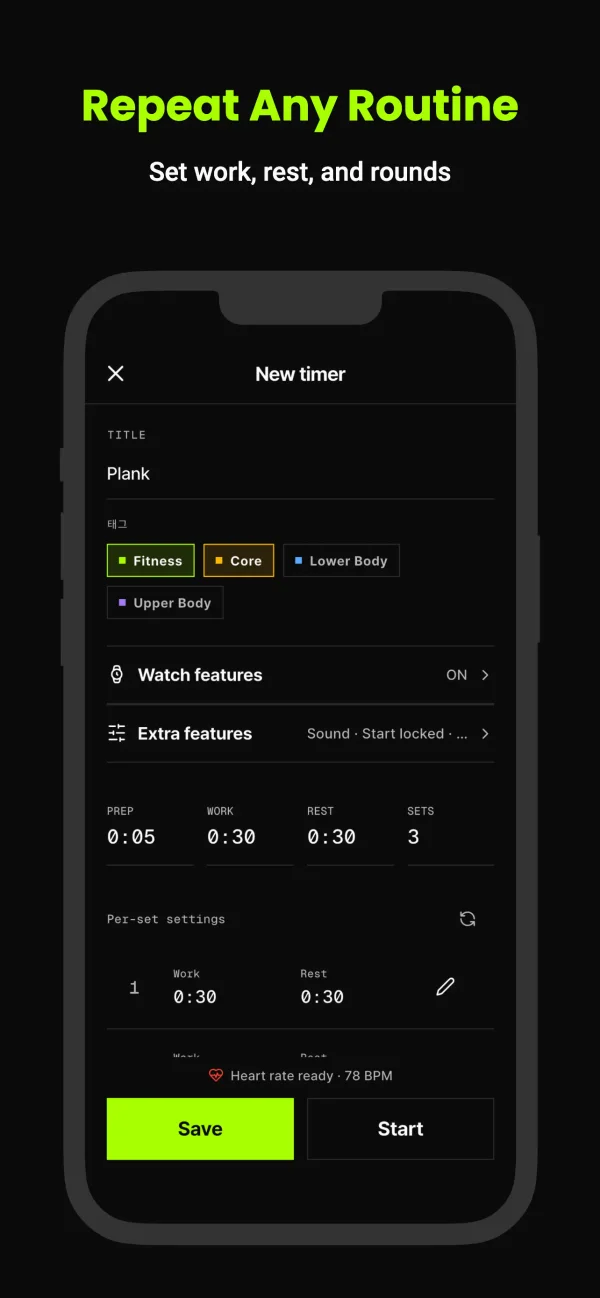
Set your work time, rest time, and number of sets for routines such as planks, wall sits, dead hangs, stretching, or alternating periods of focus and rest.
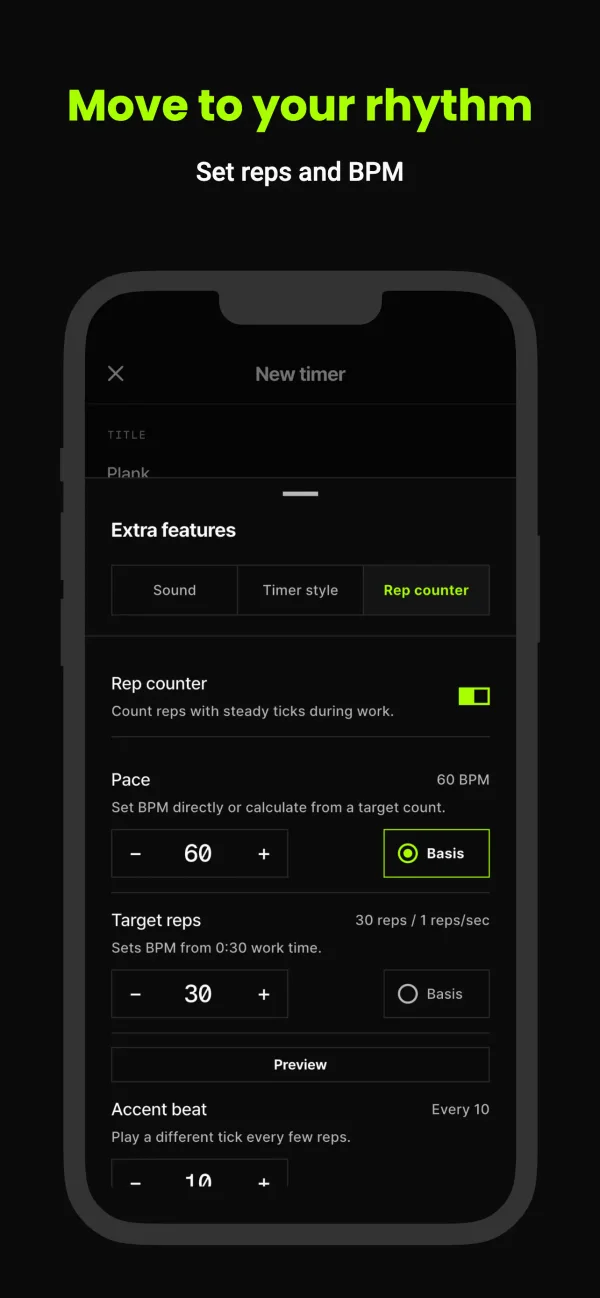
For repeated movements, set a target count and tempo (BPM). DDANG plays cues at consistent intervals to help you keep your rhythm without losing count.
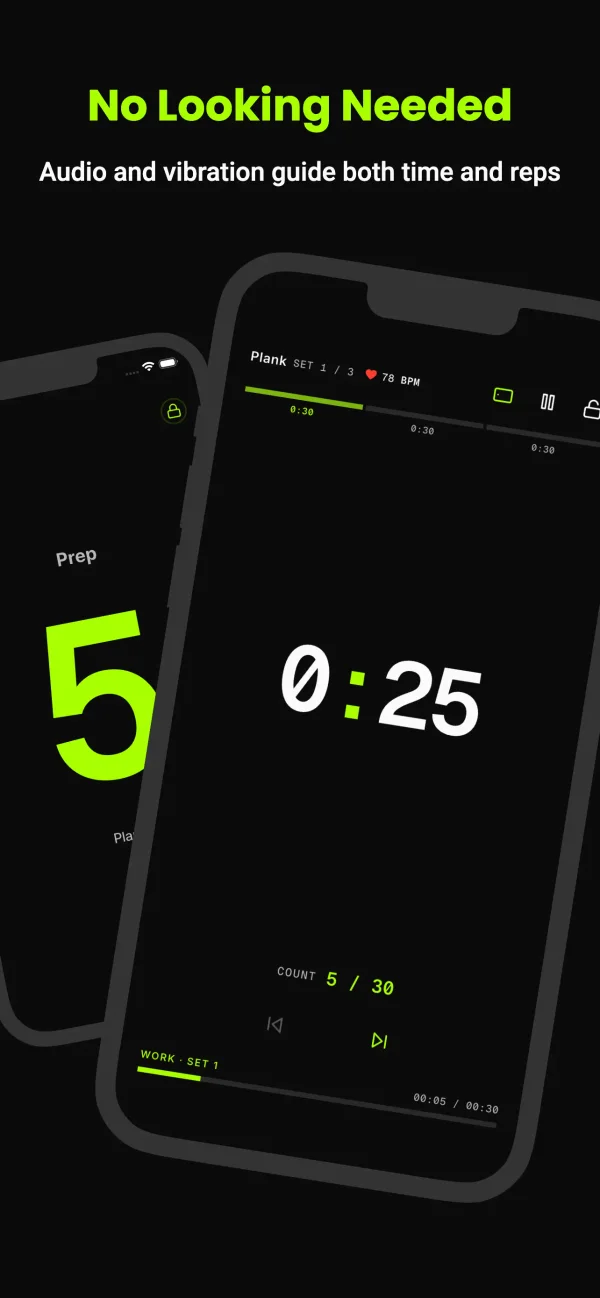
You do not need to keep looking at the screen. Short sounds and haptics tell you when to start, switch phases, prepare for the end, begin the final set, and complete the routine.
■ Made for people who want to
· Repeat workouts in timed sets
· Train with planks, wall sits, dead hangs, and other holds
· Keep count during stretching and repeated movements
· Alternate between focus and rest
· Continue without constantly checking the screen
· Review daily activity and streaks
· Record workout heart rate with a compatible watch
■ Main features
· Custom labels
Save routines with names such as “Plank,” “Stretching,” or “Focus.”
· Time-based intervals
Set work time, rest time, and the number of sets.
· Start countdown
Choose your preparation time before a routine begins.
· Sound and haptic cues
Receive brief cues for starts, transitions, final sets, and completion.
· Remaining-time cues
Choose when to be notified before a work or rest phase ends.
· Repetition counter
Set a target count and tempo (BPM) for repeated movements.
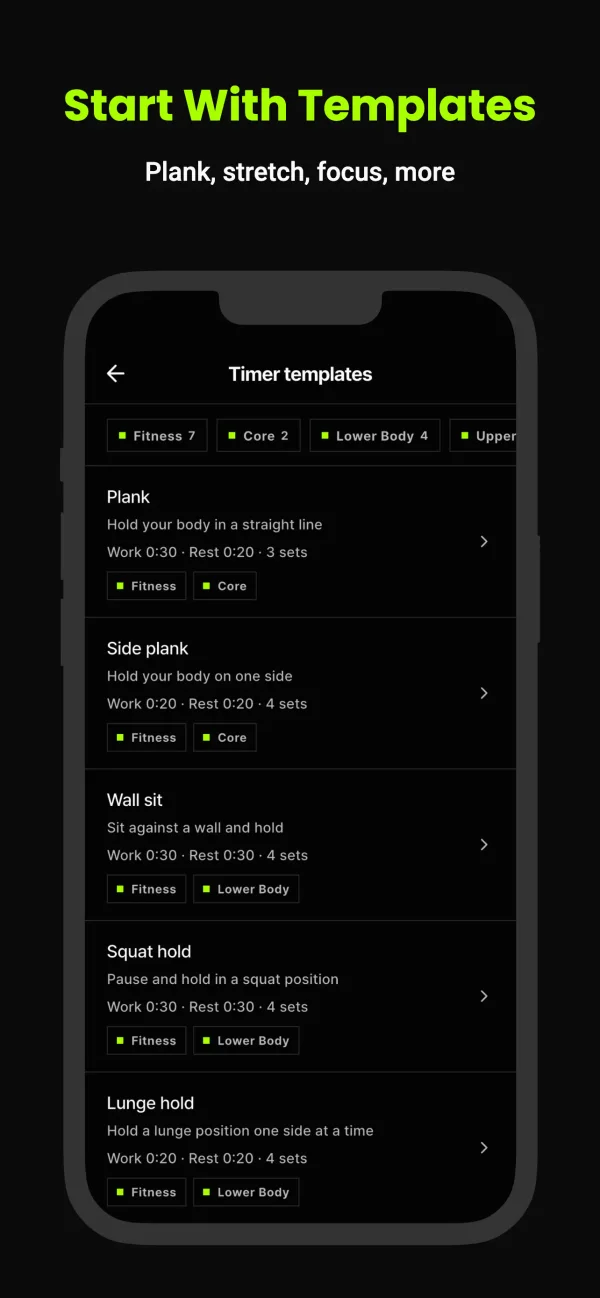
· Recommended templates
Quickly start routines such as planks, wall sits, and dead hangs.
· Tags
Organize routines by workout, study, stretching, or your own categories.
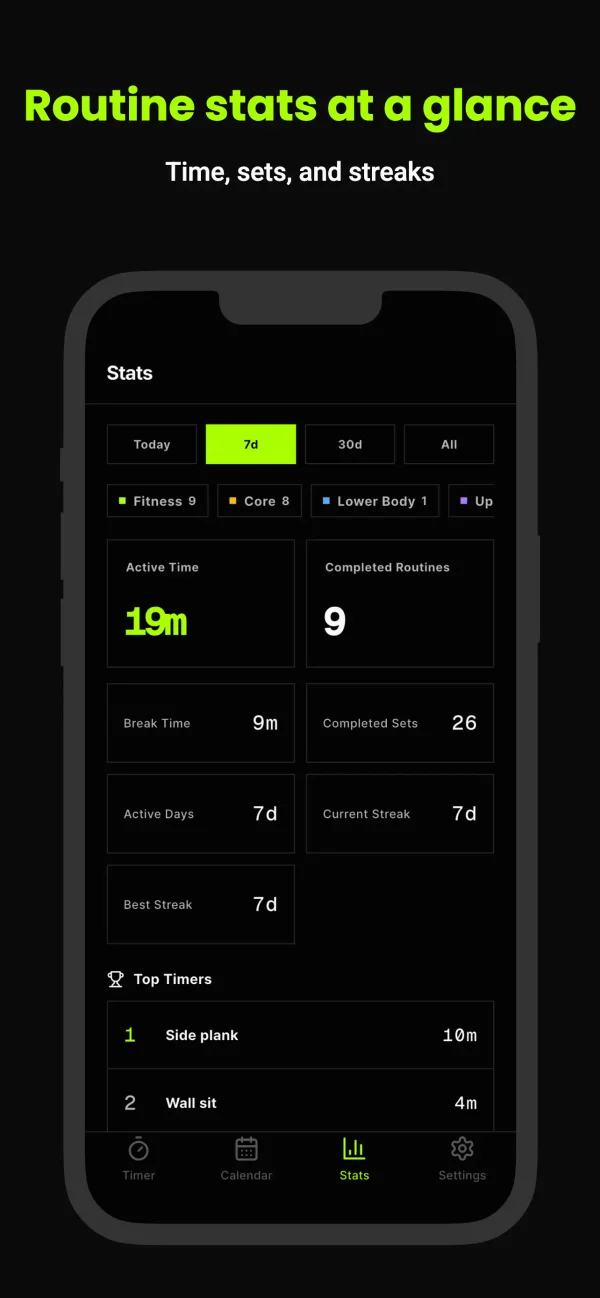
· Statistics and calendar
Review active time, completed sets, active days, and streaks.
· Backup and restore
Export your data and restore routines and records on another device.
■ Use DDANG with your watch
Install DDANG on a compatible watch to sync timers created on your phone and start workouts from your wrist.
· Sync timers created on your phone
· Start workout timers from your watch
· Configure haptics, sounds, and in-app touch lock
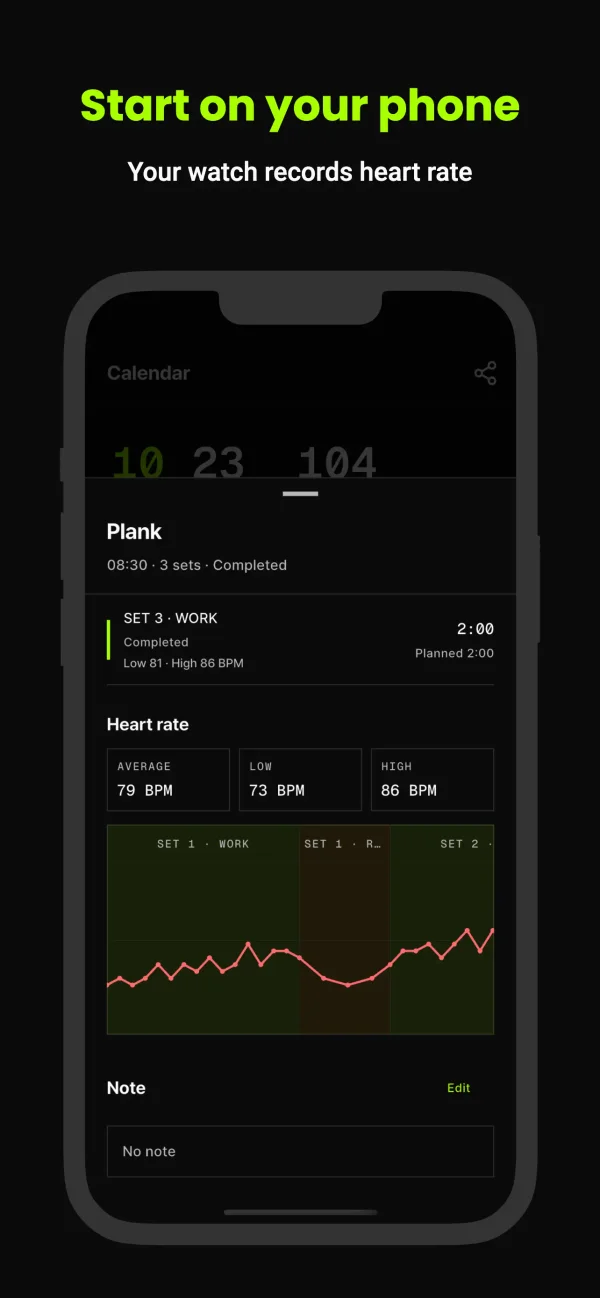
· Record heart rate during phone-started workouts
· Sync watch-completed workouts back to your phone
· Review average, minimum, and maximum heart rate
· See heart rate trends for each workout set
Heart rate recording requires a supported watch and the appropriate permissions. Available features may vary by platform and watch model.
Heart rate information provided by DDANG is intended only as a workout reference. It is not intended for medical diagnosis or treatment.
■ Keep moving without watching the screen
· Start countdown: a light tick and haptic each second
· Work → rest: a short transition sound and haptic
· Remaining time: cues before a phase ends
· Repetition counter: rhythmic cues at your selected BPM
· Final set: a distinct final-set signal
· Completion: a short melody and haptic
Every cue is brief. DDANG uses short effects instead of spoken instructions, so it works comfortably with music without interrupting your workout or focus.
■ Records and privacy
Completed routines are saved to your statistics and calendar. Review active time, completed sets, active days, and streaks, or use tags to organize your history.
Routines, calendar entries, favorites, and heart rate records are stored on your devices. Heart rate recorded by your watch is transferred directly to the connected phone and is not sent to DDANG servers.
Exported backup files may include workout and heart rate records. No user account or sign-in is required. Advertising and purchase SDKs operate separately under their respective policies.
■ Pricing
· Basic use: Free
· Ad removal: Monthly subscription or lifetime purchase
For workouts and focus.
Repeat and record your time in sets and beats.
Terms of Use (Apple Standard EULA):
https://www.apple.com/legal/internet-services/itunes/dev/stdeula/
Nouveautés
Version 2.4.1 · 14/10/2026
• Improved theme preview image reliability after removing a theme or restarting the app
• Added a retry option when a preview image fails to load
Confidentialité de l’application
Ce que sang woon kim déclare sur l’App Store au sujet du traitement des données par cette application.
-
Données utilisées pour vous suivre
Peuvent être utilisées pour vous suivre sur des applications et des sites web appartenant à d’autres sociétés.
- Identifiants
- Données d’utilisation
-
Données n’établissant aucun lien avec vous
Peuvent être collectées, mais ne sont pas liées à votre identité.
- Identifiants
- Données d’utilisation
- Diagnostic
Les pratiques en matière de confidentialité peuvent varier, notamment en fonction des fonctionnalités que vous utilisez ou de votre âge.
Informations
- Vendeur
- Mohoo Studio
- Catégorie
- Forme et santé
- Version
- 2.4.1
- Mis à jour
- 14/10/2026
- Publié
- 26/05/2026
- Taille
- 73,4 Mo
- Nécessite
- iOS 16.1 ou version ultérieure
- Classification d’âge
- 4+
- Prix
- Gratuit
- Achats intégrés
- Oui
- Langues
- Anglais
- Copyright
- © 2026 mohoo
Vous aimerez peut-être aussi
-
 SlowRepForme et santé
-
 PowerRepsForme et santé
-
 HIIT Trainer: Interval TimerForme et santé
-
 TickStep: Metronome WorkoutsForme et santé
-
 Tabata Timer - HIIT WorkoutForme et santé
-
 TempoRoundForme et santé
-
 Orya : Minuteur d'intervallesHIIT, circuits et guide vocal
-
 Interval Timer - HIIT & TabataForme et santé
-
 스트롱스트롱 - 인터벌 타이머Forme et santé
-
 Cours Yoga Instructeur - FlowPostures, Cours et Minuteur