
Runline: Vibe Coding Agent
Remote AI Tasks & Terminal
Conçue pour iPhone
Gratuit · Achats intégrés
- Classification d’âge4+
- CatégorieOutils de développement
- DéveloppeurRethinking.Studio
- LanguesAnglais+ 1 de plus
- Taille70,0 Mo
Renvoie vers la page App Store officielle
Download.org n’héberge aucun fichier de Runline: Vibe Coding Agent. Le bouton ouvre la page de l’application sur App Store, où Rethinking.Studio la publie. Fiche vérifiée pour la dernière fois le 17/11/2026.
Captures d’écran
À propos
Le développeur n’a pas fourni ce texte dans votre langue.
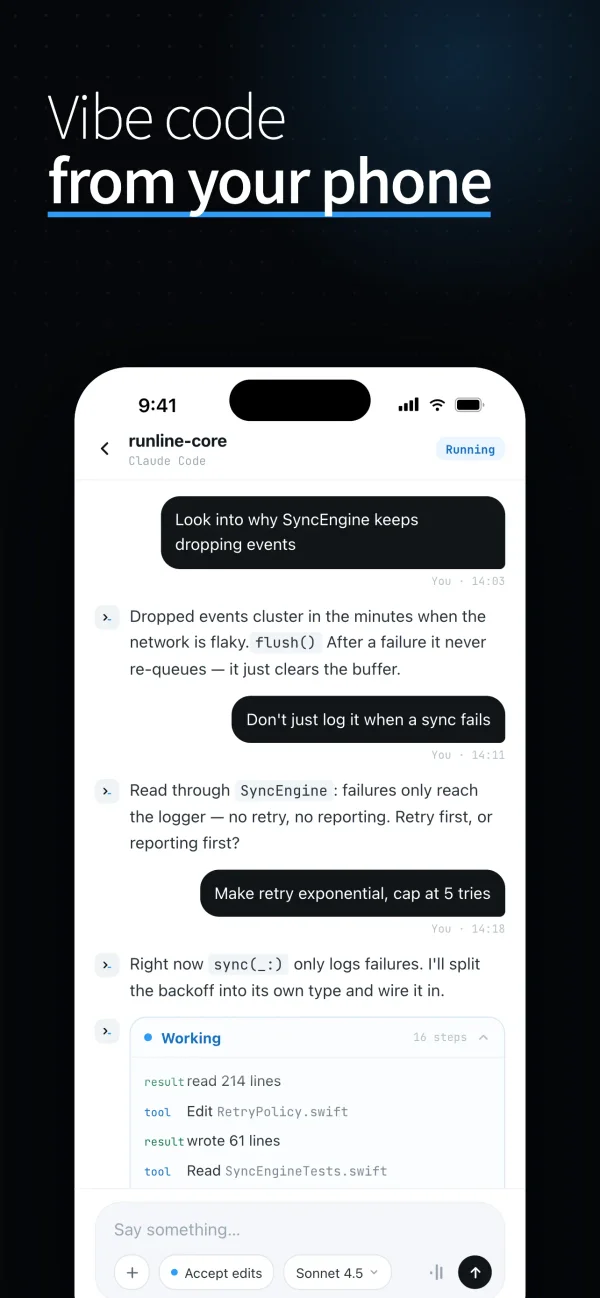
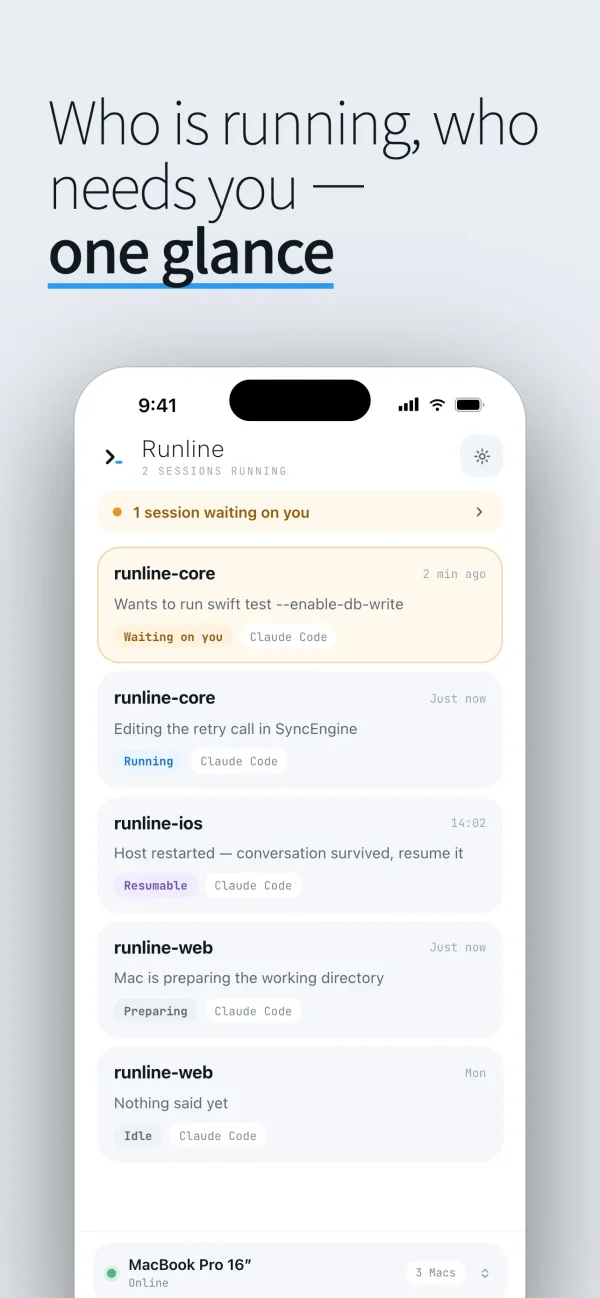
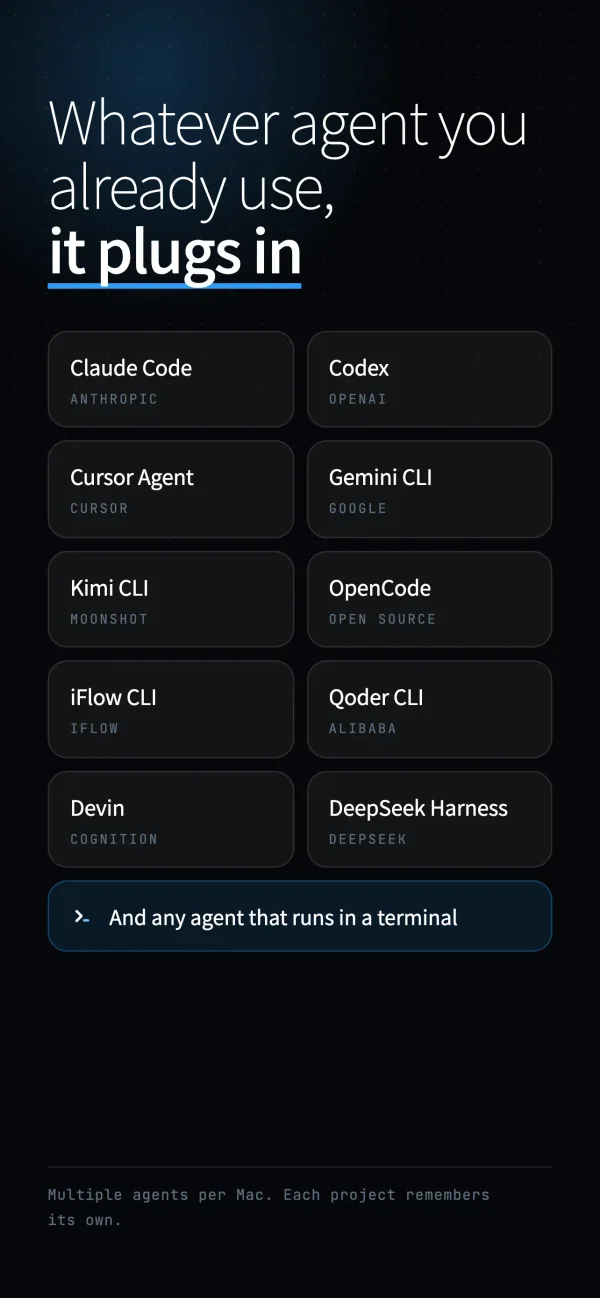
Runline connects the AI coding agents running on your Mac — Claude Code, Codex, Kimi Code and more — to your iPhone: assign work, answer questions and watch progress without being at the computer.
It runs, you walk away
Start a session on your Mac and follow it from your phone. Your Mac must stay powered on, awake and connected to the internet for tasks to continue.
One sentence is one task
"Make the retry exponential, five attempts max" — send it and the agent takes it from there. Voice input works too, and you can switch models and permission modes from the phone.
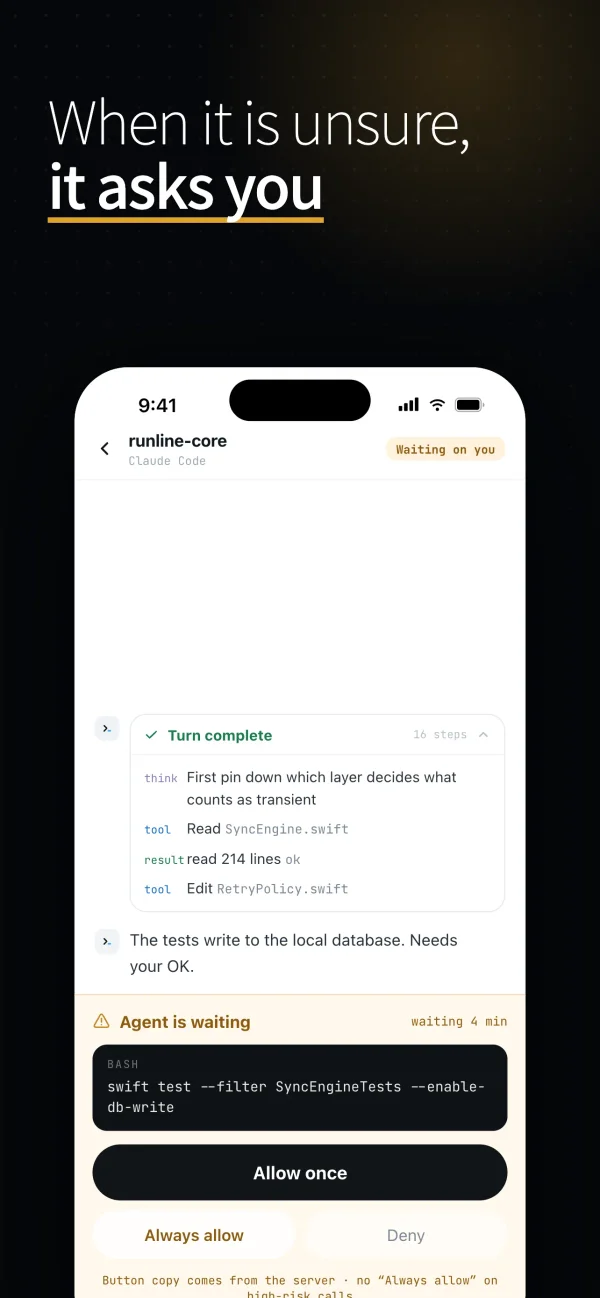
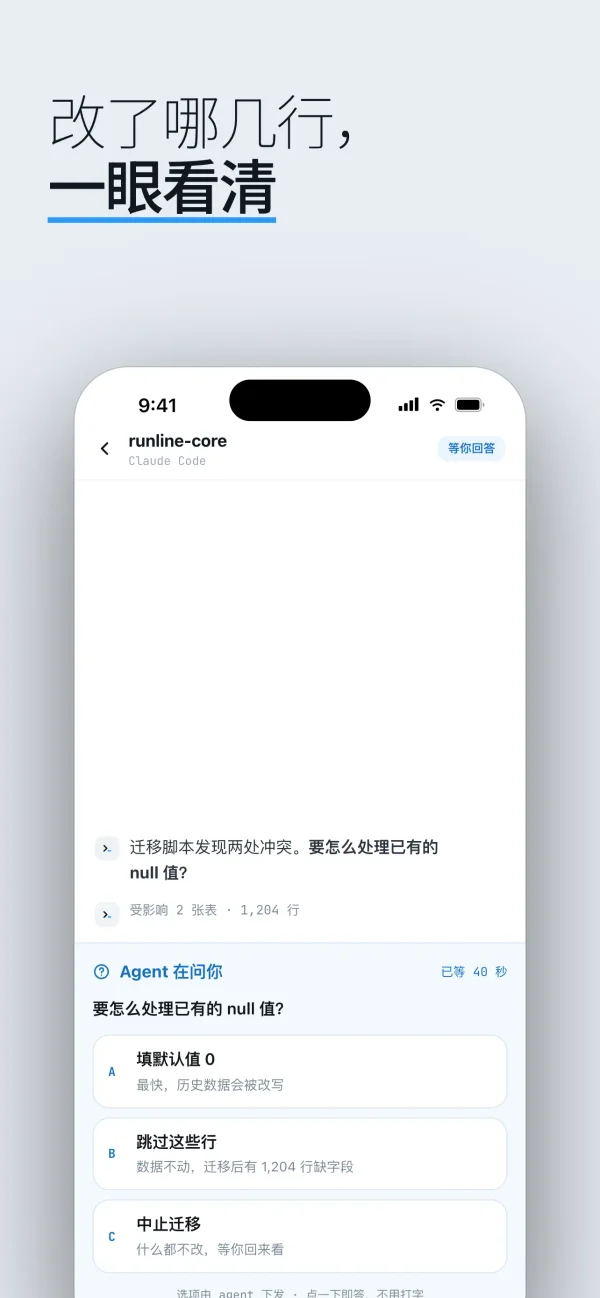
It asks, you answer on the phone
When the agent needs approval or wants you to pick between proposals, the notification carries the options. One tap and the turn resumes. The Dynamic Island shows the live session state and the tool currently running.
See exactly what changed
Every turn ends with a summary, and each tool call can be inspected. Read first, then decide whether it continues.
Run tasks on your own Mac
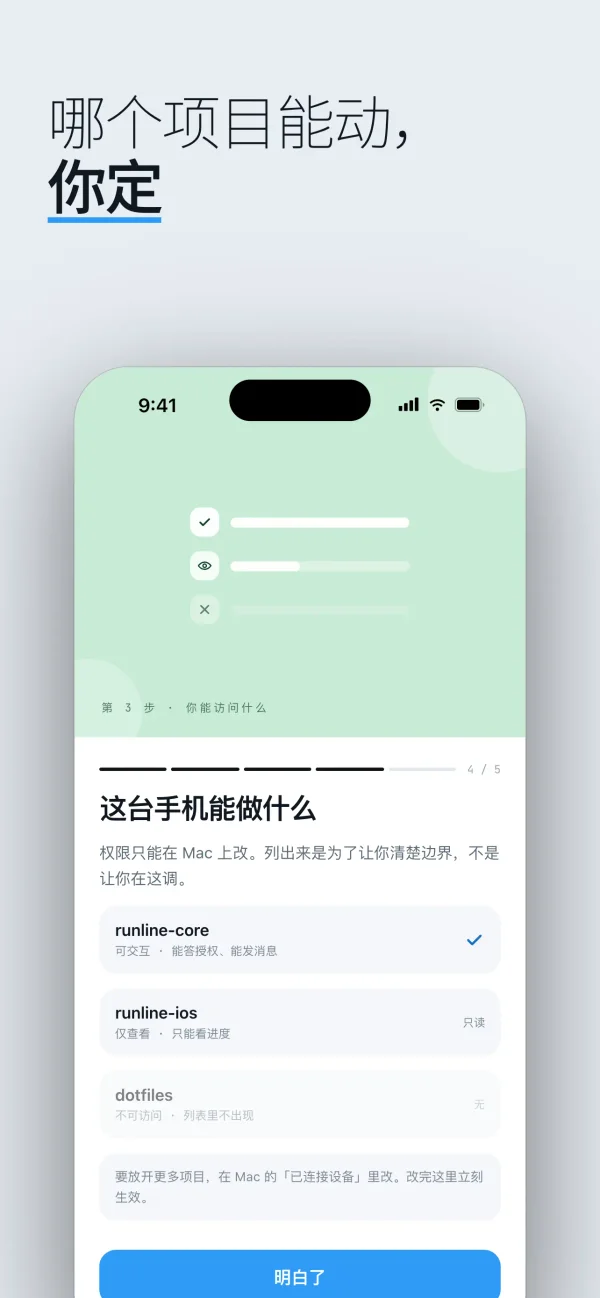
Repositories stay on your machine. Runline relays session messages and tool output to your phone; those messages may contain code excerpts. Permissions are controlled on the Mac, and a lost phone can be revoked there at any time.
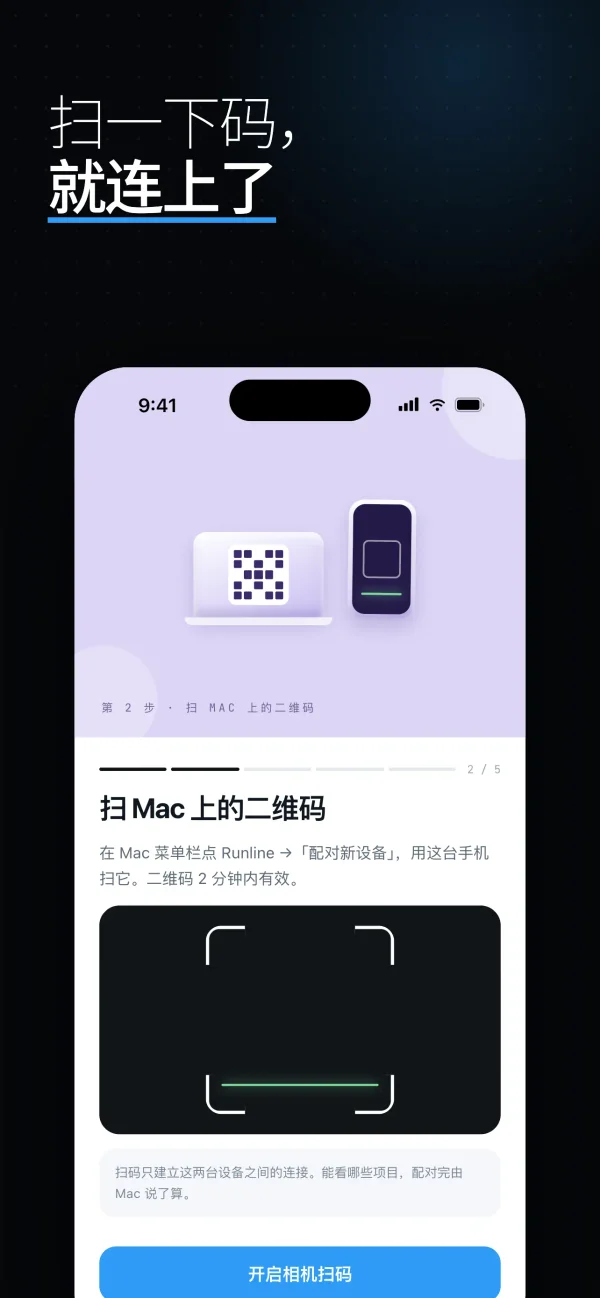
Requires the free Runline Mac app (runline.rethinking.art). No accounts — pairing is one QR scan.
Terms of Service: https://runline.rethinking.art/terms
Privacy Policy: https://runline.rethinking.art/privacy
Nouveautés
Version 2.3.3 · 02/11/2026
· Videos and recordings play the moment you tap them, without waiting for the download; other files show their progress.
· Scroll all the way back to the start of a session — history no longer stops partway.
· Choose which computer a new session starts on, and see where to add a project when a computer has none.
· Approval requests describe what they will do in plain words, with your home folder shown as ~.
· Summaries on the Lock Screen, Dynamic Island and widgets no longer show Markdown or code.
· On iPhone Duo, unfolded portrait stays on one page; the two-column layout appears only in unfolded landscape.
Confidentialité de l’application
Ce que Rethinking.Studio déclare sur l’App Store au sujet du traitement des données par cette application.
-
Données non collectées
Le développeur ne collecte aucune donnée à partir de cette application.
Les pratiques en matière de confidentialité peuvent varier, notamment en fonction des fonctionnalités que vous utilisez ou de votre âge.
Informations
- Vendeur
- Rethinking.Studio
- Catégorie
- Outils de développement
- Version
- 2.3.3
- Mis à jour
- 02/11/2026
- Publié
- 01/09/2026
- Taille
- 70,0 Mo
- Nécessite
- iOS 18.0 ou version ultérieure
- Classification d’âge
- 4+
- Prix
- Gratuit
- Achats intégrés
- Oui
- Langues
- Anglais, Chinois simplifié
- Copyright
- ©Rethinking.Studio
Vous aimerez peut-être aussi
-
 Agent Limbo: AI CodingOutils de développement
-
 Drover: Steer AI Coding AgentsOutils de développement
-
 DevChainOutils de développement
-
 CPATokenOutils de développement
-
 Clive: SSH & Mosh TerminalSFTP, tmux, codage agentique
-
 CoTerm – AI Coding TerminalOutils de développement
-
 Vibe小匣Outils de développement
-
 AGenUI PlaygroundOutils de développement
-
 UULink: Remote Coding AgentsOutils de développement
-
 IAP AlertsOutils de développement