Scanify: PDF & OCR Scanner
Scan, OCR & Share Documents
Conçue pour iPhone
Gratuit
- Classification d’âge4+
- CatégorieProductivité
- DéveloppeurLinh Phan Nhat Khanh
- LanguesAnglais
- Taille703,0 Ko
Renvoie vers la page App Store officielle
Download.org n’héberge aucun fichier de Scanify: PDF & OCR Scanner. Le bouton ouvre la page de l’application sur App Store, où Linh Phan Nhat Khanh la publie. Fiche vérifiée pour la dernière fois le 12/11/2026.
Captures d’écran
À propos
Le développeur n’a pas fourni ce texte dans votre langue.
PDF Scanner turns your iPhone into a powerful document scanner. Capture receipts, contracts, notes, whiteboards, and any paper document in seconds — then export a clean, shareable PDF.
Scan anything in your environment with the built-in camera. Multi-page documents are supported: scan as many pages as you need in a single session and they are assembled into one organized PDF automatically.
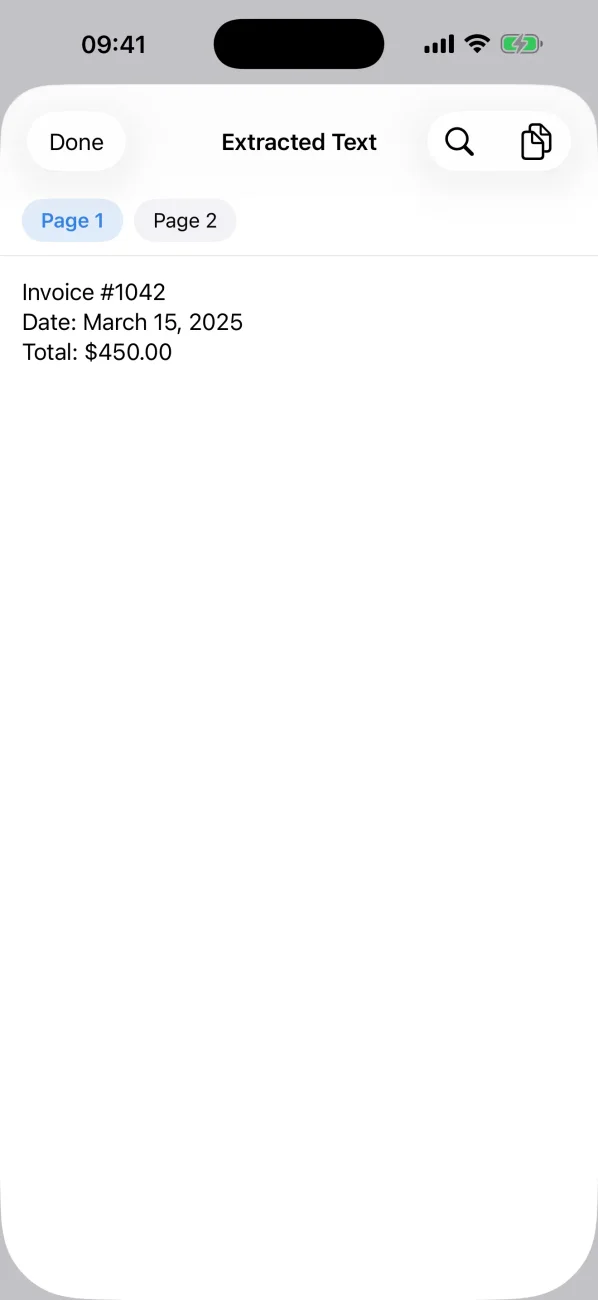
On-device OCR (powered by Apple's Vision framework) extracts the text from every page so you can search your entire document library by content, not just by filename. Your text never leaves your device.
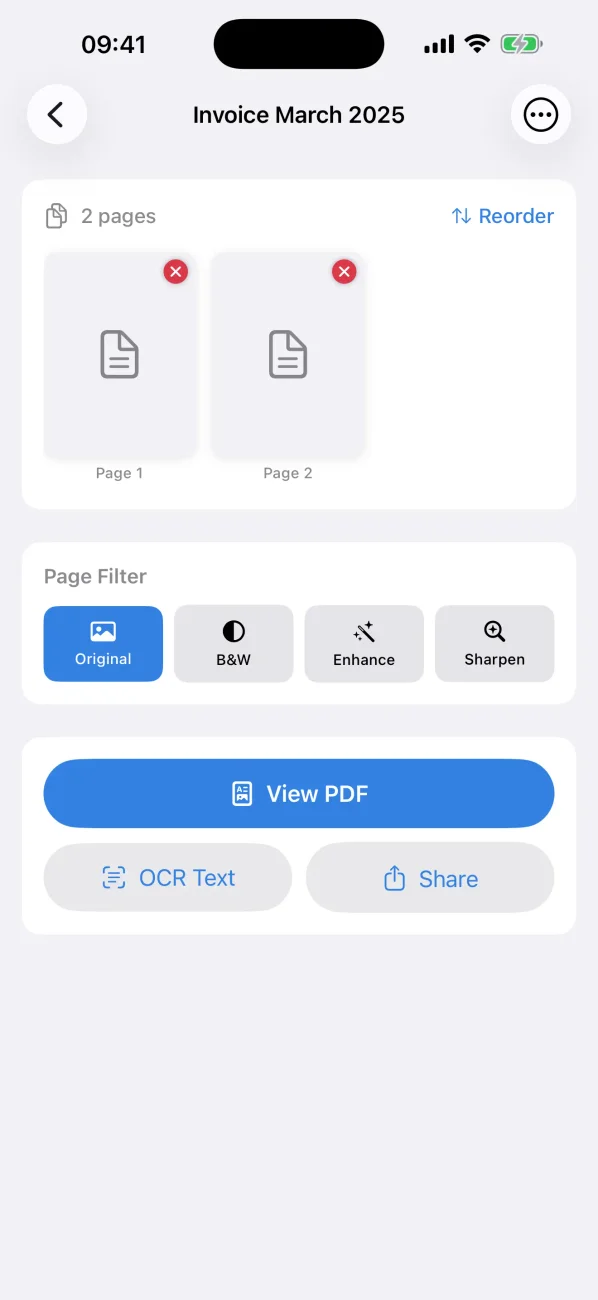
Fine-tune the look of each page with four image filters: Original for an exact copy, Black & White for crisp text-heavy documents, Enhance for a contrast and sharpness boost, and Sharpen for maximum edge clarity.
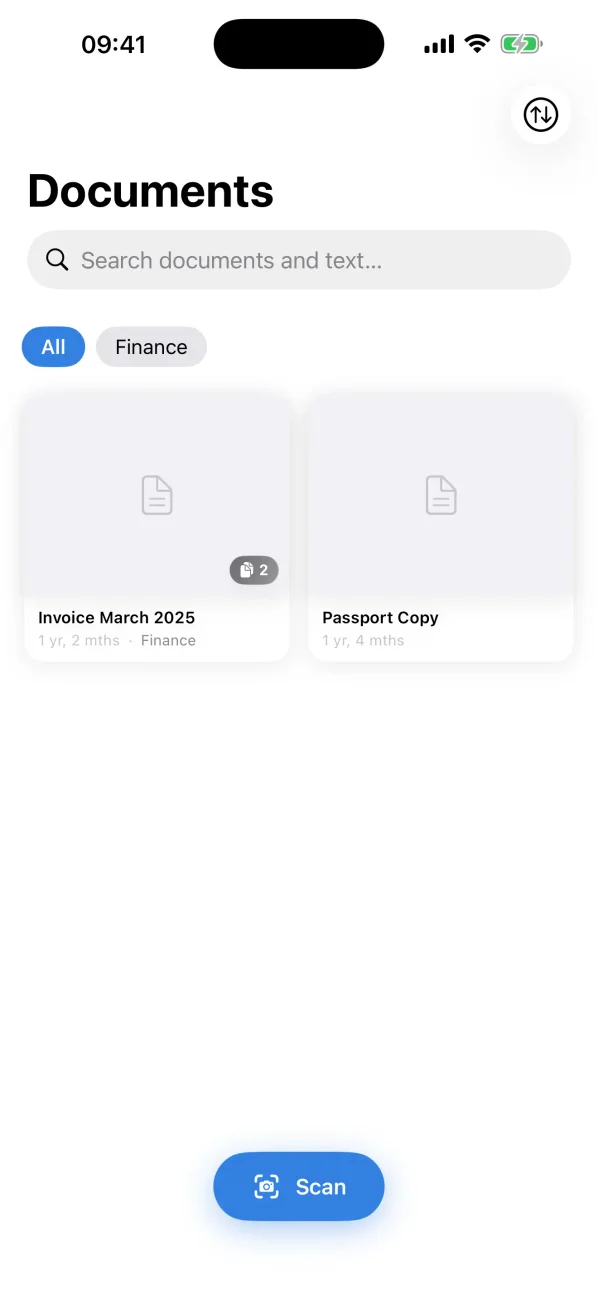
Organize your growing library with folders and instant full-text search. Rename documents, reorder or delete individual pages, and keep everything sorted by date or name.
When you're ready to share, preview the finished PDF in-app, then send it via Mail, Messages, AirDrop, or any app on your phone. No account required, no cloud upload — everything stays private on your device.
Key features:
- Multi-page scanning with real-time progress
- On-device OCR with full-text search across all documents
- Four page filters: Original, B&W, Enhance, Sharpen
- Drag-to-reorder and delete individual pages
- Folder organization for your document library
- PDF preview before sharing
- Share via any iOS share sheet target
- No sign-in, no subscription, no cloud required
Confidentialité de l’application
Ce que Linh Phan Nhat Khanh déclare sur l’App Store au sujet du traitement des données par cette application.
-
Données non collectées
Le développeur ne collecte aucune donnée à partir de cette application.
Les pratiques en matière de confidentialité peuvent varier, notamment en fonction des fonctionnalités que vous utilisez ou de votre âge.
Informations
- Vendeur
- Linh Phan Nhat Khanh
- Catégorie
- Productivité
- Version
- 1.0
- Mis à jour
- 11/06/2026
- Publié
- 11/06/2026
- Taille
- 703,0 Ko
- Nécessite
- iOS 17.0 ou version ultérieure
- Classification d’âge
- 4+
- Prix
- Gratuit
- Langues
- Anglais
- Copyright
- © 2026 PNKL
Vous aimerez peut-être aussi
-
 Scan Flow: Document ScannerDocuments et reçus en PDF
-
 PDF Toolkit: Scan & ConvertProductivité
-
 Origami PDF: Scan & SignProductivité
-
 PDF Scanner De Document PapierConvertir Reçu, Gestion Cloud
-
 Pure PDF ScannerProductivité
-
 PDF Converter - Smart ScannerProductivité
-
 ScanVault - PDF ScannerProductivité
-
 Doculy : Scanner PDF & PhotoScan documents, JPG en PDF
-
 Scanify: PDF Document ScannerProductivité
-
 Docsigns - Sign PDF & eSignProductivité