Screen Recording App ◉
Game Recorder & Video Editor
Conçue pour iPhone, iPad
Gratuit
- Classification d’âge4+
- CatégoriePhoto et vidéo
- DéveloppeurKraus und Karnath GbR 2Kit Consulting
- LanguesAnglais+ 6 de plus
- Taille2,4 Mo
Renvoie vers la page App Store officielle
Download.org n’héberge aucun fichier de Screen Recording App ◉. Le bouton ouvre la page de l’application sur App Store, où Kraus und Karnath GbR 2Kit Consulting la publie. Fiche vérifiée pour la dernière fois le 25/11/2026.
Captures d’écran


À propos
Le développeur n’a pas fourni ce texte dans votre langue.
Screen Recording App — Free Recorder & Video Editor
The private screen recorder for iPhone and iPad. No upload. No account. No watermark. No ads. No subscriptions. Your recordings stay on your device.
Capture your entire screen with system audio, your microphone, or both. Record any app or system view, even after leaving Screen Recording App.
WHAT YOU CAN RECORD
• Full-screen capture with system audio
• Voice-over with your microphone
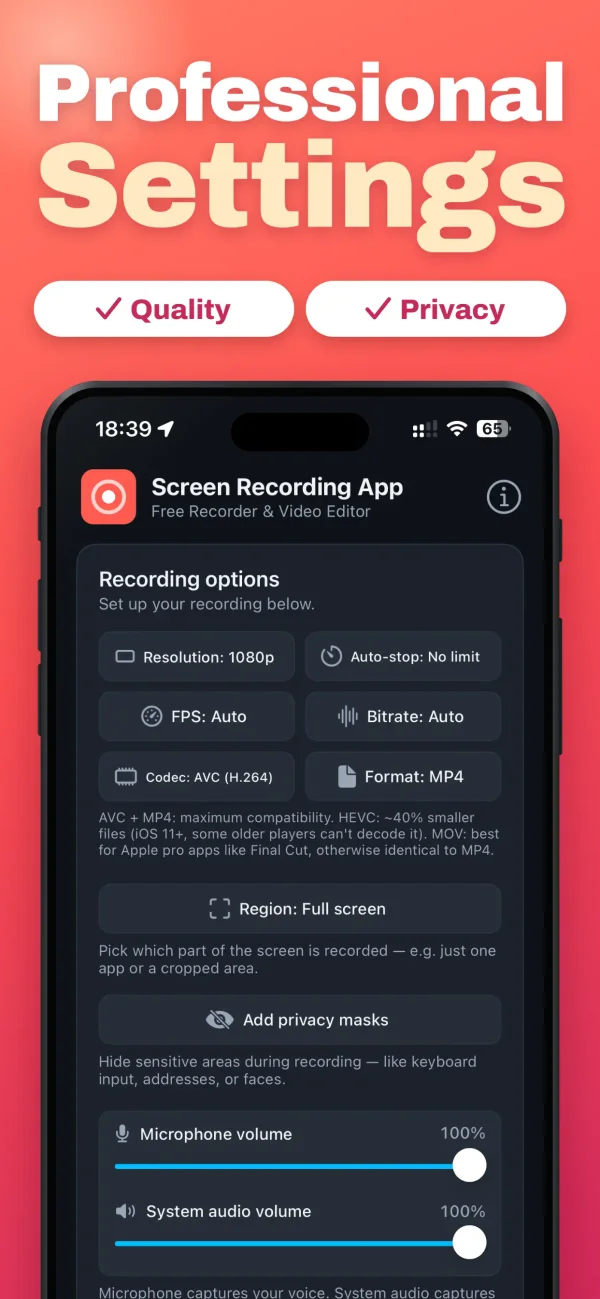
• Auto-stop after 5 min, 15, 30, 1 h, 2 h — or run until you stop
• Pick the resolution that fits your need: up to 4K, plus 1080p, 720p, 540p, 480p, 360p, 240p
• Frame rate from 15 to 60 fps
• Bitrate from 1 to 24 Mbps, or Auto
• H.264 / HEVC, MP4 / MOV — pick what works with your editor
• Privacy masks — hide keyboards, addresses, faces with a black box or pixelation
• Region recording — capture just one app or a cropped area
LIVE STATUS WHERE YOU NEED IT
• Live Activity on the Lock Screen with elapsed timer
• Dynamic Island indicator on supported iPhones
• Recording widget for the Home Screen
• Control Center button for one-tap start
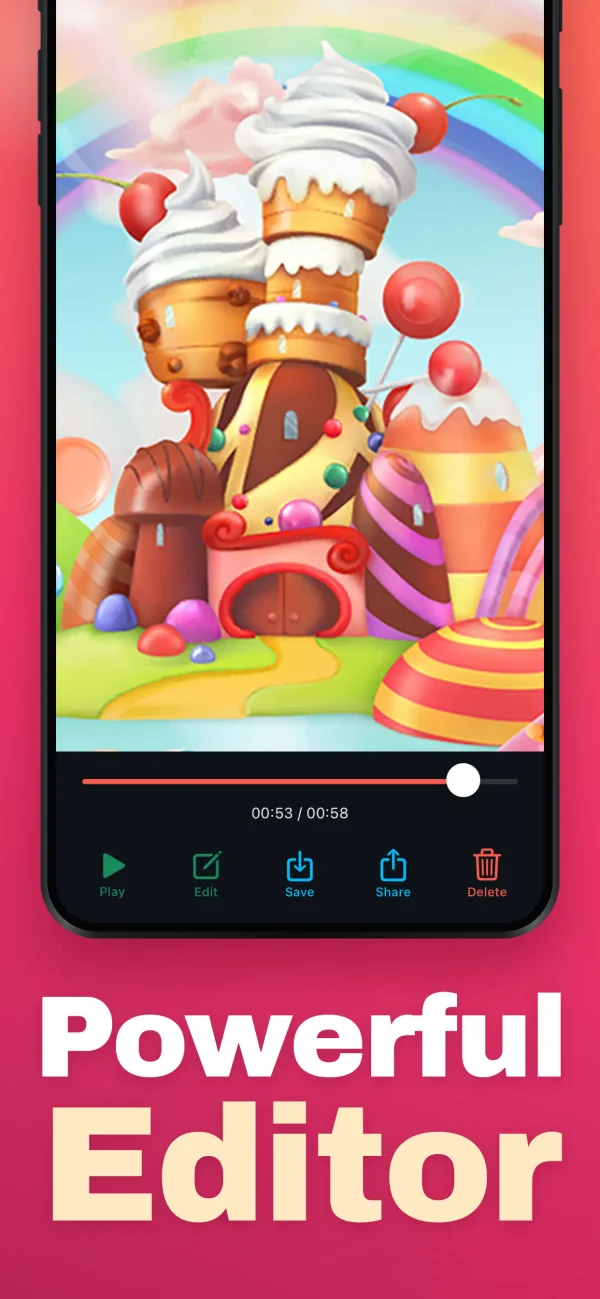
EDIT WITHOUT LEAVING THE APP
• Trim, cut, crop, zoom and rotate
• Change playback speed (0.5× to 2×)
• Apply filters: Vivid, Faded, Instant, Mono, Noir, Sepia, Invert
• Compress to slash file size before sharing
• Mute the audio track in one tap
• Generate auto-captions in 60+ languages
• Export still frames as PNG/JPG, audio as M4A, or the whole clip as an animated GIF
SHARE, SAVE, IMPORT
• Save to Photos
• Share to any app
• Import videos from Files or Photos to edit them with the same tools
• Add videos directly from the system Share sheet or quick action
PRIVATE BY DESIGN
We never upload your recordings. There's no account to sign up for, no ads, no tracking. Everything lives on your device — yours to keep, edit and share when you choose.
Light, Dark, and system-matched themes — the recorder blends into whatever look you prefer.
Localized in English, German, Spanish, Portuguese, French, Italian and Japanese.
Nouveautés
Version 1.4 · 11/08/2026
- Bug fixes
Confidentialité de l’application
Ce que Kraus und Karnath GbR 2Kit Consulting déclare sur l’App Store au sujet du traitement des données par cette application.
-
Données non collectées
Le développeur ne collecte aucune donnée à partir de cette application.
Les pratiques en matière de confidentialité peuvent varier, notamment en fonction des fonctionnalités que vous utilisez ou de votre âge.
Informations
- Vendeur
- Kraus und Karnath GbR 2Kit Consulting
- Catégorie
- Photo et vidéo
- Version
- 1.4
- Mis à jour
- 11/08/2026
- Publié
- 25/06/2026
- Taille
- 2,4 Mo
- Nécessite
- iOS 16.0 ou version ultérieure
- Classification d’âge
- 4+
- Prix
- Gratuit
- Langues
- Anglais, Français, Allemand, Italien, Japonais, Portugais, Espagnol
- Copyright
- © 2kit consulting
Vous aimerez peut-être aussi
-
 iRecordScreen : Filmez l’écran4K, FaceCam et son interne
-
 Enregistreur d'écran: ClipCastVidéo pour mobile
-
 Enregistreur d’écran vidéo4K, Facecam et vidéo
-
 HD Screen RecorderPhoto et vidéo
-
 Screen Recorder: Recording AppPhoto et vidéo
-
 ZD Screen Recorder & EditorPhoto et vidéo
-
 Facecam Enregistreur d'ÉcranVidéo réaction avec prompteur
-
 Reel: Enregistreur d'écranCaméra incrustée, sans logo
-
 Screen Lab: EnregistreurEnregistrez avec Face Cam
-
 Screen Recorder ‧ Video EditorPhoto et vidéo