Screen Time Learning Challenge
Learning to earn screen time
Conçue pour iPhone, iPad
Gratuit · Achats intégrés
- Classification d’âge4+
- CatégorieÉducation
- DéveloppeurDomenic Talese
- LanguesAnglais
- Taille498,5 Mo
Renvoie vers la page App Store officielle
Download.org n’héberge aucun fichier de Screen Time Learning Challenge. Le bouton ouvre la page de l’application sur App Store, où Domenic Talese la publie. Fiche vérifiée pour la dernière fois le 17/11/2026.
Captures d’écran


À propos
Le développeur n’a pas fourni ce texte dans votre langue.
Screen Time Learning Challenge
Turn screen time into learning time.
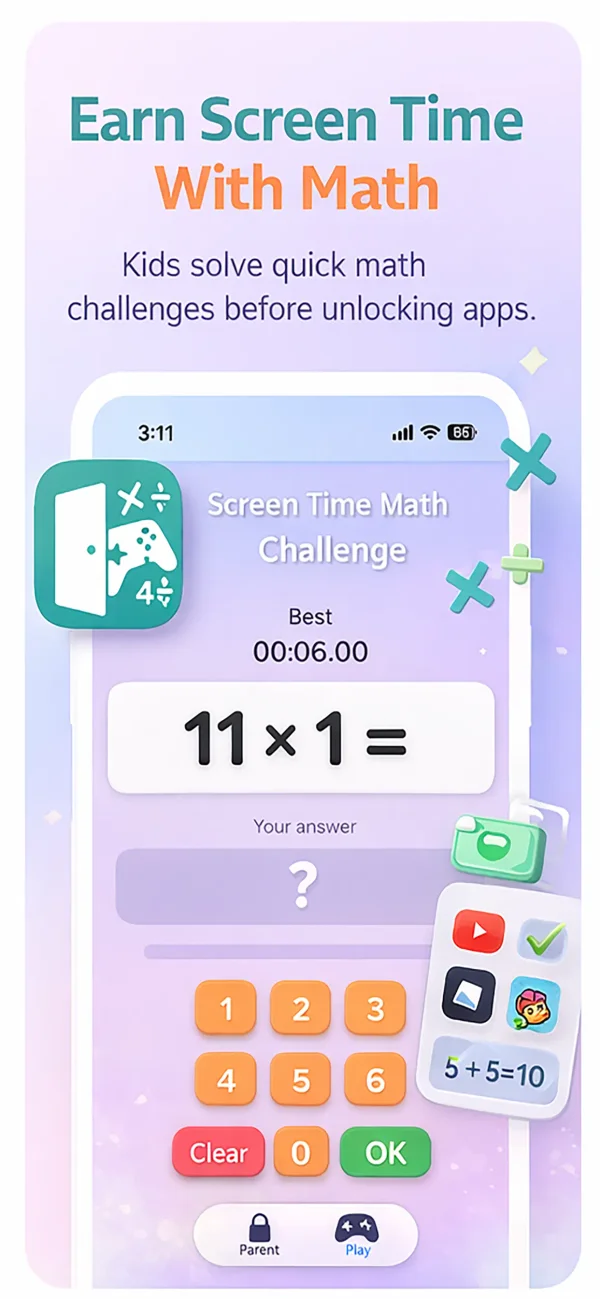
Screen Time Learning Challenge lets parents choose which apps and categories to limit, then gives kids a simple way to earn access by completing math or spelling practice.
Parents choose the learning activity, difficulty, number of correct answers, schedules, and apps to protect. Kids complete their challenge, make progress toward their goal, and unlock their apps when they finish.
Math, Spelling, or Both
Choose the type of learning that works best for your child.
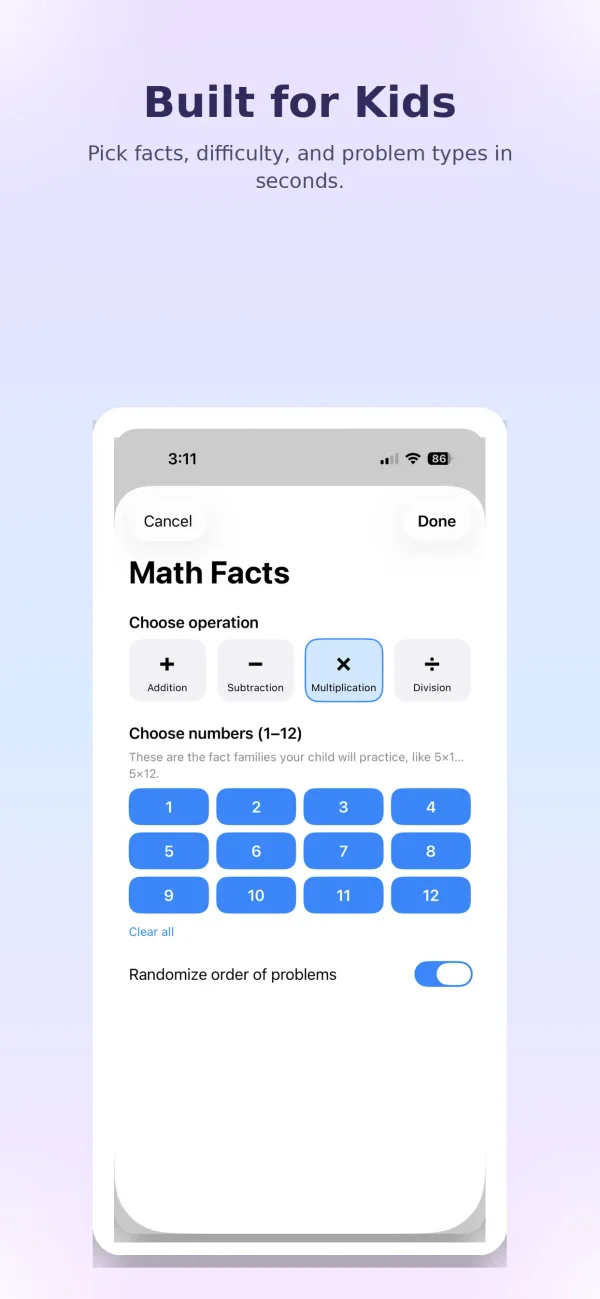
Math includes:
Addition
Subtraction
Multiplication
Division
Mixed operations
Facts through 12
Customizable challenge lengths
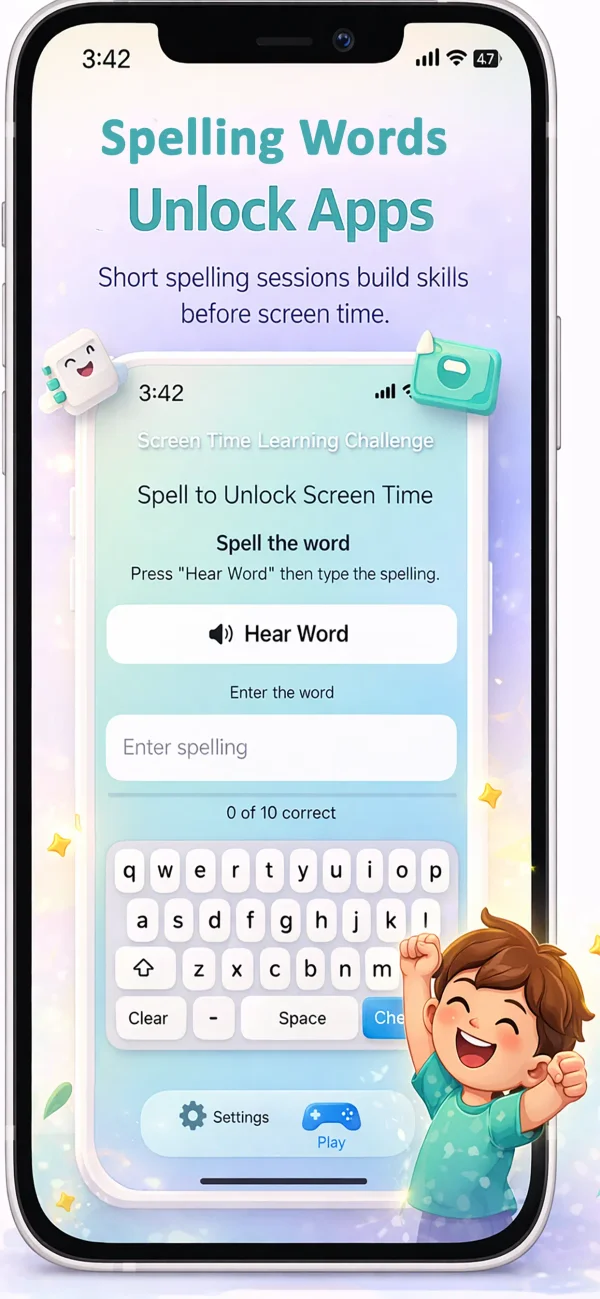
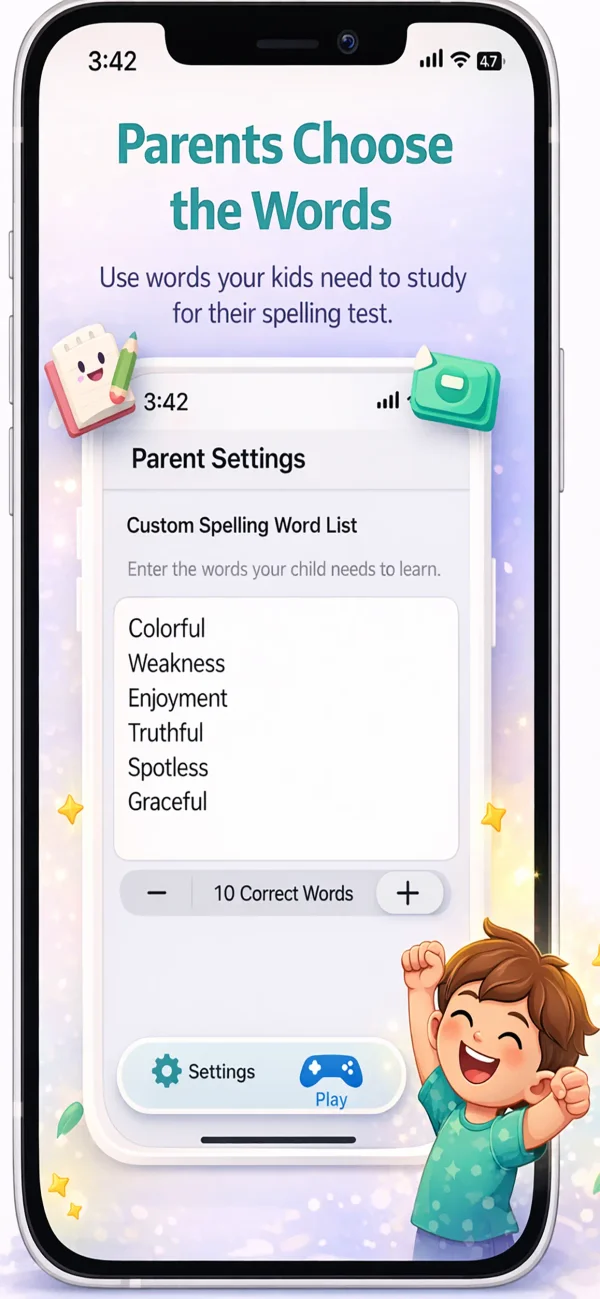
Spelling lets parents create custom word lists using the exact words their child is learning.
Spelling includes:
Up to 50 custom spelling words
Typed answers
Word replay
Built-in Natural Voice
Multiple Natural Voice options
Optional Apple Voice
Adjustable challenge length
Parents can choose math, spelling, or a combination of both.
Natural Voice for Spelling
Spelling practice includes Natural Voice for clearer, more natural-sounding word playback.
Kids can hear each spelling word, replay it when needed, and practice with a voice designed to make listening and learning more comfortable.
Control Which Apps Unlock
Parents select individual apps or entire categories such as games, social media, and video.
Once a learning challenge is completed, protected apps can unlock according to the rules you choose.
Flexible Screen Time Controls
Manual Shield
Lock selected apps whenever you choose.
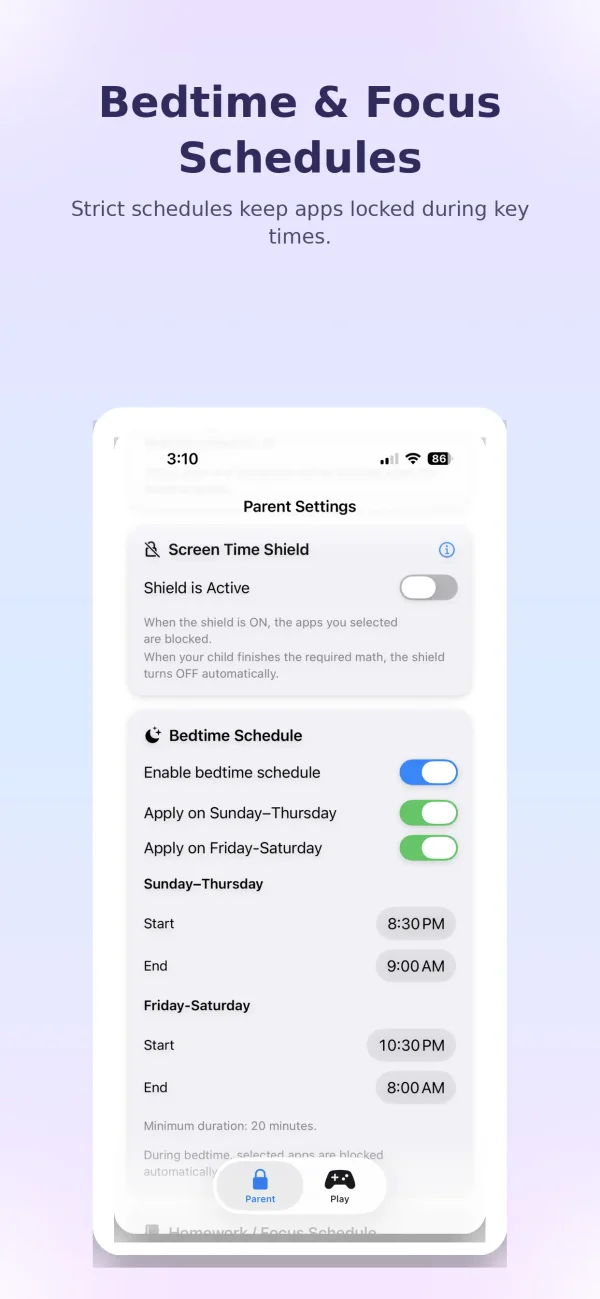
Bedtime
Create a strict bedtime schedule where protected apps remain unavailable even if a learning challenge is completed.
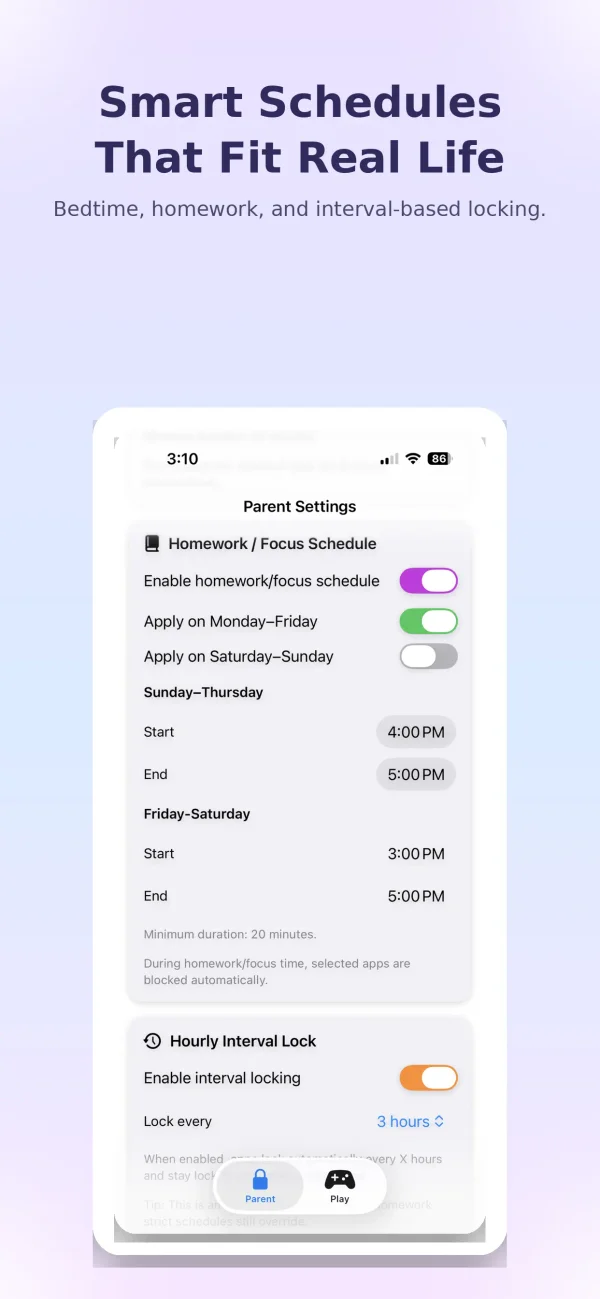
Homework / Focus Time
Create protected study periods where distracting apps stay locked.
Re-Lock Schedules
Automatically require another learning challenge after a selected amount of time.
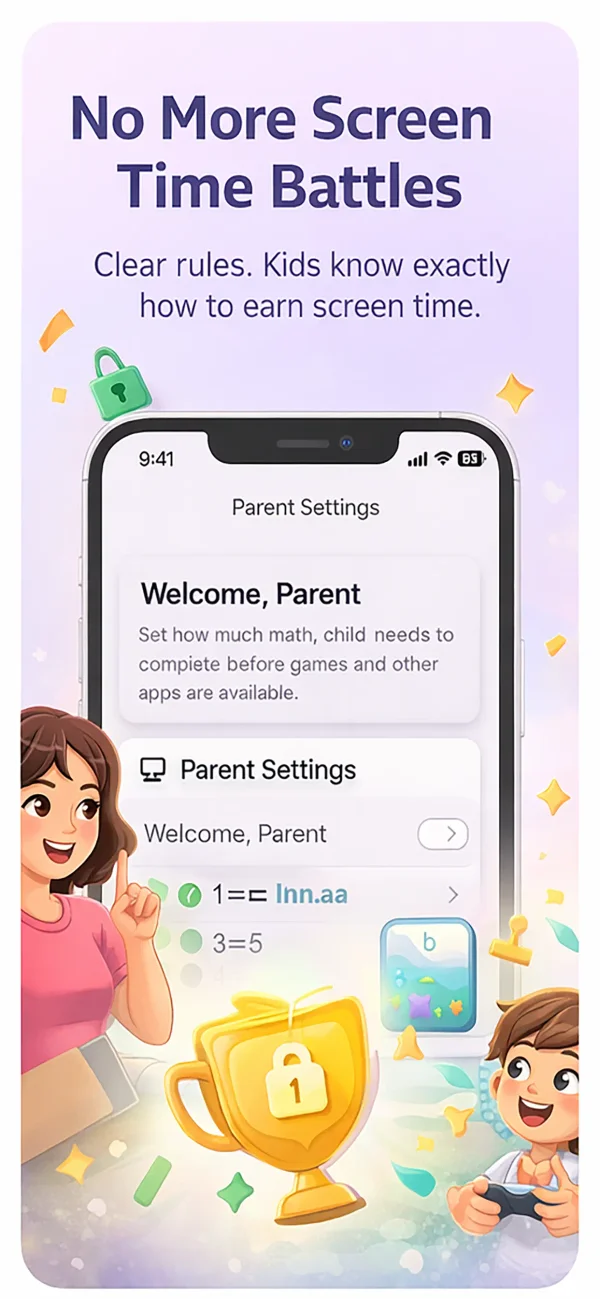
Parent Controls
Parents can manage:
Math, spelling, or both
Math operations and difficulty
Number of correct answers required
Custom spelling lists
Natural Voice selection
Apps and categories to protect
Bedtime schedules
Homework / Focus schedules
Re-Lock timing
Device protection settings
A secure Parent PIN helps prevent children from changing settings.
Remote Management
Premium Remote Management lets a parent configure a child’s settings from another device.
Supported settings include:
Learning activity
Challenge length
Math settings
Spelling words
Schedules
Protected apps and categories
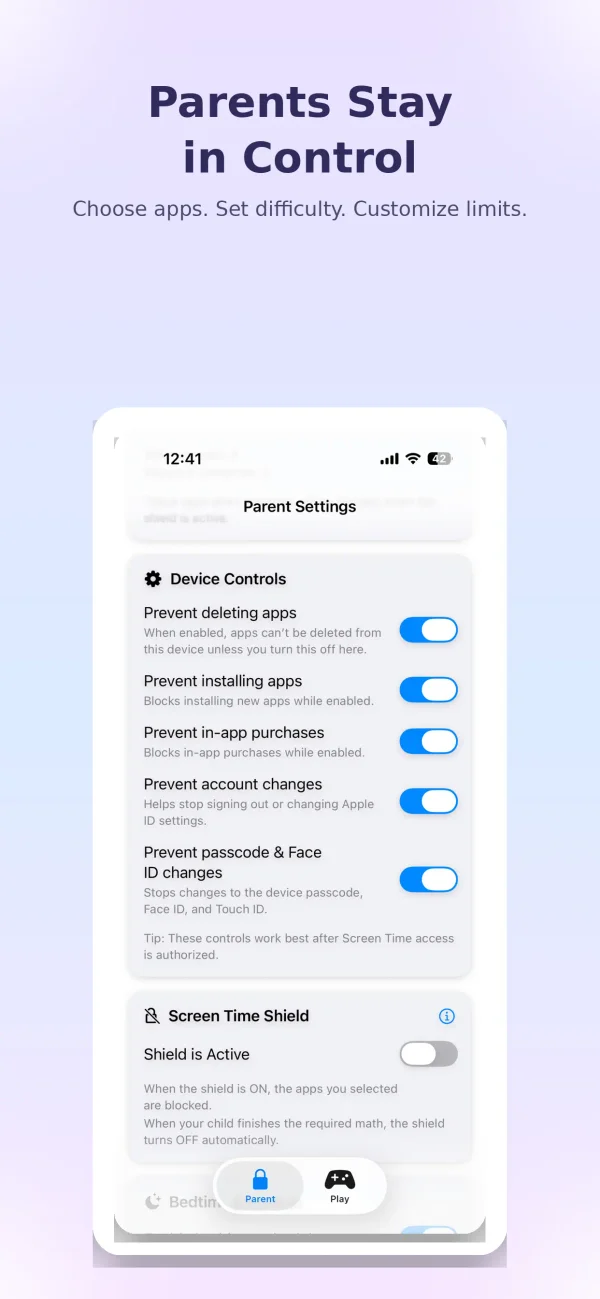
Device Controls
Manual Shield
Device Controls
Quick access to commonly used Screen Time protections helps parents manage settings such as:
App installation
App deletion
In-app purchases
Account changes
Passcode changes
Explicit content
Kid-Friendly Experience
Designed to keep practice simple and encouraging:
Clear progress toward the unlock goal
Custom math keypad
Keyboard-friendly spelling input
Optional sound effects
Streak celebrations
Positive feedback
Completion celebrations
Saved math best times
Guided Parent Setup
A step-by-step setup process helps parents create a PIN, authorize Screen Time, choose protected apps, select learning activities, configure schedules, and test that app locking and unlocking works.
Subscription
A subscription provides access to the complete Screen Time Learning Challenge experience.
Eligible new subscribers may receive an introductory free trial through the App Store. Trial availability and length are shown before purchase.
Subscriptions are managed through your Apple ID and can be canceled through Apple Subscriptions.
Requirements
Works on iPhone and iPad
Requires iOS 18 or later
Apple Screen Time authorization is required
Parental setup is required
Privacy Policy:
https://screentimelearning.app/privacy-policy
Terms of Use (EULA):
https://www.apple.com/legal/internet-services/itunes/dev/stdeula
Nouveautés
Version 7.0 · 25/09/2026
What’s New in Version 7.6
Added Natural Voice for clearer, more natural-sounding spelling word playback
Added multiple Natural Voice options for spelling practice
Improved the new-parent setup and onboarding experience
Refreshed the launch and Parent Access screens
Increased custom spelling lists to support up to 50 words
Improved setup reliability and overall app stability
Additional bug fixes and performance improvements
Confidentialité de l’application
Ce que Domenic Talese déclare sur l’App Store au sujet du traitement des données par cette application.
-
Données non collectées
Le développeur ne collecte aucune donnée à partir de cette application.
Les pratiques en matière de confidentialité peuvent varier, notamment en fonction des fonctionnalités que vous utilisez ou de votre âge.
Informations
- Vendeur
- Titan Cyber Solutions LLC
- Catégorie
- Éducation
- Version
- 7.0
- Mis à jour
- 25/09/2026
- Publié
- 09/12/2025
- Taille
- 498,5 Mo
- Nécessite
- iOS 18.6 ou version ultérieure
- Classification d’âge
- 4+
- Prix
- Gratuit
- Achats intégrés
- Oui
- Langues
- Anglais
- Copyright
- © Domenic Talese, DGT Education
Vous aimerez peut-être aussi
-
 Spell Ninja - AI Spell CoachÉducation
-
 Matharoo: Math learning funÉducation
-
 Learn to Read - Sweet PhonicsÉducation
-
 Gakku: AI Learning CoachÉducation
-
 Easyspell: Kids SpellingÉducation
-
 ReadCheckÉducation
-
 YOMU - Family Reading HabitsÉducation
-
 Gifted StarÉducation
-
 Tiny & Milo - Learning GamesÉducation
-
 Spelling Bee - BeezoneÉducation