
- Classification d’âge4+
- CatégorieÉconomie et entreprise
- DéveloppeurQuantumGate
- LanguesAnglais
- Taille43,9 Mo
Secure VMI n’est peut-être pas disponible sur App Store pour le moment
La fiche de la boutique était inaccessible lors de notre dernière vérification. Le lien mène toujours à la page App Store officielle.
Captures d’écran
À propos
Le développeur n’a pas fourni ce texte dans votre langue.
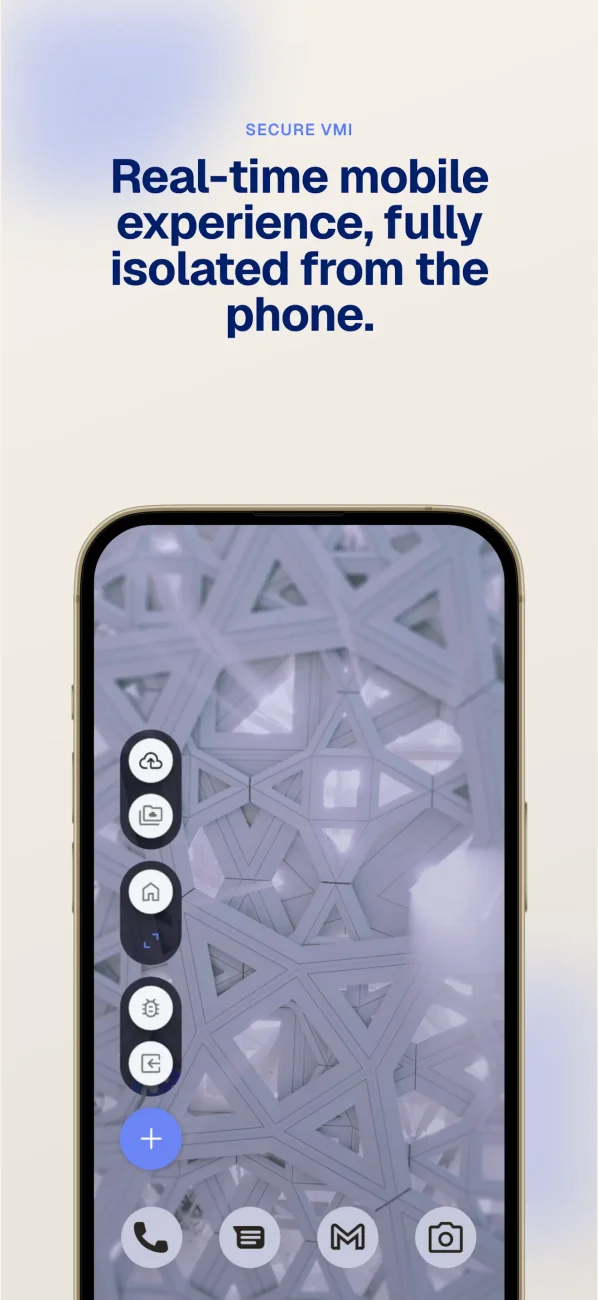
Secure VMI gives you a fully functional enterprise mobility solution with a virtual work environment, accessible from any device as part of your organization's BYOD strategy. Your work data never touches your physical device; it lives entirely in the cloud, keeping your organization's information protected no matter what happens to the device you're using.
How it works
Secure VMI streams an isolated virtual work environment directly to your device over WebRTC. The stream adapts dynamically to your network conditions, maintaining smooth performance whether you're on Wi-Fi or mobile data. Because your work environment runs entirely in the cloud, Secure VMI applies Zero Trust principles: no corporate data or access is tied to the physical device, and access can be revoked instantly if a device is lost or stolen – independent of the hardware itself. This also isolates you from hardware-level threats that affect conventional devices, including SIM card attacks, baseband exploits, and USB-based vulnerabilities.
Key Features
Virtual work environment – A full mobile work experience running securely in the cloud, accessible from your personal device.
No second handset – Secure VMI is a full Bring Your Own Device (BYOD) solution, replacing your physical work phone with a cloud-hosted virtual device, so there's no need to carry separate personal and work devices.
Secure telephony – Make and receive voice and video calls over IP using a dedicated virtual phone number (requires administrator configuration).
Workplace apps – Use Microsoft Teams, Outlook, and other workplace applications within your secure instance exactly as you would normally, with no loss of functionality.
Camera – Capture photos and video inside your virtual environment; all media stays within the secure cloud instance.
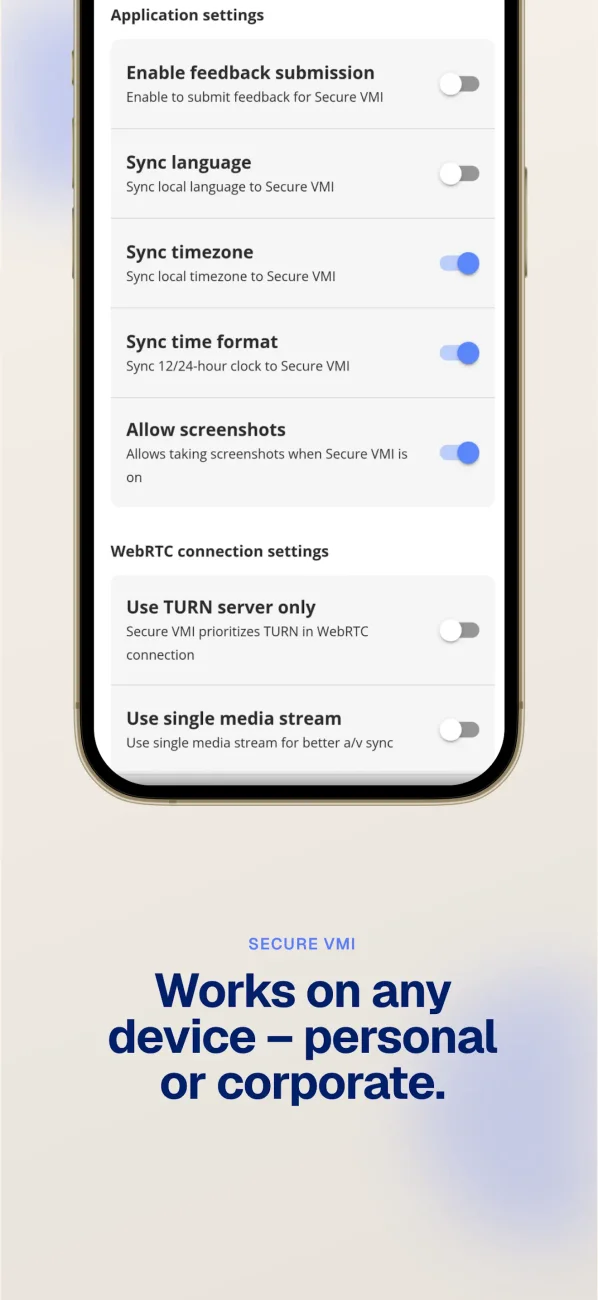
File transfer – Securely move files between your physical device and your virtual workspace through a controlled, permission-based workflow (requires administrator enablement).
Clipboard sharing – Copy and paste between your physical device and your virtual environment.
Location access – Share your device's location with apps running inside the virtual environment.
SSO & Active Directory Support – Sign in using your organization's existing credentials.
Zero local data storage – No corporate data is ever stored on your device. If a device is lost or stolen, access is revoked instantly and your data remains safe in the cloud.
Note for End Users: Secure VMI is an enterprise virtual device app and cannot be used independently. Access requires enrolment and configuration by your organization's IT administrator, including a connection to your organization's virtual device environment.
Privacy Policy: For information on how your data is handled, please review our Privacy Policy.
Nouveautés
Version 0.5.3 · 13/11/2026
This release makes the Secure VMI app steadier and clearer to use. Virtual Phone sessions now survive short network interruptions instead of dropping, sessions start more reliably when the secure start-up check is slow, and device updates no longer get stuck part-way through.
On the visibility side, important messages from your administrator are now easier to notice, trial accounts see clearer information about their access, and the Secure VMI app's feature information correctly shows when Secure Boot is required on your device.
Your enterprise environment also gets stronger: screenshots are now blocked inside the Virtual Phone, so sensitive work content cannot be captured onto your personal device, and the remote access routes into virtual phones have been closed off entirely. The Virtual Phone itself moves to the Android 16 QPR2 platform, keeping it current with the latest Android release.
Confidentialité de l’application
Ce que QuantumGate déclare sur l’App Store au sujet du traitement des données par cette application.
-
Données établissant un lien avec vous
Peuvent être collectées et liées à votre identité.
- Coordonnées
- Diagnostic
-
Données n’établissant aucun lien avec vous
Peuvent être collectées, mais ne sont pas liées à votre identité.
- Emplacement
- Contenu utilisateur
Les pratiques en matière de confidentialité peuvent varier, notamment en fonction des fonctionnalités que vous utilisez ou de votre âge.
Informations
- Vendeur
- QUANTUMGATE - L.L.C - O.P.C
- Catégorie
- Économie et entreprise
- Version
- 0.5.3
- Mis à jour
- 13/11/2026
- Publié
- 15/10/2026
- Taille
- 43,9 Mo
- Nécessite
- iOS 15.0 ou version ultérieure
- Classification d’âge
- 4+
- Langues
- Anglais
- Copyright
- QuantumGate © 2026
Vous aimerez peut-être aussi
-
 FilesDNA HRÉconomie et entreprise
-
 WhiteStar HyperSpaceProductivité
-
 M-Files for BlackBerryÉconomie et entreprise
-
 Webotic.OneÉconomie et entreprise
-
 Turn on Engagement - T.O.EÉconomie et entreprise
-
 AuNEX AuthenticatorProductivité
-
 KAZNA | Docs & SubscriptionsFinance
-
 iAnnotate Forms for BlackBerryÉconomie et entreprise
-
 Bold BI MobileÉconomie et entreprise
-
 FileGrantÉconomie et entreprise