Smart Remote+
Widget support for smart TVs
Conçue pour iPhone, iPad, Mac
Gratuit · Achats intégrés
- Classification d’âge4+
- CatégorieUtilitaires
- DéveloppeurBouncing Ball Games
- LanguesAnglais
- Taille21,2 Mo
Renvoie vers la page App Store officielle
Download.org n’héberge aucun fichier de Smart Remote+. Le bouton ouvre la page de l’application sur App Store, où Bouncing Ball Games la publie. Fiche vérifiée pour la dernière fois le 17/11/2026.
Captures d’écran


À propos
Le développeur n’a pas fourni ce texte dans votre langue.
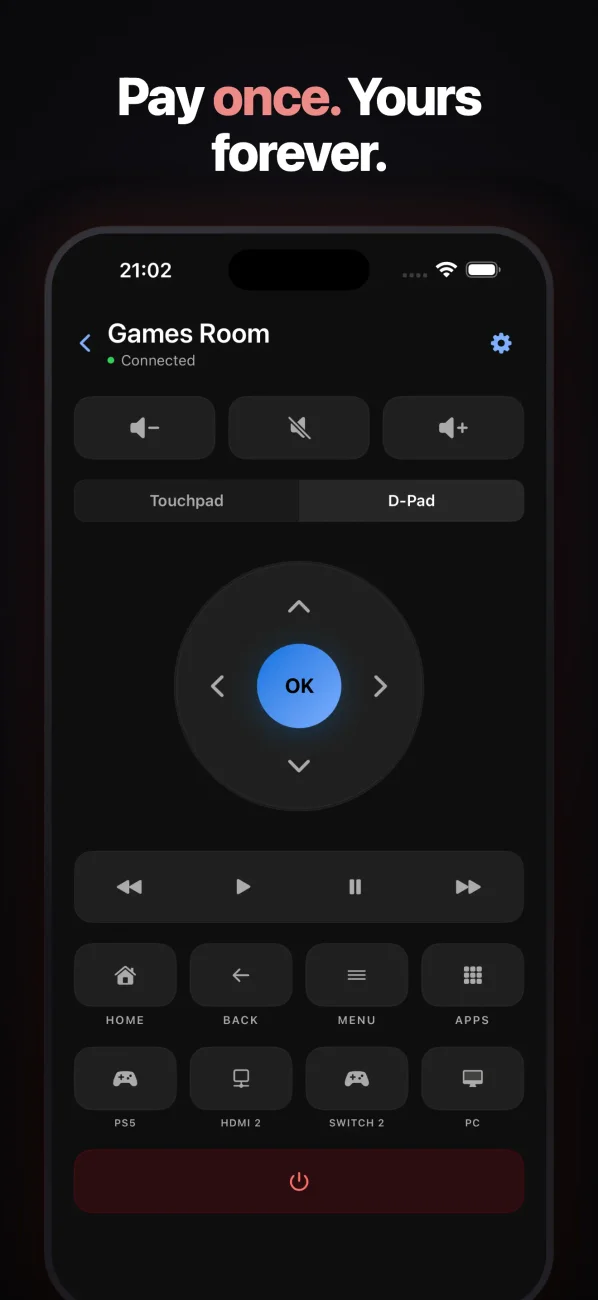
Turn your iPhone, iPad, and Apple Watch into the ultimate TV remote — now for LG webOS, Samsung, Sony Bravia, Google TV / Android TV, and Apple TV. With Live Activities, Dynamic Island support, powerful widgets, and ultra-reliable Wake-on-LAN, controlling your TV has never felt this seamless.
Whether you're across the room or anywhere in your home, your TV is always just a tap away.
Works With Your TV
• LG webOS TVs (2016 and newer) — the full experience: touchpad, Scenes, picture settings, Live Activities, service menu, and more
• Sony Bravia TVs — power, volume, inputs, navigation, and media playback; connects instantly with no pairing codes
• Samsung TVs — power, volume, inputs, navigation, and media playback; just accept the pairing on the TV
• Google TV and Android TV devices (TCL, Philips, Nvidia Shield, Chromecast with Google TV, US Hisense, and more) — power, volume, inputs, navigation, media playback, and app launching
• Apple TV — pair with the on-screen code, navigate with the D-pad or swipe gestures, control playback, and launch installed apps. Choose a saved TV for volume control while using your Apple TV remote.
Live Activity & Dynamic Island (LG webOS)
See what's playing on your TV directly from your Lock Screen and Dynamic Island.
Control play/pause, volume, and mute instantly — with app-themed colors for Netflix, YouTube, Disney+, and more.
Your TV controls, without even opening the app.
Full Apple Watch App
Control your TV from your wrist.
Includes:
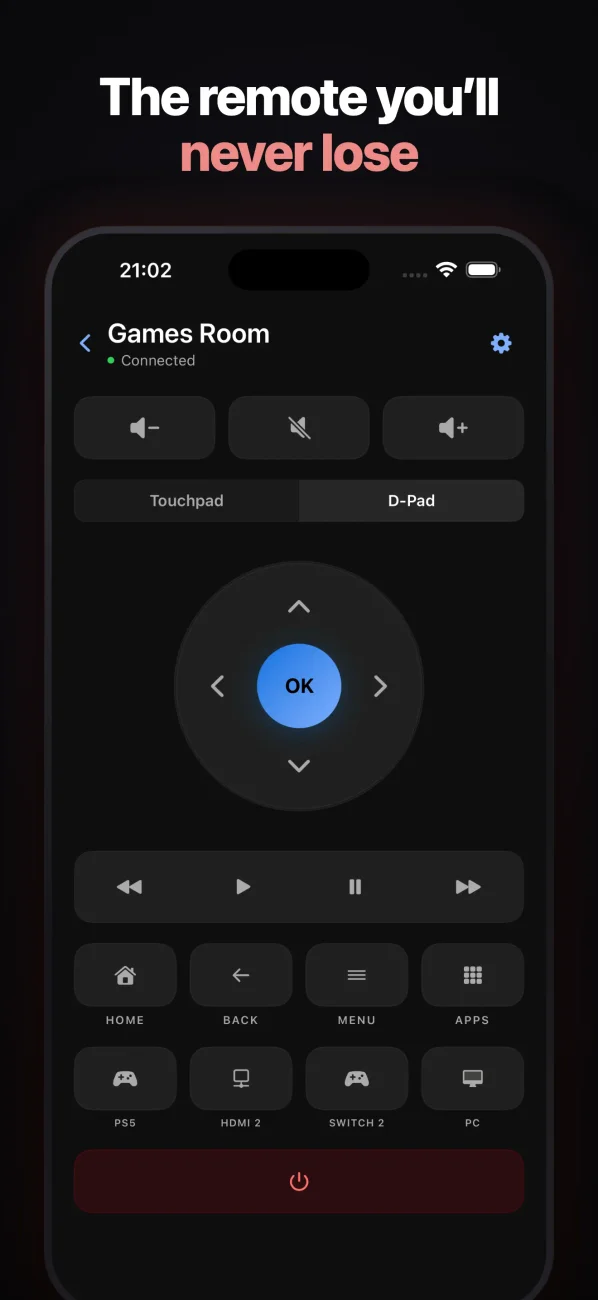
• Directional pad navigation
• Media playback controls
• Power on/off
• HDMI input switching
Perfect when your phone isn't nearby.
Powerful Home Screen Widgets
Access your TV controls instantly without opening the app.
Widgets let you:
• Power on your TV
• Adjust volume
• Switch HDMI inputs
• Launch streaming apps (LG and Google TV)
• Control playback
Available in multiple sizes and fully integrated with Wake-on-LAN.
Scenes (LG webOS)
Save picture mode, sound output, and input as a one-tap preset. Movie night, gaming, daytime TV — set the whole TV up in a single tap from the app, widgets, or Shortcuts.
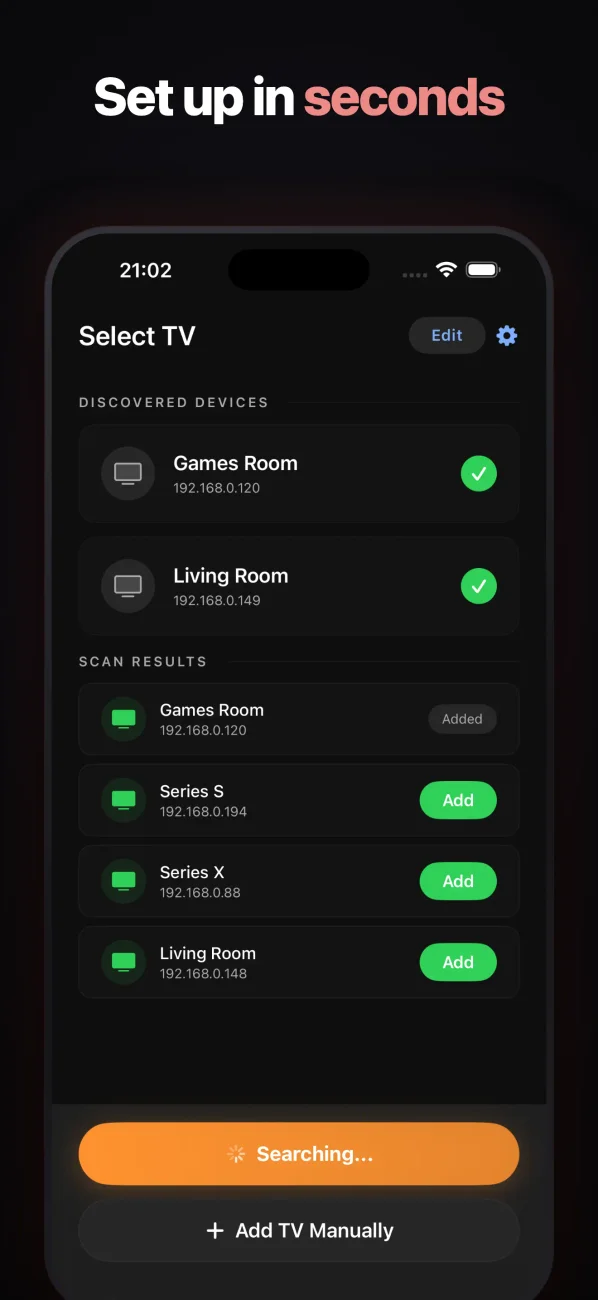
Automatic TV Discovery
Find the TVs on your network with a single tap.
The app automatically detects your TV's name, IP address, and MAC addresses — no manual configuration required.
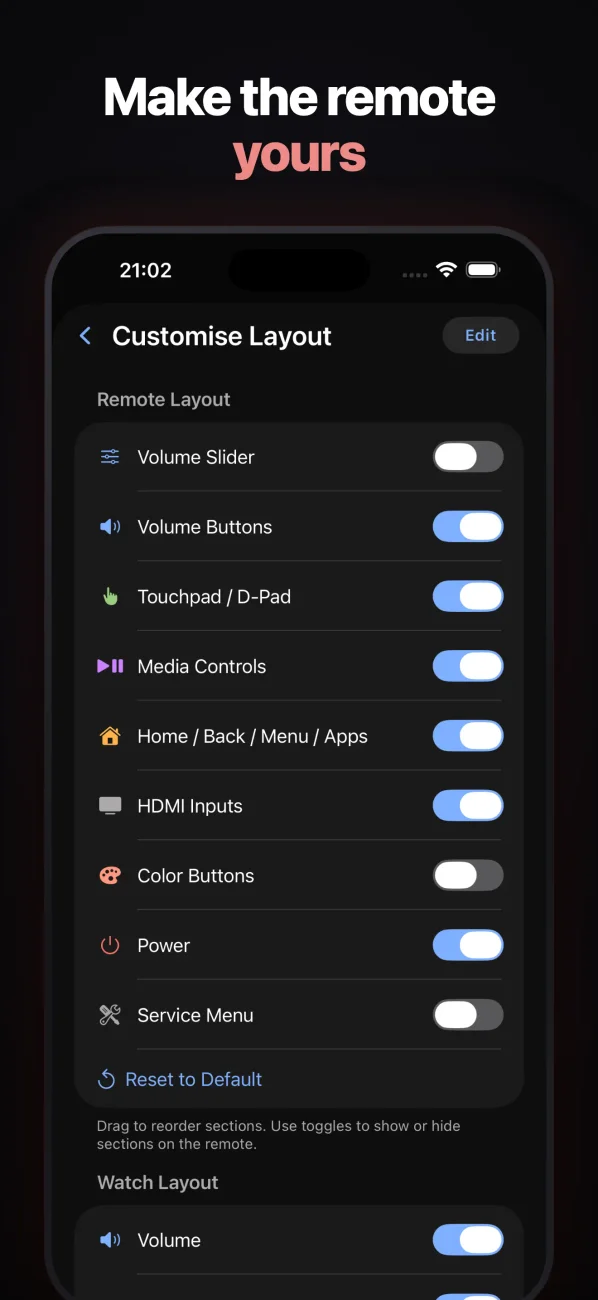
Customizable Remote Layout
Build your ideal remote.
Rearrange, show, or hide:
• Volume slider
• Volume buttons
• Media controls
• Navigation controls
• And more
Give every TV its own layout — or share one default across them all. The editor only offers controls your TV actually supports, and layouts are independent on iPhone and Apple Watch.
TV Self-Test
Not sure everything's working? Run a live command sweep that proves what your TV responds to and produces a shareable report — perfect for diagnosing tricky network setups.
Configuration Import & Export
Back up or transfer your TV configurations between devices with ease.
Service Menu Access (LG webOS)
Access the TV service menu and number pad for hotel mode and advanced settings when needed.
Multiple TV Support
Easily switch between different TVs in your home — even different brands.
Each TV maintains its own connection and settings for effortless multi-room control.
Built for Reliability
• Improved auto-reconnect after background idle
• Enhanced Live Activity state tracking
• More stable watch command handling
• Continuous performance improvements
Pay once for Pro — no subscriptions, no ads.
Experience the convenience of complete TV control — through the full app, widgets, Live Activities, or right from your wrist.
No more searching for the remote.
Nouveautés
Version 3.2.8 · 15/11/2026
New on iOS 27: the Full Page Remote widget puts the whole remote on one Home Screen page, with inputs, the D-pad, volume and channels, playback, four apps of your choice and up to two scenes. On iPad it also comes in an extra-large landscape size.
Widgets and Shortcuts now work with Hisense and other VIDAA TVs that need a secure connection.
A dropped connection no longer makes a VIDAA TV forget its pairing.
Confidentialité de l’application
Ce que Bouncing Ball Games déclare sur l’App Store au sujet du traitement des données par cette application.
-
Données non collectées
Le développeur ne collecte aucune donnée à partir de cette application.
Les pratiques en matière de confidentialité peuvent varier, notamment en fonction des fonctionnalités que vous utilisez ou de votre âge.
Informations
- Vendeur
- Bouncing Ball LTD
- Catégorie
- Utilitaires
- Version
- 3.2.8
- Mis à jour
- 15/11/2026
- Publié
- 18/09/2025
- Taille
- 21,2 Mo
- Nécessite
- iOS 18.0 ou version ultérieure
- Classification d’âge
- 4+
- Prix
- Gratuit
- Achats intégrés
- Oui
- Langues
- Anglais
- Copyright
- © Bouncing Ball Limited
Vous aimerez peut-être aussi
-
 Télécommande TV TelePadTrouver, associer & diffuser
-
 Beam – Télécommande TVPour Samsung, LG, Fire TV…
-
 Remo: Smart TV RemoteUtilitaires
-
 Telecommande TV · UniversellePour Samsung LG Sony Roku
-
 Smart Remote for Roku TVTélécommande Roku TV
-
 OLED Control: Smart TV RemoteUtilitaires
-
 Télécommande pour TV ProTélécommande TV
-
 TV Remote Control:All Smart TVUtilitaires
-
 Samsung Telecommande univer TVTelecommande universelle TV
-
 Remote Control for TV - Play +Utilitaires