
Snap Timeline - Notes Taking
Capture key content on screen
Conçue pour iPhone
Gratuit
- Classification d’âge4+
- CatégorieUtilitaires
- Développeur志远 杨
- LanguesAnglais+ 1 de plus
- Taille78,2 Mo
Renvoie vers la page App Store officielle
Download.org n’héberge aucun fichier de Snap Timeline - Notes Taking. Le bouton ouvre la page de l’application sur App Store, où 志远 杨 la publie. Fiche vérifiée pour la dernière fois le 14/11/2026.
Captures d’écran

À propos
Le développeur n’a pas fourni ce texte dans votre langue.
Snap Timeline is an app that allows you to save the content on your phone screen at any time and in any situation without the need to launch it.
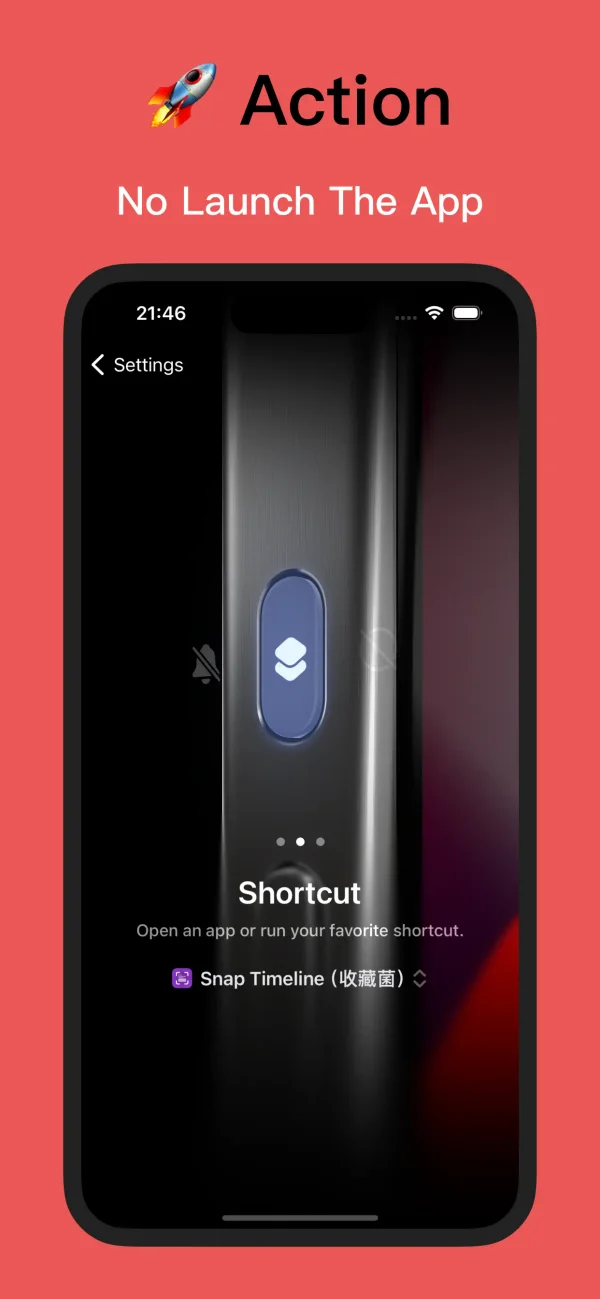
【Usage】
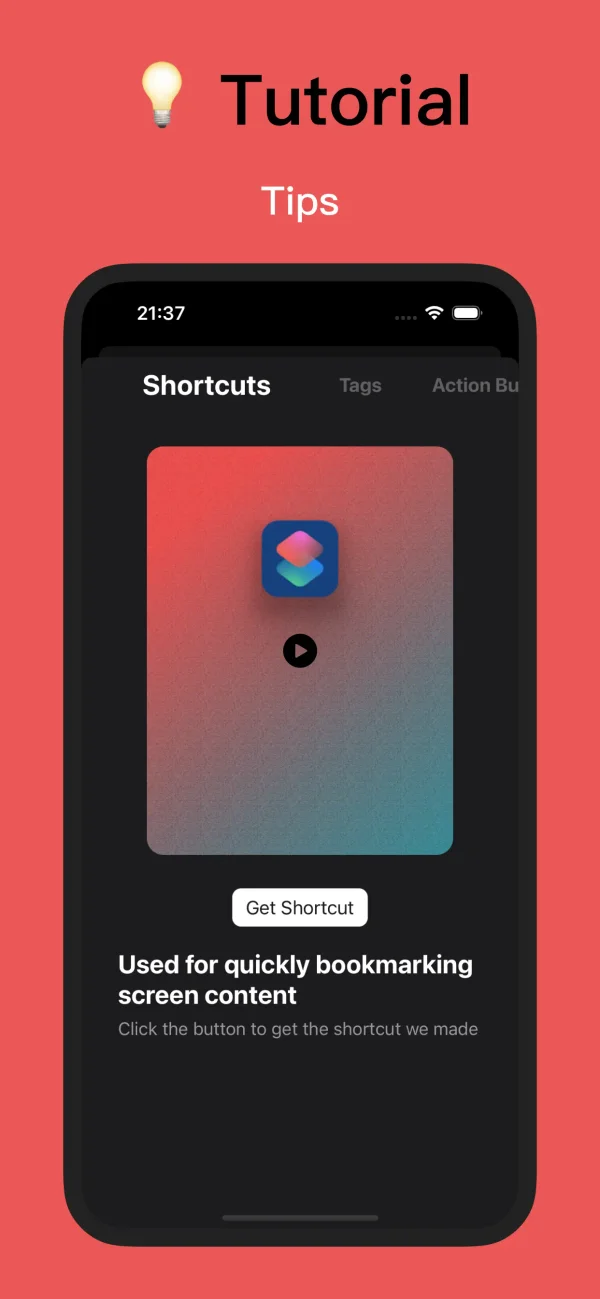
Simply tap the back of your iPhone or long-press the action button on your iPhone 15 Pro to execute a shortcut to save the content on the screen. It's that simple, nothing more.
Currently optimized for the following collection scenarios:
【Post】
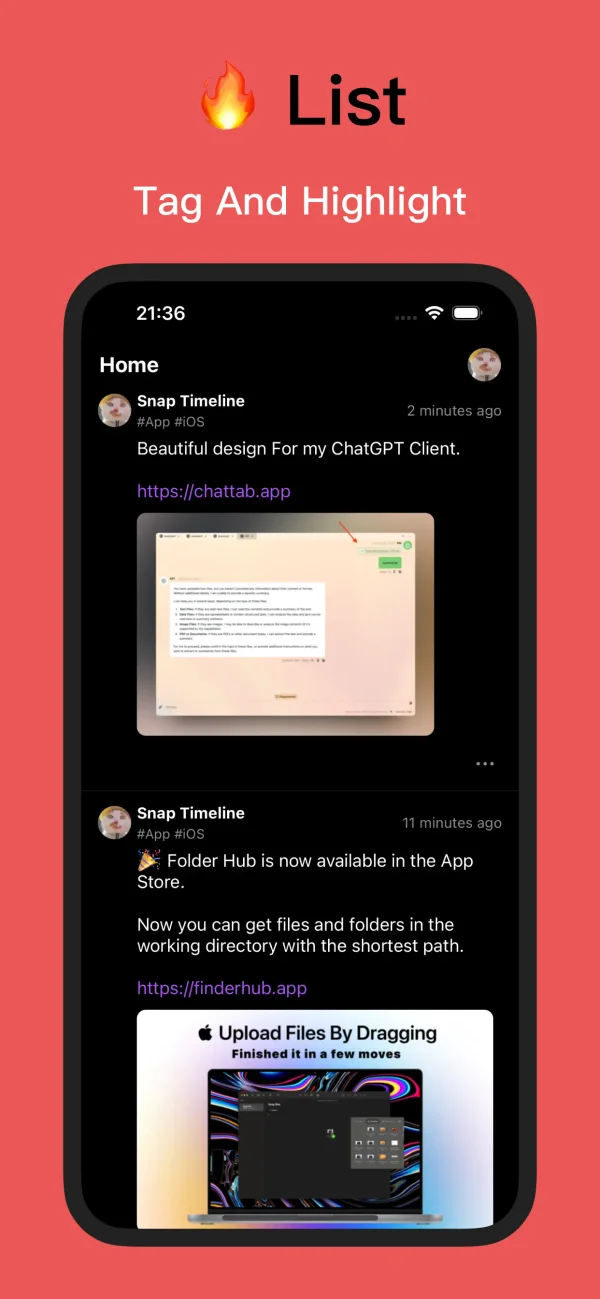
When browsing various information feed apps and come across valuable posts you want to save, you can immediately save them using Snap Timeline's shortcut.
- Snap Timeline can intelligently extract the content from the first post.
- For posts with links, Snap Timeline will automatically generate a preview of the link.
【Short Videos】
When browsing short videos and come across movies, TV shows, etc. that you want to save for later viewing, you can immediately save them using Snap Timeline's shortcut.
- Snap Timeline can intelligently extract movie, TV show names, etc.
- Snap Timeline can intelligently generate a thumbnail for the short video.
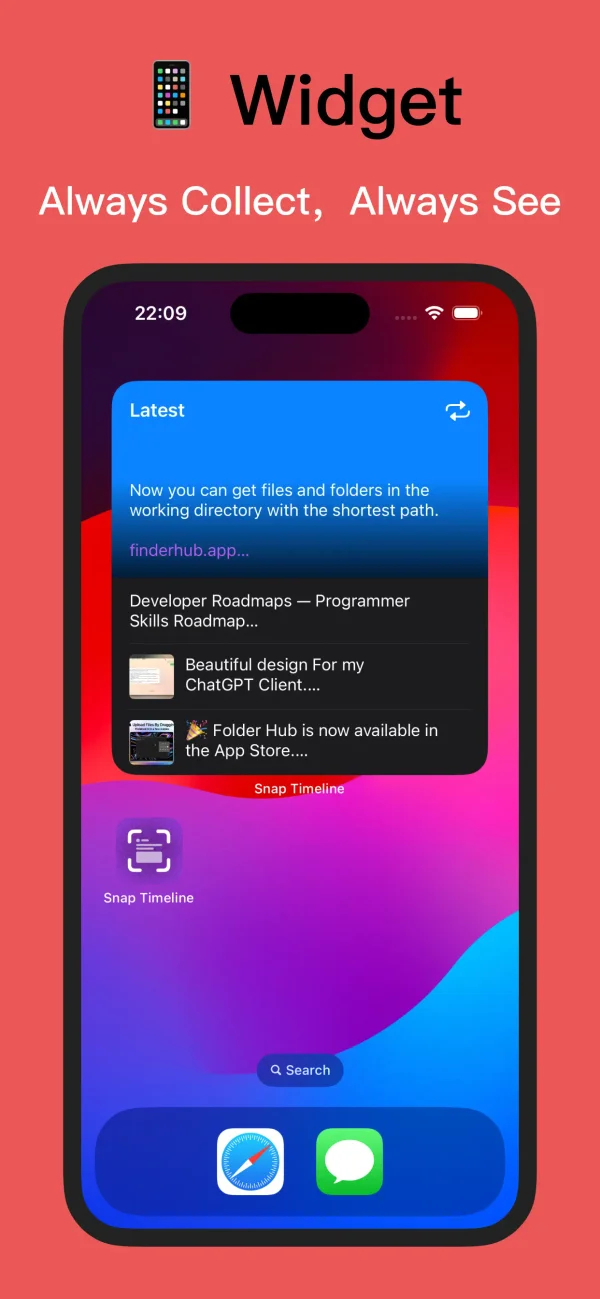
【Widgets】
Home screen widgets will display the latest few items collected by Snap Timeline.
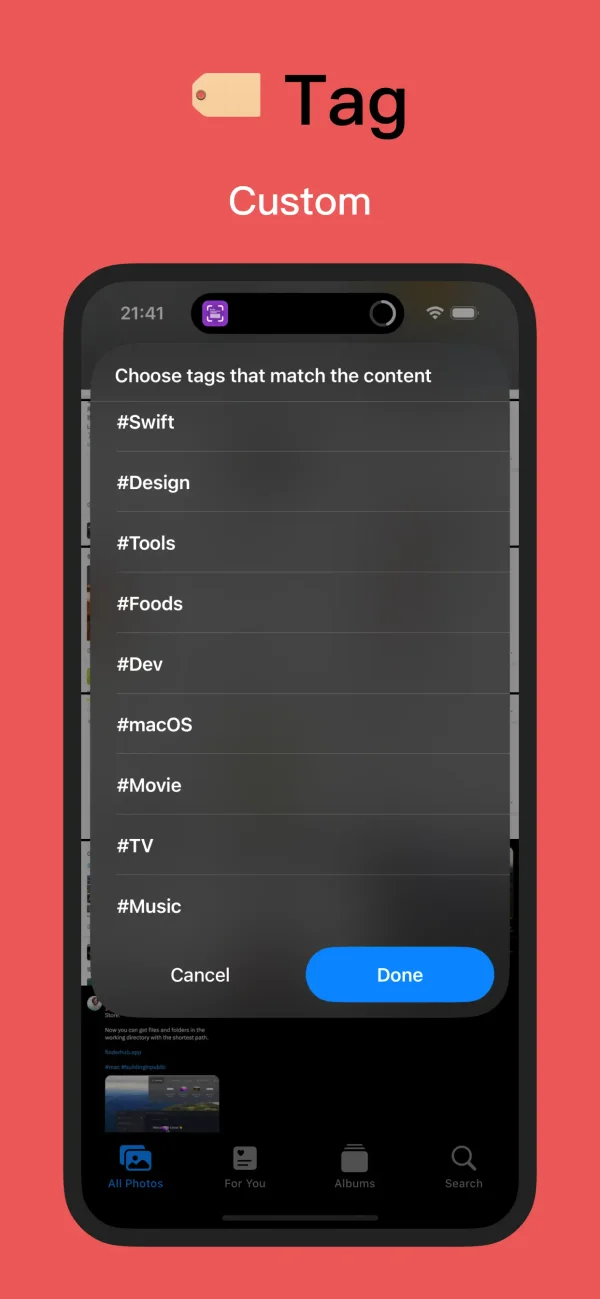
【Tag】
Each saved content can be customized with tags for easy categorization, convenient for subsequent management and searching.
【Highlighting】
Snap Timeline will highlight key content such as movie names, tags, and links.
【Tutorials】
Snap Timeline includes built-in video tutorials that detail its functions and usage tips.
Nouveautés
Version 1.1.0 · 30/04/2024
- Settings
Feedback
- Shortcuts
Returns the recognized content as a dictionary.
Confidentialité de l’application
Ce que 志远 杨 déclare sur l’App Store au sujet du traitement des données par cette application.
-
Données établissant un lien avec vous
Peuvent être collectées et liées à votre identité.
- Coordonnées
-
Données n’établissant aucun lien avec vous
Peuvent être collectées, mais ne sont pas liées à votre identité.
- Emplacement
- Contenu utilisateur
- Historique de recherche
- Identifiants
- Données d’utilisation
- Diagnostic
- Autres données
Les pratiques en matière de confidentialité peuvent varier, notamment en fonction des fonctionnalités que vous utilisez ou de votre âge.
Informations
- Vendeur
- 志远 杨
- Catégorie
- Utilitaires
- Version
- 1.1.0
- Mis à jour
- 30/04/2024
- Publié
- 22/04/2024
- Taille
- 78,2 Mo
- Nécessite
- iOS 16.0 ou version ultérieure
- Classification d’âge
- 4+
- Prix
- Gratuit
- Langues
- Anglais, Chinois simplifié
- Copyright
- © yangzhiyuan
Vous aimerez peut-être aussi
-
 Acidity - View Page ArchivesUtilitaires
-
 Supercopy for SafariUtilitaires
-
 Imagio - Reverse Image SearchUtilitaires
-
 TuneWave - FMUtilitaires
-
 Airclap: Transfert Fichier PCPhotos et vidéos vers Windows
-
 Clipboard : ClipboxUtilitaires
-
 JamjamsUtilitaires
-
 Quantumult XUtilitaires
-
 Shortcut ArchiveUtilitaires
-
 Letterly: Notes Vocales AITranscrire audio en texte