
- Classification d’âge4+
- CatégorieÉconomie et entreprise
- DéveloppeurSupportworks, Inc
- LanguesAnglais
- Taille62,6 Mo
SolutionView Tablet n’est peut-être pas disponible sur App Store pour le moment
La fiche de la boutique était inaccessible lors de notre dernière vérification. Le lien mène toujours à la page App Store officielle.
Captures d’écran



À propos
Le développeur n’a pas fourni ce texte dans votre langue.
As a contractor, you just know when your tools are designed and built by people who actually use them. You don’t have to fight them; they just work—the same way, every time. The same goes for sales software. You want something that will simplify and standardize the appointment, so every customer has a positive experience—the same way, every time.
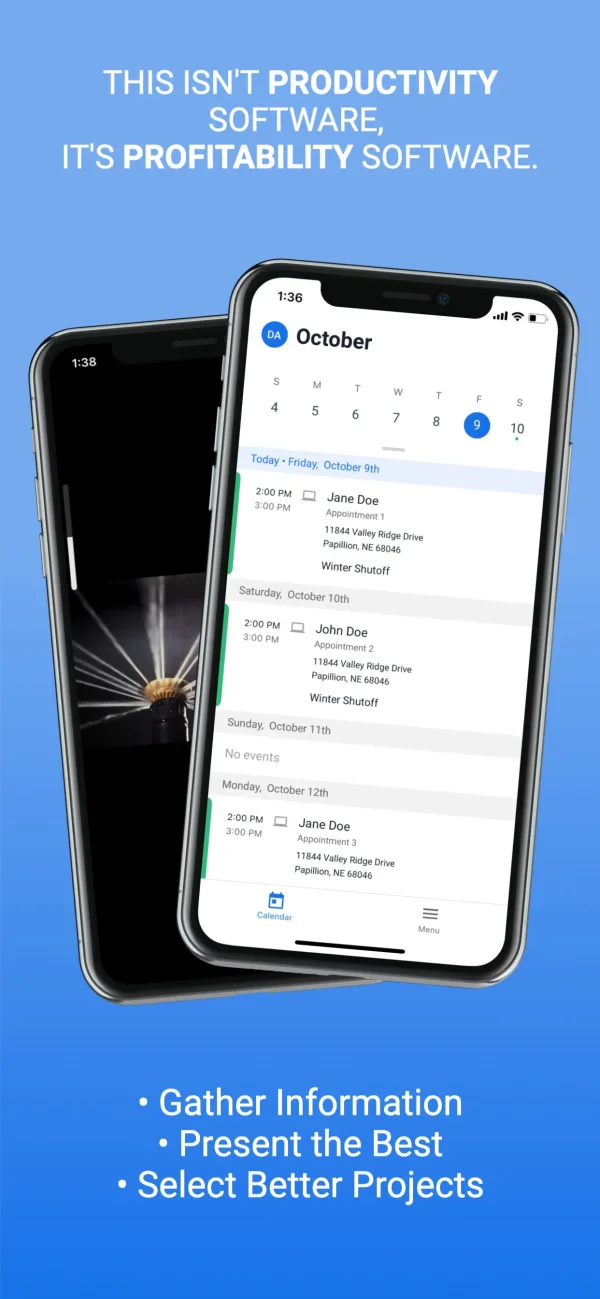
SolutionView Tablet simplifies, standardizes, and maximizes each sales and service appointment.
Features
Homeowner Education – SolutionView Tablet helps walk the customer through the causes of their problems, so they can understand why you’re recommending the full suite of solutions your company offers.
Automated Solutions – When you ask questions like, “Are you interested adding a rain sensor to your system?” and the customer says, “Sure!” – Your company’s preferred rain sensor is automatically added to the Options Page.
Findings – Once the inspection is complete, the findings section helps the user share with the customer all that they’ve found, the cause, and what solutions are needed. SolutionView Tablet makes it easy for a customer to express interest in solutions, and lets them add them to the options page without commitment to purchasing.
Presentation - For larger projects, use the presentation feature to walk through the different solutions available to them. Each presentation has a follow-up area where they can continue to learn more or add to solution to the options page.
Tiered Options and Right-Sizing – SolutionView Tablet provides three project options for the homeowner to see all that is possible. The options page allows for them to compare projects without the need to leave the screen. The power in this page is that the homeowner can choose & select themselves! As selections are made, prices change. If you offer incentives or financing, apply those right to this page so that the customer see those in consideration into their final project selection.
Proposal and Payment – After the presentation, the homeowner is presented with a professional branded proposal and payment can be taken.
The guided experience that SolutionView Tablet provides from start to finish of an appointment is unmatched and will go a long way for consistent experiences of your company’s brand and overall customer experience. SolutionView Tablet users immediately see their closing percentages and average ticket size go up.
We’re excited for SolutionView Tablet to assist and guiding you in delivering remarkable experiences for your customers.
Nouveautés
Version 2.5.2 · 19/10/2026
SolutionView 2.5.2 makes it easier to capture information hands-free and gives homeowners a new way to compare their options. Dictation comes to forms, text editors, and drawing and project names, with spoken numbers in English, Spanish, and French and an AI option to tidy up your text. A new Recommendation Table for your PDFs lays out recommended projects side by side.
WHAT'S NEW
Dictation
Dictate into forms and text editors
Use the microphone to speak into form fields and modal text editors.
Speak numbers in English, Spanish, or French
Numeric fields understand spoken numbers in all three languages and confirm what was heard in a compact message.
Dictate drawing and project names
Speak a name in the drawing and project naming dialogs instead of typing it.
Improve text with AI and undo if needed
On supported devices, Improve with AI tidies grammar and punctuation in modal text editors, and Undo AI restores your original wording.
Proposal PDFs
Recommendation Table in Contract PDFs
Add the new Recommendation Table block to your document packets to show Project 1 alongside the other projects, with each project's name, solutions, and products, so homeowners can compare recommendations side by side.
IMPROVEMENTS
View Drawing is back on the Project Comparison screen
The View Drawing button appears again even with the side panel open or before a preview exists, and drawings open in a larger in-app window where you can tap any one to see it full size.
Option to hide solutions with no charge
When turned on for your account, solutions whose products are all included at no cost no longer show in the Project, Comparison, and Sell From Drawing views.
Pending updates retry every 5 minutes
Updates waiting to send retry on their own, and you'll get a reminder to find a reliable connection if anything has waited more than 2 hours.
Install Today under the solution name
Install Today now appears directly below the solution name, so it's easier to spot.
Assigned quantities count for automated products
Quantities you assign to automated products are now recognized correctly.
Generate all drawings includes recommendation sections
Drawings in recommendation sections are now generated along with the rest when you generate all drawings.
PDF file names use hyphenated dates
Dates in generated PDF file names now use hyphens.
Lighter photo capture and galleries
Taking and browsing lots of photos uses less memory, so the camera and galleries stay responsive.
FIXES
Blended discounts calculate correctly
Proposals can't be sent twice
Uploads the server rejects are kept and retried
Job Information PDF includes sub-area answers
Findings photos delete properly
Signing problems handled gracefully
Deleted sub-areas stay deleted
Meeting configuration sheet stays put
Appointments show the right attachments and resources
Back to your workspace after an unexpected close
Ignore Product Minimum sticks on sub-areas
No more pauses after leaving a drawing
On the Way is more reliable
Thanks for using SolutionView!
Confidentialité de l’application
Ce que Supportworks, Inc déclare sur l’App Store au sujet du traitement des données par cette application.
-
Données n’établissant aucun lien avec vous
Peuvent être collectées, mais ne sont pas liées à votre identité.
- Identifiants
- Données d’utilisation
- Diagnostic
Les pratiques en matière de confidentialité peuvent varier, notamment en fonction des fonctionnalités que vous utilisez ou de votre âge.
Informations
- Vendeur
- Supportworks, Inc
- Catégorie
- Économie et entreprise
- Version
- 2.5.2
- Mis à jour
- 19/10/2026
- Publié
- 03/04/2023
- Taille
- 62,6 Mo
- Nécessite
- iOS 16.4 ou version ultérieure
- Classification d’âge
- 4+
- Langues
- Anglais
- Copyright
- © 2024 Supportworks, Inc.
Vous aimerez peut-être aussi
-
 CN Widget ProProductivité
-
 ePNMobileÉconomie et entreprise
-
 RemodelerGoProductivité
-
 Aqua+ Orbit One MobileFinance
-
 Siro AIÉconomie et entreprise
-
 ComfortViewProductivité
-
 PayTrace GoÉconomie et entreprise
-
 Strety AppÉconomie et entreprise
-
 Pay for PerformanceÉconomie et entreprise
-
 ServiceBridgeÉconomie et entreprise