Space Notes - Note Editor
Your universe of creativity.
Conçue pour iPhone, iPad, Mac
Gratuit · Achats intégrés
- Classification d’âge4+
- CatégorieProductivité
- DéveloppeurSpace Japan Studios
- LanguesAnglais+ 1 de plus
- Taille8,1 Mo
Renvoie vers la page App Store officielle
Download.org n’héberge aucun fichier de Space Notes - Note Editor. Le bouton ouvre la page de l’application sur App Store, où Space Japan Studios la publie. Fiche vérifiée pour la dernière fois le 18/11/2026.
Captures d’écran


À propos
Le développeur n’a pas fourni ce texte dans votre langue.
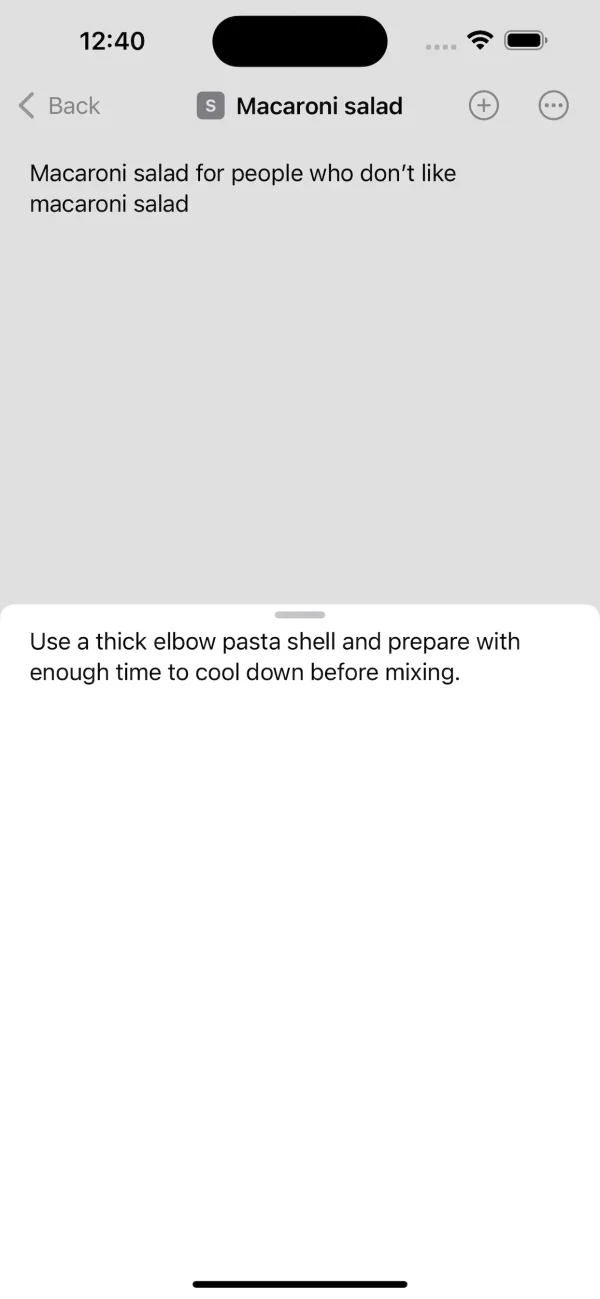
Space Notes was built for people who like to make lists. Shopping lists, to-do lists, recipe lists, lists of modules for the apps you're building, or cards you're collecting. But sometimes just having a list isn't good enough. You know that your recipe needs a particular type of cheese, but there's only store in town that sells it. Space Notes gives you an entire notepad for every item in your checklist, allowing you to provide as much, or as little detail as you need for every single item. Expand your notes from a galaxy to a whole universe of ideas!
New in Space Notes 3.0:
- Note Bundles: Keep notes organized with Note Bundles. You can create a bundle and add your notes to it so that you can quickly locate related entries.
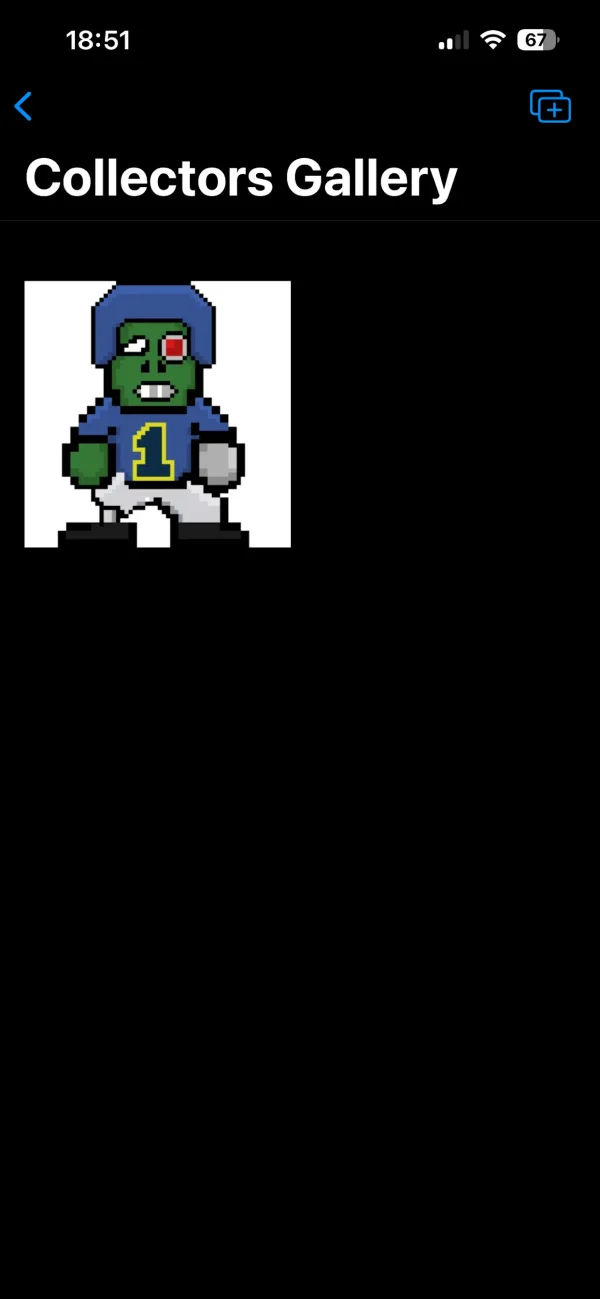
- Card Collector's Gallery: A gallery where you can store images of your favorite trading or collector's cards.
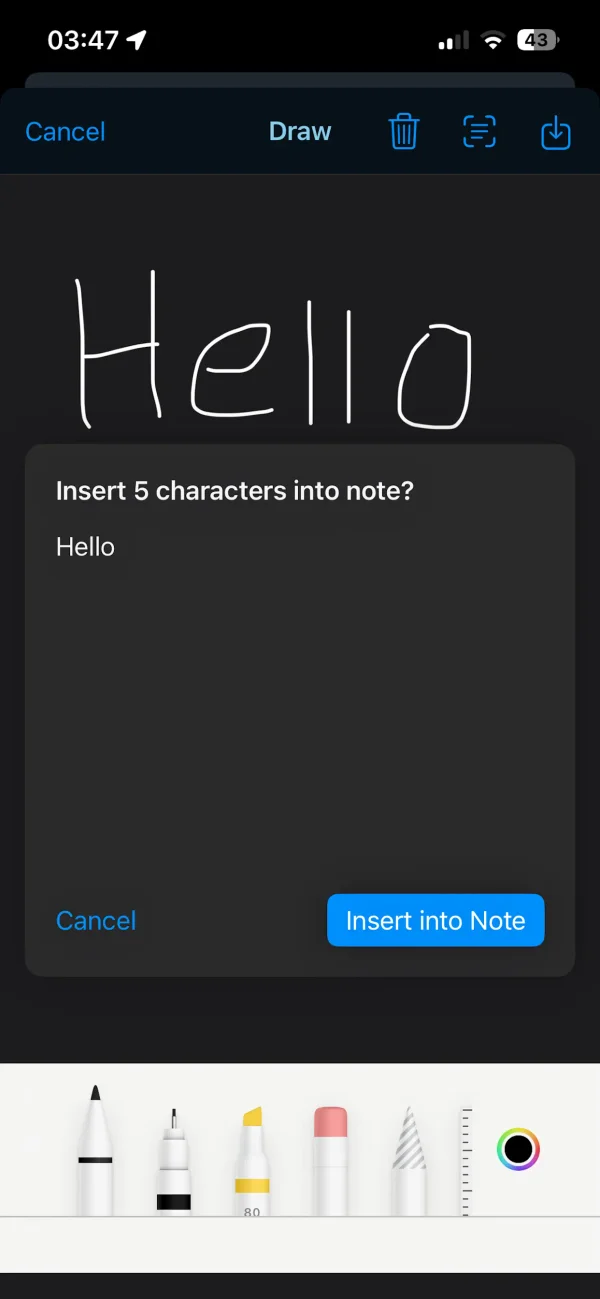
- Handwriting with OCR: Use handwriting to enter text into your notes with Optical Character Recognition (OCR).
Features:
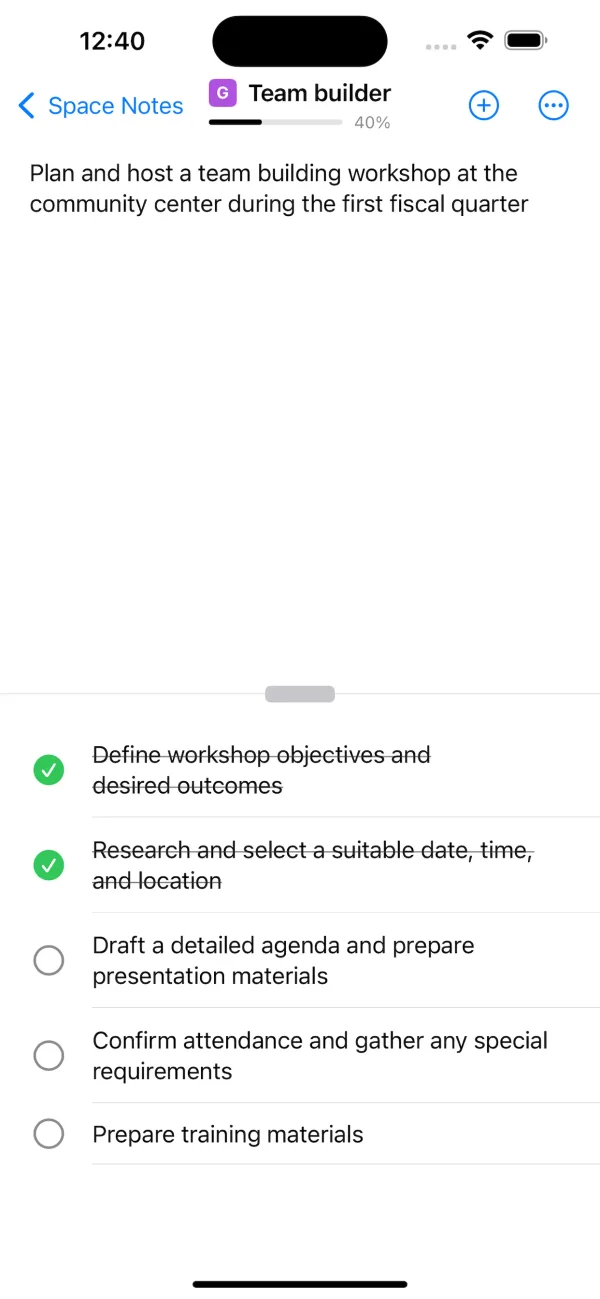
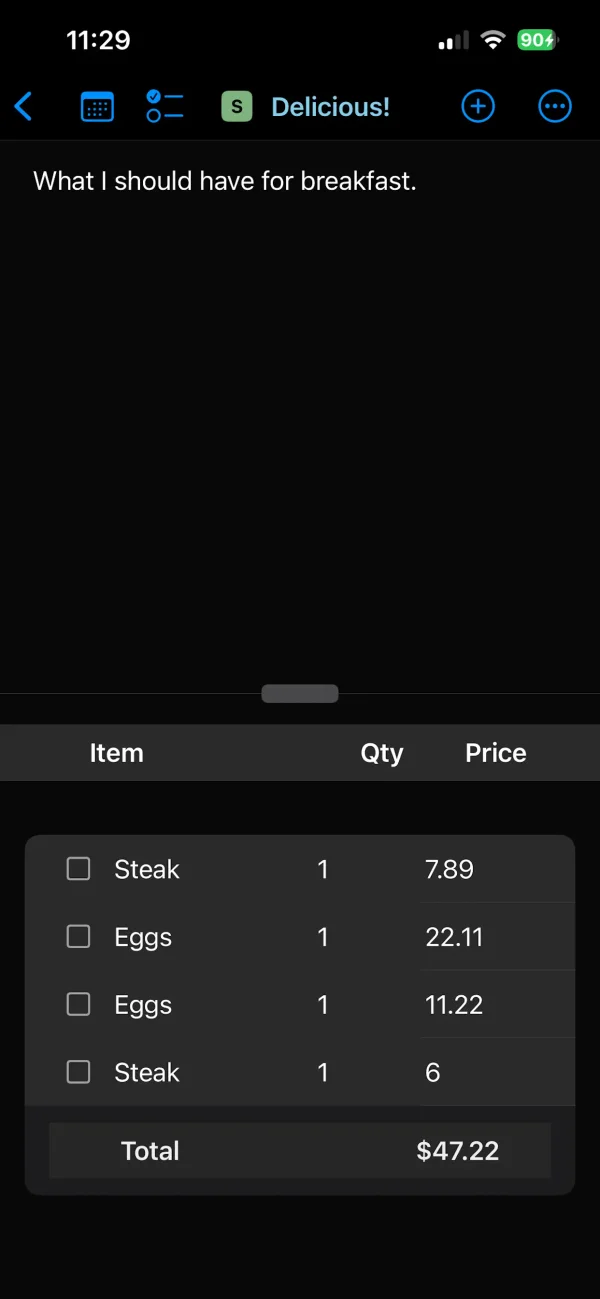
- Note types with exclusive functionality for creating goals with progress bars, comparing notes, making shopping lists.
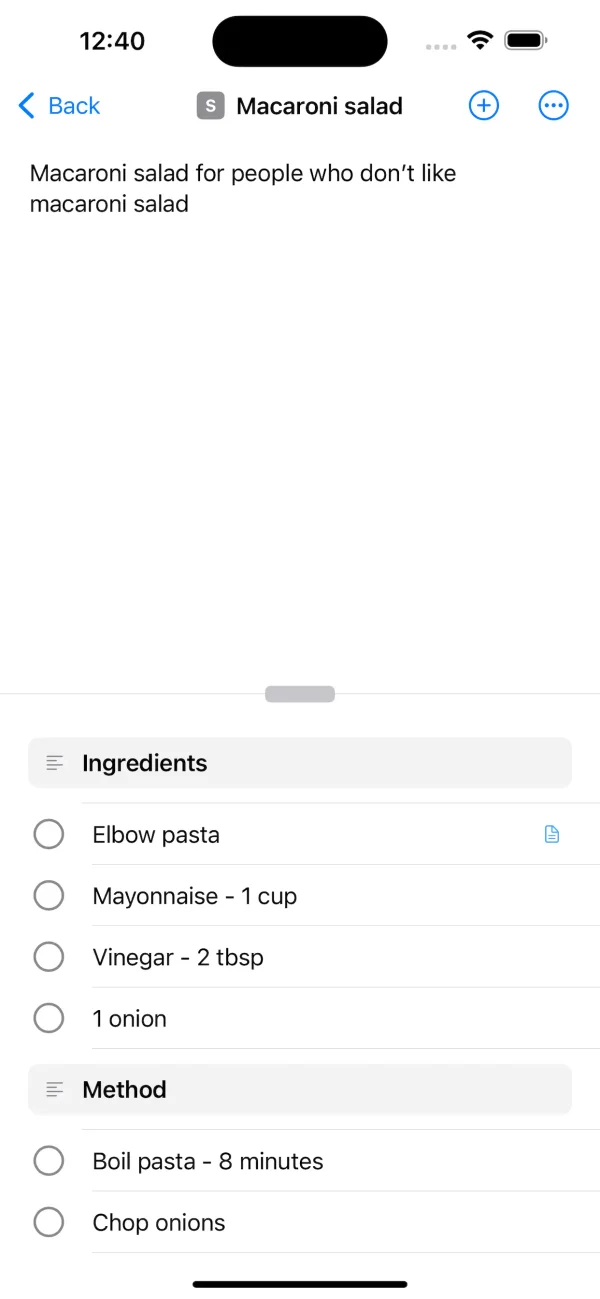
- Expand checklist items into notes for taking as much detail as you need, without crowding your screen.
- Randomly select an item from your lists, for those times when you can't decide on something, like where to go for lunch!
- Checklist table view: You can now switch to a table view for your checklists, allowing you to quickly edit your checklist items.
- Convert to checklist: you can now type out rows of text in the main notepad, then convert them to items in your checklist.
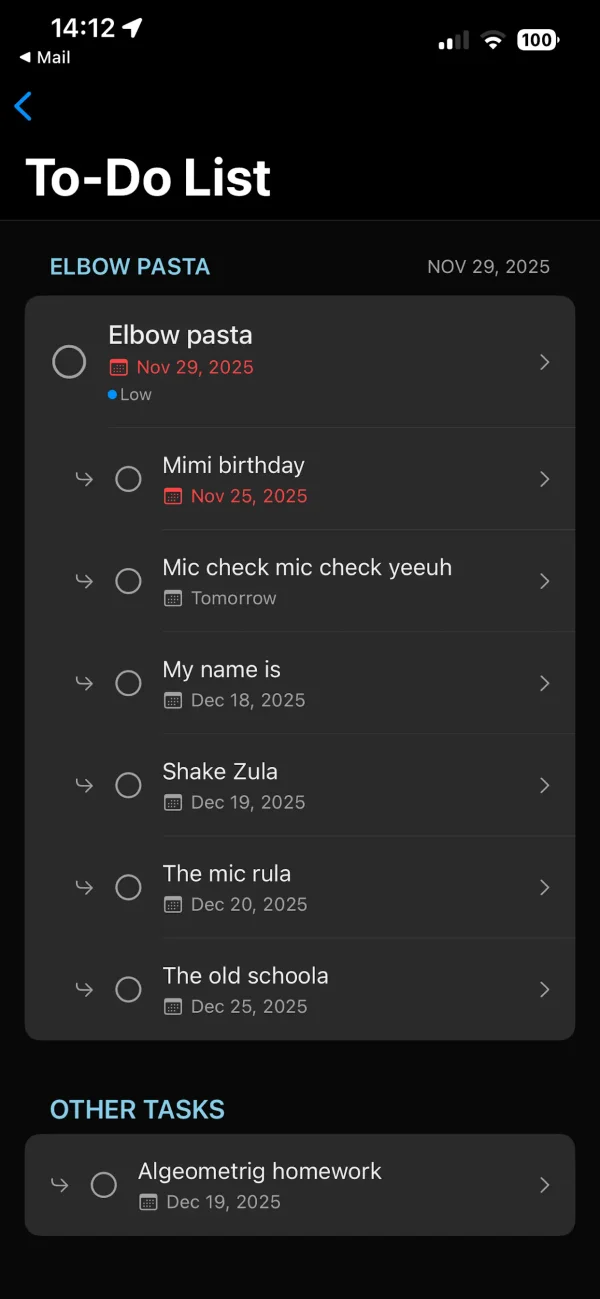
- Consolidated to-do list: all your due dates in one central location for quick reference and navigation.
- User-defined category tags: create tags to categorize your notes any way you'd like.
- Note priorities: assign priority levels for low, medium, high, and urgent.
- Three new note types: shopping, recipe, and character cards.
- Checklist item due dates: prior to version 2.0, due dates could only be assigned to primary notes. Now they can be assigned to checklist items for 'Goal' notes.
- Custom color schemes: add a personal touch to your Space Notes experience by creating your own color schemes.
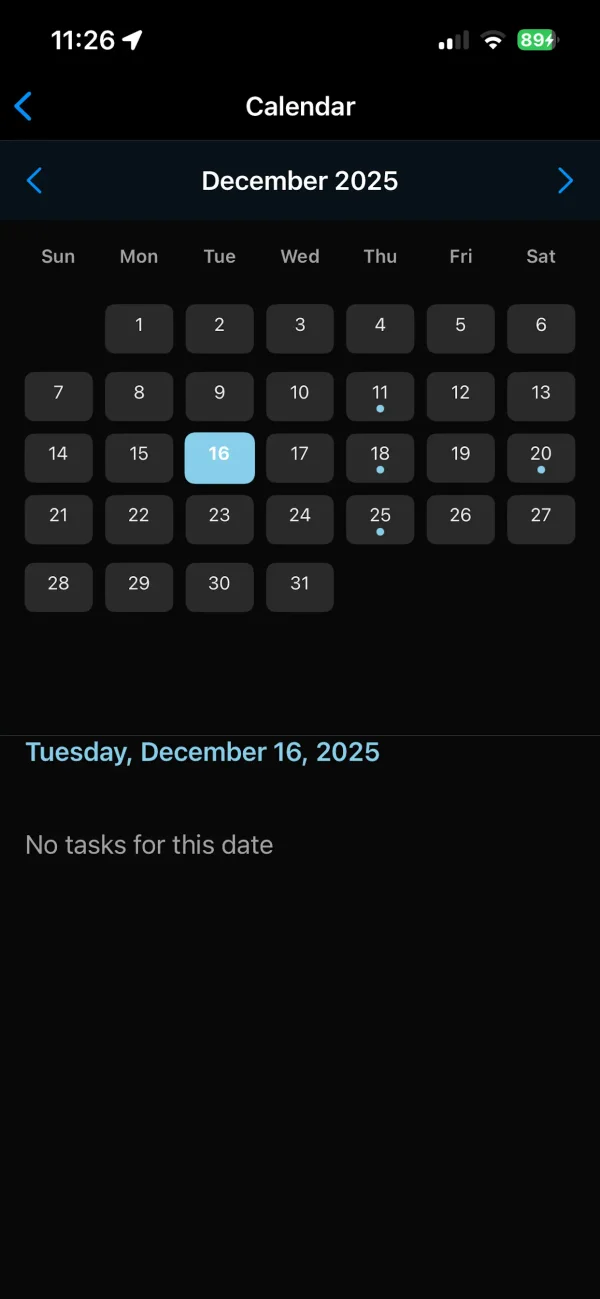
- In-app calendar: access a calendar right within your notes so that you don't have to keep switching between apps when you're making to-do lists.
- Due date quick add: when viewing a 'goal' note with the in-app calendar, you can tap on a date in the calendar, then tap the calendar button on a checklist item to instantly create a due date.
Space Notes Pro features:
- Compare checklists: see two checklists, side by side. Space Notes will automatically highlight if the same item appears in both checklists.
- Historical timeline: if you're working on a project, or tracking responsibilities at your job, you can commit your completed tasks to a historical timeline, which removes them from your note lists, but keeps them in a timeline that you can access when it's time to write your resume or review.
- Calculator: an in-app calculator so that you don't have to switch to a separate calculator app when you need to do basic arithmetic. Once you've arrived at the result, simply tap on it to insert it into your note.
The next version of Space Notes is being completely rebuilt, from the ground up. This will provide greater performance and stability, while also reducing the app's footprint.
Nouveautés
Version 3.0 · 13/08/2026
What's new in Space Notes 3.0
- Note Bundles: Keep notes organized with Note Bundles. You can create a bundle and add your notes to it so that you can quickly locate related entries.
- Card Collector's Gallery: A gallery where you can store images of your favorite trading or collector's cards.
- Handwriting with OCR: Use handwriting to enter text into your notes with Optical Character Recognition (OCR).
Bug fixes:
- Resolved: Note titles overlapping surrounding elements.
- Resolved: Checklist item titles intermittently resetting to default when rapidly creating new checklist items.
- Resolved: Blank note creation at app launch.
- Resolved: 'Modified' date timestamp updating when opening a note without editing.
Confidentialité de l’application
Ce que Space Japan Studios déclare sur l’App Store au sujet du traitement des données par cette application.
-
Données non collectées
Le développeur ne collecte aucune donnée à partir de cette application.
Les pratiques en matière de confidentialité peuvent varier, notamment en fonction des fonctionnalités que vous utilisez ou de votre âge.
Informations
- Vendeur
- Space Japan Studios, LLC
- Catégorie
- Productivité
- Version
- 3.0
- Mis à jour
- 13/08/2026
- Publié
- 23/09/2025
- Taille
- 8,1 Mo
- Nécessite
- iOS 17.6 ou version ultérieure
- Classification d’âge
- 4+
- Prix
- Gratuit
- Achats intégrés
- Oui
- Langues
- Anglais, Japonais
- Copyright
- © 2026 Space Japan Studios, LLC
Vous aimerez peut-être aussi
-
 InkCalc: Notepad CalculatorProductivité
-
 IdeabaseProductivité
-
 Plusm: bloc-notes calculatriceConvertisseur devises, unités
-
 Alcove : Tâches et notesListe à faire, agenda, rappels
-
 DoNow-ToDo listProductivité
-
 DonutTimeProductivité
-
 mvmntProductivité
-
 Papyrus: Files and moreProductivité
-
 HandyNote: canvas, transcribeProductivité
-
 KeepSpotProductivité